Leave a Review


Buying a CapCut Pro subscription BD sounds simple until you try it. The official checkout wants an international card, and most Bangladeshi editors pay with bKash or Nagad. So you end up scrolling through Facebook pages and Telegram resellers, each quoting a different price, and you have no idea who will actually deliver.
Here is the short answer. Prices for 1, 3, 6 and 12 month plans vary a lot between sellers, and the cheapest offer is often the riskiest one. A safe purchase comes down to a seller with verifiable reviews, a payment method you can trace, and delivery that happens right after you pay. Skip anyone who asks you to share your password or pay before answering basic questions.
Below, you will find a clear breakdown of CapCut Pro price in BD for each plan in BDT, what the subscription gives you, and the red flags that signal a scam. We also walk through the buying steps with bKash, Nagad or Rocket. AroraShop sells CapCut Pro with instant delivery, so we explain the process from what we see every day.
CapCut is free to download, so why pay for it? Because the free version locks the tools that save you hours. If you edit Reels, TikToks or YouTube Shorts, CapCut Pro in BD removes the friction that slows you down and makes your exports look more professional.
Pro unlocks the premium parts of the editor. Features shift with app updates, so check the in-app list before you pay, but these are the ones editors notice first.
Feature Free plan Pro plan Effects, filters, fonts Limited selection Full premium library AI tools (captions, background removal, upscaling) Basic or capped Expanded access Export quality Standard Higher resolution, up to 4K Cloud storage Small LargerMost of the value sits in the AI tools and premium assets. Auto captions alone save real time on talking-head videos, and higher-quality exports matter when a client is paying you.
Think about cost against output. If you edit for clients, one small project can cover a month of Pro. If you post once a week for fun, the free plan may be enough, and you can skip the spend.
Pay for CapCut Pro only when the editing time it saves is worth more than the plan price.
Local access is the other issue. Official billing expects an international card, so most buyers go through a reseller. That makes choosing the seller just as important as comparing prices, which is where the next steps begin.
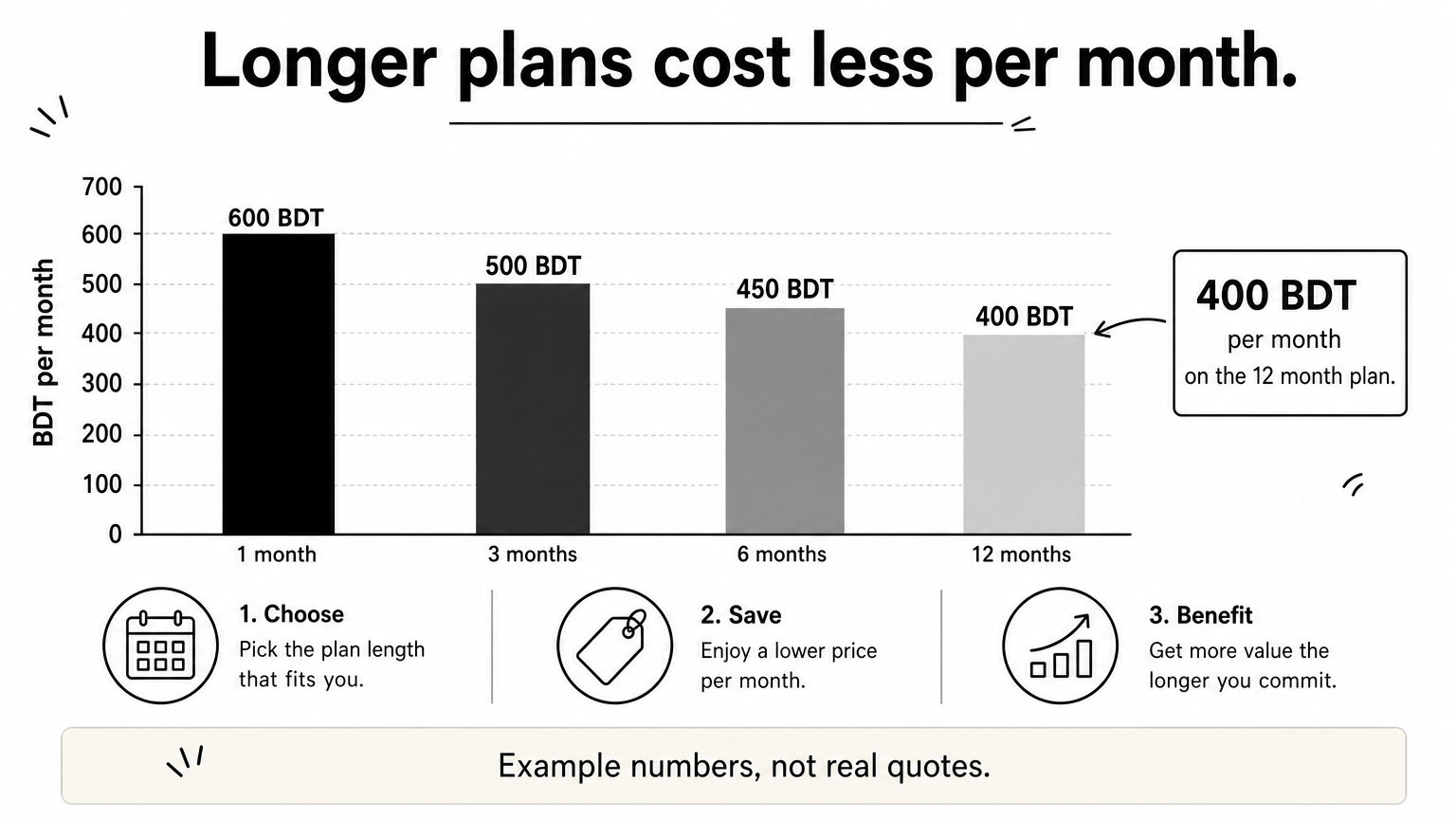
Start with CapCut Pro price in BD for one plan length at a time. Rates follow the dollar and the seller's source, so any printed number goes stale fast. Ask at least three sellers for the same plan and write down each total in BDT.
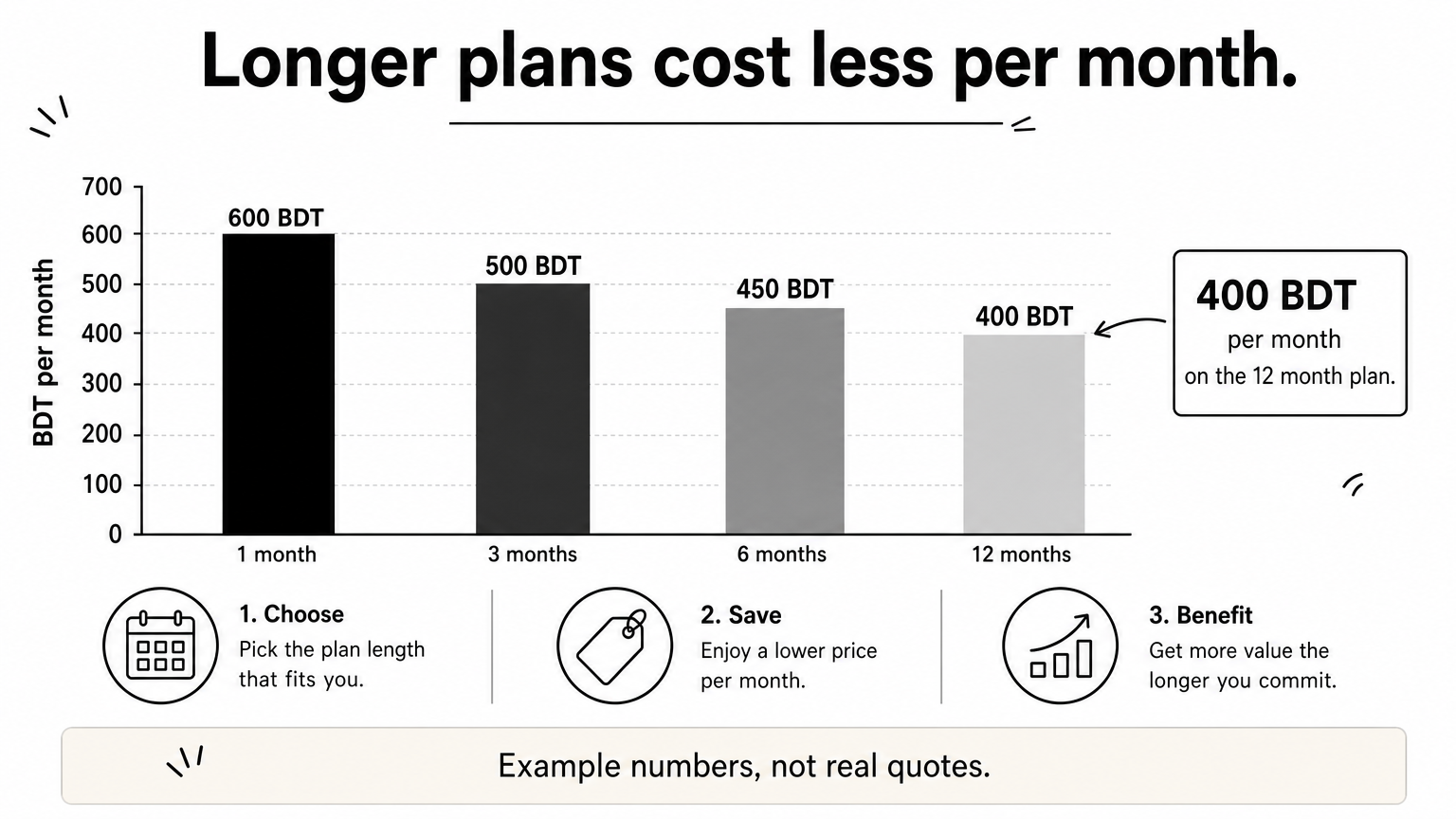
Long plans look expensive at checkout but usually cost less per month. Divide the total by the months to compare fairly. The numbers below are made up to show the math, not real quotes.
Plan Example total Per month 1 month 600 BDT 600 BDT 3 months 1,500 BDT 500 BDT 6 months 2,700 BDT 450 BDT 12 months 4,800 BDT 400 BDTUse this method on every CapCut Pro subscription price BD listing you find. Be wary of any quote far below the others. It often means a shared login or an account bought with stolen payment details, and it can vanish within days.
The cheapest CapCut Pro offer is rarely the best one, so compare cost per month and then check who is selling.
Plan length decides how much you spend and how much you risk. For your first CapCut Pro subscription BD purchase, start with 1 or 3 months. That is enough time to see whether the seller delivers and the plan holds up.
Never prepay for a year with a seller you have not tested on a shorter plan.
Before you pay, confirm where you will edit. Access can differ across Android, iPhone and desktop, so ask whether the plan works on every device you use.
Next, ask whether the plan runs on your own account or on a login the seller gives you. Your own account is safer, because you keep your projects and nobody else shares the login. Ask both questions before any CapCut Pro buy BD order, and keep the answers in your chat history.
A fair price means nothing if the seller disappears after you pay. Before you place an order, check the seller's track record with this short list:
Bangladeshi sellers accept bKash, Nagad and Rocket, so you do not need an international card. Whenever possible, pay through the checkout on the seller's official website or app. Send money only to the number shown there, and save the transaction ID plus a screenshot of the confirmation.
If a seller refuses a traceable payment or pushes you to pay in a hurry, walk away.
Personal send-money transfers to a number sent over chat leave you with almost no protection. A checkout page with an order record gives you something to point to if delivery fails.
Open the app as soon as your delivery arrives. Test every Pro feature the same day, because refund windows are short. Your CapCut Pro subscription BD order should go like this:
Never share your Google or Facebook password, and do not link your main login to a seller's account. Be careful with "lifetime" offers too. CapCut Pro in BD is normally sold as timed plans, so a lifetime promise is a warning sign.
Test the plan on day one, and report any problem before the seller goes quiet.
Keep your chat, receipt and transaction ID until the plan ends. If something breaks, message the seller within 24 hours with screenshots, and ask for the replacement or refund you agreed on in Step 3.
A CapCut Pro subscription BD purchase does not have to be a gamble. The process is the same every time. Compare the monthly cost across at least three sellers, start with a short plan, and check reviews and refund terms before you send a single taka.
Payment and activation finish the job. Use a traceable checkout with bKash, Nagad or Rocket, and keep your transaction ID. Then test every Pro feature on day one, and message the seller within 24 hours if anything breaks.
Ready to start? Buy CapCut Pro at AroraShop, pay with bKash, Nagad or Rocket, and get instant delivery so you can go straight back to editing.