Leave a Review


Picking a ChatGPT subscription is harder than it looks. OpenAI now sells four tiers: Free, Go, Plus and Pro. Each one has different limits, different models and a very different price. If you live in Bangladesh, there is one more problem. Most people here do not have an international card to pay with.
Here is the short answer. Free works for casual questions. Go is the cheap step up for heavier daily use. Plus is the best fit for most students, freelancers and developers. Pro is the top tier, built for people who run ChatGPT all day for demanding work. Prices change often, so check the current figure on OpenAI's pricing page before you pay.
Below, you will see what each plan includes, what the monthly and yearly cost looks like, and who should buy which tier. You will also learn how to subscribe and how to cancel. At AroraShop, we sell ChatGPT Plus and ChatGPT Go to Bangladeshi buyers, and you can pay with bKash, Nagad or Rocket, so we cover that path too.
Every plan carries a price, and the wrong one wastes money or time. A ChatGPT subscription is a recurring monthly fee, so a bad pick repeats every billing cycle. Buy too little and you hit limits in the middle of an assignment. Buy too much and you pay for capacity you never touch.
Money is the first reason. The ChatGPT subscription price for Plus is $20 a month in the US, which is roughly 2,400 taka at recent exchange rates. Pro goes as high as $200, or about 24,000 taka. That is a heavy bill for a student, and a clear overspend if you mostly write emails and summaries.
Time is the second reason. Lower tiers come with tighter usage caps, and when you reach one, ChatGPT slows you down or switches you to a smaller model. If you are debugging code or finishing a client draft, you lose an hour waiting for the limit to reset. That hour often costs more than the plan you skipped.
The right plan is the cheapest one that still covers your heaviest week.
Four things separate the plans: how much you can use, which models you can reach, which tools come included, and how much priority you get when traffic is high. Price tracks those four things closely, so the table below shows what you will notice first at each level.
Tier Who it suits What you notice first Free Casual questions, trying ChatGPT out Message caps and fewer features Go Daily light to moderate use Higher limits than Free, still below Plus Plus Study, freelancing, coding, content work Far fewer interruptions and wider model access Pro All-day, demanding professional work The highest limits and the most advanced toolsPayment adds another layer. OpenAI bills with an international card, and many Bangladeshi cards are blocked for foreign payments or carry a low dollar limit. People who cannot pay directly often start searching for workarounds, and that is where mistakes happen.
Shortcuts are tempting, and they are risky. Shared accounts, "lifetime" offers and sellers with no reviews can lose access overnight, and nobody refunds you. Pick a seller you can trace, pay with a local method such as bKash, Nagad or Rocket, and know exactly what you are getting before you send money. The sections below show how to match a plan to your work and subscribe safely.
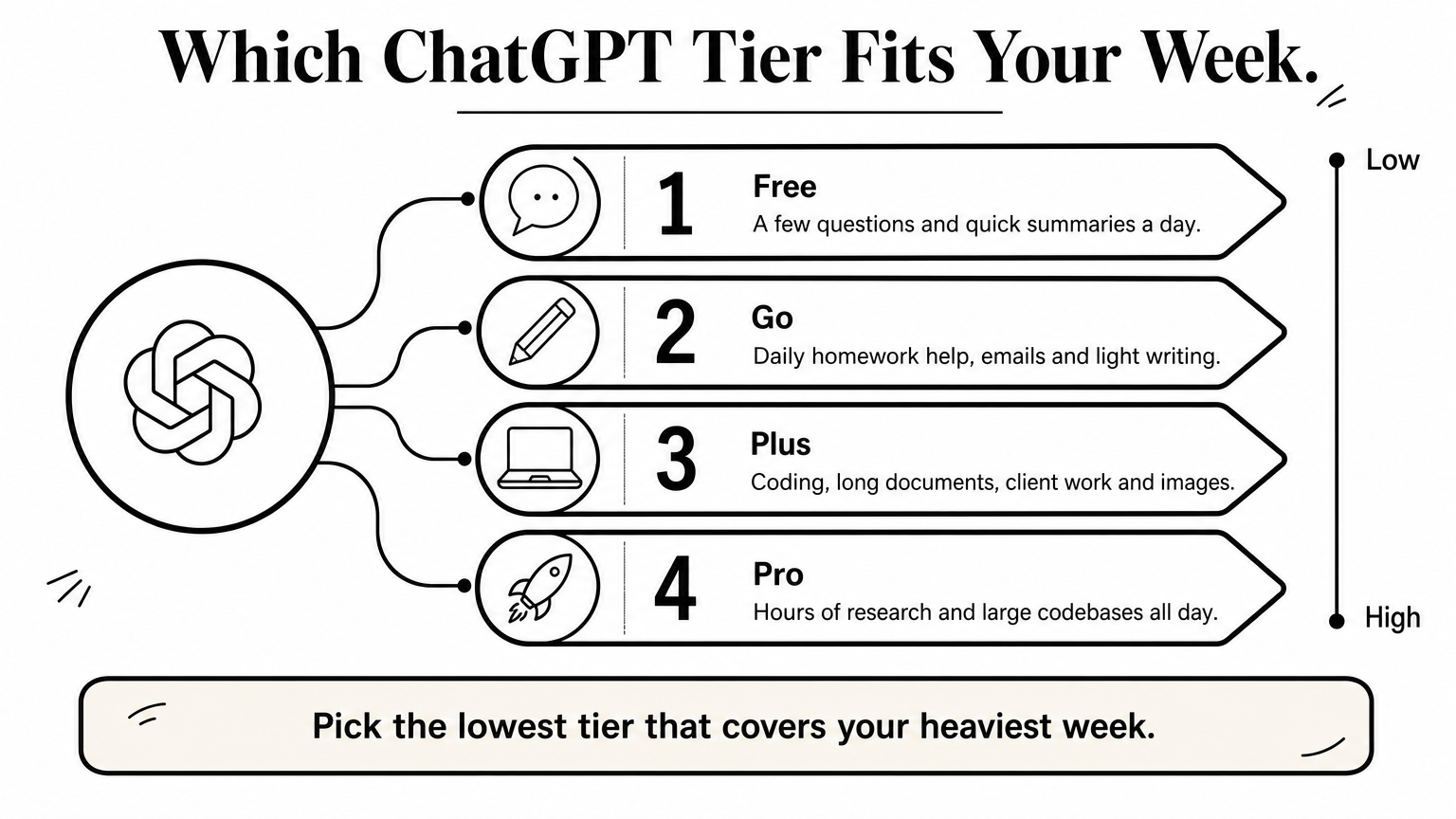
Choosing between the ChatGPT subscription plans takes about five minutes if you start from your work and not from the price tag. Look at what you do in a normal week, then pick the lowest tier that handles it without limits getting in your way.
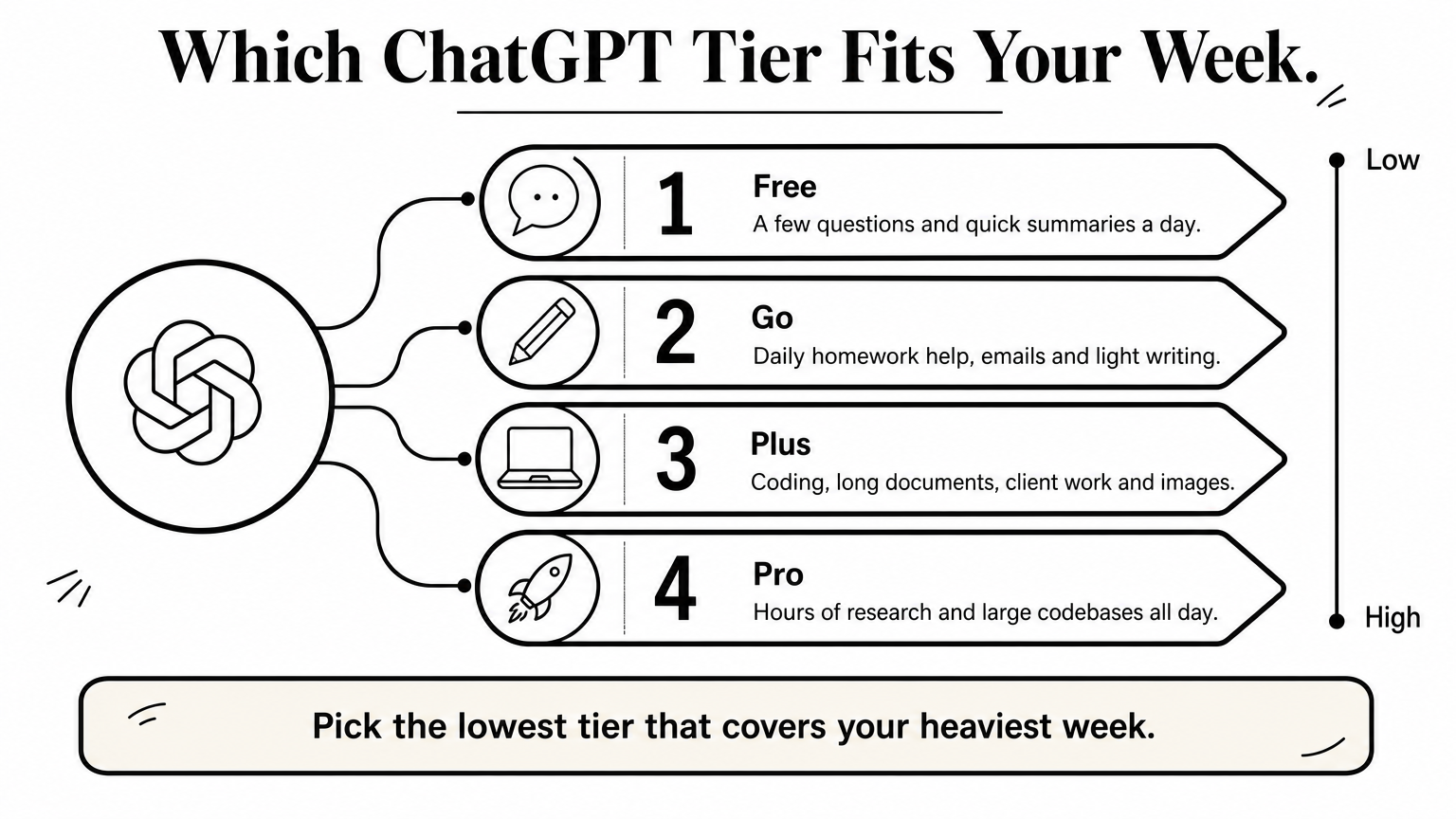
Think about the busiest week you actually have, not the average one. A student who writes a long report every Friday needs more headroom than Monday's quick questions suggest. Use the table below as a starting point.
What you do Start with A few questions a day, quick summaries Free Daily homework help, emails, light writing Go Coding, long documents, client work, image generation Plus Hours of research, large codebases, heavy automated tasks ProAnswer honestly, because each one points to a different tier.
Two "no" answers mean Free or Go is enough. A "yes" to the first two usually means the ChatGPT Plus subscription is the right call. Only a daily, work-critical need for maximum capacity justifies the ChatGPT Pro subscription.
Upgrading takes a minute, so begin one step below what you think you need. Run it for a full month of real work, and note every time a limit stops you. If it happens often, move up. If it never happens, you saved money.
Buy the plan your heaviest week demands, not the one your best week dreams about.
Budget matters too. A ChatGPT subscription per month is a recurring charge, so check that you can cover it for at least three months before you commit. If the cost would strain your pocket money or freelance income, stay on Free or Go until the work justifies more. Next, we compare those two lower tiers in detail.
Most readers should start at the low end, because two of the four tiers cost little or nothing. The gap between Free and Go is real, but it is smaller than the gap between Go and Plus. Here is what each one gives you, so you can tell when Free stops being enough.
Free is the no-cost entry point to ChatGPT, and it is better than many people expect. You get everyday chat, basic file uploads, limited image generation and access to a current model. The catch is that each of these has a low usage cap, and busy hours can slow you down.
Free handles these jobs well:
The ChatGPT Go subscription is the budget paid tier. OpenAI launched it in India in 2025 and later rolled it out worldwide, with a US price of around $8 a month. Regional prices differ, so confirm yours on OpenAI's pricing page. You get higher message limits and more image creation, file uploads and memory than Free, but you do not get the heavy tools that Plus is built around.
Feature Free Go Price $0 About $8 per month in the US Message limits Low Higher than Free Image generation Limited More File uploads Limited More Memory Short Longer Ads Tested in some regions Tested in some regionsUpgrade from Free when you hit the cap more than twice a week. That is the clearest signal. If your daily use is homework help, drafting messages or learning a topic, Go removes most of the friction for a small monthly cost.
Go is for people who use ChatGPT every day but do not depend on it for paid work.
Stay on Free if you ask a handful of questions a day. Skip Go and jump to Plus if you code, edit long documents or take client jobs, because Go's limits will frustrate you within a week. Plus is the next stop, so let's look at what that $20 buys.
The ChatGPT Plus subscription costs $20 per month in the US, billed monthly with no fixed term. Some regions add tax, so your checkout total can be a little higher. Many people still search for the "chatgpt 4 subscription price", because Plus was the plan that first unlocked GPT-4. Today the same $20 monthly fee unlocks OpenAI's newest models instead.
Searchers also call it the ChatGPT premium subscription, and Plus is what most of them mean. It is the standard paid tier for individuals, and it sits between the budget Go plan and the expensive Pro plans.
The main change from Go is access to the full toolset, not just higher message counts. Features rotate as OpenAI updates the product, so treat this table as a guide and confirm the current list on OpenAI's pricing page.
Feature What it means for you Newest models Higher limits on the flagship model and its reasoning modes Deep research Multi-step web research with a cited report Agent mode ChatGPT completes tasks on its own in a browser Coding tools Codex for writing, testing and reviewing code Image generation Far more images than Free or Go allow Voice and files Longer voice chats, bigger uploads, more memory Projects and custom GPTs Saved workspaces and reusable assistantsLimits still exist on Plus. They are simply much looser, so most people rarely hit them during a normal day.
Plus pays for itself fast if ChatGPT touches your income. A freelancer who drafts proposals, a developer who debugs with Codex, or a student writing a thesis will use the extra capacity daily. Even one saved hour a week is usually worth more than the fee.
Plus is the plan where ChatGPT stops being a toy and becomes a daily work tool.
Casual users should skip it. If you ask a few questions a day, you will pay $20 for features you never open. Watch for any ChatGPT Plus subscription offer too, such as a free trial or a promotional price. These appear in some regions and vanish without notice, so never plan your budget around one.
OpenAI sells the ChatGPT Pro subscription at two price points, $100 and $200 per month. Both cost five to ten times the Plus fee, so they only make sense for a narrow group of buyers. Lineups have shifted before, so confirm the current split on OpenAI's pricing page.
The $100 tier is the middle step for people who keep hitting Plus limits but do not need the maximum. The $200 tier carries the highest usage limits OpenAI offers to individuals. Both cover the same kind of work, and the main difference is how much of it you can run before a cap stops you.
Plan Monthly fee (US) Roughly in taka Best for Plus $20 2,400 Daily study, freelancing, coding Pro $100 12,000 Heavy daily use that outgrew Plus Pro $200 24,000 All-day, maximum-capacity workPro does not unlock a different product. It gives you far more room inside the same tools, plus first access to some experimental features. Exact multiples change with each update, so treat this list as a guide.
The top tier also tends to include the strongest reasoning mode that OpenAI offers. That matters for long analysis, complex code and research that Plus models finish less reliably.
Buy a Pro subscription ChatGPT plan only when you hit Plus limits every week and the lost time costs you real money. Think of a developer running long coding sessions all day, or a researcher feeding in large document sets. If ChatGPT earns you more than the monthly fee, Pro pays for itself.
Do not buy Pro until Plus has actually failed you.
Everyone else should skip it. A student or a part-time freelancer will spend 12,000 to 24,000 taka a month on capacity they will not touch. Try Plus for a full month, track each time a limit blocks you, and move up only if the log justifies it.
For individuals, mostly no. OpenAI bills Go, Plus and Pro month to month, so a ChatGPT yearly subscription is not a standard choice on the pricing page. Some regions or promotions may show an annual option, so check your own checkout screen.
Searches for a ChatGPT 1 year subscription fee therefore come down to simple math. Multiply the monthly fee by 12 and you have the ChatGPT subscription price yearly. The table uses about 120 taka per dollar, so your real figure will move with the exchange rate.
Plan Monthly (US) 12 months (US) Roughly in taka Go About $8 About $96 11,520 Plus $20 $240 28,800 Pro $100 $1,200 144,000 Pro $200 $2,400 288,000Anyone selling a ChatGPT Plus subscription 1 year deal far below that $240 figure deserves suspicion. Ask what you are actually buying. Cheap annual offers often turn out to be shared logins or accounts that stop working after a few weeks.
A yearly ChatGPT price is just twelve monthly payments, so a deal far below that needs an explanation.
People also type ChatGPT premium subscription price, and in almost every case they mean Plus at $20. Promotions do appear, such as free trials, regional discounts or student deals, but OpenAI runs them for limited periods in selected countries. Treat them as a bonus, not a plan. Your ChatGPT subscription fee is whatever the checkout page shows today.
OpenAI also sells ChatGPT Business, which used to be called Team. It is billed per user, at around $25 a month per seat on annual billing and about $30 on monthly billing in the US. Rates can change, so confirm them on OpenAI's pricing page. You get shared workspaces, admin controls and a default setting that keeps your data out of model training.
This tier suits a small agency, a startup or a freelance team of three who want one bill and central control. A solo buyer gains little over Plus. Larger companies can ask OpenAI for Enterprise, which has custom pricing and no public rate.
You have two realistic routes. You can pay OpenAI directly with a card, or you can buy through a local seller that accepts mobile money. Which one fits depends on one thing: whether you own a card that works abroad.
This is the cleanest path if you can use it. You need a Visa or Mastercard enabled for international payments, with a dollar limit that covers the fee plus tax. Many Bangladeshi cards fail here, so ask your bank about your dollar endorsement and per-transaction limit before you try. A virtual dollar card, such as a Fasset debit card in Bangladesh, or a RedotPay balance can also work, but some get declined, so treat the first payment as a test.
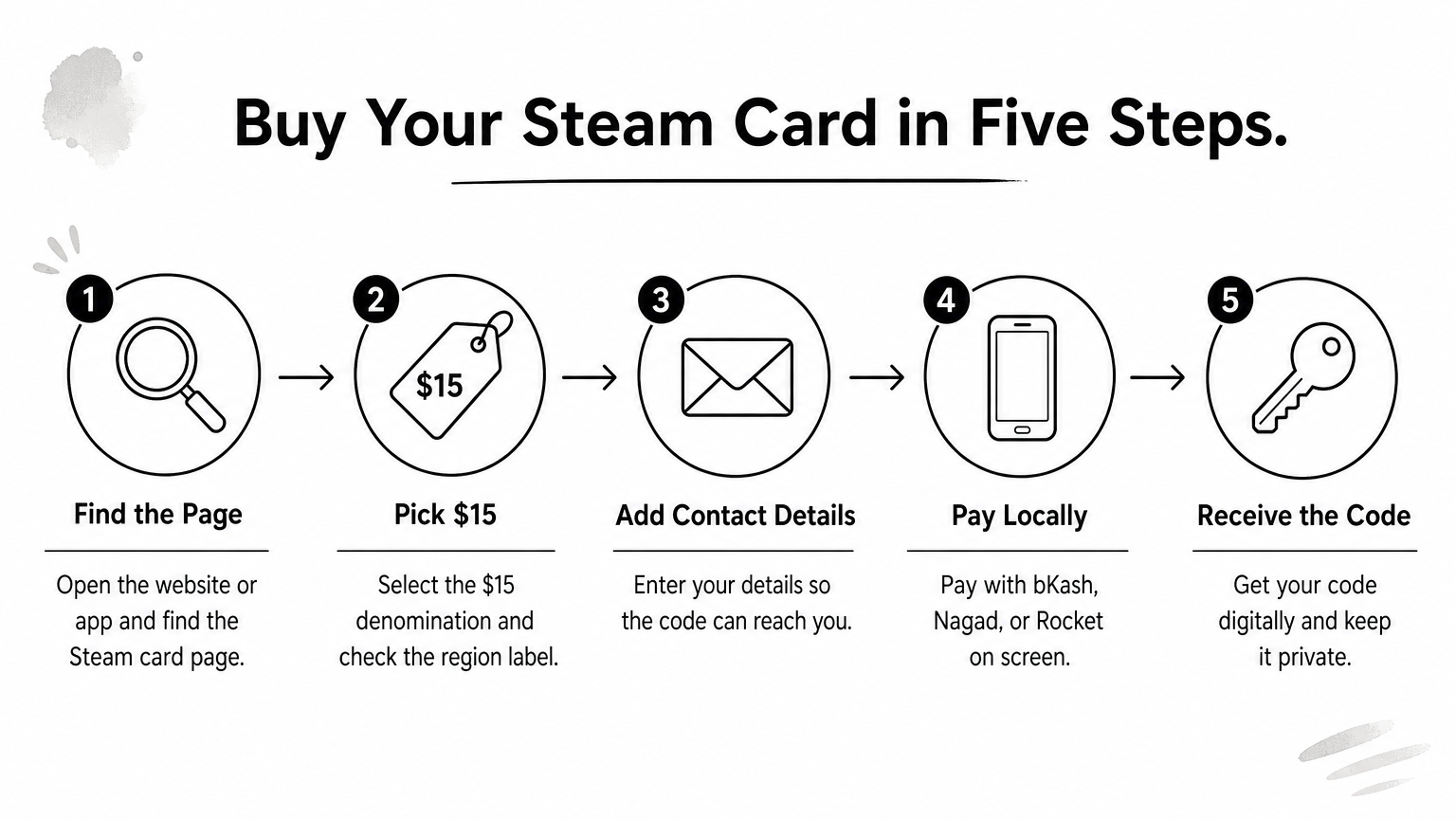
No international card? Then a local seller is the practical option. At AroraShop, we list ChatGPT Plus and ChatGPT Go, and you pay in taka with bKash, Nagad or Rocket. The product arrives digitally, so there is no waiting for a courier and no dollar conversion on your side.
If you cannot pay OpenAI directly, pay a seller you can trace, with a method that leaves a record.
Whoever you buy from, confirm what you are getting before you pay. Ask whether the plan runs on your own account or a new one, and how long it lasts. Vague answers are a warning sign. Also look for real reviews, such as Trustpilot or Google Maps, and not just screenshots the seller posts.
Keep this short list in mind:
Canceling a ChatGPT subscription takes under two minutes, but the right menu depends on where you paid. Check that first, because the wrong menu shows you nothing.
If you paid OpenAI directly with a card, follow these steps:
Canceling stops the next charge, not the current one. You keep your paid features until the billing period ends, then the account drops to Free. Your chat history stays. OpenAI generally does not refund unused days, so cancel a few days before renewal and not on the day itself.
Cancel before the renewal date, because a month that has already been charged is rarely refunded.
Plans bought inside the iPhone app are managed by Apple. Plans bought inside the Android app run through Google Play. OpenAI's website cannot cancel either one. On Android, open Google Play, tap your profile picture, go to Payments & subscriptions, then Subscriptions, select ChatGPT and tap Cancel subscription. Skip this step and billing keeps running even if you delete the app.
Moving up is quick, and moving down waits for your renewal date. The table shows the usual behavior, but your billing screen is the final word, since OpenAI adjusts these rules from time to time.
Move When it usually applies Go to Plus, or Plus to Pro Right away, with billing adjusted for the days left Pro to Plus, or Plus to Go At the next renewal Any paid plan to Free At the end of the current periodBefore you downgrade from a Pro plan, export anything you still need. Lower tiers have tighter limits on deep research and Codex, so a long project may stall halfway through.
Sellers work differently from OpenAI's own billing. Many digital plans are prepaid for a fixed period and simply end, with nothing to cancel. Others may renew on a card tied to the account. Before you pay, ask which kind you are getting, and save the expiry date somewhere you will see it.
On AroraShop, the product page explains how each ChatGPT plan is delivered. If something is unclear after you order, use the Contact Us page and include your transaction ID. That one number lets us find your order in seconds.
The best ChatGPT subscription is the cheapest one that covers your heaviest week. Stay on Free if you ask a handful of questions a day. Move to Go when you hit the cap more than twice a week, and pick Plus once ChatGPT helps you earn money. Pro only makes sense after Plus has actually failed you.
Remember that a yearly price is just twelve monthly payments, so any deal far below that deserves suspicion. Whatever you buy, confirm exactly what you are getting and note the renewal or expiry date, so canceling never catches you off guard.
Ready to start? If you do not have an international card, you can buy a ChatGPT Plus subscription or Go on AroraShop and pay in taka with bKash, Nagad or Rocket. You get digital delivery, and the Contact Us page is there if you need help. Pick one tier, run it for a month, and adjust from there.