Leave a Review


Today, I am launching a new series: the "Cyber Security Guide." In each episode of this series, I will discuss a real-world problem and its solution.
While it might sound like something out of a movie, this is actually a very common occurrence. Every day in Bangladesh, thousands of people have their phones compromised in one way or another—yet most remain completely unaware of it.
Hackers rarely hack your phone by physically handling it themselves. Here is what usually happens:
Installing malicious APKs – downloading apps from sources other than official app stores.
Phishing links – messages claiming things like "Your bKash account is about to be closed."
Public Wi-Fi – using free Wi-Fi at shopping malls or restaurants.
Spyware apps – someone physically accessing your phone and installing the app themselves.
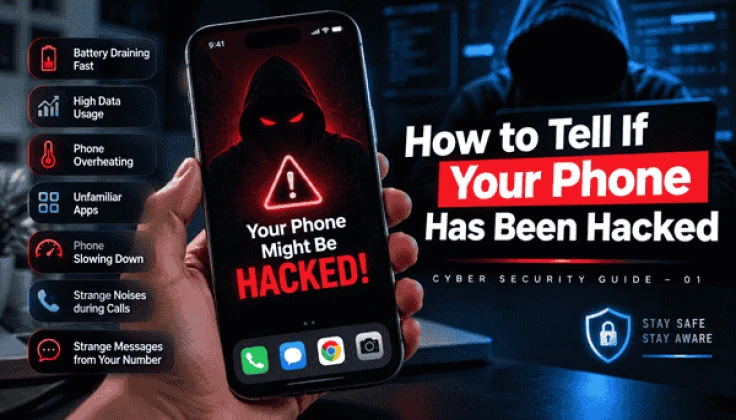
Hacking software runs constantly in the background, transmitting your location, messages, and call records to the hacker. This causes the battery to drain much faster than normal.
How to check: Go to Settings → Battery → Battery Usage and see if any unfamiliar app is consuming excessive battery power.
Is your mobile data running out even when you aren't actively using the phone? This is a crucial warning sign. Spyware consumes data to upload your files, photos, and messages to the hacker's server.
How to check: Go to Settings → Network → Data Usage and check if any unknown app is consuming large amounts of data.
If your phone feels hot while it is in your pocket or lying on the bed—when you aren't using it—it implies that something is running in the background.
Finding an app on your phone that you didn't install is immediately suspicious. Many types of malware automatically install other malicious apps.
How to check: Go to Settings → Apps, review the list, and immediately uninstall any app you do not recognize.
If malicious programs run in the background, they strain the phone's processor and RAM. This causes the phone to slow down and sometimes crash or restart.
If the phone is being tapped, you might hear clicking sounds or echoes during calls. This doesn't happen every time, but if it does, you should definitely be suspicious.
This is a major warning sign. If others receive messages or links from your phone that you didn't send, it means your account or device has been completely compromised.
1. Switch your phone to Flight Mode — cut off the connection with the hacker
2. Uninstall any unfamiliar apps
3. Change all important passwords using a different device
4. Perform a Factory Reset — this is the most effective solution
5. Keep Google Play Protect enabled at all times
[Cyber Security Guide – 02]: How to spot phishing links — how a single click can ruin everything?
If you found this post helpful, please like it and let us know in the comments if you’ve ever faced such issues with your phone.
Comment to let us know you're interested in the next part — we’ll keep the series going.