Leave a Review


You can add money to your RedotPay account from Bangladesh. But you cannot do it directly inside the RedotPay app with bKash or Nagad. RedotPay does not accept Bangladeshi taka or mobile wallet payments at the app checkout.
The working method is simple. You use a local top-up service or exchange. You pay in BDT with bKash or Nagad. The service sends USDT to your RedotPay wallet. Then you use that USD balance for card payments, online shopping, or subscriptions.
This guide explains the full process, the real costs, and the mistakes to avoid. It is written for Bangladeshi users who want a clear answer without confusing jargon.

RedotPay is a crypto payment card. It works like a prepaid Visa card. You load USDT or another supported crypto into your RedotPay balance. Then you can spend that balance at places that accept Visa cards.
The card is popular in Bangladesh for a few practical reasons.
RedotPay is issued by Red Dot Technology Limited in Hong Kong. It is a custodial card. That means RedotPay holds your funds while they sit in the app. This is normal for prepaid cards, but you should understand it before you load a large amount.
No. RedotPay does not list bKash or Nagad as a funding method inside the app. The app supports crypto deposits, Binance Pay, and card or PayPal top-ups[reference:2]. None of these are Bangladeshi mobile wallets.
This is the part many new users miss. They download RedotPay, look for a "bKash" button, and find nothing. Then they think the card does not work in Bangladesh. That is not true. The card works. The funding path is just different.
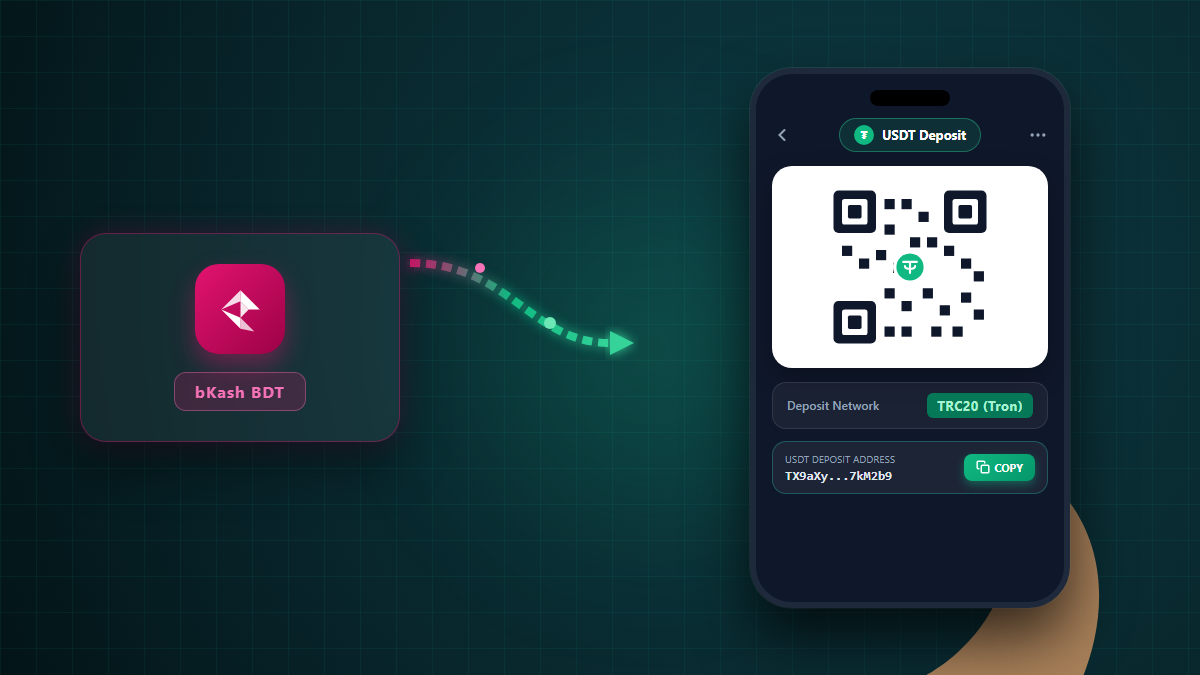
You need a bridge between bKash and RedotPay. That bridge is usually a local exchange service or a top-up shop. You pay the shop in BDT. The shop sends USDT to your RedotPay deposit address. Your RedotPay USD balance goes up.
Some users also buy USDT on a P2P marketplace with bKash and then send it to RedotPay themselves. That route works too, but it has more steps and more risk for beginners. A trusted local top-up service is easier for most people.
Here is the full process in the order you should follow it.
Download the RedotPay app from the Google Play Store or the Apple App Store. Sign up with an email address. Then complete identity verification.
For Bangladesh, you normally need a National ID card (NID) or a passport. The app will ask for a photo of the document and a selfie or face scan. Verification usually finishes within minutes, but it can take longer if the photo is unclear.
Do not skip this step. Without verification, your account limits stay low and some features remain locked.
Look for a service that meets four simple conditions.
One example is AroraShop's RedotPay balance top-up page. It lists BDT prices for USD packages and accepts bKash, Nagad, and Rocket. You can compare its rate with other services before you choose.
Do not send money to a stranger on Facebook or Telegram just because the rate looks low. A low rate often hides a scam or a slow delivery.
Tell the service how much USD you want. The service replies with the BDT amount. Then you send the money through bKash or Nagad.
For bKash, you can use the "Send Money" option in the app or the USSD menu. For Nagad, use the "Send Money" option in the Nagad app. Always double-check the receiver number before you confirm. A wrong number can send your money to a stranger.
Keep the transaction ID. You will need it if the service asks for proof or if something goes wrong.
The service sends USDT to your RedotPay deposit address. You can find this address in the RedotPay app under Deposit. Choose USDT and select the correct network, such as TRC20. Copy the address exactly.
After the transfer confirms on the blockchain, your RedotPay USD balance updates. This usually takes a few minutes. If the balance does not update after 30 minutes, contact the service with your transaction ID.
RedotPay charges its own fees. These are separate from the BDT price you pay to a local top-up service. You need to understand both costs.
Here are the main RedotPay fees based on its published information and independent reviews.
| Fee type | Amount | When it applies |
|---|---|---|
| Virtual card issuance | US$10 one time | When you create the virtual card |
| Physical card issuance | US$100 one time | When you order the plastic card |
| Top-up with crypto (direct) | 0% | When you deposit USDT or another crypto directly |
| Top-up with Binance Pay | 1% | When you fund through Binance Pay |
| Top-up with card or PayPal | 3% (minimum US$1) | When you use a bank card or PayPal |
| Crypto conversion fee | 1% | When your crypto is converted for a purchase |
| FX fee (non-USD spend) | 1.2% | When you pay in a currency other than USD |
| ATM withdrawal | About 2% | Physical card only; virtual card has no ATM access |
The table shows why direct crypto deposit is the cheapest way to fund RedotPay. A direct USDT deposit has a 0% RedotPay top-up fee[reference:3]. Card and PayPal top-ups cost 3%, which is much higher.
Some reviewers list a 1% "top-up fee" in their summaries. That figure usually describes a specific funding route or a spread, not every deposit. Always check the fee screen in your RedotPay app before you confirm a top-up. Fees can change, and the app shows the current amount.
For spending in Bangladesh, remember the FX cost. If your card balance is in USD and you pay a merchant that charges in BDT or another currency, RedotPay applies a 1.2% FX fee on top of the 1% crypto conversion fee. That can add up to about 2.2% on non-USD purchases[reference:4]. USD purchases avoid the 1.2% FX fee.
The RedotPay fee is only one part of the cost. The bigger number for most Bangladeshi users is the BDT-to-USD rate.
RedotPay does not publish a BDT exchange rate because it does not accept BDT. The rate comes from the local service that converts your taka into USDT.
Here is a real example from a Bangladeshi top-up page.
| USD package | Price in BDT | Effective BDT per USD |
|---|---|---|
| US$3 | ৳399 | 133.00 |
| US$5 | ৳665 | 133.00 |
| US$10 | ৳1,330 | 133.00 |
| US$20 | ৳2,660 | 133.00 |
| US$50 | ৳6,650 | 133.00 |
These prices come from AroraShop's public package list[reference:5]. The effective rate is about 133 BDT per USD.
Compare that with the open USDT market rate. In late 2026, 1 USDT was worth about 123 to 124 BDT on public trackers[reference:6]. The gap between 123 and 133 is the service's margin. That margin covers the exchange work, the delivery, and the risk the service takes when it sends crypto first.
This does not mean the service is overcharging. It means you should compare a few providers and look at the final BDT amount, not just the headline USD package. A service that charges 130 BDT per USD is cheaper than one that charges 135, even if both advertise "low fees."
Also remember that bKash and Nagad may charge their own send-money fees. Check the confirmation screen before you pay. The total cost is the bKash or Nagad fee plus the service's BDT price.
The process with Nagad is the same as bKash. You find a service that accepts Nagad, you send the BDT amount, and the service delivers USDT to your RedotPay wallet.
Nagad is a mobile money service run by Nagad Limited. It supports send money, cash out, bill payments, and mobile recharge[reference:7]. For RedotPay funding, the key feature is send money to another Nagad account.
One practical tip: use the same name on your Nagad account and your RedotPay account when possible. Some services ask for a matching name or a screenshot of your profile. A name mismatch can slow down manual checks.
Another tip: send a small test amount first. Buy US$3 or US$5 before you spend ৳13,300 on a US$100 package. A small test confirms that the service delivers to the right RedotPay address and that your wallet receives the funds.

People use these phrases in different ways. In practice, they describe the same goal: putting money into your RedotPay account so you can spend it.
"Balance top up" usually means adding USD to your RedotPay wallet. "Card recharge" usually means the same thing, especially when the user plans to spend with the virtual card.
There is one important detail. RedotPay is a prepaid card. You do not "recharge" a card number directly like a mobile phone. You fund the RedotPay account balance. The card then draws from that balance when you pay.
So if someone says "RedotPay card recharge Bangladesh," they mean "fund my RedotPay USD balance." The method is the same: BDT through bKash or Nagad, then USDT into RedotPay.
Most problems with RedotPay top-ups in Bangladesh come from a few avoidable mistakes.
You cannot send taka to a USDT address. Taka and USDT are different assets on different systems. You must convert BDT to USDT first, either through a service or through a P2P trade.
USDT exists on several blockchains, including TRC20, ERC20, and BEP20. If the sender uses one network and your RedotPay deposit address expects another, the funds may not arrive. Always confirm the network before you share your address.
Send money only to a service that gives you a receipt and a clear delivery promise. Keep the bKash or Nagad transaction ID. If the service asks you to delete the chat or pay extra "fees" after you have already paid, stop and report it.
A cheap USD price can become expensive when you add the bKash fee, the Nagad fee, and a slow delivery. Compare the final BDT amount you will pay for the USD you will receive.
Start small. A US$5 test is enough to confirm the route. After the test works, you can load a larger amount with confidence.
No. RedotPay does not accept bKash inside the app. You need a local service or exchange that converts your bKash BDT into USDT and sends it to your RedotPay wallet.
Yes, through a local service that accepts Nagad. The service converts your Nagad BDT into USDT and delivers it to your RedotPay deposit address. RedotPay itself does not accept Nagad directly.
The minimum depends on the service you use. Some services sell packages starting from US$3. RedotPay itself may have a minimum deposit amount for crypto transfers, so check the app before you send.
A good local service can deliver within 1 to 5 minutes after your payment is confirmed. Blockchain confirmation times vary. If the service is slow, contact support with your transaction ID.
RedotPay is a foreign crypto card service. It lists Bangladesh as a supported country. Crypto rules in Bangladesh can change, so you should stay informed about local regulations. This article is for information only and is not legal or financial advice.
The local service adds a margin for conversion, delivery, and risk. That margin is how the service makes money. Compare a few providers to find a fair rate.
Yes. Many Bangladeshi freelancers receive USDT and load it into RedotPay. They then spend the balance on tools, ads, or online purchases. Keep records of your transactions for your own accounting.
A RedotPay balance top up in Bangladesh with bKash or Nagad is not a single button inside the RedotPay app. It is a two-step process. You pay BDT to a local service. The service sends USDT to your RedotPay wallet. Then you spend the USD balance with your card.
The key numbers to watch are the RedotPay fee for your chosen funding method and the BDT-per-USD rate from the local service. Direct crypto deposits have the lowest RedotPay fee. A small test top-up is the safest way to start.
If you want a ready-made BDT checkout with bKash and Nagad, you can compare the packages on the AroraShop RedotPay balance top-up page and check the current BDT price before you order.

Please login to live chat or contact via WhatsApp