



How to Remove Ad SDK From APK – Complete Guide
AroraShop Editorial & Fulfillment Team
Digital Gaming & FinTech Specialists (Dhaka, BD) • UpdatedHow to Remove Ad SDKs From an APK - Complete Step-by-Step Guide
Assalamu Alaikum friends, how are you all?
Are you annoyed by irritating ads inside apps? Today, I will show you the complete process of removing ad SDKs from an APK.
For the demo, I used the File Translator Subtitle SRT v1.57 app, which had four different ad networks included. Below, I explain every step with the original screenshots.
⬇️ Download: No-Ads APK
Download No-Ads APK
TeraBox link
What You Need
- apktool - A tool for decompiling and rebuilding APK files
- Java (keytool) - To create a new signing key
- apksigner - Included with Android build-tools
- The APK file from which you want to remove ads
If you want to do this from your phone, you can also use MT Manager to perform the same steps, including decompiling, editing, rebuilding, and signing.
Step 1: Decompile the APK
First, decompile the APK using apktool. This separates the internal code (smali), AndroidManifest.xml, and resources.
apktool d original.apk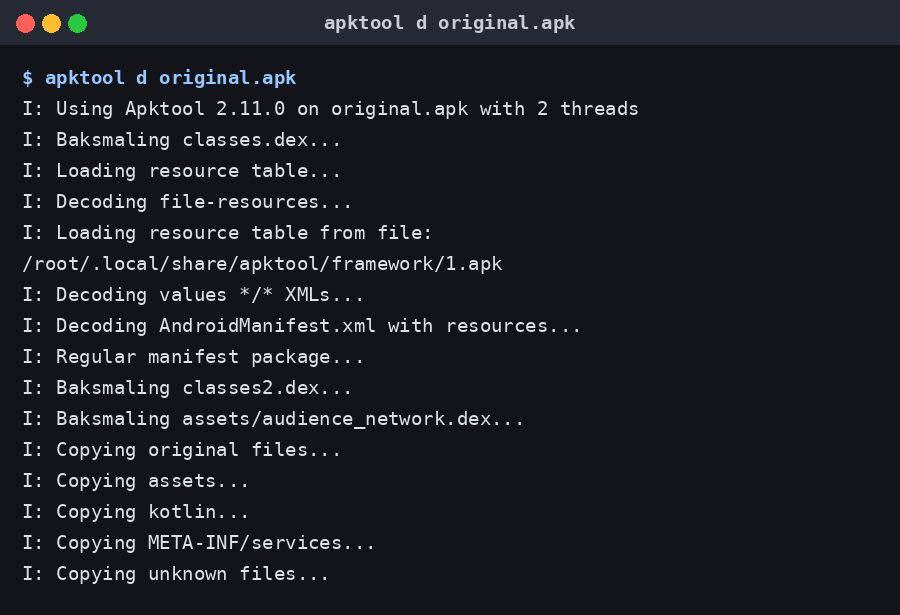
Notice the line "Baksmaling assets/audience_network.dex…".
This is Meta's Audience Network ad SDK, which was hidden inside the APK.
Step 2: Find the Ad Components
After decompiling, open AndroidManifest.xml.
These were found in this app:
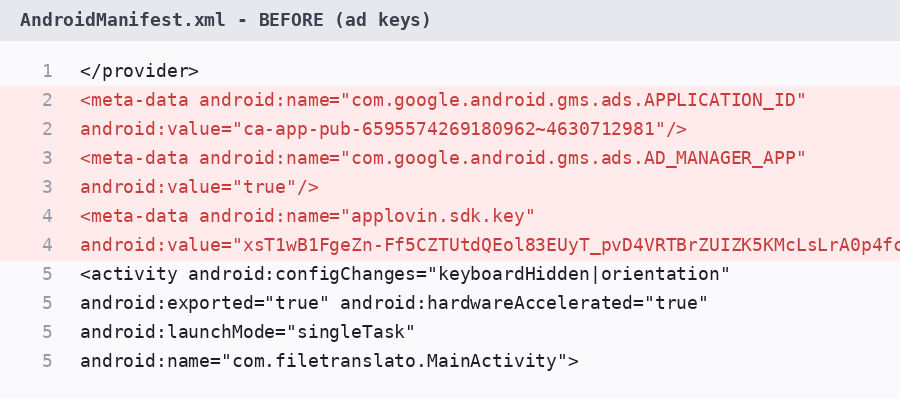
The three red-marked lines are:
- AdMob's
APPLICATION_ID AD_MANAGER_APP- AppLovin's SDK key
These identify the ad networks.
Now look at the code size:
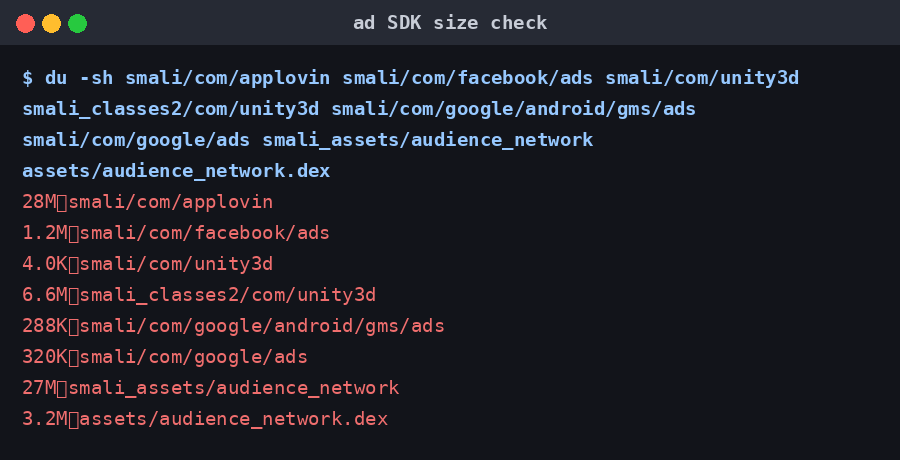
🔍 Four ad SDKs were found in this app:
- AppLovin - 28 MB of code
- Meta Audience Network - 27 MB, including hidden dex files inside assets
- Unity Ads - 6.6 MB of code
- Google AdMob - Ad activity and mediation code
Their activities, services, and provider entries were also present in the manifest.
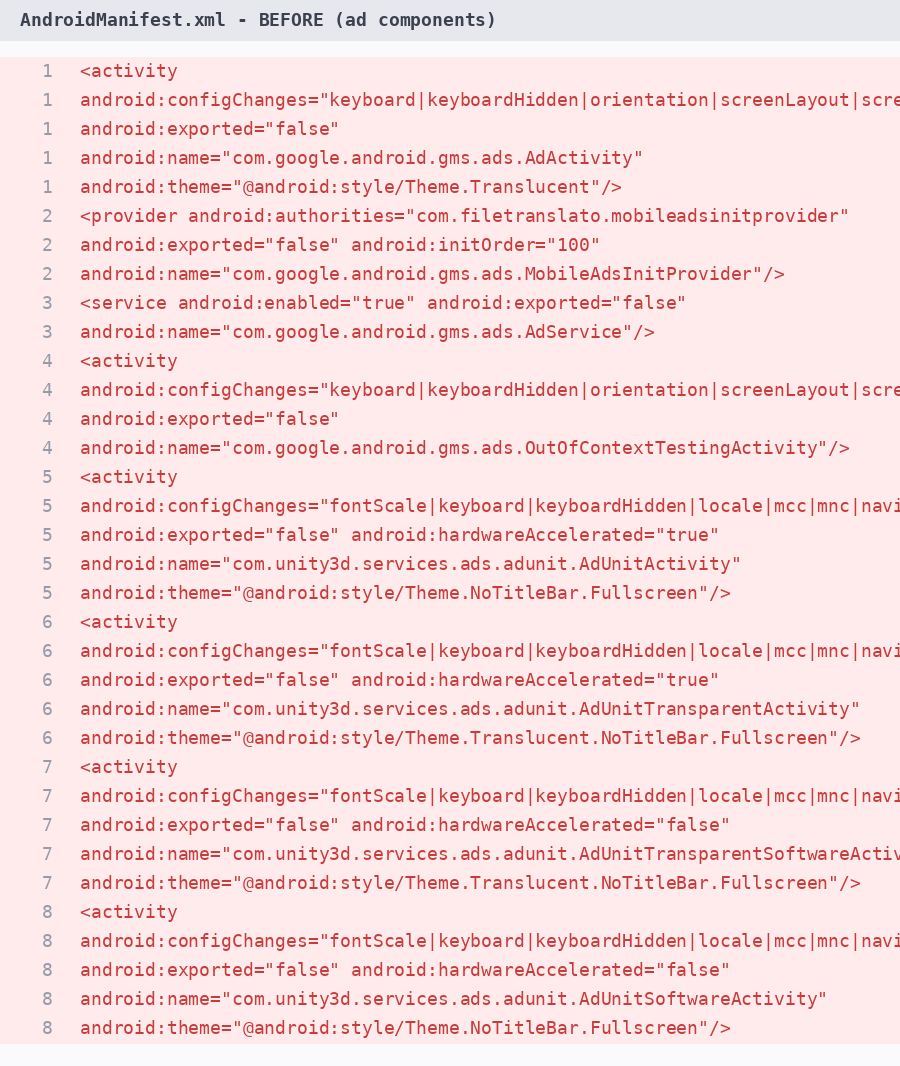
Step 3: Remove Ad Entries From the Manifest
Now remove the ad-related entries from AndroidManifest.xml:
- AD_ID permission - used for ad tracking
- AppLovin providers, 18 activities, and services
- AdMob AdActivity, MobileAdsInitProvider, and AdService
- Unity's four AdUnit activities
- Facebook's AudienceNetworkActivity and ContentProvider
- AdMob / AppLovin metadata keys
A total of 39 lines were removed.
After the cleanup, the manifest looks clean:
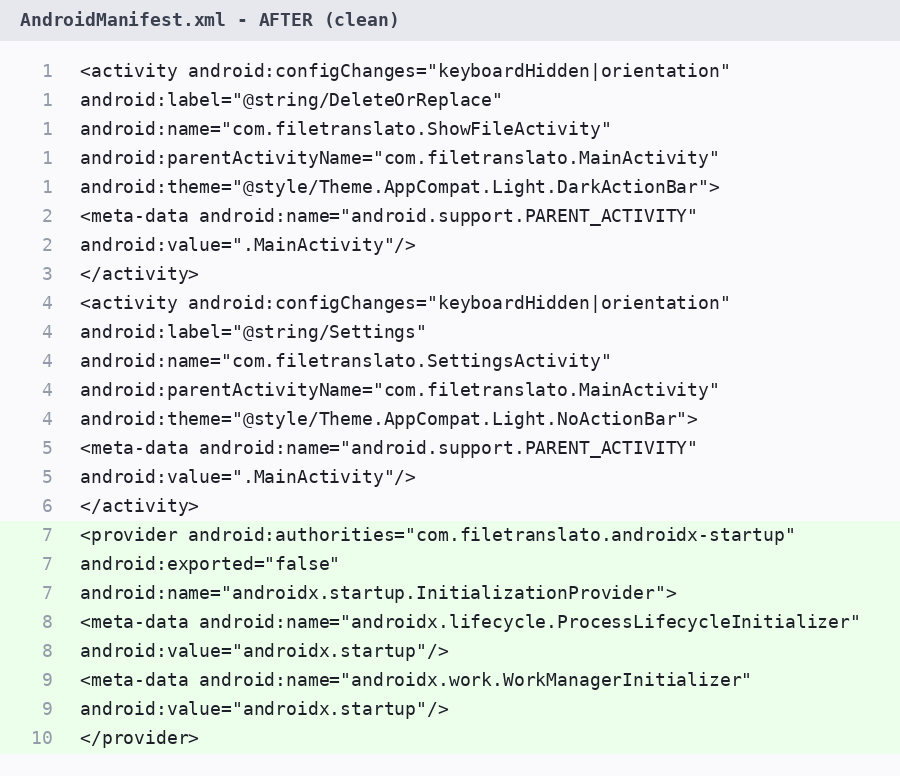
The green-marked lines are the app's own components. They remain intact. Only the Unity ad line has been removed.
Step 4: Delete the Ad SDK Code Folders
Now remove the complete code of the ad SDKs from the smali folders:
rm -rf smali/com/applovin smali/com/unity3d \
  smali_classes2/com/unity3d smali/com/facebook/ads \
  smali/com/google/android/gms/ads smali/com/google/ads \
  smali_assets/audience_network assets/audience_network.dex
Along with this, 231 AppLovin resource files such as icons and layouts and 800+ ad entries from the values folder were also deleted. Otherwise, the APK rebuild can produce errors.
Step 5: Rebuild the APK
Now rebuild the modified APK:
apktool b decompiled -o rebuilt-unsigned.apk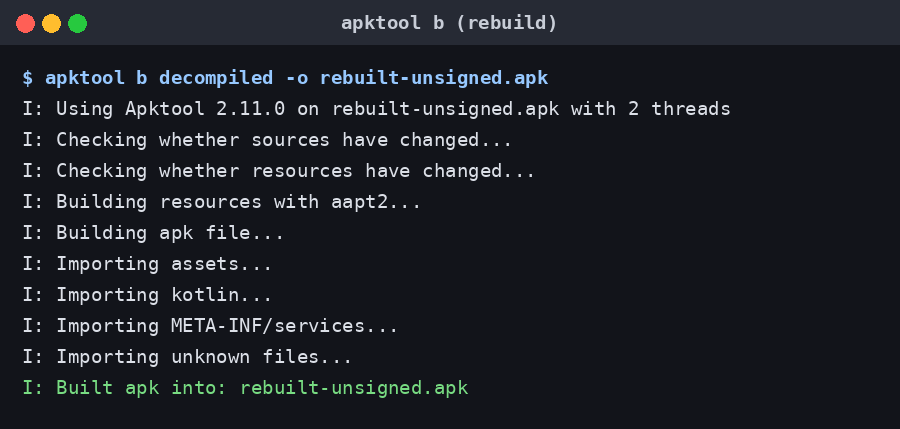
Step 6: Sign the APK With a New Signature
The modified APK cannot be installed using the previous signature.
So, you need to create a new key and sign the APK.
keytool -genkeypair -keystore debug.keystore -alias androiddebugkey …Then sign the APK:
apksigner sign --ks debug.keystore --out filetranslato-noads.apk rebuilt-unsigned.apkFinally, verify the signature:
apksigner verify --print-certs filetranslato-noads.apk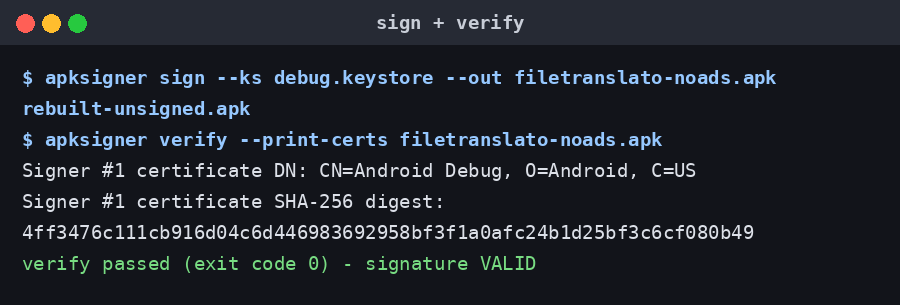
Result: Ad-Free APK Is Ready!
✔️ Final Check
- Size: 7.2 MB → 4.2 MB, so around 3 MB of ad code was removed
- Ad SDKs: Removed - AppLovin, AdMob, Unity, and Audience Network code and components were removed; three AdMob resource XML files remained
- Signature: Valid -
apksigner verifypassed - Package:
com.filetranslato, v1.57, remains the same
⚠️ Important Warning
- Only modify APK files that you have the right to modify. Do not use this process in a way that harms the developer.
- Removing ad code can cause some apps to crash where ads were expected to appear. Always keep a backup first.
- Because the modified APK has a new signature, it cannot be installed as an update over the Play Store version. You will need to uninstall the old version before installing the modified APK.
Sponsored
Categories
- Beginners Gamers 1
- Top Up 0
- Gift Card 3
- Announcement 0
- Technology 31
- Artificial intelligence 11
- Updates & Guides 345
- Games 3
- Business & Tech 1
- Freelancing & Career 2
- Tech Tips & Tutorials 1
- Make Money Online 1
- Tech & AI Tools 2
- Crypto & Airdrops 3
- Career & Business 1
- Money Making 2
- Guides 0
- Game Top-Up Guides 0
- Subscription Guides 1
Sponsored
Recent Posts


Sponsored