Leave a Review


Assalamu Alaikum.
In today's post, I will share the script of a Telegram Mini bot. Along with that, the setup procedure is also included. Besides, if you want, you can work on one of my bots.
Many of us probably know that it is possible to earn by creating Telegram Mini bots. Several companies including Monetag, Gigapub offer the opportunity to monetize bots. By placing ads in these bots, one can earn income. Currently, these bots offer high CPM even in Bangladesh. Occasionally, I also get some unbelievable CPMs. However, some may believe it, some may not.
So if you want to earn through Monetag, then create an account.
@Takamakerbd_bot
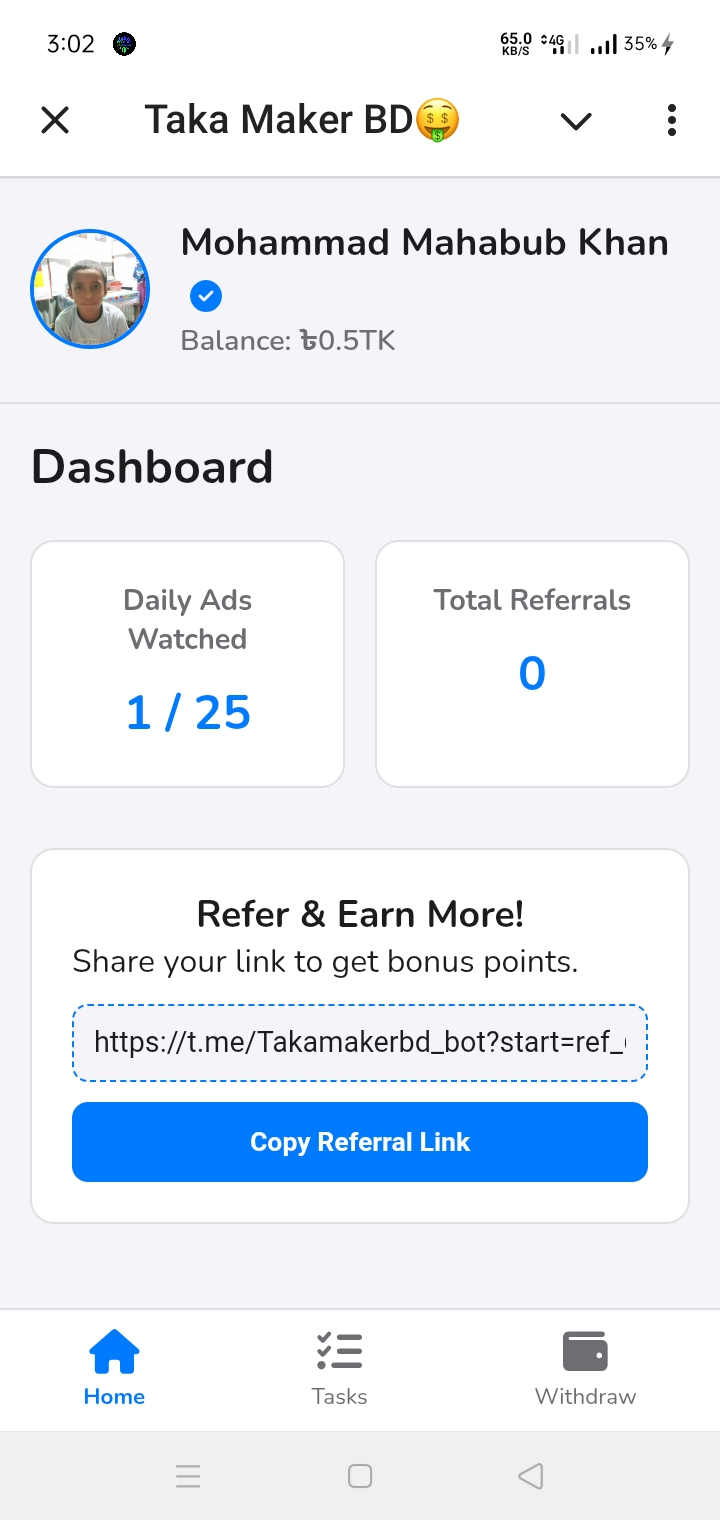
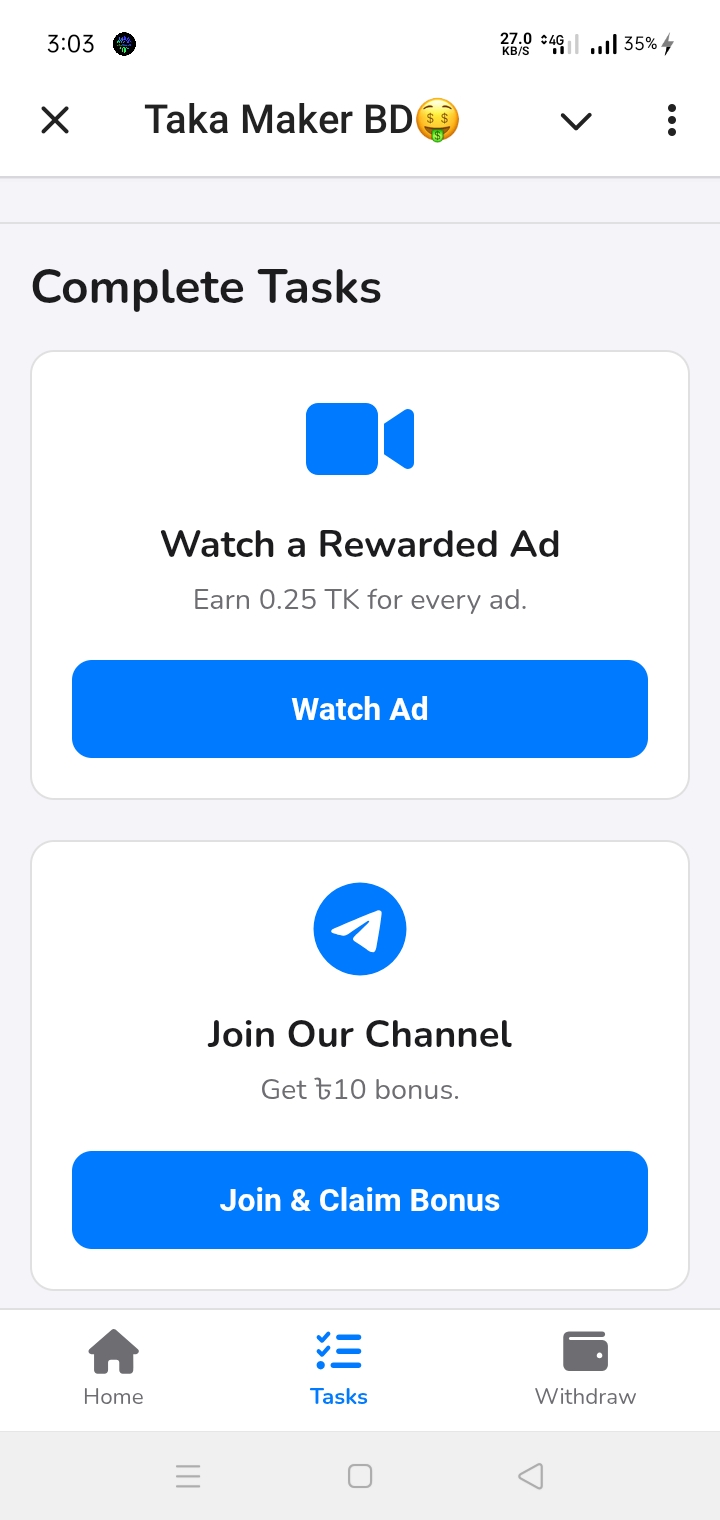
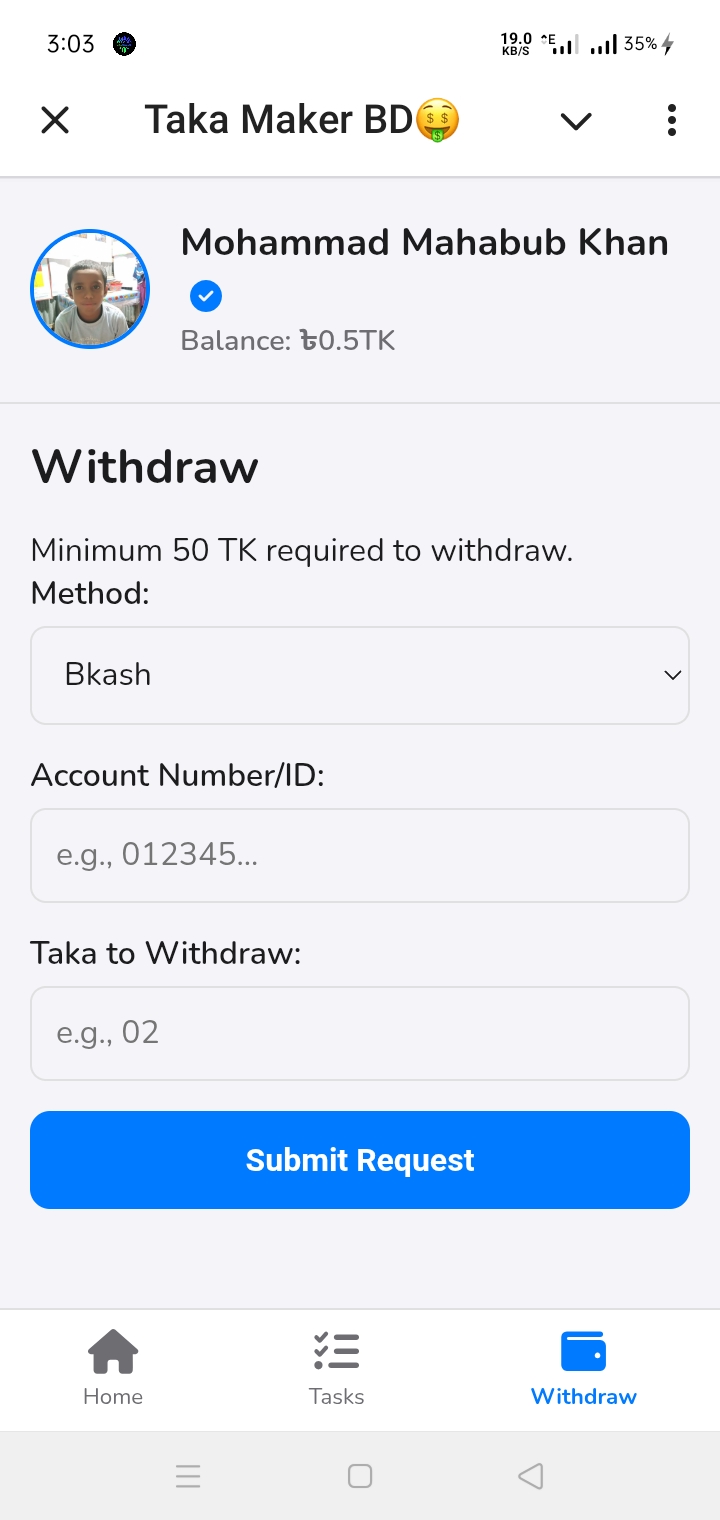
Below, I will show a shortcut process for creating the complete bot easily. However, if you are a complete beginner and don't understand, you can contact via Telegram, or there are numerous videos on YouTube.
Create a bot using @BotFather. And copy and save the bot username and token.
Now in Monetag, when you submit your bot username, it will provide an ad script; copy and save that. Beginners should definitely create an account by watching YouTube for this.
Now download the HTML code from this Download link. And open it in a text editor. Or you can upload it directly where you plan to host it.
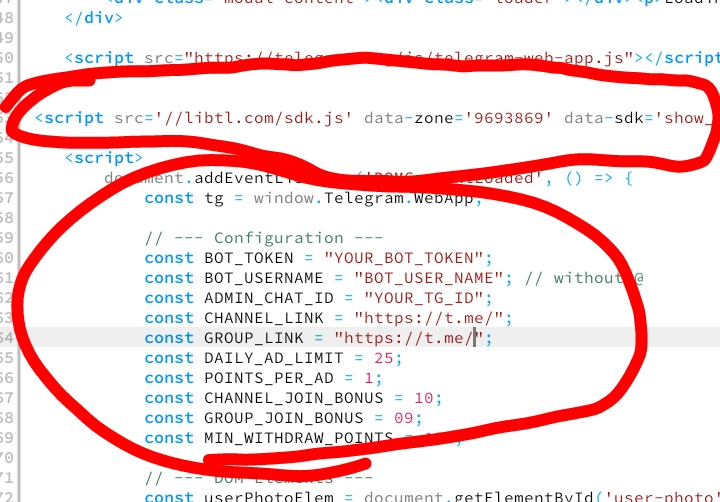
Modify it according to your bot as shown in the screenshot.
Completely remove the marked script src and paste the script copied from your Monetag.
Paste the bot token taken from BotFather in place of Your_Bot_Token.
In this way, make the rest of the changes as needed including the bot username without @ and admin chat ID. You can find the admin chat ID from @userinfobot.
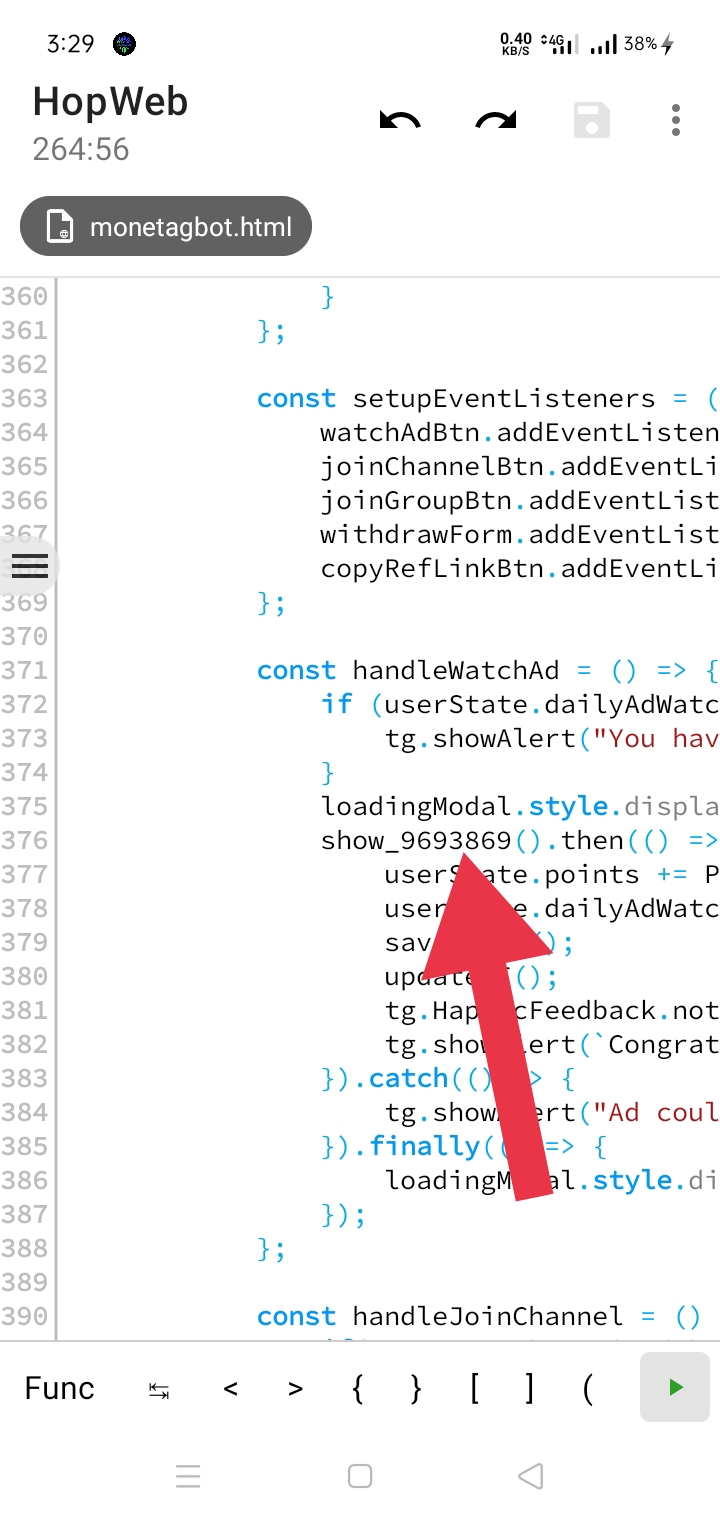
Then, as shown in the screenshot above, on line 376, replace the zone ID after show_ with your ad's zone ID.
Now if you have your own hosting panel, you can upload the file there. And to do it for free, add it to Blogger. Delete all codes from Blogger's Edit HTML and paste your code. Then copy the site link (where the main bot homepage is).
Now come to BotFather and configure the Mini App with the site link. Then test whether ads appear and whether there are any issues with other codes.
I hope that if you follow roughly according to this post, there will be no problems. Still, if you face any problems, let me know in the comments.
If you properly set your chat ID during code editing in Step 3, you will be able to see user payment requests as shown in the screenshot below.
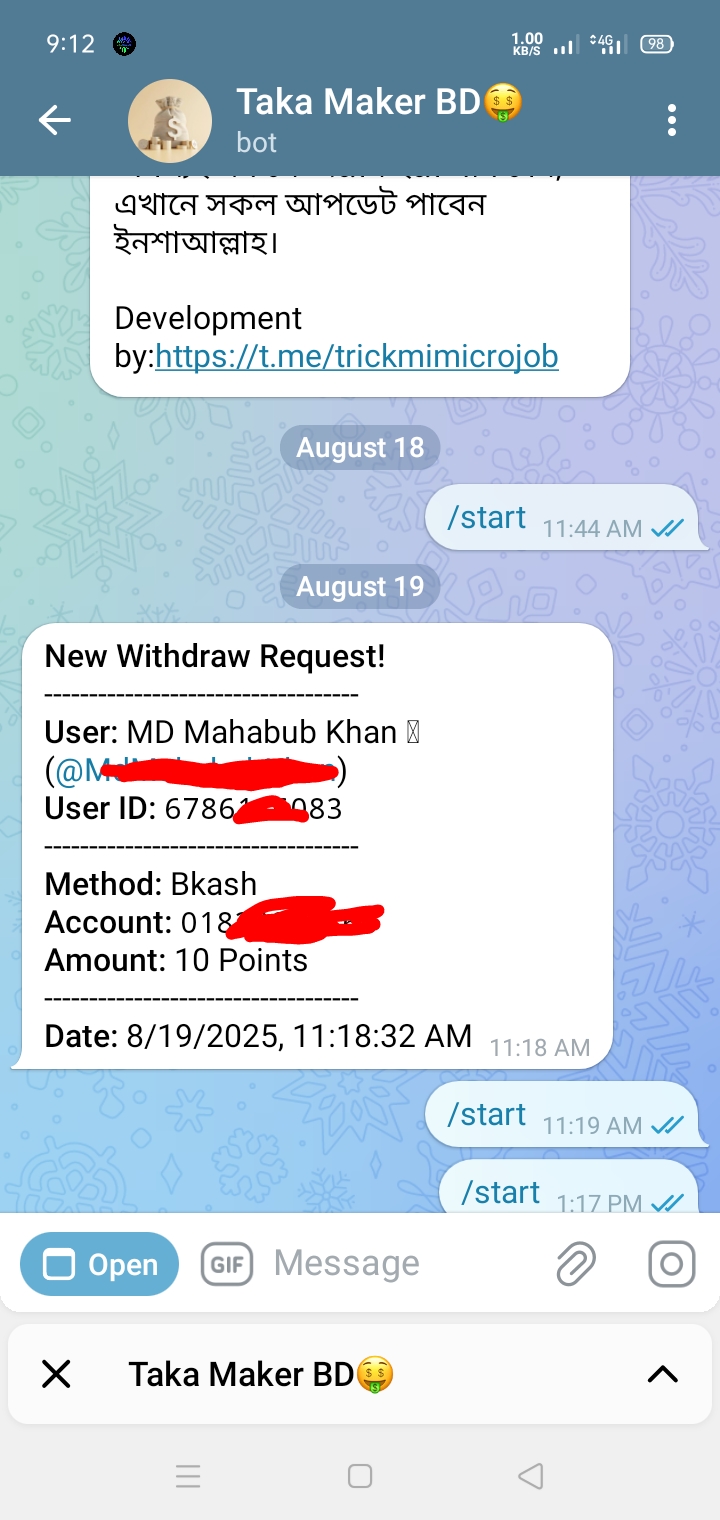
This message from the bot will only arrive to the bot admin.
And if you want, you can work on our bot yourself. 100% payment will be given. Bot: @Tag2Cashbot
I hope to share more bot scripts like this with you. If you want, you can join on Telegram.
Channel: Free Earn