Leave a Review


The pace at which our world is transforming through Artificial Intelligence is breathtaking. Just a few years ago, the launch of ChatGPT sparked a revolution, and today, AI dominates virtually every industry. You might be surprised to hear that I personally developed a full-featured web application using AI to write code that would have easily cost over $3,000 had I hired professional software developers. Better yet, building with AI gives you complete freedom to customize every single feature to your exact vision.
A few years ago, I worked as a computer operator at an academic coaching center. Every single day, I spent nearly three hours manually typing, formatting, and preparing question sheets for tests. Preparing exam papers is a tedious, time-consuming headache for almost every educational institution.
Eventually, I came across an innovative educational website that addressed this exact challenge:

Their platform organized syllabus questions and answers from academic guidebooks by class, subject, and chapter. Teachers simply selected their parameters, clicked next, and instantly generated a fully formatted question paper. The concept was brilliant, directly solving a major real-world pain point. Having worked in the coaching industry, I knew firsthand just how valuable such a tool could be.
That inspired me: why not build my own web app offering a similar service powered by modern AI? Initially, it felt straightforward because I had already experimented with AI on an earlier website.
While competitor platforms were likely built with Laravel, I chose WordPress because I already had a solid foundational grasp of the CMS. I set up a local development environment (localhost) and started building.
Initially, I experimented with Gemini AI, but found it struggled with complex full-stack plugin architecture. I then switched to Claude AI, and the code quality was extraordinary. Over the course of an entire month, I worked alongside Claude AI to engineer a custom WordPress plugin that allows teachers to create question papers in just one click.
After testing and refining the plugin on localhost, it was time to launch live. Rather than second-guessing myself, I registered the domain myproshno.com and deployed my Web App to the world.
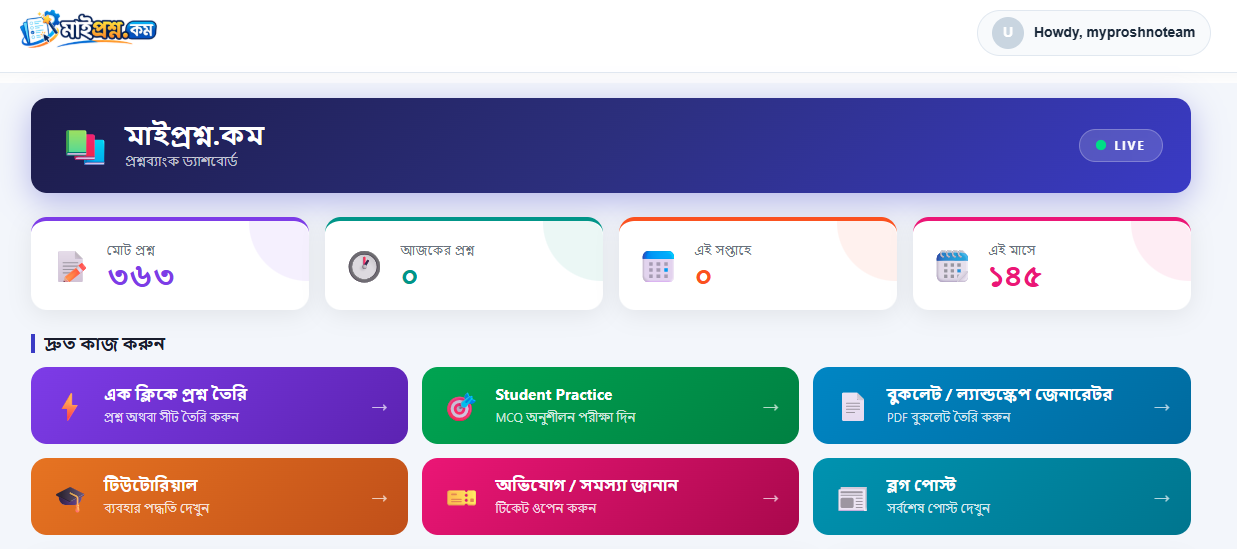
Everything you see on the platform was conceptualized and coded using AI. When visitors click the âš¡ One-Click Question Maker button, they are greeted by an intuitive setup interface:
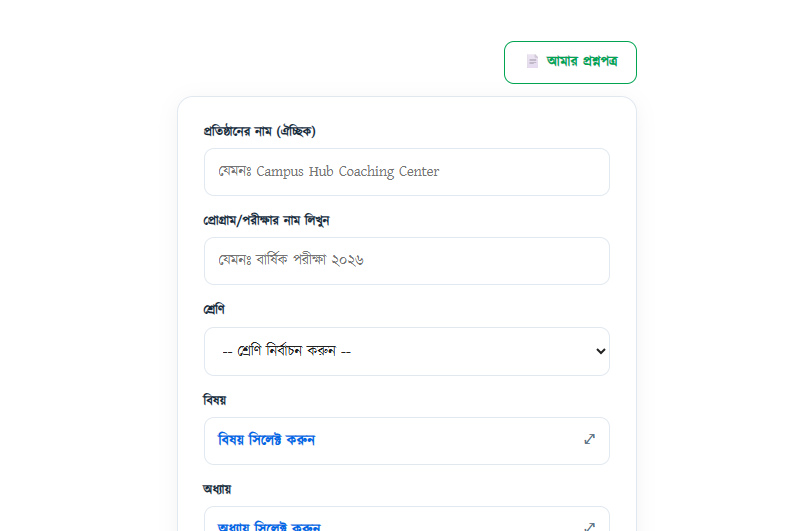

After selecting the class, subject, exam duration, marks, and chapter, users click the "Generate Questions" button.

On the next screen, teachers can filter and choose the specific questions they want to include. Clicking "Proceed" immediately formats the paper into a professional, printable test sheet:
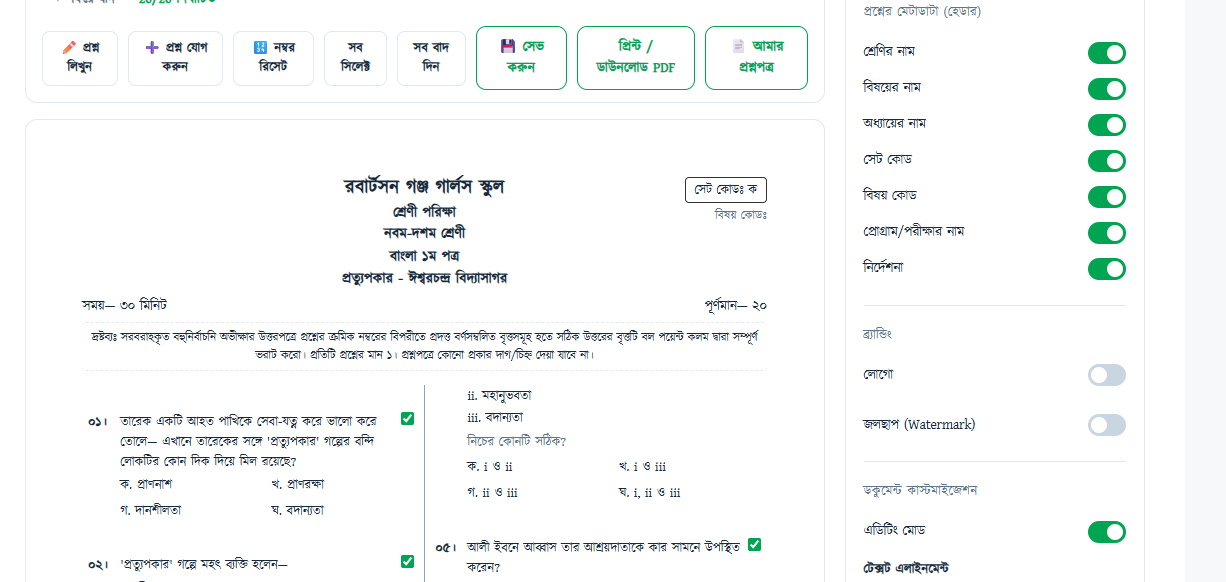
Even after generation, users have complete flexibility to edit text, swap questions, or adjust layout styling before hitting print.
Just as I began thinking about monetization, I ran into a major obstacle: how could I possibly digitize and upload thousands of textbook questions and answers on my own? Manual entry across all classes and subjects would take years for a single person.
That is when I had the idea to implement a Micro-Job crowdsourcing platform directly inside the website. Community contributors can use AI OCR tools to digitize questions and answers from guidebooks, submit them to our database, and receive payouts:

I set a low minimum payout of 50 BDT so contributors could easily cash out their earnings. While paying contributors represents a real operational expense, it rapidly scales our question database. I created video walkthroughs on YouTube demonstrating how contributors can complete tasks efficiently and began posting job batches.

Additionally, I integrated a dedicated community forum where users can report issues, ask questions, or contribute suggestions.
Many people have great ideas, but taking action is what transforms a vision into reality. The day I generated and printed my very first sample exam sheet using my own software was an unforgettable, immensely rewarding milestone.
Have you utilized AI to build an app, automate a task, or bring your creative ideas to life? Share your experiences and thoughts in the comments below! For more inspiring tech case studies and software insights, explore AroraShop.