Leave a Review


Want to buy COD Mobile CP in Bangladesh? You have a few options. You can buy in the game store, use an official partner like Codashop, or use a local top-up shop that takes bKash, Nagad, or Rocket.
Each way has good and bad sides. Some are cheaper. Some are safer. Some are faster. This guide explains all of them in plain words.
We also share real CP prices, step-by-step help, and safety tips. Read the safety part before you pay anyone.
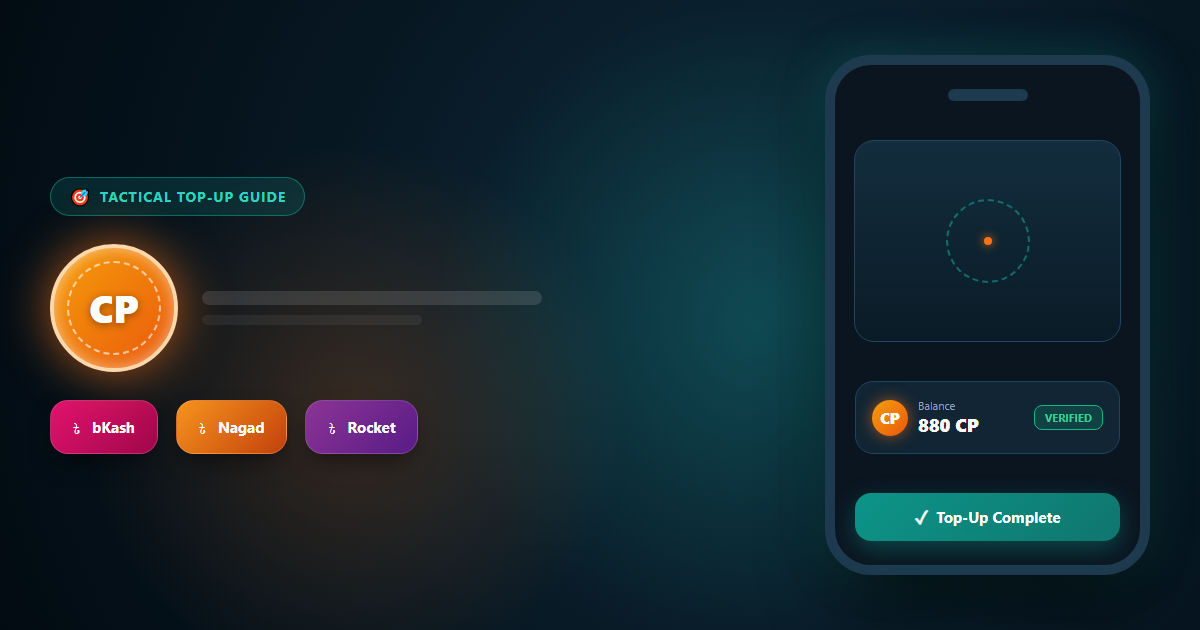
CP stands for COD Points. It is the premium money of Call of Duty: Mobile. You cannot earn it by just playing matches. You buy it with real money.
The game is free to play. You do not need CP to enjoy it. But CP lets you get extra items faster.
CP does not make your aim better. It changes how your game looks and how fast you unlock things. Keep that in mind before you spend.
There are three main ways. Let us look at each one.
This is the most direct way. You open the game, go to the store, and pick a CP pack. The payment goes through the app store on your phone.
On Android, that means Google Play. On iPhone, that means the App Store. You need a payment method that your store accepts. This may include a card or store credit.
Many players in Bangladesh find this hard. Not everyone has an international card. Store payment options also change by region and phone. Check what your own store account allows.
Good: Very safe. No password sharing.
Not so good: You may not have a payment method that works.
Codashop says it is an official partner of Activision for CODM top-ups. On its Call of Duty: Mobile page, you enter your Player ID, pick a pack, and pay. It says it does not need registration or login. It also says it will never ask for both your Player ID and password.
Codashop also runs a Bangladesh site and works with local wallets in Bangladesh. We could not confirm which CODM packs and payment methods show for Bangladesh today. Open the site and check before you plan on it.
Good: Only your Player ID is needed. This is the safer model.
Not so good: Packs and payments for Bangladesh may change.
Local shops are popular in Bangladesh. They take Taka and let you pay with the apps you already use. Prices are often shown in simple packs.
One example is AroraShop's Call of Duty Mobile CP page. It lists CP packs in Taka. It says you can pay with bKash, Nagad, Rocket, or bank transfer. Please read the safety section below first. That page asks for your CODM email, password, and a contact number at checkout.
Good: Easy local payment and Taka prices.
Not so good: Login-based top-ups carry more account risk.
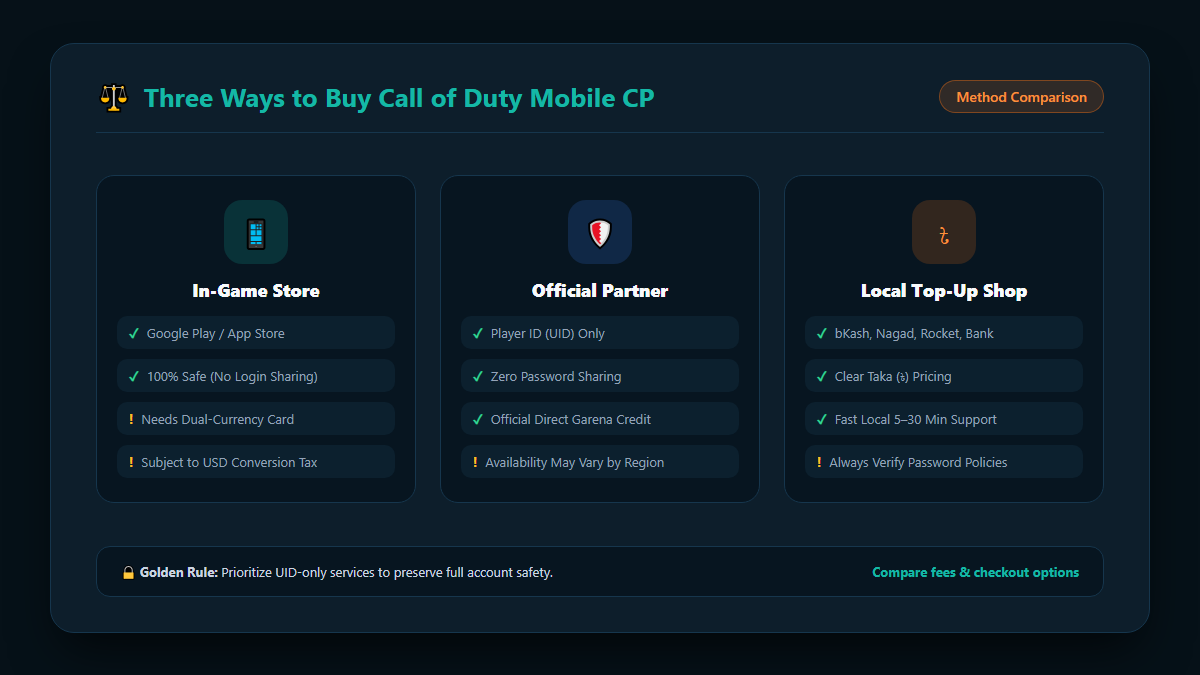
| Method | What You Usually Need | Payment Type | Main Risk |
|---|---|---|---|
| In-game store | Your logged-in game | Google Play or App Store payment | You may lack a working payment method |
| Official partner (Codashop) | Player ID only | Depends on what is listed for your region | Bangladesh options may change |
| Local top-up shop | Varies by shop. Some ask for login details | bKash, Nagad, Rocket, bank transfer | Password sharing, if the shop asks for it |
Bangladesh has strong mobile wallet use. Most top-up shops built for local players use these.
bKash is the most known wallet in the country. Many players search for "buy CODM CP with bKash" for this reason. You send money from the app and enter the transaction details at the shop.
Nagad works in a similar way. Many shops accept it next to bKash. It is a good backup if one wallet has a problem.
Rocket is another common choice. Some players use it when they hold their money there. Check the shop page to see if it is listed.
Some shops take bank transfers. Cards may work in the game store or on partner sites. Always use only the payment page shown on the shop's real website.
CP prices change by shop and by time. Here is what we saw on the AroraShop CP page on 27 October 2026. Prices may change, so check the live page.
| CP Pack | Price (BDT) | Cost per 1 CP (approx.) |
|---|---|---|
| 80 CP | 140 ৳ | 1.75 ৳ |
| 160 CP | 280 ৳ | 1.75 ৳ |
| 240 CP | 375 ৳ | 1.56 ৳ |
| 420 CP | 625 ৳ | 1.49 ৳ |
| 880 CP | 1,250 ৳ | 1.42 ৳ |
Bigger packs cost less per CP. The 80 CP and 160 CP packs cost the same per CP. The 880 CP pack gives the best value in this list.
But do not buy a big pack only to save a few Taka. Buy what you will really use. A smaller pack is better than wasted CP.
The lowest price is not always the best deal. A shop with fast help and clear rules can be worth a little more.

These steps work for most Player ID based top-ups. A login-based shop will ask for different details.
Open the game and go to the lobby. Tap Settings at the top right. Open the "Legal and Privacy" tab. Your Player ID is shown there. Codashop gives this same path on its page.
Copy the number. Check each digit. One wrong digit can send CP to the wrong account.
Pick one shop and read its page. Look at the packs, prices, payment methods, and support options. Ask yourself what the shop needs from you. If it asks for your password, stop and read the safety section.
Choose the size you need. If you want the Battle Pass, check its price in the game first. Then buy a pack that covers it.
Codashop notes that a Battle Pass purchase only works for accounts that do not already own that Battle Pass. Check your status in the game before you buy.
Pick your payment method. For bKash, Nagad, or Rocket, follow the steps on the checkout page. Enter the transaction ID if the page asks for it. Do not close the page until the order is placed.
Delivery can take a few minutes. The AroraShop page says to contact support if your order takes more than 5 to 30 minutes. Keep your order number ready.
Open the game. Check your CP balance in the store. If it is not there, restart the game and check again. Then contact the shop's support.

Your account holds your skins, rank, and time. Protect it. This is the most important part of this guide.

Some local shops ask for your game email and password. They log in and add CP for you. This is called a login-based top-up.
Official partners work another way. Codashop says it never asks for your password. It only needs your Player ID to deliver CP.
When you give a password to anyone, you give them full access. If the shop is honest, you may be fine. If it is not, you can lose your account. Also, the game's rules may not allow this kind of top-up. Read the Call of Duty: Mobile policies on the Activision support site before you decide.
This is your choice. If you decide to do it, lower your risk:
Free CP offers are almost always scams. Never click links that ask you to log in for free rewards.
CP can run out quickly. A simple plan helps you get more value.
Decide how much you can spend each month. Stick to it. Gaming should stay fun and not hurt your money.
A Battle Pass gives many rewards over a season. Play often and finish tiers. Then your spend goes further. If you play only a little, a Battle Pass may not be worth it for you.
New skins look exciting. Wait a day before you buy. Ask yourself if you will still want it tomorrow.
Partners and shops sometimes run discounts. Codashop has shown discount banners on some country pages. Offers can change fast. Check the live page before you pay.
If you buy CP for a random draw, you may not get what you want. Set a limit before you start and stop when you reach it.
Be polite and clear. Short messages with all the facts get faster replies. Do not buy the same pack again while the first order is still open.
You can buy it in the game store, through an official partner like Codashop, or from a local top-up shop. Pick the way that fits your payment method and your comfort with risk.
Yes, some local shops accept bKash for CP. AroraShop lists bKash, Nagad, Rocket, and bank transfer on its CP page. Always check the live checkout page for the options that are open today.
It depends on the shop. On 27 October 2026, AroraShop listed 80 CP at 140 ৳, 420 CP at 625 ৳, and 880 CP at 1,250 ৳. Prices can change, so check before you buy.
Not always. Codashop says it only needs your Player ID. Some local shops ask for your login. Those carry more risk, so think carefully before you share a password.
Go to Settings in the lobby. Open the "Legal and Privacy" tab. Your Player ID is shown there.
It depends on the method. In-game purchases are usually fast. Local shops often deliver in minutes. AroraShop asks you to contact support if your order takes more than 5 to 30 minutes.
It can be, if you choose well. Pick shops with clear terms, working support, and real reviews. Avoid any seller who pushes you to pay outside checkout.
You can sometimes earn items in events and through gameplay. But offers of free CP from strangers or "generator" sites are scams. Stay away from them.
Larger packs usually cost less per CP. In the AroraShop list we checked, 880 CP had the lowest cost per CP. Buy only what you plan to use.
To buy COD Mobile CP in Bangladesh, you have real choices. The in-game store and Player ID based partners are the safest models. Local shops are easy to pay with, since they take bKash, Nagad, and Rocket.
Whatever you pick, protect your account first. Compare prices, check the payment page, and keep your order proof. Spend only what fits your budget. Then enjoy the game.

Please login to live chat or contact via WhatsApp