Leave a Review


To buy a Google Play gift card BD buyers can trust, pick the card's region first, pay a reputable local seller with bKash, Nagad or Rocket, and redeem the code in the Play Store within minutes. One fact decides whether the purchase is worth making. Google ties a gift card to the country you are physically in when you redeem it, so a US card does not redeem from inside Bangladesh, even with a VPN.
That is the problem most buyers run into. Search results are full of listings with wildly different prices, and the warnings sit in the fine print. People pay, receive a code, hit an error, and learn that dispatched digital codes are not refundable. The money is gone, and the card is useless.
This guide covers the decision in four steps: choosing the region and amount, picking a seller, paying in taka, and redeeming safely. It uses the Google Play gift card sold by AroraShop, a Bangladesh store for digital goods that accepts local mobile payments, as the worked example. First, you need to know who can use these cards at all.
A Google Play gift card is region-locked. Google's own terms say the card is valid only in the original country of purchase, and sellers in Bangladesh repeat the same warning on their product pages. Read this section before you spend any taka.
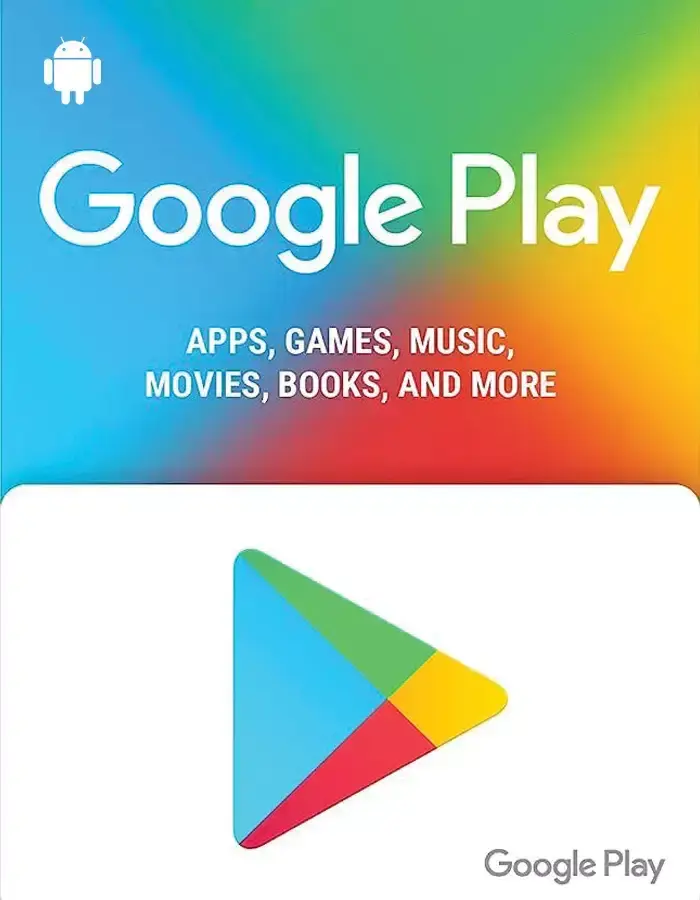
Google checks where you are when you redeem, not only which region your account is set to. Changing your Play account country to the US does not change your physical location, and a VPN does not reliably hide it. Sellers who sell US and Indian cards to Bangladeshi buyers say the same thing in their own warnings: redemption from Bangladesh fails, and no refund follows.
The card itself is fine. The code is valid. The problem is the mismatch between the card's region and your location.
| Where you redeem | Card region | Result |
|---|---|---|
| Inside the US, US Play account | US | Works |
| Inside India, Indian Play account | India | Works |
| Inside Bangladesh, any account region | US or India | Fails, with or without VPN |
A card makes sense when the person redeeming it is physically in the card's country. That covers a relative or friend in the US who you want to send credit to, or your own use while you are studying or travelling there. A seller's payment convenience matters here: you pay in taka and the recipient abroad gets the balance.
A card does not make sense if you sit in Dhaka and want to fund your own phone's Play account. In that case you would be buying a code you cannot use.
If your goal is game credit, you usually do not need Google Play at all. Direct top-ups such as PUBG Mobile UC, Free Fire Diamonds and Mobile Legends Diamonds are delivered to your game account, so no Play balance is involved. For in-app purchases made on Google Play itself, check which payment methods your Play account offers under Payments and subscriptions, such as carrier billing where your operator supports it.
Google checks your real location at redemption, so a card only helps if the person redeeming it is in the card's country.
Choose the card region that matches the country where the redeeming person will be, then pick the amount. For a US account, that means a US-region card. For an Indian account, it means an Indian card. Mixing them is the most common reason a code fails.
Before you order, ask the person who will redeem it two questions. Which country are you in right now? Which country is your Play account set to? Both answers should match the card region. If either does not, stop and fix that first.
AroraShop lists a US-region Google Play gift card at 15,400 ৳ for a 100$ card. That works out to 154 ৳ per dollar. Sellers can change prices without notice, so confirm the live price on the product page before you pay. For smaller amounts, check what the product page currently offers, because not every seller stocks every denomination.
The table below shows what each amount would cost at the same 154 ৳ per dollar rate. These are estimates for planning, not listed prices.
| Face value | Estimated price at 154 ৳ per dollar |
|---|---|
| 1$ | 154 ৳ |
| 5$ | 770 ৳ |
| 10$ | 1,540 ৳ |
| 25$ | 3,850 ৳ |
| 50$ | 7,700 ৳ |
| 100$ | 15,400 ৳ (listed) |
Here is a worked example. Your cousin in the US wants 25$ of Play credit. At 154 ৳ per dollar, that is about 3,850 ৳. The same math tells you whether a 5$ card at 1,000 ৳ is fair: 1,000 ÷ 5 = 200 ৳ per dollar, which is above the rate used here.
Divide any price by the card's face value, and you can compare every seller on the same per-dollar rate.
A trustworthy seller states the region and redemption warning on the product page, accepts local payment, and gives clear delivery and refund terms. You are buying a code that cannot be returned once sent, so check the seller before you pay.
Run through this list on any product page:
AroraShop's Google Play listing matches those checks. It names the US region, states that Google Play US gift cards cannot be used from Bangladesh, and lists the card as a digital voucher. Delivery is listed as instant, 1 to 5 minutes, and the refund policy is no refund after dispatch.
The store accepts bKash, Nagad and Rocket, and shows a 4.9/5 rating and more than 10K orders delivered. You need to create an account on the site to get full service. Support replies on WhatsApp, with an average response time under 15 minutes.
Read the restriction line on the product page first, because a seller who hides it is the seller to avoid.
Paying is a short checkout: pick the card, pay through the gateway the site lists, and wait for the code. Use only the payment method shown on the site, because AroraShop requires payment through its listed gateway and may suspend accounts that attempt fraud.
You do not need an international credit card for this. The payment goes through local mobile financial services, and the price is shown in BDT.
The product page lists delivery as instant, 1 to 5 minutes. The store's general policy allows 20 to 60 minutes after payment verification, so give it that window before you worry. Delays can come from verification or network problems.
If the window passes, message support on WhatsApp with your transaction ID and order details, or email support@arorashop.com. Do not pay a second time while the first order is unresolved.
A late code is almost always a verification delay, so wait the stated window and then contact support with your transaction ID.
Redeem the code in the Google Play app as soon as you receive it, from the country the card was issued for. Once it is applied, the balance sits in your Google account and, according to Google, has no expiry date.
You can also redeem on the web at play.google.com/redeem. After redeeming, check the balance under Payments and subscriptions. If you see an error, stop retrying and contact the seller quickly, because repeated failed attempts do not fix a region mismatch.
Google states that a Google Play gift card code is only for use on Google Play. Anyone who asks you to read out or send a code to pay a fee, a prize claim, or a "verification" is running a scam. Google explains how these scams work on its gift card scam page.
Treat the code like cash. Send it only to the person who will redeem it, through a private message, and never post it in a public group.
A gift card code works like cash, so share it only with the person who will redeem it and never with anyone asking for payment.
A Google Play gift card from Bangladesh is a good purchase only when it will be redeemed in the card's own country. Choose the region, compare the per-dollar price, pay through a local method you can verify, and redeem straight away. If you are in Bangladesh and just want game credit, a direct top-up skips the problem completely.
Ready to order? Check the live price and the restriction note, then buy your gift card at AroraShop with bKash, Nagad or Rocket.

Please login to live chat or contact via WhatsApp