How to Buy Ludo World Coins and Item Cards in Bangladesh
Want to buy Ludo World coins in Bangladesh? The steps are simple. You choose a coin pack or an item card pack, enter your Player ID, pay with a wallet like bKash, and wait for delivery.
This guide explains everything in easy words. You will learn what coins and item cards do. You will also see prices in taka, safe payment tips, and fixes for common problems.
Quick Answer: How to Buy Ludo World Coins and Item Cards
Follow these short steps:
- Open a trusted top-up shop that sells Ludo World coins and item cards.
- Choose a coin pack or an item card pack.
- Enter your Ludo World Player ID (UID) and your contact number.
- Pick a payment method such as bKash, Nagad, or Rocket.
- Finish the payment on the official wallet screen.
- Open the game and check your coins or item cards.
Keep your order number safe. You may need it if the order is slow.
What Is Ludo World?
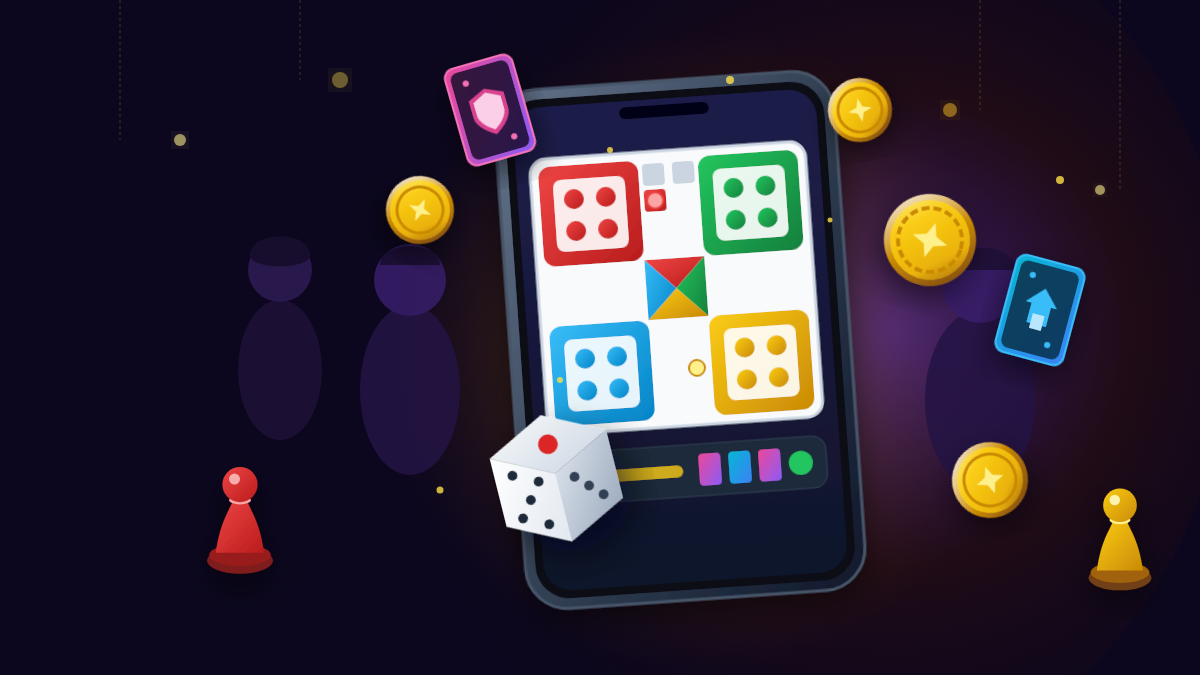
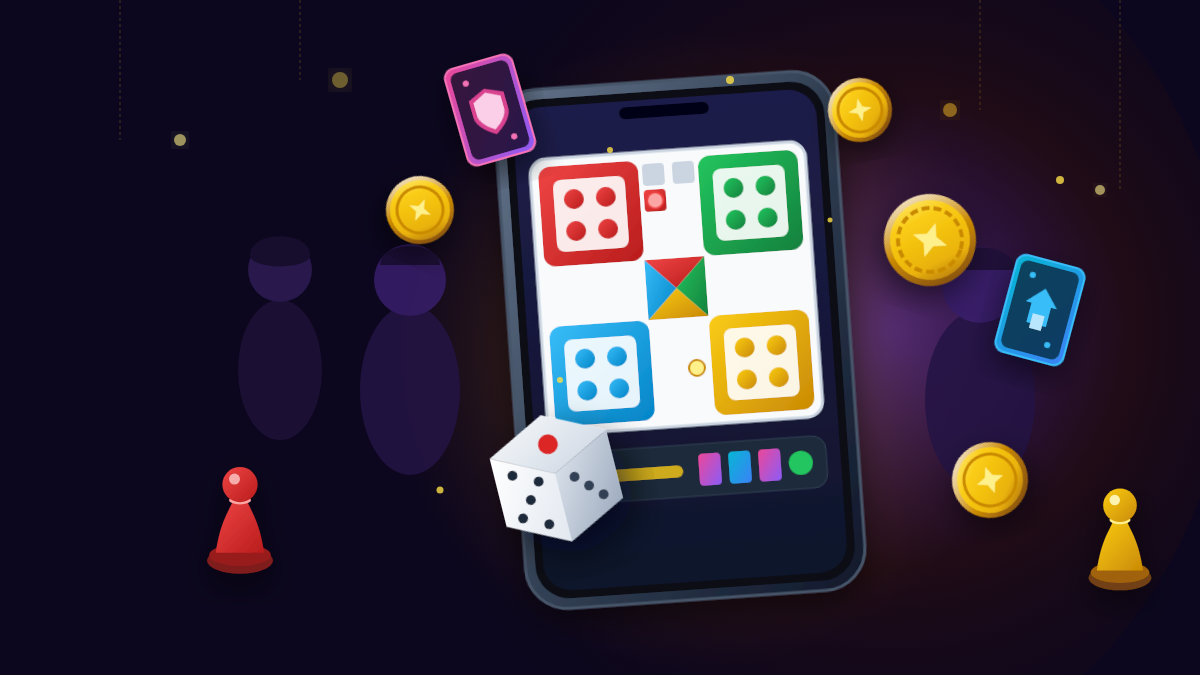
Ludo World is a mobile board game. It was earlier called Ludo Superstar. App pages list its publisher as Tencent Games or Level Infinite.
The game has a Classic mode. This mode follows the Ludo or Parcheesi style that many of us know from home. Two or four players can play.
It also has a special Power Mode. In this mode, players can use fun powers. Here are the powers listed on the game's app description:
- Double Distance: double the number you rolled.
- Dice Control: choose the number you want on the dice.
- Protection Shield: protect your token from other tokens for one turn.
- Bonus Roll: earn an extra roll when you reach the Bonus Roll power.
You can play with friends on one phone, invite friends online, or meet players from other countries. There is also an offline mode where you play against the computer.
That mix of old and new makes Ludo World a good game for family time. It is also easy for new players to learn.
What Are Ludo World Coins?
Coins are the in-game money of Ludo World. You win them by playing. You can also buy them.
The AroraShop product page says players use coins to join more matches, unlock game features, and enjoy premium play. The exact use of coins can change when the game updates. So check inside the game to see what coins unlock for you today.
Think of coins like tickets at a fun fair. Having more tickets lets you try more rides. You do not need to wait or grind to get more.
What Are Ludo World Item Cards?
Item cards are special cards for Power Mode. A past game update note said the developers added item cards in Power Mode. They help you use special items during a match.
The AroraShop page also says item cards can unlock special items and extra content. Again, the details can change. Always read the item card details inside the game before you plan a purchase.
In simple words, item cards are your toolbox. Coins help you enter and enjoy the game. Item cards help you use special helpers in Power Mode.
Coins vs item cards: a quick comparison
| Feature | Coins | Item Cards |
|---|---|---|
| What it is | In-game money | Cards for special items in Power Mode |
| Good for | Joining matches and unlocking features | Using special items and extra content |
| Pack sizes on AroraShop | 10,000 to 1,200,000 coins | 30, 100, or 500 cards |
| Best for | Players who join many matches | Players who love Power Mode |
Why Players in Bangladesh Buy Coins and Item Cards Online
Many players want more coins than they can win in a short time. Some want to try Power Mode without waiting. Others like to buy a pack for fun with family.
Paying from Bangladesh used to be hard. Many people do not have an international card. Local top-up shops solve this. They let you pay in taka with mobile wallets.
The AroraShop Ludo World page lists bKash, Nagad, Rocket, and Upay as payment options. It also shows all prices in Bangladeshi taka. That makes it easy to plan your budget.
What You Need Before You Buy
1. Your Ludo World Player ID
This number tells the shop where to send your order. One wrong digit can send it to another player. Copy it if you can.
2. A wallet with enough balance
Check your bKash, Nagad, or Rocket balance first. Make sure it covers the pack price. Use only your own wallet account.
3. A contact number
The AroraShop form asks for a contact number. Use a number you can answer. It helps support reach you if there is a problem.
4. A steady internet connection
A weak signal can stop a payment halfway. Use stable data or Wi-Fi.
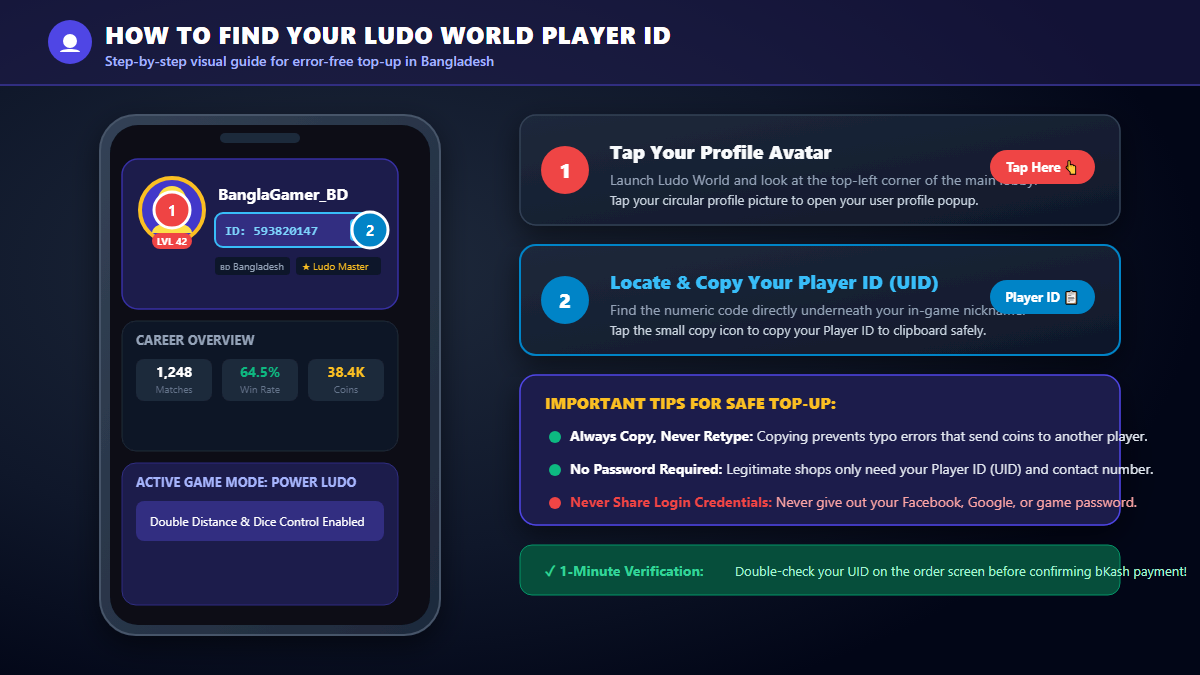
How to Find Your Ludo World Player ID
It takes less than a minute:
- Open Ludo World and log in.
- Tap your avatar at the top left of the screen.
- Look under your nickname. You will see your ID.
- Tap the copy icon, if you see one, and paste the ID in the shop form.
These steps match the guide on the AroraShop page. Copying is safer than typing. It cuts the chance of a small mistake.
Step-by-Step: Buy Ludo World Coins in Bangladesh
Let us walk through a full order. We use the AroraShop page as our example. You can open the Ludo World coin and item card page on AroraShop and follow along.
Step 1: Open the product page
Open the page on your phone browser. You will see two groups of packs. One group is coins. The other is item cards. Each pack shows its price in taka.
Step 2: Choose your package
Tap the pack you want. Read the number carefully. For example, "Coins 30000" is different from "Coins 300000." Take a moment to be sure.
Step 3: Enter your Player ID and contact number
Paste your Player ID in the Game UID box. Then add your contact number. Check every digit one more time.
Step 4: Pick your quantity
The page lets you set a quantity between 1 and 10. If you only need one pack, keep it at 1.
Step 5: Choose your payment method and pay
Select bKash, Nagad, Rocket, or another option the page shows. Then follow the payment steps. Enter your PIN only inside the official wallet screen.
Step 6: Wait for delivery and check the game
The AroraShop table lists delivery in 1 to 5 minutes. The notice on the page says to contact support with your order number if the order takes more than 5 to 30 minutes. Open the game and check your balance after the wait.

Ludo World Coin Prices in Bangladesh
Prices differ from shop to shop. They can also change over time. Treat the numbers below as a guide.
This table shows the prices listed on the AroraShop page on 28 October 2026. We also worked out the rough cost for every 1,000 coins. Numbers are rounded.
| Coin Pack | Price (BDT) | Cost per 1,000 coins (about) |
|---|---|---|
| 10,000 coins | 145 ৳ | 14.50 ৳ |
| 30,000 coins | 290 ৳ | 9.67 ৳ |
| 72,000 coins | 570 ৳ | 7.92 ৳ |
| 210,000 coins | 1,550 ৳ | 7.38 ৳ |
| 500,000 coins | 3,500 ৳ | 7.00 ৳ |
| 1,200,000 coins | 7,450 ৳ | 6.21 ৳ |
Look at the last column. The cost per 1,000 coins falls as the pack grows. The smallest pack costs more than twice as much per coin as the biggest pack.
That does not mean you should buy the biggest pack. Buy only what you will use.

Ludo World Item Card Prices in Bangladesh
Item cards come in three packs on the AroraShop page. Here are the prices checked on 28 October 2026:
| Item Card Pack | Price (BDT) | Cost per card (about) |
|---|---|---|
| 30 item cards | 145 ৳ | 4.83 ৳ |
| 100 item cards | 435 ৳ | 4.35 ৳ |
| 500 item cards | 1,360 ৳ | 2.72 ৳ |
The 500-card pack gives the lowest cost per card by a wide gap. But 500 cards is a lot. Think about how often you play Power Mode before you pick it.
Which Package Should You Choose?
The best pack depends on how you play. Here are three simple cases.
If you are new to Ludo World
Start small. A 10,000 coin pack or a 30 item card pack is enough to try the game. You can always buy again later.
If you play every week
A middle pack may suit you. The 30,000 or 72,000 coin pack gives better value than the smallest one. A 100 item card pack works if you enjoy Power Mode often.
If you play often with a big group
Big packs can save money over time. Players who host many matches for friends and family may like them. Still, set a limit first.
One more tip. Never buy more than you can afford. A game should stay fun. If you are under 18, ask a parent or guardian before you spend any money.
Safe Payment Tips for bKash, Nagad, and Rocket
Payment safety matters more than any discount. These rules work for every wallet.
- Never share your PIN. bKash says its team will not ask for your PIN, secret code, or security code at any time.
- Never share an OTP. If a stranger asks for a code sent to your phone, stop.
- Use your own account. Do not use another person's wallet for your order.
- Check the payment screen. Look at the name and amount before you confirm.
- Ignore "gift" offers. Fake posts may promise free coins or prizes and ask for your PIN.
- Call 16247 if unsure. This is the bKash helpline. Use it to check a strange call or SMS.
You can read the full advice on the official bKash security tips page. bKash also shares common tricks on its fraud awareness page. One trick is a fake call that says your account is blocked. Another is a social media post that asks you to fill out a form with your PIN.

How to Spot a Fake Top-Up Seller
Many people sell game coins online. Most are small, honest shops. Some are scammers. Watch for these warning signs.
Red flags
- They ask for your game password. A direct top-up needs your Player ID, not your login.
- The price looks too good to be true. If it seems unreal, it probably is.
- They push you to pay fast. Scammers like to rush you.
- They ask you to send money to a personal number in a private chat. Use a proper checkout page when you can.
- They promise to turn coins into real money. Ludo World coins are game currency. Do not trust anyone who says otherwise.
- They have no support contact. A real shop shows clear ways to reach them.
Good signs
- A clear product page with prices in taka
- A working support email or contact page
- A privacy policy and terms of use
- Clear notes about delivery time
- Public reviews from real buyers
Take two minutes to check these signs before you pay. As an example, you can read the AroraShop terms of use and visit its contact page to see how a shop shares support details.
Common Mistakes to Avoid
- Entering the wrong Player ID. This is the most common error. Copy and paste when you can.
- Picking the wrong pack. Coin packs and item card packs look alike. Read the label twice.
- Closing the page before payment ends. The order may fail.
- Paying twice in a hurry. If the page is slow, wait. Check your wallet message before you try again.
- Losing the order number. Support needs it to help you fast.
- Buying from a random social media post. Use a shop with a clear page and clear checkout.
- Sharing your password. A top-up never needs it.
What If Your Order Does Not Arrive?
Stay calm. First, wait a few minutes. Delivery speed can change when many people order at once.
Then try this plan:
- Close Ludo World fully and open it again.
- Check that your internet works.
- Find your wallet payment message. Note the transaction ID.
- Check that you used the right Player ID.
- Contact the shop's support with your order number, Player ID, and payment proof.
The AroraShop page says to contact support with your order number if delivery takes more than 5 to 30 minutes. Other shops may give different times. Read the delivery note before you pay.
If you think you shared your PIN by mistake, call the bKash helpline at 16247. Then change your PIN fast.
Other Ways to Get Coins and Item Cards
Buying is not the only path. You can also earn coins by playing. Many mobile games give small rewards for daily play and events. Check Ludo World for any rewards it offers today.
The game also has its own in-game store. The options and prices there may differ from a top-up site. Check what the game shows on your account, so you can compare.
If you enjoy mobile games, you may also like other top-ups. AroraShop lists many, like Free Fire diamonds and Call of Duty Mobile CP. You can also read our guide on how to buy Free Fire diamonds in Bangladesh with bKash. The payment steps are very similar.
Tips to Save Money and Play Smart
- Compare prices. Check two or three trusted shops before you pay.
- Compare the cost per unit. Divide the price by the coins or cards. The smaller number is the better deal.
- Set a budget. Decide your limit before you open the page.
- Wait a day. If you still want the pack tomorrow, buy it.
- Buy what you will use. A giant pack is not a deal if it sits unused.
- Play for fun. Ludo is a game of luck and skill. Enjoy the time with friends and family.
Play with Care
Buying coins is a personal choice. It should never put pressure on you. Do not borrow money to buy game items. Do not spend money meant for school, food, or bills.
Parents can help young players too. Sit together and look at the pack and price. Talk about a monthly limit. That way, the game stays a happy hobby.
Frequently Asked Questions
How can I buy Ludo World coins in Bangladesh?
Open a trusted top-up shop, choose a coin pack, enter your Player ID, pay with a wallet like bKash, and then check your game. Always read the product page and delivery note first.
What are Ludo World item cards?
Item cards are cards linked to special items in the game. A past game update said item cards were added to Power Mode. Check the in-game details to see what they do now.
Can I pay with bKash?
Yes, on shops that support it. The AroraShop Ludo World page lists bKash, Nagad, Rocket, and Upay. Always check the payment list on the shop you choose.
How much do Ludo World coins cost in Bangladesh?
Prices vary by shop and can change. On 28 October 2026, the AroraShop page listed 10,000 coins for 145 ৳, 72,000 coins for 570 ৳, and 1,200,000 coins for 7,450 ৳. Check the current price before you pay.
How long does delivery take?
It depends on the shop. The AroraShop page lists delivery in 1 to 5 minutes. It also tells buyers to contact support if an order takes more than 5 to 30 minutes.
What do I need to give the shop?
You need your Ludo World Player ID. The AroraShop form also asks for a contact number. You should never give your game password.
What if I enter the wrong Player ID?
Contact the shop's support at once. Send your order number, the ID you entered, and your payment proof. A shop cannot always fix a wrong ID, so check before you pay.
Is it safe to buy coins online?
It can be safe if you use a clear, trusted shop and follow wallet safety rules. Never share your PIN, OTP, or password. Use your own wallet account. Call 16247 if a bKash message or call seems strange.
Can I turn Ludo World coins into real money?
Do not expect that. Coins are game currency. Be careful of any person who promises cash for coins.
Is Ludo World the same as Ludo Superstar?
Ludo World is the new name of Ludo Superstar, based on the game's own app description. Some older pages still show the old name.
Final Thoughts
Buying Ludo World coins and item cards in Bangladesh is simple. You need a pack, your Player ID, and a safe payment. The steps take only a few minutes.
Stay careful. Check your ID twice. Pay only on official wallet screens. Never share your PIN, OTP, or password. Compare prices, set a budget, and buy only what you need.
Ready to top up? Compare packs on the AroraShop top-up page or go straight to the Ludo World page. Then roll the dice and enjoy the game with your friends and family.
Prices and offers in this article were checked on 28 October 2026. They may change, so always confirm them on the shop page before you pay.