Leave a Review


Do you want to buy PUBG Mobile UC in Bangladesh? Do you also want to know about free redeem codes? You are in the right place. This guide explains both in very simple words.
Here is the short answer. You can buy UC from a top-up shop like Arora Shop and pay with bKash. You can also try free redeem codes from the official PUBG Mobile team. But free codes change fast. No code works for everyone, all the time.
Read on to learn how offers work, how to use codes safely, and how to buy UC step by step.

UC is short for Unknown Cash. It is the in-game currency of PUBG Mobile. You can only use it inside the game.
Players use UC to buy many things. Here are the most common ones:
UC does not make you a better player. It changes how your game looks and gives you some extra rewards. Skill still comes from practice.
Many players search for the "latest offer" before they buy UC. But offers can come from two places. Let us look at both.
PUBG Mobile runs events during the year. These events may bring bonus items, special packs, or limited sales. They change often. The best way to see them is to open the game and check the event and store tabs.
We cannot list these offers here. They change too fast, and an old offer can mislead you. Always check the game for what is live today.
A top-up shop shows its own prices. These prices are what you pay in taka. On the Arora Shop UC page, we saw a list of fixed package prices. We did not see a special discount banner when we checked. So we will show you the regular price list below.
Prices can change. Please check the page before you pay.
Here are the UC packs shown on the Arora Shop page when we wrote this article. We also did a simple math check. We divided the price by the number of UC. This shows the cost for each UC.
| UC Pack | Price (BDT) | Cost per UC (about) |
|---|---|---|
| 60 UC | 122 ৳ | 2.03 ৳ |
| 120 UC | 244 ৳ | 2.03 ৳ |
| 180 UC | 366 ৳ | 2.03 ৳ |
| 325 UC | 610 ৳ | 1.88 ৳ |
| 385 UC | 732 ৳ | 1.90 ৳ |
| 660 UC | 1,220 ৳ | 1.85 ৳ |
| 1800 UC | 3,050 ৳ | 1.69 ৳ |
| 3850 UC | 6,100 ৳ | 1.58 ৳ |
| 8100 UC | 12,200 ৳ | 1.51 ৳ |
See the pattern? Bigger packs cost less for each UC. The 60, 120, and 180 UC packs cost about the same per UC. From 325 UC and up, the cost per UC goes down.
This does not mean you should buy a big pack. Buy what you need and can afford. A smart gamer plans first.
Free redeem codes are real. The PUBG Mobile team shares them during events, tournaments, and updates. But there is a lot of wrong information online. Let us clear it up.
A redeem code is a short mix of letters and numbers. You enter it on the official PUBG Mobile Redemption Center. If it works, you get a reward in your in-game mailbox.
Most codes give small gifts. Reports list items like skins, vouchers, crate coupons, and Silver Fragments. Some websites say certain codes give UC. But this is not common, and the details change from code to code.
So do not expect free UC from every code. A code is a bonus, not a regular way to get UC.
You may have seen a post saying a code works for everyone. Be careful with that claim. A code can fail for many simple reasons:
Code lists online also do not always agree. Some sites list codes that others call expired. That is why we do not print a code list in this article. A list would be old very soon, and we do not want to give you a dead code.
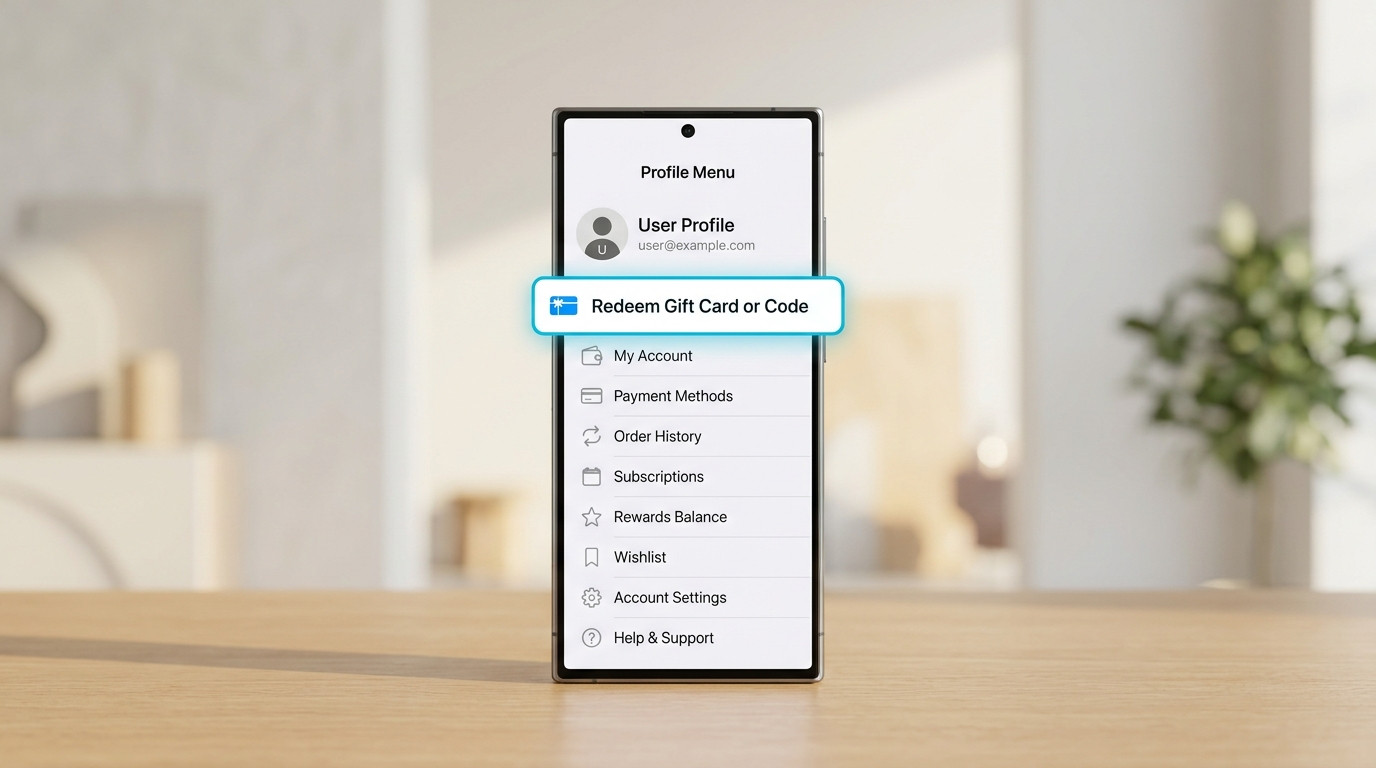
The process is the same for most standard codes. Follow these steps:
Some event codes only work on a special in-game event page. If a code fails on the web page, read where it was announced. It may need to be entered inside the game.
The safest sources are the official PUBG Mobile social media pages and live streams. Codes often appear during big events and updates. Gaming news sites also collect codes. You can read the list on Pocket Gamer's PUBG Mobile redeem code page. Always check the date, because codes expire.
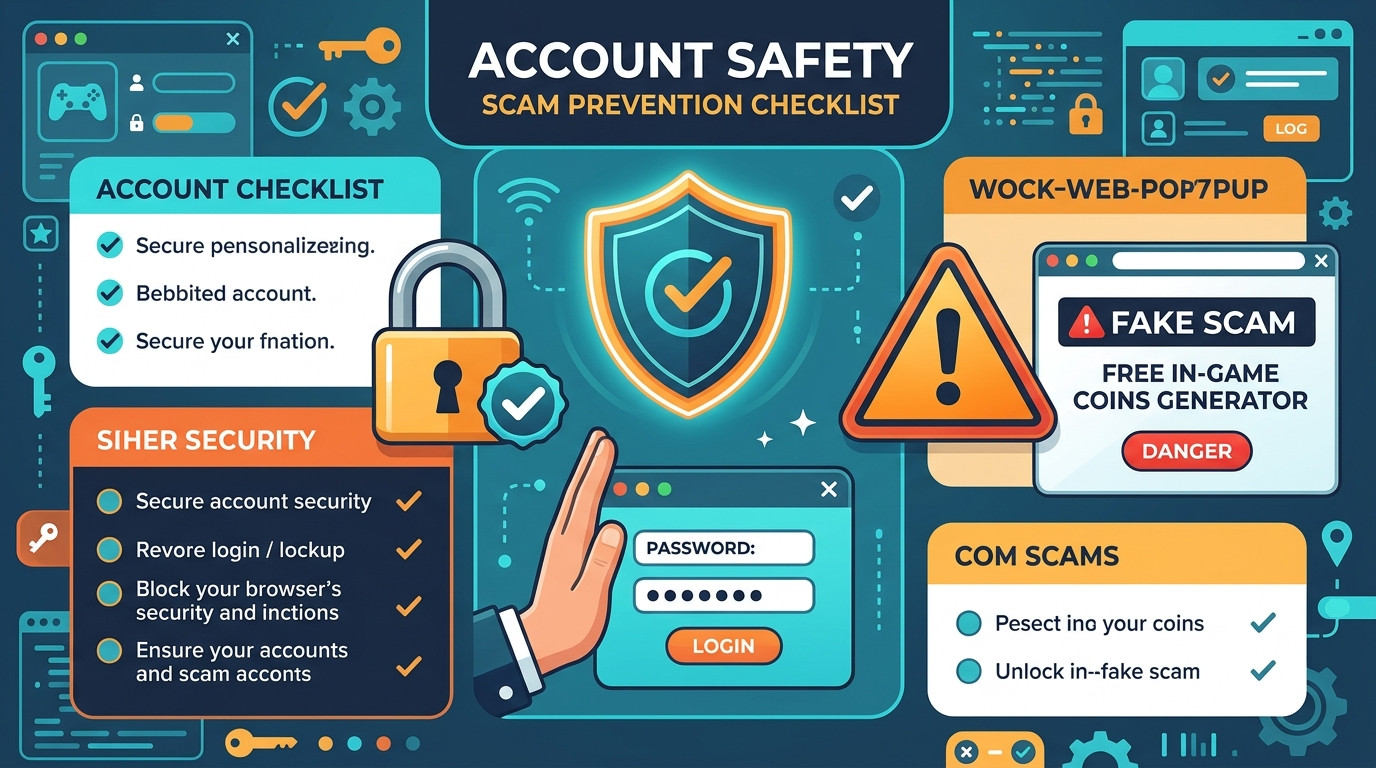
Never trust a site that says it can "generate" free UC. Real codes come from the game team. A generator cannot make real UC.
Also keep these safety rules in mind:
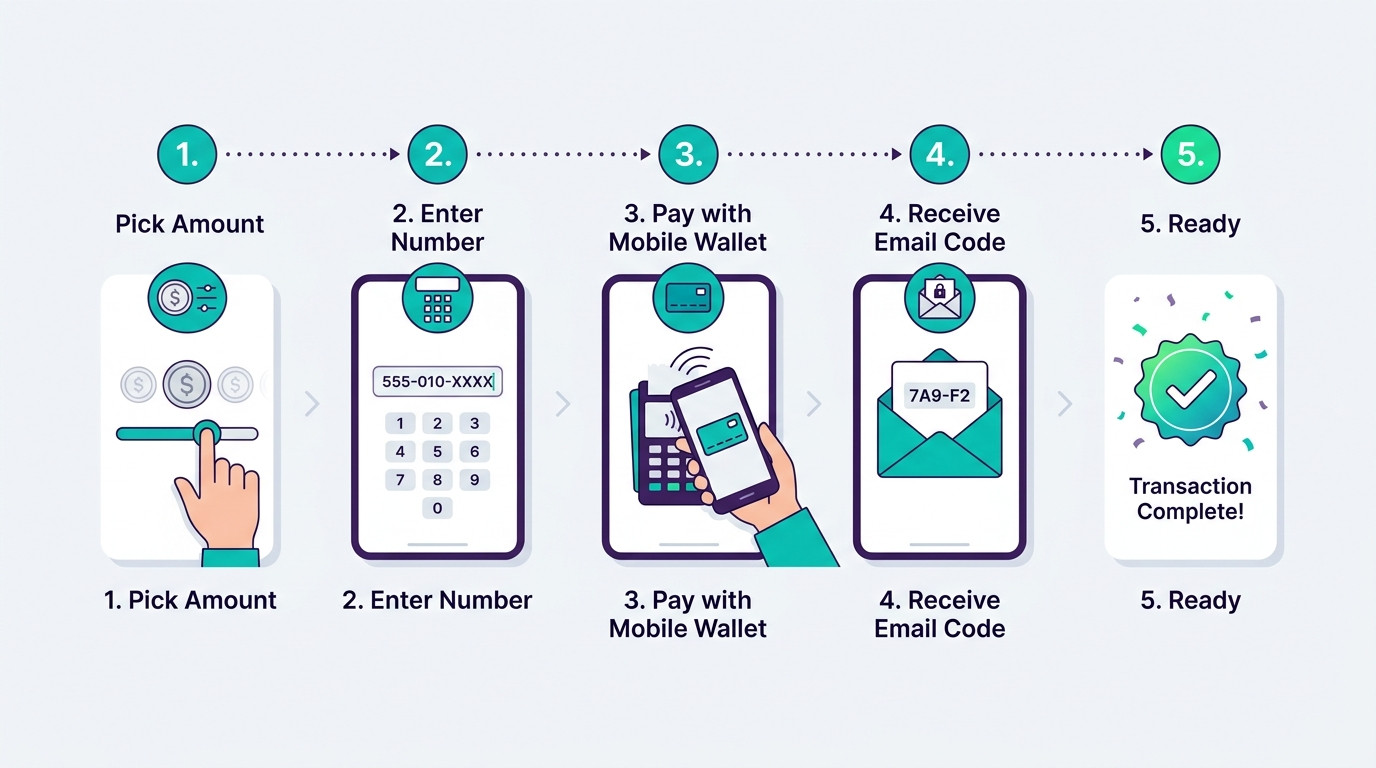
Free codes are a bonus. If you want UC for sure, you need to buy it. Many Bangladeshi gamers want to know how to buy UC with bKash. It is simple. Here is the full process.
Copy and paste the ID. Do not type it by hand. One wrong digit can send UC to a different player.
Step 1. Open the PUBG Mobile UC top-up page on Arora Shop. This is where you choose your pack.
Step 2. Paste your Player ID. Add your contact number.
Step 3. Pick a UC pack from the list. Check the price on the screen.
Step 4. Choose bKash and follow the payment steps. The shop also lists Nagad and Rocket.
Step 5. Save your payment proof. A screenshot and your bKash transaction ID are enough.
Step 6. Wait for your UC. The page says delivery takes 5 to 60 minutes after payment is checked. Then open the game and check your UC balance.
Both ways have a place. Here is a simple comparison.
| Point | Free Redeem Codes | Buying UC with bKash |
|---|---|---|
| Cost | Free | You pay in taka |
| Reward | Usually items, vouchers, or fragments | UC you can spend as you like |
| Is it certain? | No. Codes expire or run out | Yes, if you give the right Player ID and pay |
| Speed | Fast, if the code is valid | 5 to 60 minutes (per the shop) |
| Best for | Small bonus rewards | Royale Pass, skins, crates |
A good plan is to use both. Try the free codes first. Buy UC only for things you truly want.
There are many places to buy UC. So why do many gamers pick Arora Shop? The reasons below come from what the shop says on its own UC page.
Most people in Bangladesh already use mobile money. You do not need a bank card. You can pay with the wallet you use every day.
The shop says the top-up does not need your login account or password. You only give your Player ID. This keeps your account safer.
The page states 5 to 60 minutes for delivery. You know what to expect. You also know when to ask for help.
You can start with 60 UC. You can also pick a big pack like 8100 UC. This works for small and big budgets.
You see the price in taka. The shop says it has no hidden charges. Still, read the total at checkout before you pay.
The page has a notice in Bangla. It tells you to contact support with your order number if delivery takes more than 5 to 30 minutes. The shop also lists the email support@arorashop.com.
You may play other games too. Arora Shop has a top-up page for many games. On its UC page, it also lists Mobile Legends diamonds and PUBG New State NC as related items. For gift cards, see the gift cards page.
PUBG Mobile has official ways to buy UC. You can buy inside the game. You can also use Midasbuy, which is described by many sources as the official top-up site for PUBG Mobile.
Arora Shop is a third-party top-up shop. It is not the game maker. Many players use shops like this because they can pay with local methods like bKash.
Be careful with any third-party seller. Some fake sellers send fake codes or ask for passwords. Here is how to stay safe:
This is the biggest mistake. The shop sends UC to the ID you give. If it is wrong, the UC may go to another player. Copy your ID and read it once more before you pay.
Do not believe every post you see. Check the date. Check where the code came from. Then test it on the official center. It costs nothing to try.
If someone asks you to pay for a code, stop. Official codes are free. Paid "code packs" are a common trick.
A top-up does not need your password. A redeem code does not need it either. Keep it private.
Save your order number and bKash transaction ID. They help support find your order fast.
Limited events can make you feel rushed. Take a breath. Set a monthly limit. If you are young, ask an adult before you pay.
Be calm and polite. Clear details help support fix the problem faster.
If the error says the limit is reached, nothing can fix it. Wait for the next official code.
You can buy UC from a top-up shop like Arora Shop. Enter your Player ID, pick a pack, and pay. The shop lists bKash, Nagad, and Rocket as payment options.
Open the UC page, paste your Player ID, and choose a pack. Select bKash at checkout and pay. Keep your payment proof. Then wait for your UC.
The Arora Shop page says 5 to 60 minutes after payment is checked. If it takes longer than 5 to 30 minutes, the page tells you to contact support with your order number.
No. The shop says it only needs your Player ID. Never give your password to anyone.
Yes, official codes are real. The game team shares them during events and updates. But each code can expire, hit a limit, or work only once per account.
Sometimes a code may give UC or a UC voucher. But most codes give other items like skins, vouchers, or fragments. Check the reward before you expect UC.
It may have expired. You may have used it already. The limit may be full. Or you may have a typing mistake. Copy and paste the code and try again.
Not always. Codes can depend on the event, the region, the time, and the redemption limit. Do not trust posts that say a code works for everyone, forever.
The smallest pack on the page is 60 UC. It costs 122 ৳ when we wrote this article. Prices may change.
Your UC may go to another account. The Arora Shop page also warns about this. Always check your ID before you pay.
No. It is a third-party top-up shop. The official ways to buy UC are inside the game and on Midasbuy. Arora Shop is another option, mainly for players who want to pay with local methods like bKash.
Here is the simple plan. Try official free redeem codes when you see them. Do not expect them to work for everyone. When you want UC for sure, buy it with bKash from a shop you trust.
Gamers choose Arora Shop for local payment options, taka prices, a clear delivery time, and no password needed. But stay careful every time. Copy your Player ID, save your proof, and never share your password.
Ready to play? Pick the pack you need, pay with bKash, and jump into your next match. Good luck!

Please login to live chat or contact via WhatsApp