Leave a Review


If you want an Xbox gift card buy option that delivers a code in seconds, you have more choices than ever. You also have more ways to overpay or get a code that will not redeem. Many sellers online look the same, but they differ a lot on price, region lock, and how fast the code arrives.
Here is the short answer. Official stores like Microsoft and Amazon are the safest, but they usually need an international card and rarely discount. Third-party marketplaces are often cheaper, as long as they show real reviews, state the card region, and deliver the code digitally. For buyers in Bangladesh, a seller that accepts bKash, Nagad, or Rocket often matters more than a small price gap.
Below, you will find five places to buy an Xbox gift card digital code, ranked by trust, price, delivery speed, and payment options. We run AroraShop, so we sell these cards daily and know what to check before you pay. We will point out the region and redemption checks that save you from a wasted purchase.
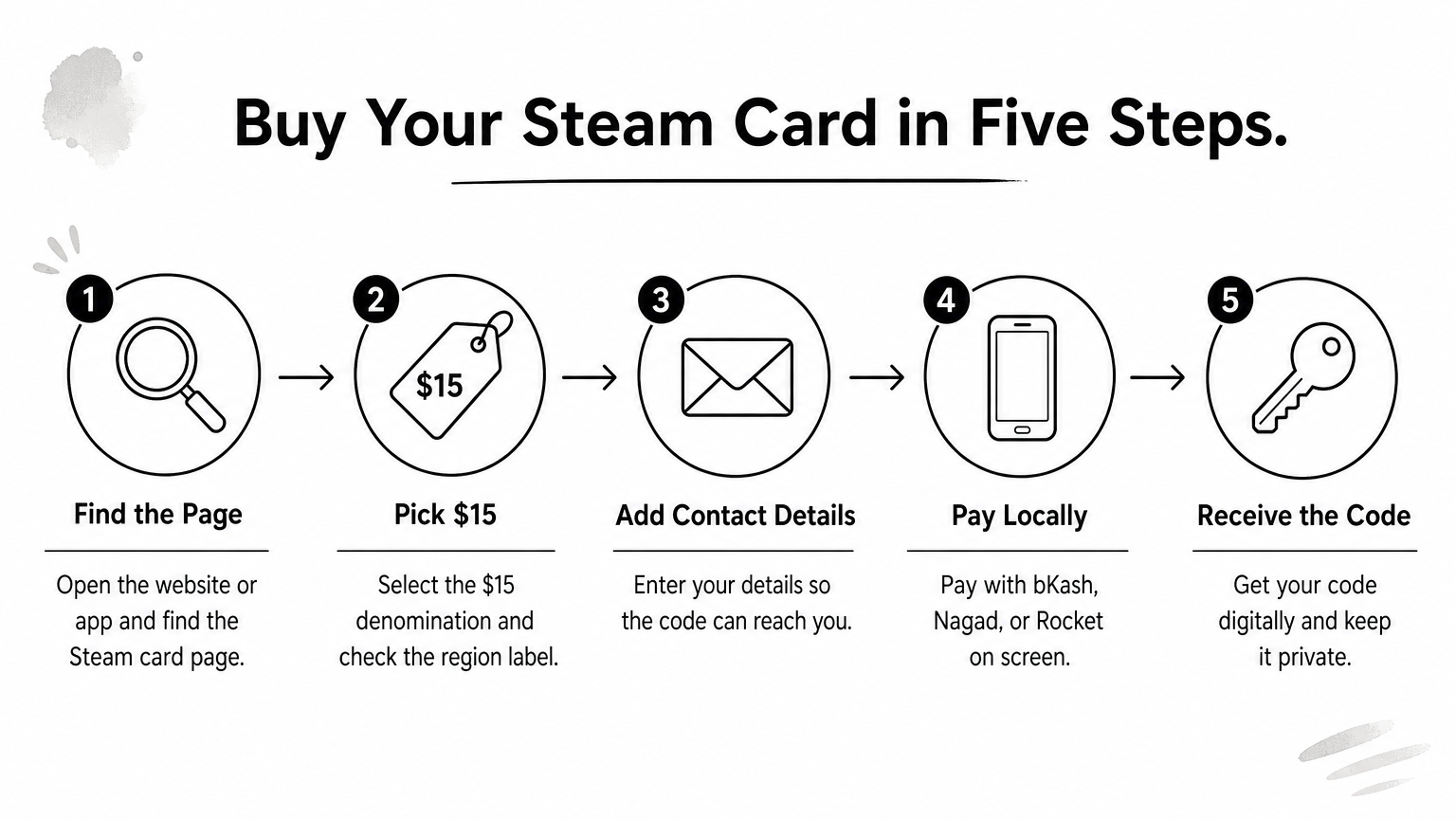
AroraShop is our own store, so we know this flow well. Open the Gift Cards section, choose Xbox, and pick the denomination you need. After payment, the code is delivered digitally and advertised as instant.
Bangladeshi gamers who want to buy an Xbox gift card without an international card are the core fit. Students and teens without a credit card can pay straight from a mobile wallet. If you also need PlayStation, Steam, or Google Play credit, or a subscription like Netflix, you can shop everything in one place.
Payment runs through bKash, Nagad, and Rocket, so you do not need a Visa or Mastercard. The product page shows the current price, which moves with exchange rates. The official Android app on Google Play carries app-only discounts, so check it before you pay.
Compared with Microsoft or Amazon, the real advantage is local payment, not a few taka saved. For most people in Bangladesh, that is what makes an Xbox buy gift card purchase possible at all.
The best Xbox gift card seller for you is the one you can actually pay, not the one with the lowest sticker price.
Match the card region to your Microsoft account region before you pay. Xbox cards generally redeem only on accounts set to the same region, and a mismatch is the top reason codes fail. Read the region on the product page, and use Contact Us if anything is unclear.
Public reviews on Trustpilot and Google Maps also let you check the seller's record before you buy.
Microsoft sells digital Xbox gift cards directly, so this is the most trusted source for a code. You pick a value, pay, and the code arrives by email and in your order history, usually within minutes.
Anyone who wants to buy an Xbox gift card with zero third-party risk should start here. If a code fails, support sits with Microsoft, the company that runs Xbox.
It is a poor fit if bKash, Nagad, or Rocket are your only ways to pay.
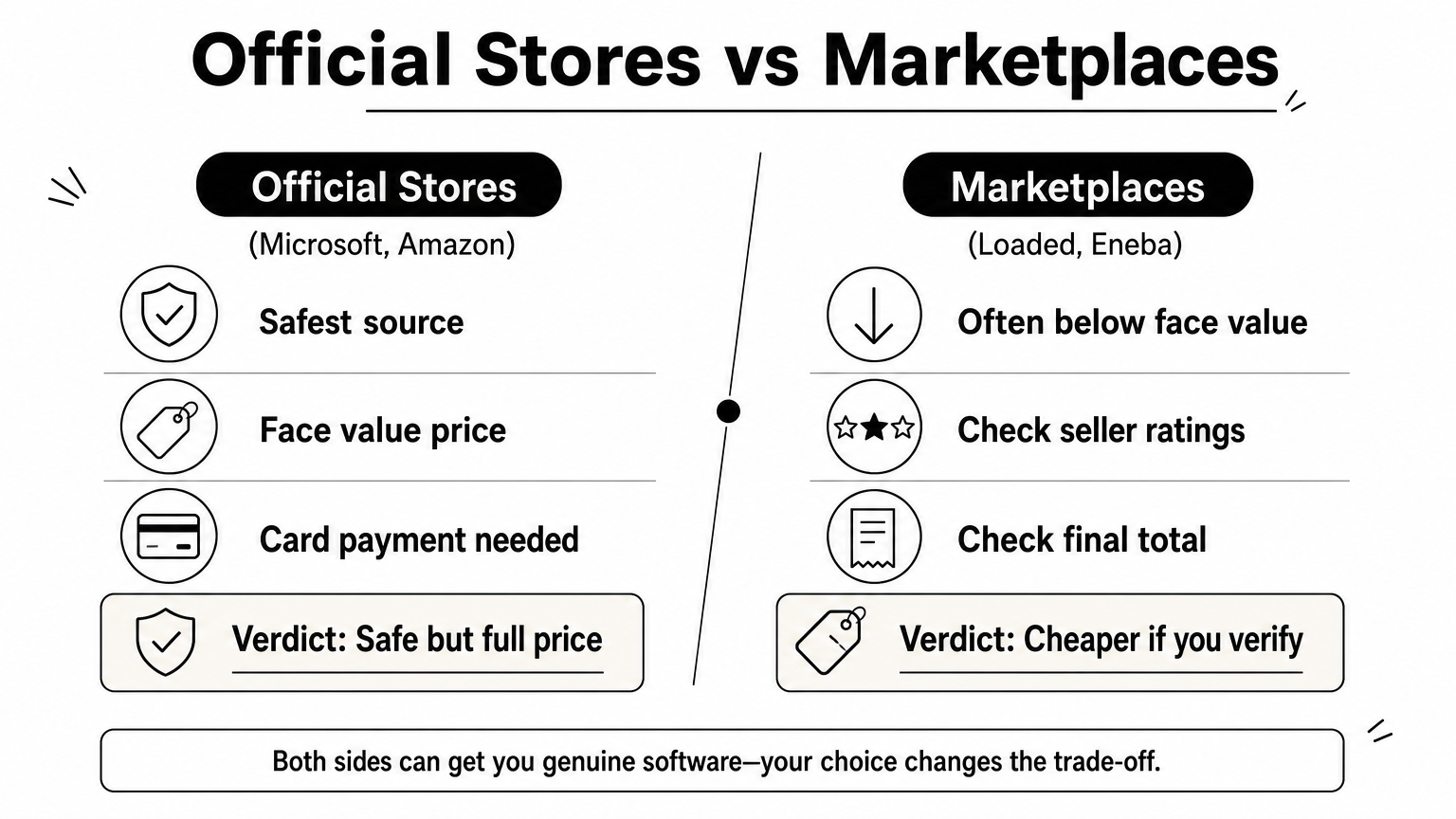
Expect face value with no discount. A $25 card costs $25, plus tax where it applies. Checkout takes credit and debit cards and, in some countries, PayPal, so what works for you depends on your card and location.
Local mobile wallets are generally not offered, which is why many Bangladeshi buyers look elsewhere.
Microsoft is the safest place to buy, but you pay full price and need the right card.
Check the card currency before you pay. Microsoft gift cards redeem only in the matching region, and you cannot convert the balance later. Confirm your account region in your Microsoft account settings.
Redeeming is simple. Enter the 25-character code at redeem.microsoft.com and the balance lands in your account.
Search for Xbox gift cards on your regional Amazon store and choose email delivery instead of the physical card. Amazon sends the code to your inbox and lists it in your digital orders, usually within minutes.
Shoppers who already have an Amazon account and a working international card will find this the smoothest route. Prime members can also catch occasional sale pricing around events like Prime Day. Without an international card, it is a weak fit.
Most of the time Amazon charges face value, so a $50 card costs $50. Checkout accepts credit and debit cards and Amazon balance, depending on your country. Local wallets like bKash, Nagad, and Rocket are not part of the deal.
Amazon is a reliable Xbox gift card buy if you hold the right card, but it rarely beats face value.
Cards follow the store you shop on. Amazon.com sells US-region cards, while other country stores sell their own currency. Before you buy an Xbox gift card here, confirm that the region matches your Xbox account, because delivered codes are generally not refundable.
Loaded is a digital key marketplace, formerly known as CDKeys. You search for Xbox gift cards, pick a value, and pay. The code arrives by email and shows in your account, often within minutes. A fraud check can delay some orders.
Shoppers with an international card who like to compare prices get the most from Loaded. Listings sometimes sit slightly under face value.
It is a weak fit if you only pay by mobile wallet. Checkout is built around cards, so bKash, Nagad, and Rocket are generally not available.
Prices vary by region and change often, so check the final total before you pay, including any service fee. Checkout typically takes major credit and debit cards and some wallets such as PayPal, depending on your country.
A cheaper code only helps if it matches your region and you can actually pay for it.
Because Loaded lists cards for many regions, the region label matters more here than on most sellers. Read it carefully before you buy an Xbox gift card, then redeem at redeem.microsoft.com right away.
Eneba is a marketplace, so you buy from an independent seller, not from Eneba itself. Search for Xbox gift cards, filter by region, and compare listings. Most codes are delivered automatically by email and in your account, often within minutes. Some sellers deliver by hand, so check each seller's rating and delivery time.
Price hunters who hold an international card get the most from Eneba. Competition between sellers often pushes listings below face value, and ratings help you screen out weak sellers. Skip it if bKash, Nagad, or Rocket are your only way to pay.
Listings vary by seller and change often, so compare the final total instead of the headline price. A payment or service fee is usually added at checkout. Checkout typically accepts cards, PayPal, and wallets like Apple Pay or Google Pay, depending on your country. Local mobile wallets are generally not available.
A low listing is only a deal once you see the final total and the seller's rating.
Listings cover many regions, so a wrong pick is easy to make when you buy an Xbox gift card here. Read the region label on the listing, then redeem at redeem.microsoft.com as soon as the code arrives.
Pick the seller that fits how you pay, then check the region. Microsoft and Amazon are the safest if you hold an international card and do not mind paying face value. Loaded and Eneba can undercut face value, but only when the region label, the final total, and the seller rating all check out.
For most buyers in Bangladesh, the decision is simpler. Local payment decides everything. If bKash, Nagad, or Rocket is how you pay, AroraShop is the one place on this list built for it, with digital delivery and app-only discounts. Whichever seller you choose, match the card region to your Xbox account before you pay, because that single check prevents most failed redemptions.
Ready to buy an Xbox gift card without an international card? Head to the AroraShop Gift Cards section, pick your value, and pay with your mobile wallet.