Leave a Review


You want a Steam wallet top-up without waiting for a courier or fighting a declined card. That is exactly what Steam gift card email delivery solves. You pay, and the code arrives in your inbox as text, ready to redeem.
Here is the short answer. A digital Steam gift card is a code tied to a specific amount and region. The seller sends it to your email, and you enter it in Steam under "Redeem a Steam Gift Card." No physical card is shipped, and delivery usually takes minutes. The one thing you must check first is region compatibility. A code bought for the wrong region may not work on your account.
In Bangladesh, the hard part is usually payment, not the card itself. At AroraShop, we sell Steam gift cards and accept bKash, Nagad and Rocket, so you do not need an international card. This article explains how email delivery works, how to pick an amount such as $12 or $100, how international cards differ, and how to spot a trustworthy seller before you pay.
Time matters when a Steam sale ends at a set hour. With email delivery, the code arrives in minutes, so you can top up at midnight and still catch the discount. There is no courier, no shop visit, and no waiting for a card to cross the border.
Email also gives you a written record of your purchase. If you mistype the code, copy it again from the message instead of guessing. Keep the email until the funds show in your Steam wallet.
Many Bangladeshi gamers do not own a Visa or Mastercard that works abroad. A gift card gets around that. You pay locally with bKash, Nagad or Rocket, and the code carries the dollar value to Steam. No international card is needed at any step.
A Steam gift card moves your payment problem from Steam's checkout to a local wallet you already use.
Here is how the three common ways to fund Steam stack up for a buyer in Bangladesh.
Option Delivery time International card needed Main risk Emailed gift card code Minutes No Wrong region Physical gift card Days No Shipping delays Card payment on Steam Instant Yes Declined paymentsEmailed codes win on speed and access. The only real risk is region mismatch, and you can avoid it if you check the region before you pay. The sections below show you how.
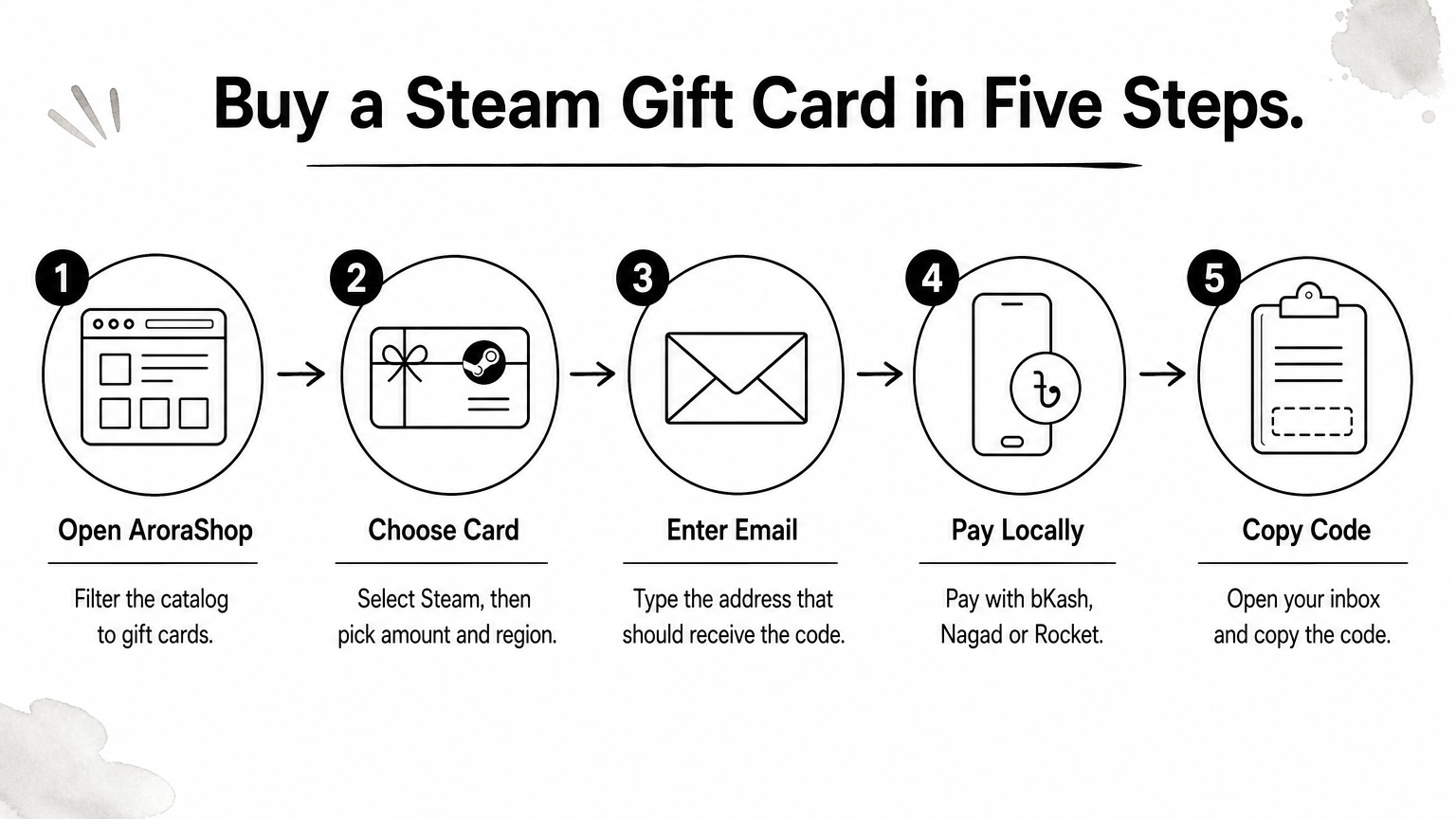
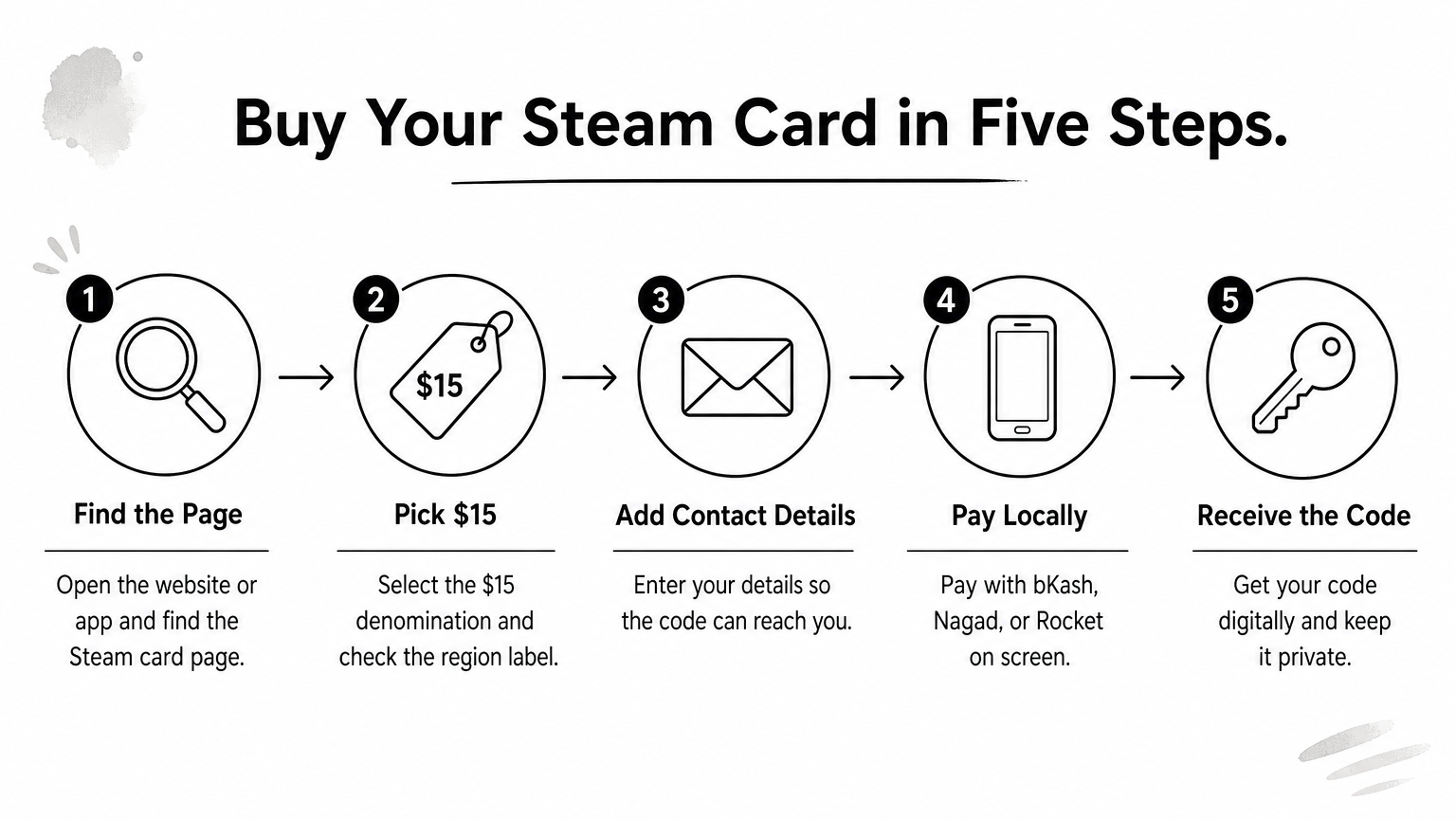
The whole purchase takes about five minutes. Follow these steps and Steam gift card email delivery works without surprises, even if you have never bought a digital code before.
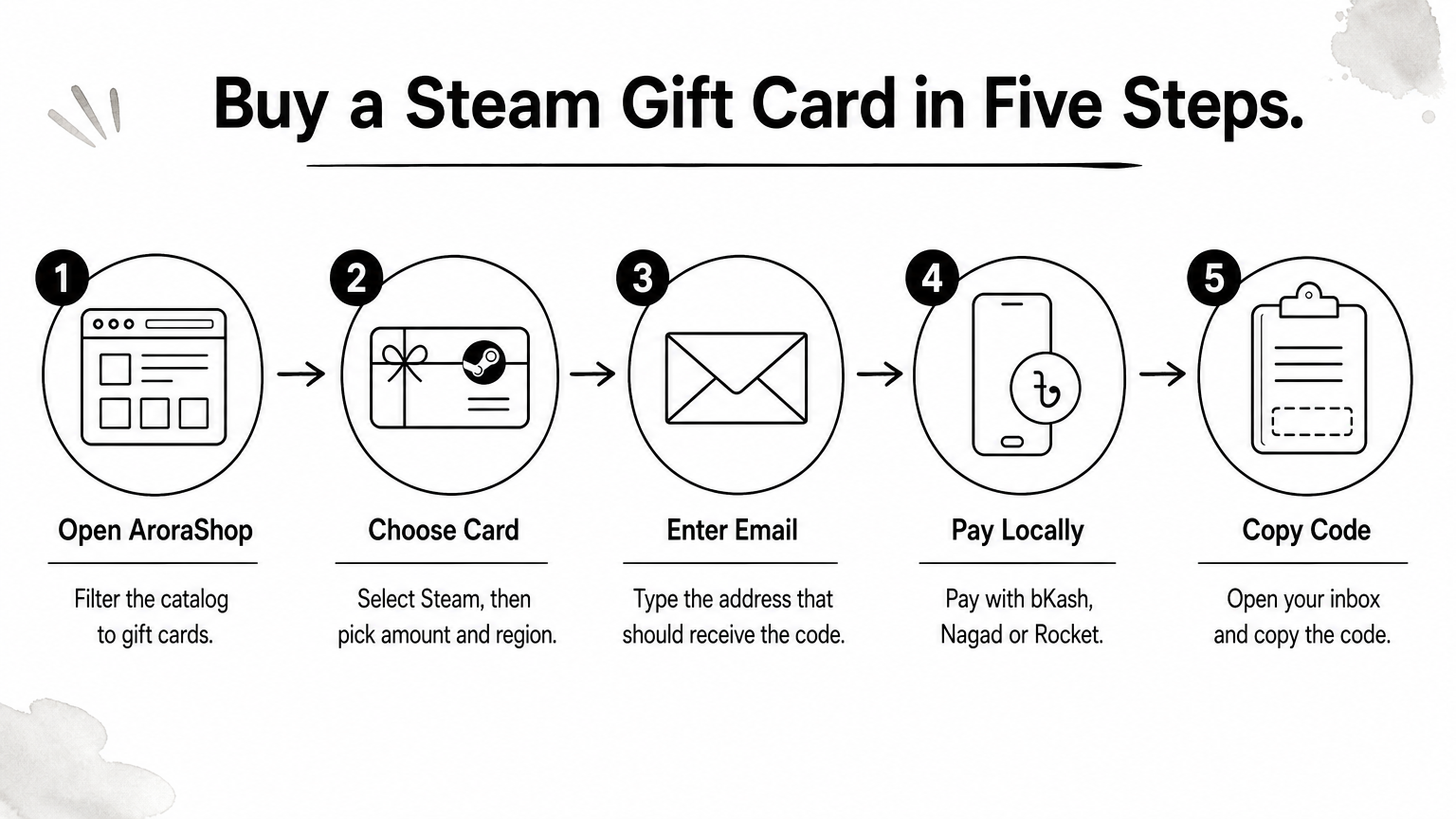
Use an email account you can open right now, such as Gmail. Double-check the address before you pay, because the code goes only there.
Your email address is your delivery address, so type it carefully.
Confirm that the region on the product page matches your Steam account. Then check the amount, since a code cannot be split or changed after delivery.
If the email does not show up within a few minutes, check your spam and promotions folders first. Still nothing? Follow the order and delivery instructions to contact support and send your bKash, Nagad or Rocket transaction ID so they can trace the order.
Redeeming takes under a minute once your Steam gift card email delivery lands in your inbox.
Paste the code instead of typing it. This avoids typos and keeps the format intact. Always redeem it on the account you actually play on.
Steam wallet funds cannot be moved between accounts, so redeem on the right one.
Your balance shows at the top right, next to your username. Funds appear instantly, and you can spend them on games, DLC or in-game items right away.
If Steam says the code is invalid, do not keep retrying. Repeated failed attempts can lock redemption for a while. Send your order details and the exact error message to the seller instead.
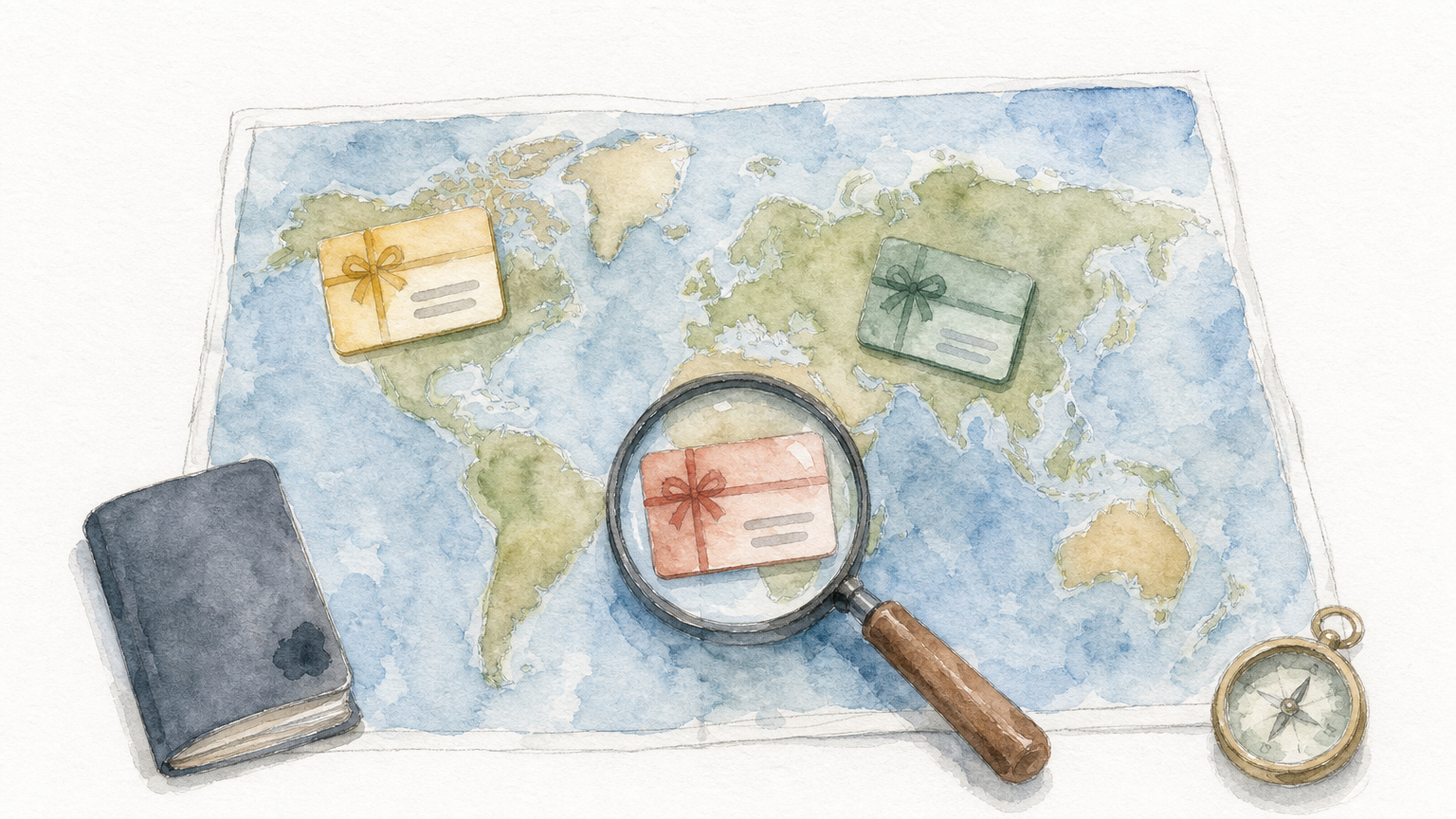
A Steam gift card international listing does not mean the code works everywhere. Every card has a fixed currency, such as USD, euro or Turkish lira. Steam ties that currency to your wallet region, so a mismatch can trigger errors or a blocked redemption.
Most Bangladeshi accounts run on USD, so a USD card is the safe default. Other regional cards can look cheaper, and region pricing tips for buying games and top-ups cheaper explain why, but they only make sense if your account already uses that currency.
Match the card's currency to your Steam wallet currency before you pay.
Open Steam, go to Account details and read your store currency. Then compare it with the product page. This takes thirty seconds and prevents the most common Steam gift card email delivery problem.
Changing your Steam region later is difficult, so decide with care. If you are unsure, send support a screenshot of your account details.
Start with the game, not the card, and if the title is a big one, see how to buy a GTA 5 Steam account at a low price first. A 12 dollar Steam gift card covers one indie title or a DLC and leaves little unused balance. Look at the price in your wallet currency first, then pick the closest amount.
Amount Best for $12 One indie game or DLC $25 to $50 A mid-price game or a sale haul $100 Big releases or several gamesLarger cards suit planned spending. A Steam gift card 100 USD order means one payment covers a whole sale season. Check your bKash, Nagad or Rocket transaction limits first, since they may cap a big purchase.
Still, bigger is not always better. Steam wallet funds are not refundable as cash, so only load what you will spend.
Buy the amount you will spend, not the amount you might.
Available values differ by seller, so confirm the options on the product page before you pay.
Steam gift card email delivery comes down to three checks. Match the region and currency to your Steam wallet, pick an amount you will actually spend, and pay with a local method you already trust. Do that, and the code lands in your inbox within minutes, with no international card and no courier.
Redeeming is just as simple. Paste the code under "Redeem a Steam Wallet Code," and the funds appear in your balance straight away. Whether you need a $12 card for one indie game or a $100 card for a sale season, the process stays the same.
When you are ready, buy a Steam gift card in Bangladesh at AroraShop and pay with bKash, Nagad or Rocket. Keep the delivery email until your balance updates, and you will be playing in minutes.