Leave a Review


A 15 USD Steam gift card adds $15 to your Steam Wallet. That is enough for an indie game, a DLC pack, or a few items from the Community Market. If you live in Bangladesh, the hard part is rarely the card itself. It is finding a seller that accepts bKash or Nagad, delivers fast, and sells a code that actually works on your account.
The short answer: you can buy a 15 USD Steam code in Bangladesh with local mobile payments and get it digitally within minutes. The price depends on the exchange rate and the seller's margin, so compare the final taka amount, not just the dollar value. Before you pay, check that the code matches your Steam account region, because a mismatched code can be rejected.
This article explains what the card costs in BDT, which region rules apply, how redemption works, and what to expect from delivery. It also shows how to buy one from AroraShop with bKash, Nagad, or Rocket, without an international card.
Fifteen dollars sits in a useful middle spot. It is enough for a full indie game or a handful of DLC packs, yet small enough that you are not parking a large balance in a wallet you cannot withdraw from. For most players in Bangladesh, the bigger draw is simpler: a gift card replaces the international card that Steam checkout often demands.
Local bank cards are often declined on Steam, and many students and teens do not have a dollar-enabled card at all. A wallet code skips that problem. You pay in taka through bKash, Nagad, or Rocket, receive a code, and Steam never sees your payment details.
Fees are the other hidden cost. Paying by card in dollars can bring foreign transaction charges and a weak conversion rate. With a code, you see the full taka total before you pay, so you know the real price of your $15 before you commit.
Think in terms of what you want to play this month, not the number on the card. The table shows where $15 lands in practice, though prices change with Steam sales.
What you want Does $15 cover it? Full-price indie game Usually yes Older AAA game on sale Often yes DLC or expansion pack Usually yes Community Market items Yes, within the item's price New AAA release at launch No, you will need a larger cardThat last row matters. A $15 card will not cover a new big release, so check the game's price in your wallet currency before you buy. If you are chasing one cheap title, you can start smaller with a Steam gift card 5 USD code, but $15 gives you room for a second game when a sale appears.
Buying in small pieces adds up. Each order means another mobile payment and another delivery wait, and resellers build a margin into every card they sell. One $15 purchase means one transaction, one code, and one redemption.
A 15 USD Steam card is the smallest size that still buys a complete game with a single payment.
Budgeting is the last reason. Wallet funds work as a hard cap, because the balance can never exceed what you loaded. That helps if you tend to overspend during a sale, or if a parent wants a teenager to have a fixed monthly gaming allowance.
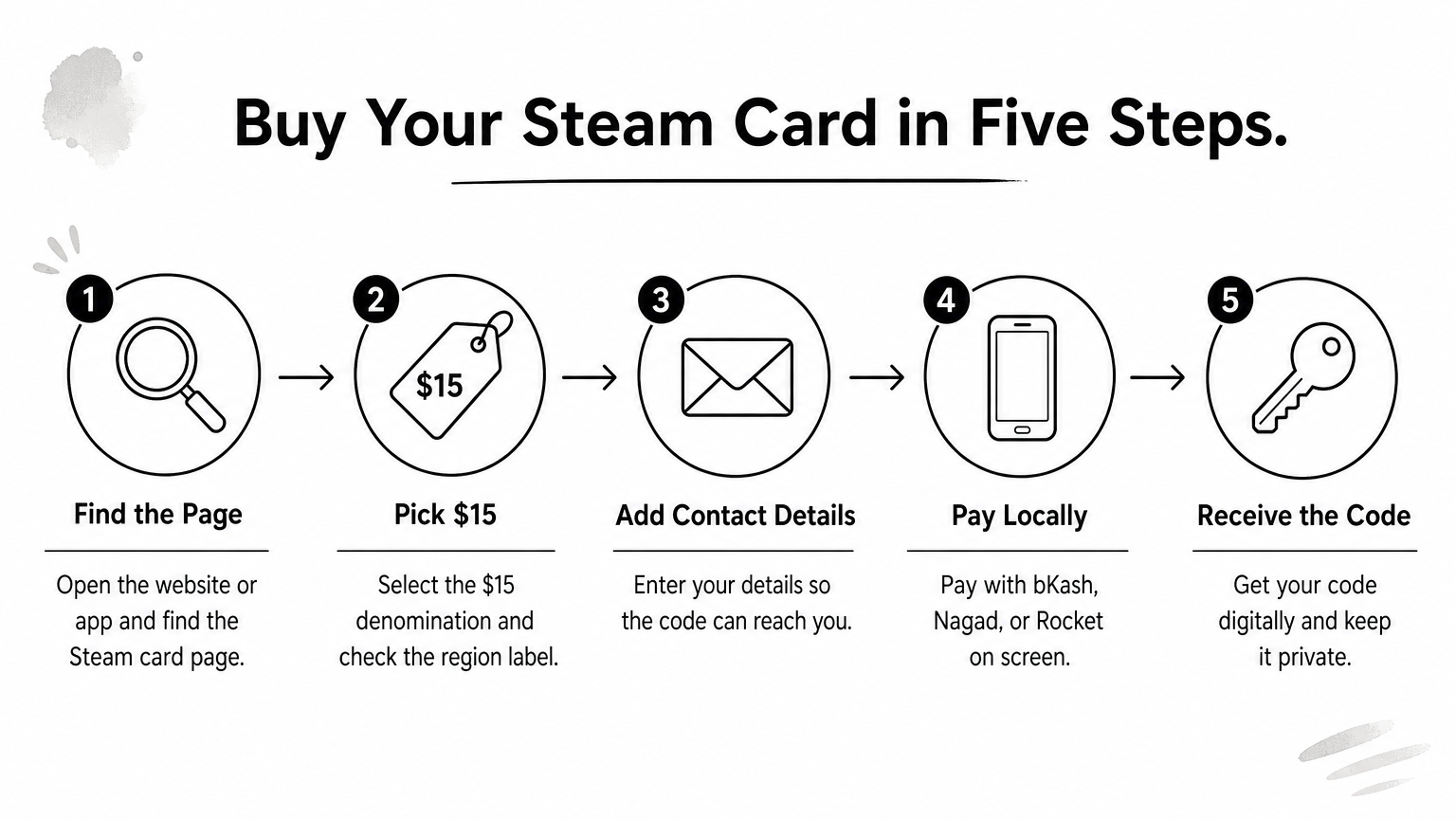
Buying a 15 USD Steam gift card in Bangladesh takes about five minutes if you prepare first. Keep your mobile wallet balance ready and know your Steam account region before you open the store.
Here is the flow on AroraShop, which accepts local mobile payments and delivers digital products.
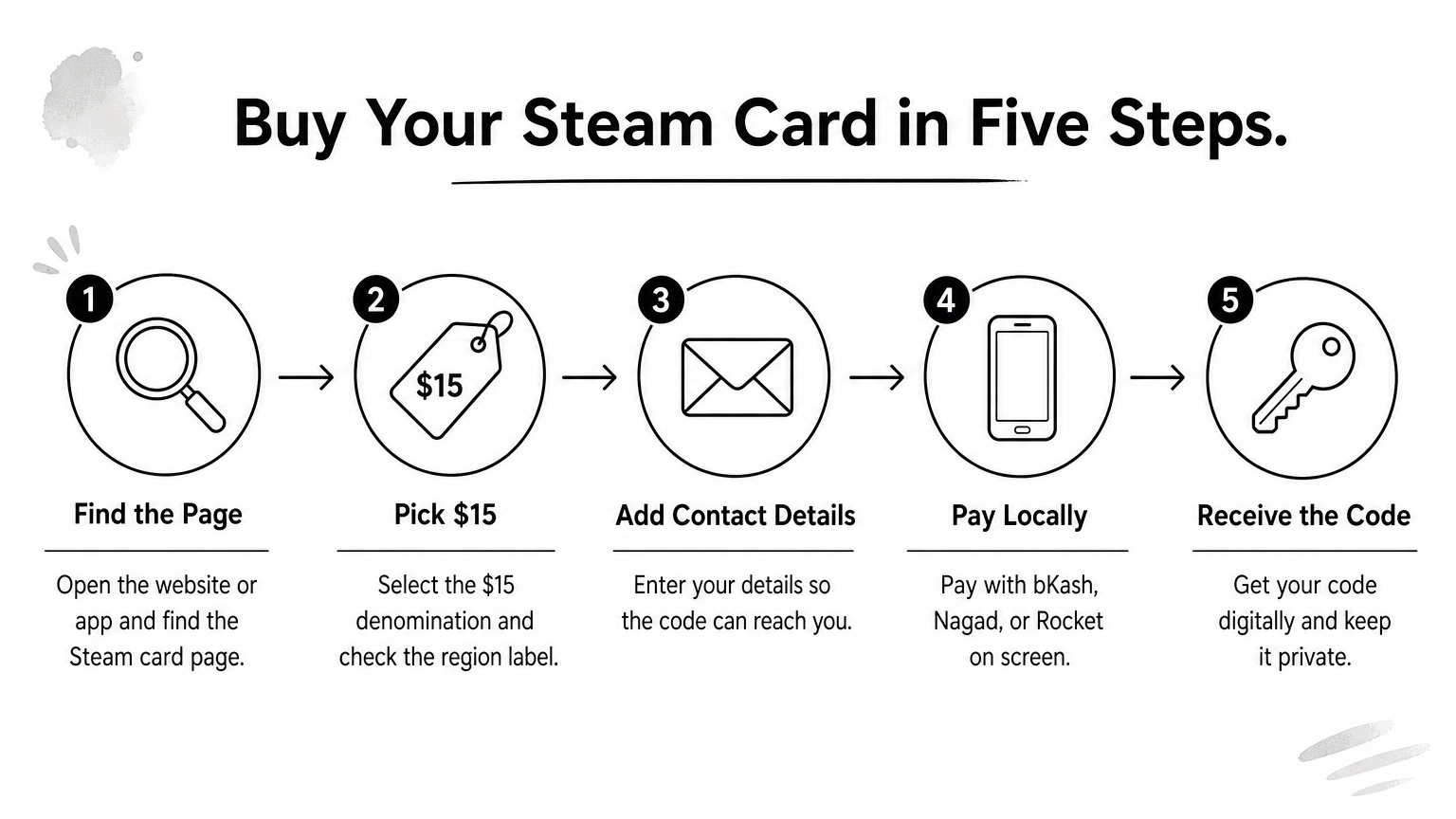
Final taka cost matters more than the dollar figure. Check the total at checkout, including any payment charge, and compare it with other sellers on the same day. The exchange rate moves, so a price that looked cheap last week may not be cheap now. The app also runs app-only discounts, which can lower the total a little.
The cheapest card is the one with the lowest final taka total, not the one with the nicest headline rate.
Steam gift card email delivery should be digital and quick, usually within minutes. Copy the code carefully and redeem it soon, because a code sitting in a chat or inbox is easy to lose or leak. Never share it with anyone who contacts you offering help.
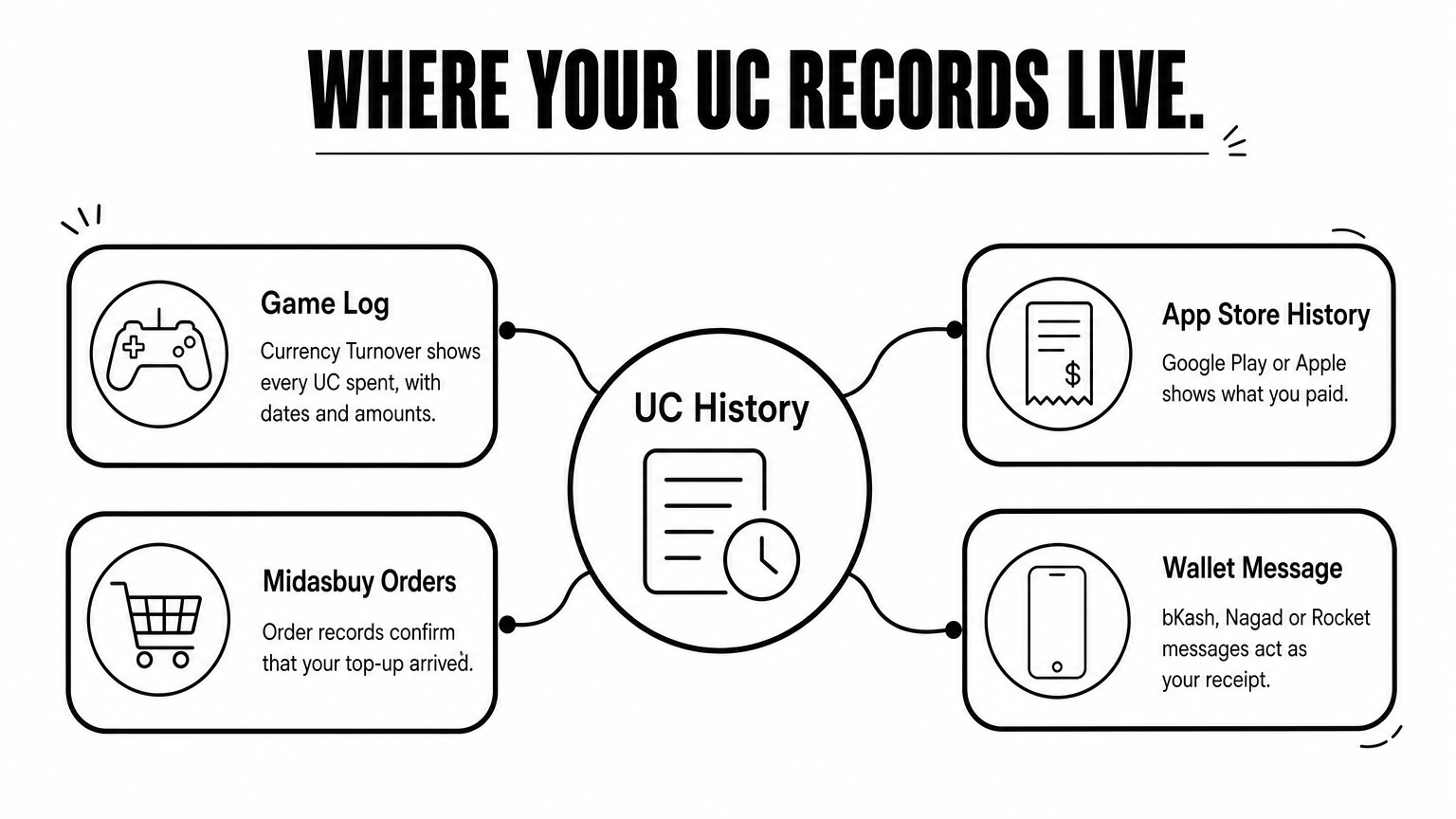
If nothing arrives after a reasonable wait, keep your payment transaction ID and contact the seller's support page. That ID lets them trace the order fast. Do not pay a second time before the first order is resolved.
A 15 USD Steam gift card only helps if Steam accepts it. Two things decide that: the store country on your account and the currency of your wallet. Check both before you pay, because a rejected or mismatched code is hard to fix after delivery.
Open Steam, click your account name, and choose Account details. The Store country line shows your region, and the balance at the top right shows your wallet currency. Most accounts in Bangladesh see USD prices, which is why a USD card is the usual match. Confirm yours instead of assuming.
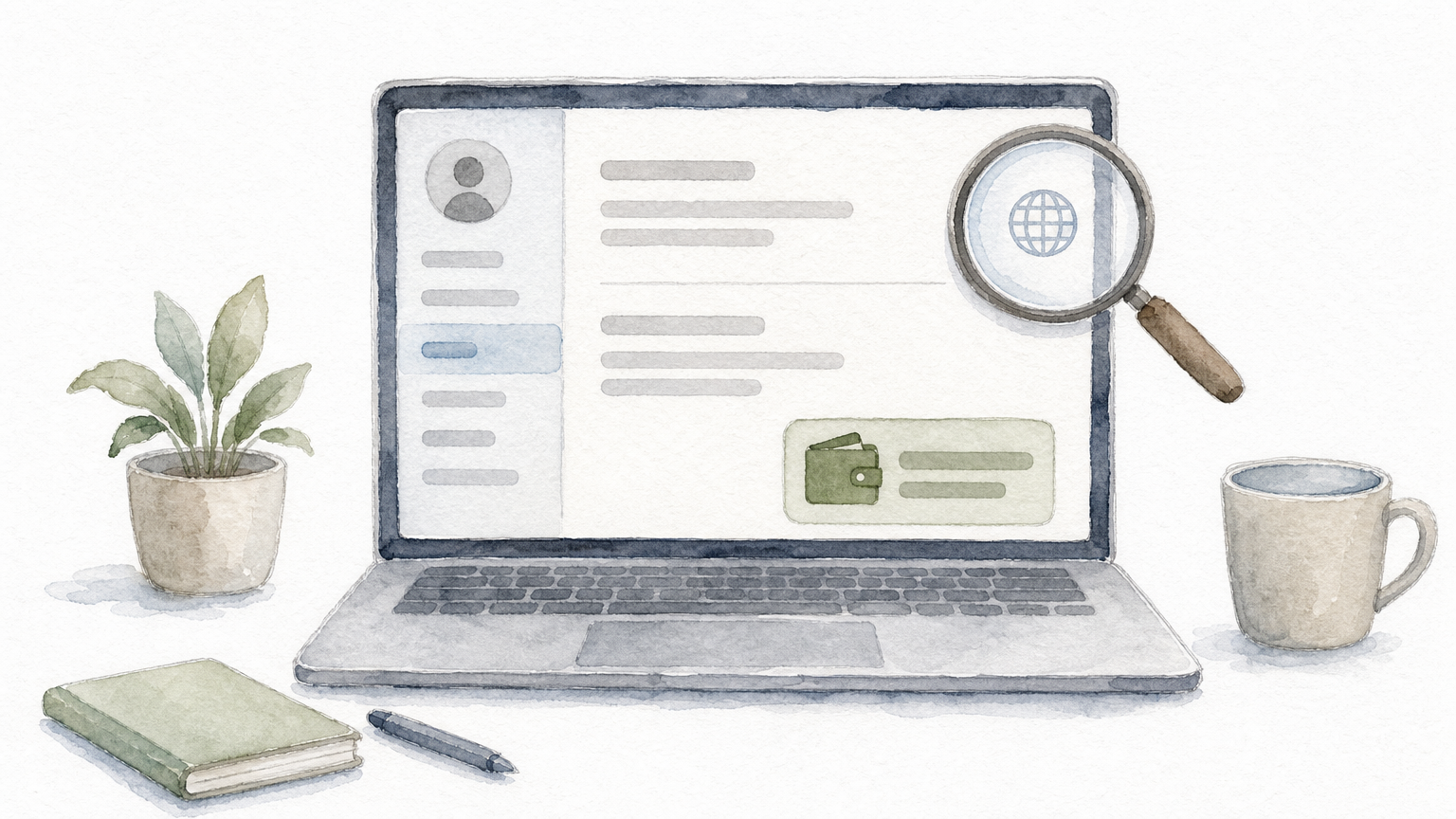
Use this quick check:
Match the card's region and currency to your Steam account before you pay, not after.
Some cards are locked to a region, such as those sold for Turkey or Argentina. Steam can reject these on an account from another region. In other cases it may convert the value into your wallet currency at its own rate, so you can lose part of the $15 to conversion.
Wallet currency is also difficult to change once it is set. A wrong redemption can leave you with a balance in a currency you never wanted. Avoid using a VPN to fake your region, because Steam can restrict purchases on accounts that look inconsistent.
When the product page does not state the region, ask support before paying. A short message with your store country and the card value takes a minute and protects both your money and your account.
Redeeming a 15 USD Steam gift card takes under a minute. Do it on the account you checked in the last step, because wallet funds cannot move between accounts once they are added.
Follow these steps on the Steam website or the desktop client. Type the code exactly as delivered, and watch for look-alike characters such as 0 and O. Pasting it is safer than typing.
Redeem only on the account you plan to play on, because wallet funds never move.
Spending is automatic. At checkout, select Steam Wallet as your payment method and the price comes out of your balance. Games, DLC, and Community Market purchases all draw from the same pool, and the remaining balance shows at the top right of the screen.
One catch matters if you have no international card. When an item costs more than your balance, Steam asks for a second payment method to cover the difference. Check the final price before you add to cart, since a game at $14.99 fits but a small price change may not. Wallet money also stays inside Steam, so load only what you plan to spend.
Rejection usually has one of three causes: a typo, a code that was already used, or a region mismatch. Re-enter the code slowly first. Steam can temporarily block redemption after repeated failures, so stop after a few tries instead of guessing.
Contact the seller next, with your order ID, the payment transaction ID, and a screenshot of the error message. That gives support everything needed to check the code quickly. Do not buy a replacement until they confirm what went wrong.
Smaller codes have a real use. If you are trying a seller for the first time, load a $5 or $10 code first to test payment, delivery, and redemption. Once that works, you can buy a 15 USD Steam gift card with much less worry. Available denominations vary by seller, so check the product page.
Topping up in small pieces has a cost, though. Two $5 codes mean two payments, two deliveries, and two seller margins. Choose a small card only when you want one cheap game or a trial run, not as your regular way to fund Steam.
Most problems come from rushing. These are the ones we see most often:
Never pay or share a code outside an order you can trace.
Before you pay, take ten seconds to check three things: the region label, the final taka total, and whether the seller has public reviews. Save your order ID and transaction ID in your phone notes the moment you pay. Then redeem the code right after delivery, on the account you checked earlier. That one routine avoids almost every failed purchase.
A 15 USD Steam gift card is the simplest way to fund your account in Bangladesh without an international card. Match the code to your store country and wallet currency, compare the final taka total instead of the headline rate, and redeem the code soon after delivery on the account you plan to play on. Keep your order ID and transaction ID, and almost any problem can be solved quickly.
If you want a trial run first, start with a $5 or $10 code, then move up once payment and delivery work smoothly. When you are ready, buy your Steam gift card at AroraShop and pay with bKash, Nagad, or Rocket. Check the region label, pay, and redeem, and your $15 lands in your wallet within minutes.