

App to Buy Gift Card Online: 4 Best Picks for Bangladesh
AroraShop Editorial & Fulfillment Team
Digital Gaming & FinTech Specialists (Dhaka, BD) • UpdatedApp to Buy Gift Card Online: 4 Best Picks for Bangladesh
The best app to buy gift card online for a buyer in Bangladesh is one that takes bKash, Nagad, or Rocket and delivers the code within minutes. AroraShop does that, so it is the first pick for gamers and subscribers without an international card. Dundle and MyGiftCardSupply suit you when you want an international catalog and your payment method works at their checkout. eGifter suits you when you want to send a gift by email or text.
The problem is not finding a gift card seller. It is finding one that accepts the money you actually have, sells the right region for your account, and delivers a working code without a long wait. A card bought for the wrong region is stuck, and a dispatched digital code is rarely refundable.
This article compares four options on payment, delivery, region, and support. We sell gift cards at AroraShop, so weigh the first pick with that in mind. The last section shows how to buy a gift card online step by step, from checkout to redeeming the balance.
1. AroraShop
AroraShop is the pick if you live in Bangladesh and pay with bKash, Nagad, or Rocket. It is an online store with an official Android app on Google Play, and it prices gift cards in BDT, so you skip the international card problem.
What it offers
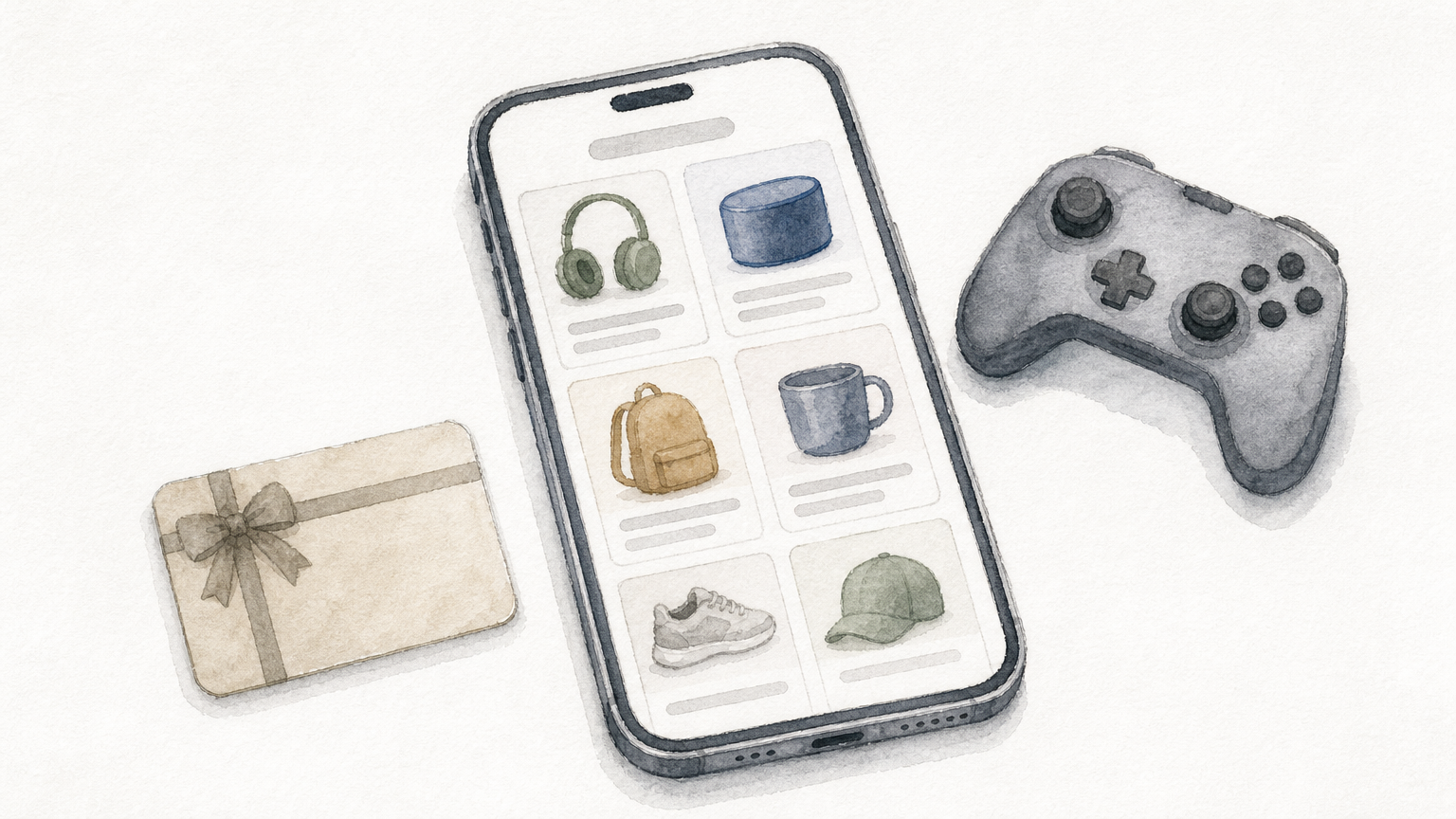
The gift card range covers Steam, PlayStation, Xbox, Google Play, Apple iTunes, Roblox, and Razer Gold, plus a Netflix card for the Turkey region. The Android app adds app-only discounts. Most cards are US region and arrive as a digital voucher. Here are the $10 prices listed on the product pages:
| Gift card | Denomination | Price |
|---|---|---|
| Xbox | $10 | 1180 ৳ |
| PlayStation | $10 | 1200 ৳ |
| Apple iTunes | $10 | 1240 ৳ |
| Roblox | $10 | 1300 ৳ |
| Steam | $10 | 1450 ৳ |
A $10 Xbox code costs 1180 ৳, paid in BDT through bKash. Prices can change, so check the live price on the product page before you pay.
For a buyer in Bangladesh, the payment method decides whether a gift card app works, not the size of the catalog.
Who it suits and what to check
It suits gamers, students, and subscribers who want a card for a game, a console wallet, or an Apple ID without a bank card. Check the region first. Steam, Xbox, PlayStation, iTunes, and Roblox cards are US region, so your account must match. The Netflix card only works in a Turkey-region account. The listed Google Play US card cannot be used from Bangladesh.
Delivery is fast but not always instant. Product pages list 1 to 5 minutes, and the store states that delivery can take 20 to 60 minutes after it verifies your payment. Support answers on WhatsApp in under 15 minutes on average. You need an account, and refunds are not available after dispatch.
2. Dundle
Dundle suits gamers who want prepaid cards and gaming credit from one international catalog. It describes itself as a worldwide destination for digital prepaid cards, gaming credit, and eGift cards.
What it offers
The store focuses on digital prepaid products instead of physical cards. Its own pitch is that buying is easy, fast, and safe. Typical categories are:
- Prepaid cards for services and platforms
- Gaming credit
- eGift cards from retail and entertainment brands
Who it suits and what to check
It suits buyers who play on global platforms and want one international catalog to compare. Because it serves many countries, check the region label on every product before you pay.
Dundle's checkout decides everything for you. Open a product, go to the payment step, and see whether a method you own is on the list. If only international cards appear and you do not have one, move on.
A wide catalog helps only when the checkout accepts a payment method you actually have.
3. MyGiftCardSupply
MyGiftCardSupply suits you when you want a simple gift card sent to an email inbox by an international seller. It says it was built to give people instant access to online gift cards in a straightforward way.
What it offers
Its headline feature is worldwide email delivery. You buy a digital card, and the seller sends it to the address you enter. The idea is simple:
- Choose a brand and amount
- Enter the email address that should receive the card
- Receive the card digitally instead of waiting for a courier
Who it suits and what to check
It suits buyers outside the US who want a plain, no-extras purchase, and people who gift cards to friends abroad. It is less useful if you need local payment support, because payment options are not part of its pitch. Confirm them at checkout.
Type the delivery email carefully. A code sent to a mistyped address is hard to recover. Then look in the spam folder if the message is late, and keep the order confirmation until you have redeemed the balance.
Email delivery is only as reliable as the address you type, so check it twice before paying.
4. eGifter
eGifter suits you when the goal is giving a gift, not topping up your own account. It calls itself a place to buy e-gift cards, Visa cards, choice cards, and bulk gift cards online.
What it offers
The catalog covers hundreds of brands, and you can send a card by email or text. It also supports group gifting and bulk orders. That mix makes it a gifting tool more than a gaming top-up shop. The main features are:
- E-gift cards from many brands
- Visa and choice cards the recipient can spend more freely
- Bulk orders for teams or events
- Delivery by email or text message
Who it suits and what to check
It suits people who send gifts to friends or family abroad, and small teams that reward staff or customers in bulk. The recipient picks a card they can use, so the gift does not go to waste.
Check two things before you buy. First, confirm that the card works in the recipient's country and account region. Second, confirm that checkout accepts your payment method. Neither is guaranteed from outside the US.
A gift card is only a good gift if the recipient can spend it where they live.
How to buy a gift card online step by step
You buy a gift card online by choosing the right brand and region, paying with a method you have, and redeeming the code in the matching account. The steps are the same on every site, and the checks below prevent most failed purchases.
Five steps from checkout to balance
Start with the account that will receive the money, because that account sets the region you need. Then work through the purchase in order:
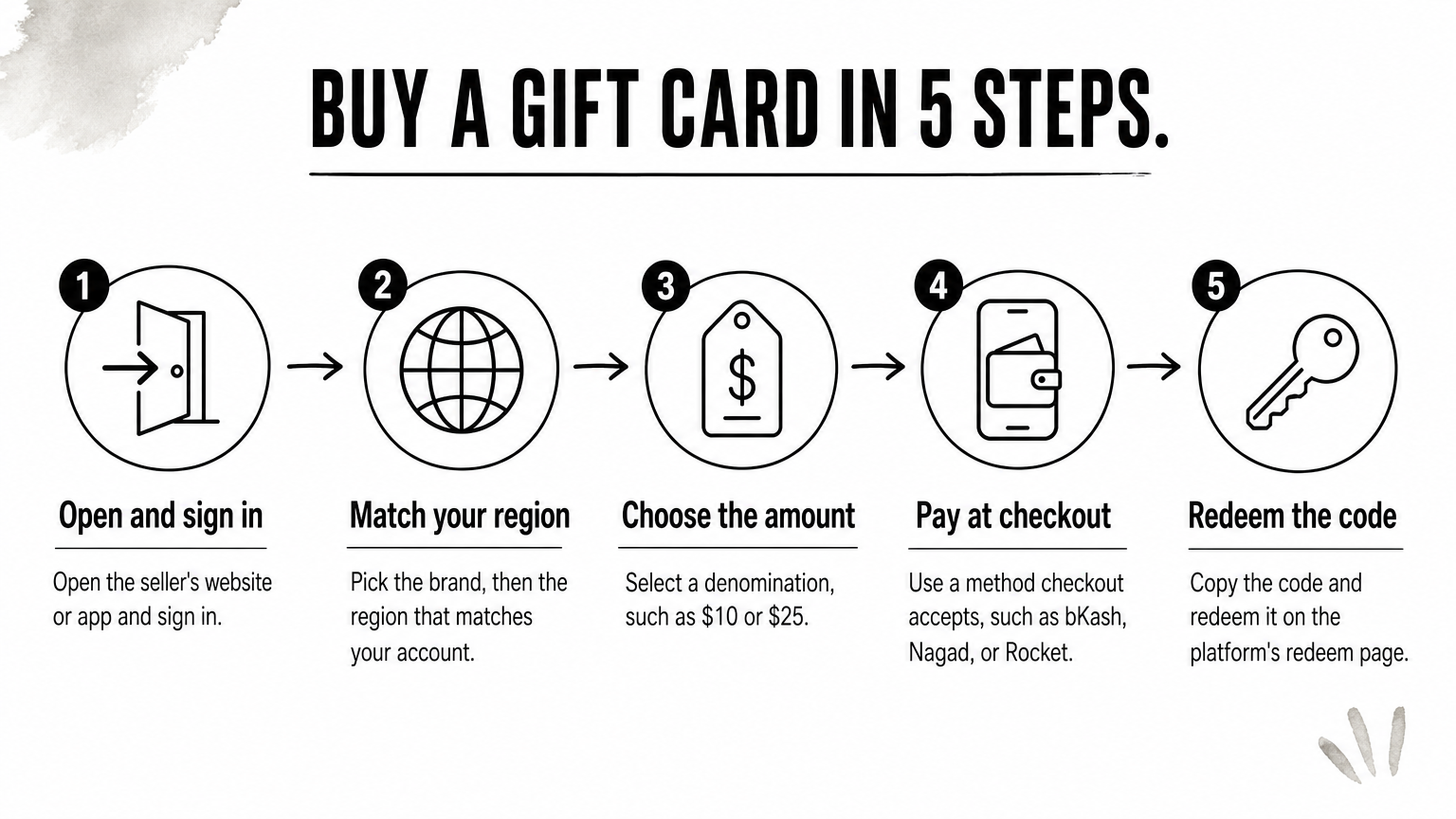
- Open the seller's website or app and sign in or create an account.
- Pick the brand, then the region that matches your account.
- Choose the denomination, such as $10 or $25.
- Pay with a method the checkout accepts, such as bKash, Nagad, or Rocket on AroraShop.
- Copy the code from your email or order page and redeem it on the platform's redeem page.
Delivery is usually by email, sometimes by text. If the code is late, check spam first, then contact the seller's support with your order number.
Match the region to your account before you pay, because a wrong-region code cannot be fixed afterwards.
Checks that prevent most problems
Most failures come from a few avoidable mistakes. Region mismatch is the biggest, and a Google Play US card, for example, cannot be used from Bangladesh. Dispatched digital codes are usually non-refundable, so recheck the amount and brand before you confirm.
Use these checks every time:
- Read the seller's reviews and look for a working support channel.
- Share only the code with the platform you redeem on, never your password.
- Keep the order confirmation until the balance shows in your account.
- Buy from the seller's own site or app, not from a link in a chat message.
Pick the one that matches how you pay
A good gift card app accepts your payment method, sells your region, and delivers fast. For buyers in Bangladesh, that points to AroraShop first. Dundle, MyGiftCardSupply, and eGifter make sense when their checkout works for you and you need international reach or gifting features.
Before any purchase, check the region, the denomination, and the delivery email. If you want to start with local payment, browse the gift cards at AroraShop and pay with bKash, Nagad, or Rocket.
Sponsored
Categories
- Beginners Gamers 1
- Top Up 0
- Gift Card 3
- Announcement 0
- Technology 31
- Artificial intelligence 11
- Updates & Guides 278
- Games 3
- Business & Tech 1
- Freelancing & Career 2
- Tech Tips & Tutorials 1
- Make Money Online 1
- Tech & AI Tools 2
- Crypto & Airdrops 3
- Career & Business 1
- Money Making 2
- Guides 0
- Game Top-Up Guides 0
- Subscription Guides 1
Sponsored
Recent Posts
Sponsored