

How to Do an MLBB Diamond Recharge in BD with bKash
AroraShop Editorial & Fulfillment Team
Digital Gaming & FinTech Specialists (Dhaka, BD) • UpdatedHow to Do an MLBB Diamond Recharge in BD with bKash
The safest way to complete an MLBB diamond recharge in Bangladesh is to use a local top-up shop that asks only for your User ID and Zone ID, then pay with bKash, Nagad or Rocket. You pick a package, pay, and the diamonds land in your account within minutes. You never share a password, and you never need an international card.
The hard part is not the steps. It is choosing where to buy. Search for Mobile Legends top up BD and you get a long list of shops, and Facebook groups are full of players asking which one is trusted. Players get burned by sellers who ask for login details, by wrong IDs, and by orders that sit with no reply.
This guide covers what to prepare, how to find your IDs, how to pick the best-value package, how to pay with your wallet, and what to do if diamonds arrive late. The examples use the Mobile Legends Diamonds packages at AroraShop, a Bangladeshi digital goods store, with prices in taka.
What you need before you start
You need four things for a Mobile Legends diamond top up in BD: your IDs, a funded mobile wallet, a shop account and a way to reach support. Gathering them takes about five minutes and prevents most failed orders.
The four things to have ready
Start with your User ID and Zone ID, because the shop delivers diamonds to that exact pair. Then check that your bKash, Nagad or Rocket balance covers the package price. The other items are quick:
- A shop account. AroraShop asks you to create one to get full service.
- A phone number or WhatsApp you can answer, in case delivery stalls.
- The shop's contact details, saved before you pay and not after a problem.
How to judge a diamond shop
A trustworthy MLBB diamond shop asks for your User ID and Zone ID and nothing else. If a seller asks for your password, your Moonton login or your Facebook login, walk away. Top-ups are delivered by ID, so no password is ever needed.
Next, look for proof you can verify. Check for visible contact details, local wallet payments, a stated delivery time and public reviews. AroraShop, for example, lists a Dhaka office address, a support phone number and email, 24/7 support, and a 4.9/5 rating with Trustpilot and Google review links. Open those review links yourself instead of trusting a number on a page.
A real top-up needs your IDs and never your password.
Step 1. Find your User ID and Zone ID
Open Mobile Legends, tap your profile picture in the top-left corner, and read the User ID under your nickname. The Zone ID is the shorter number in brackets next to it. The shop needs both to find your account.
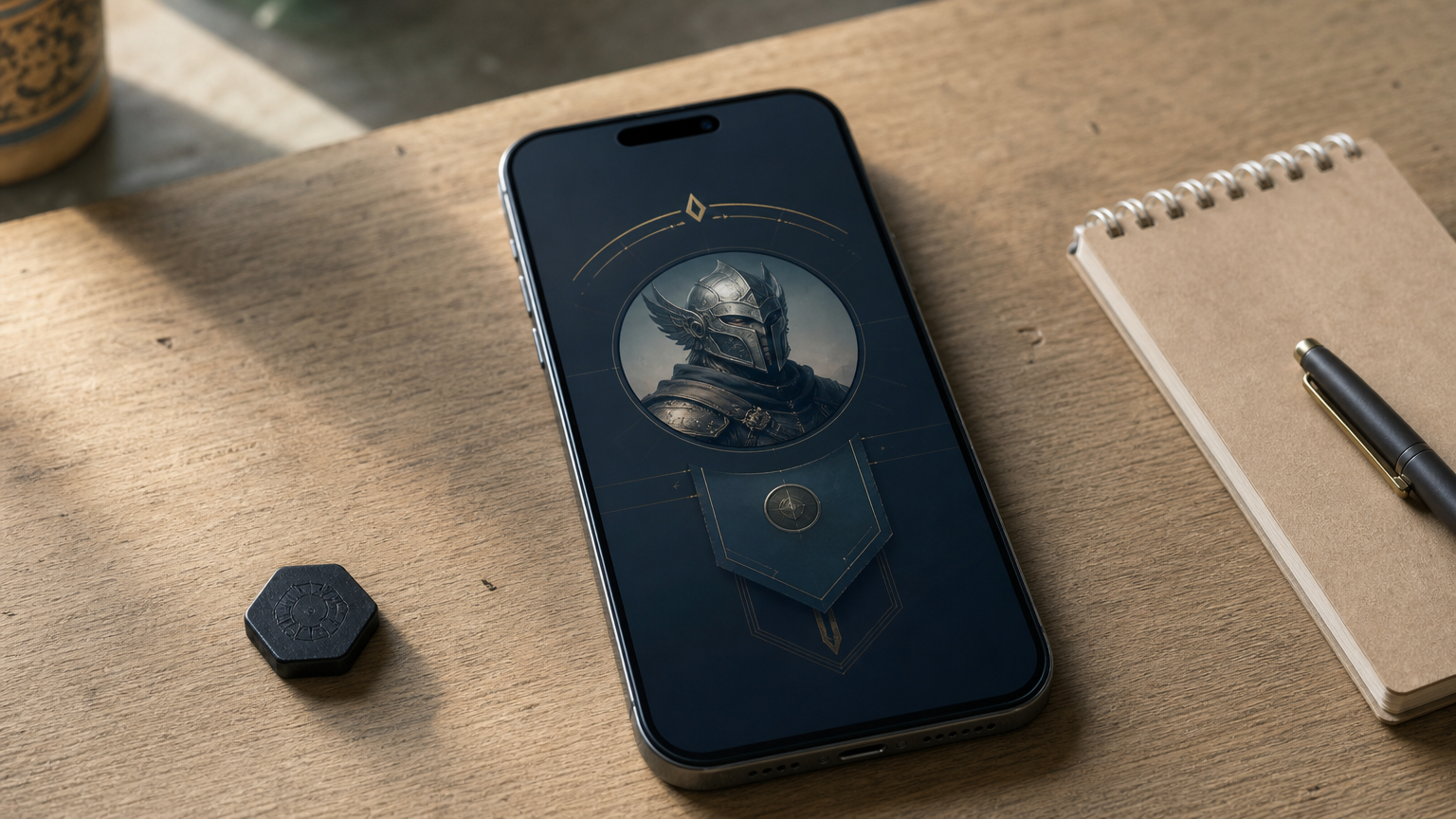
Where to find them
- Launch Mobile Legends: Bang Bang and log in.
- Tap your avatar at the top left to open your profile.
- Find the line that looks like "ID: 12345678 (1234)".
- Note the long number as your User ID and the bracketed number as your Zone ID.
Mistakes that cost diamonds
Some shops label these fields Player ID and Server ID. They are the same numbers, so ignore the different wording. The real mistakes are typing your nickname, swapping the two numbers, or dropping a digit. A delivered top-up is rarely reversible, so compare what you typed against your profile screen before you pay.
Check your IDs twice, because a delivered top-up is rarely reversible.
Step 2. Choose the right diamond package
Buy the 1160 package when you can, because it has the lowest cost per diamond in AroraShop's range. Cost per diamond is the price divided by the number of diamonds, and it varies more than most players expect.
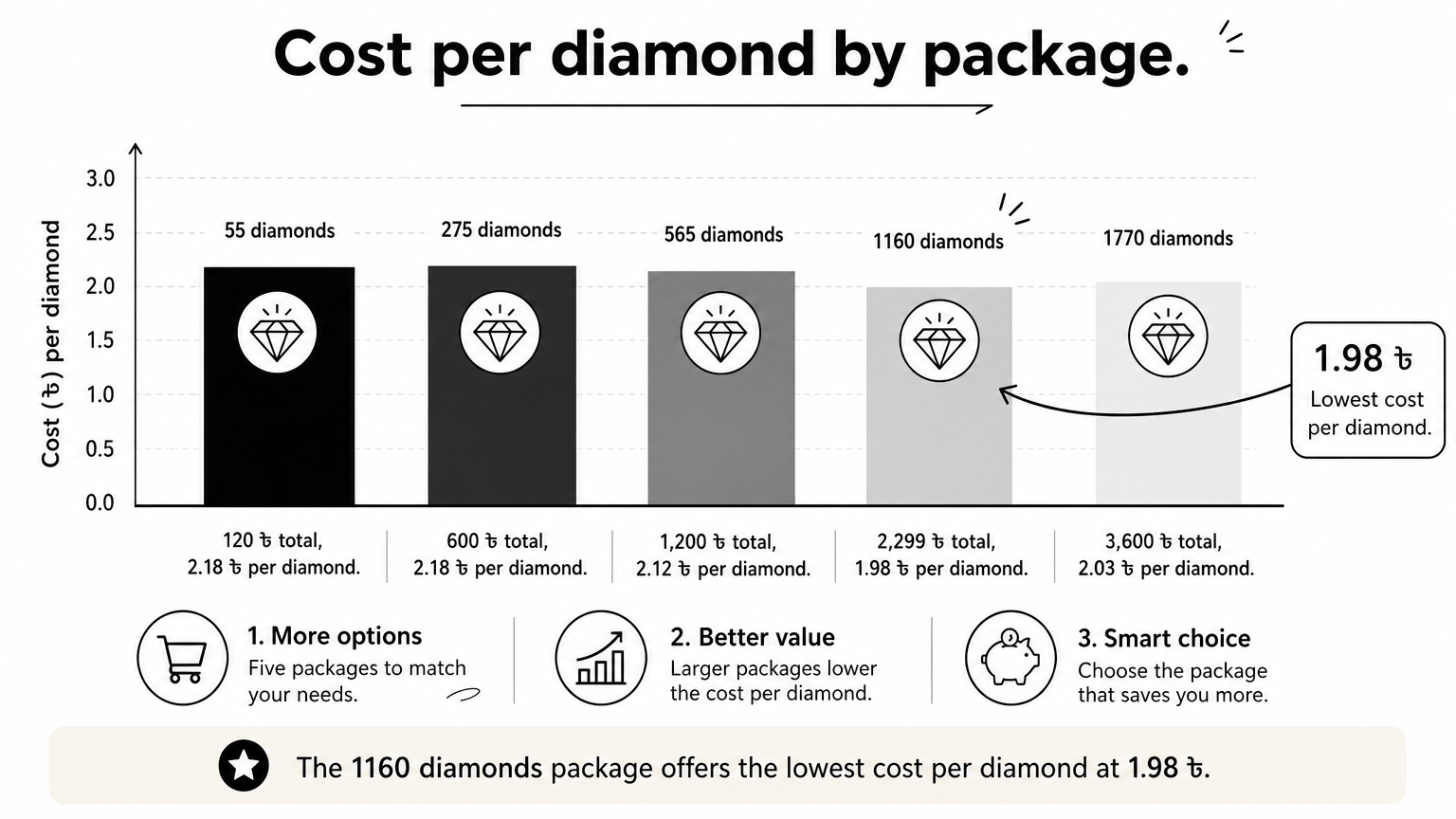
Package prices and cost per diamond
| Package | Price | Cost per diamond |
|---|---|---|
| 55 diamonds | 120 ৳ | 2.18 ৳ |
| 275 diamonds | 600 ৳ | 2.18 ৳ |
| 565 diamonds | 1,200 ৳ | 2.12 ৳ |
| 1160 diamonds | 2,299 ৳ | 1.98 ৳ |
| 1770 diamonds | 3,600 ৳ | 2.03 ৳ |
These packages are for the Global region. AroraShop can change prices without notice, so confirm the amount on the product page before you pay.
A worked example
Say you want about 1,700 diamonds. The 1770 pack costs 3,600 ৳. Buying the 1160 and 565 packs instead gives you 1,725 diamonds for 3,499 ৳. You pay 101 ৳ less and still get more than 1,700 diamonds.
Small packs suit a quick top-up, but the 55 and 275 packs cost the most per diamond. If you use the AroraShop Android app from Google Play, check it for app-only discounts before you pay.
Compare cost per diamond, not package size.
Step 3. Pay with bKash, Nagad or Rocket
Select Mobile Legends Diamonds on the shop, enter your IDs, choose your wallet at checkout and finish the payment in the gateway. An MLBB top up with bKash takes only a few minutes when your balance is ready. Nagad and Rocket work the same way, and AroraShop also lists Upay and card.
The payment steps
- Log in to your shop account.
- Open the Mobile Legends Diamonds page.
- Select your diamond package.
- Enter your User ID and Zone ID.
- Choose bKash, Nagad or Rocket at checkout.
- Complete the payment as the gateway instructs, then save the transaction ID.
Payment habits that protect you
Pay only through the gateway that the shop's own website lists. If someone in a chat asks you to send money to a personal number, stop and use the checkout instead. AroraShop requires payment through its listed gateway and may cancel orders it finds suspicious.
Keep a screenshot of the confirmation and the transaction ID, because support will ask for both if something goes wrong. Wallet payments work the same whether you live in Dhaka, Chittagong or anywhere else. All you need is a phone and a funded wallet.
Pay only where the shop's own checkout tells you to.
Step 4. Confirm delivery and fix delays
Expect your diamonds within minutes, and give the order up to an hour before you worry. AroraShop states an average delivery time of 20 to 60 minutes after it verifies your transaction, and delivery time can depend on your location.
How to confirm the top-up
Open Mobile Legends and check your diamond balance in the in-game shop. If the number has not changed, restart the game once. Then check your order status on the shop's website.
What to do when diamonds are late
Work through this list in order:
- Wait the full 60 minutes after your payment is verified.
- Collect your order number, transaction ID, User ID and Zone ID.
- Message support on WhatsApp, call +8801867859776 or email support@arorashop.com. AroraShop says support is open 24/7 with an average response under 15 minutes.
- If you typed a wrong ID, tell support at once and read the Refunds and Returns policy page.
Keep your order number and transaction ID until the diamonds show up.
Your next diamond recharge
A safe MLBB diamond recharge comes down to four habits. Find your User ID and Zone ID, pick the package with the best cost per diamond, pay only through the shop's own gateway, and keep your transaction ID until the diamonds arrive. Never hand over a password, and double-check your IDs before you pay.
When you are ready, you can top up Mobile Legends diamonds at AroraShop with bKash, Nagad or Rocket. Choose your package, enter your two IDs, and your diamonds follow within minutes.
Sponsored
Categories
- Beginners Gamers 1
- Top Up 0
- Gift Card 3
- Announcement 0
- Technology 31
- Artificial intelligence 11
- Updates & Guides 278
- Games 3
- Business & Tech 1
- Freelancing & Career 2
- Tech Tips & Tutorials 1
- Make Money Online 1
- Tech & AI Tools 2
- Crypto & Airdrops 3
- Career & Business 1
- Money Making 2
- Guides 0
- Game Top-Up Guides 0
- Subscription Guides 1
Sponsored
Recent Posts
Sponsored