Leave a Review


To get an Apple gift card BD buyers can actually use, choose a US-region card in the amount you need, pay a local seller with bKash, Nagad or Rocket, and redeem the code on an Apple ID set to the United States. The process takes a few minutes and needs no international card. At AroraShop, a $10 card costs ৳1,240.
The purchase itself is not the hard part. A new Apple ID has no balance, and many Bangladeshi bank cards get declined at the App Store. Sellers also quote prices that differ by ৳100 or more for the same $10 card. Codes are region locked and cannot be refunded after dispatch, so one wrong region can leave your money stuck.
This guide covers what you need before paying, then four steps: choose the region and amount, buy from a seller you can trust, redeem the code, and fix common problems. The prices come from AroraShop's catalog, which sells these cards, so check the product page for the live rate before you pay.
An Apple gift card, still called an iTunes gift card by most people, is a prepaid code that adds balance to your Apple ID. You spend that balance on apps, games, subscriptions, music, movies and books. Before you buy, make sure your Apple ID region, your payment wallet and your email are ready.
The balance works anywhere Apple accepts it. That covers App Store apps and in-app purchases, game currency, Apple Music and iCloud+ subscriptions, Apple TV+, Apple Arcade, movies and Apple Books. Many third-party apps that bill through Apple also draw from it.
For most buyers in Bangladesh, this is the only practical way to pay for these services. You top up in BDT through a mobile wallet, so you never need a Visa or Mastercard.
Check these four things first:
The region match is the one that matters most. A code only works on an Apple ID in the same region, and nothing converts it afterward.
A gift card code is only as useful as the region of the Apple ID that redeems it.
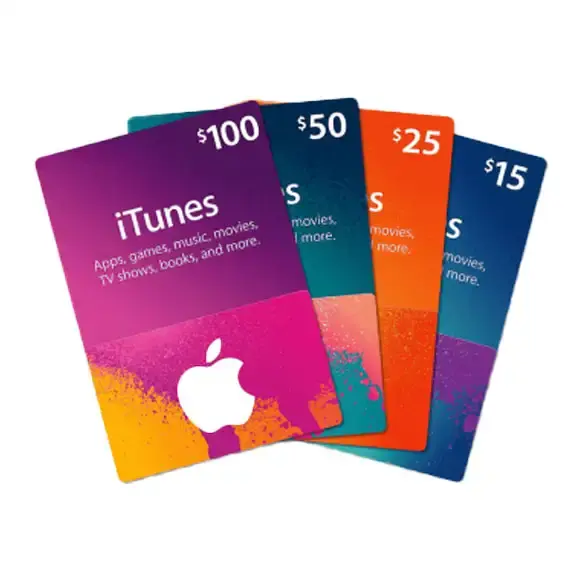
Pick the region that matches your Apple ID, then pick the amount that covers what you plan to buy. For most buyers that means a United States card. Turkey-region cards exist, but they only work on Turkey Apple IDs.
If you already use a US Apple ID, buy the United States iTunes gift card. AroraShop also sells a Turkey TRY region card, redeemable only on the Apple App Store Turkey. It comes in 25 TL (৳115), 50 TL (৳230), 100 TL (৳450), 250 TL (৳1,100), 500 TL (৳2,200) and 1000 TL (৳4,400).
Do not buy a Turkey card for a US account, or the other way round. Neither redeems on the wrong store.
These are AroraShop's current US card prices. The last column shows the cost per dollar.
| Card | Price in BDT | Per dollar |
|---|---|---|
| $2 | ৳260 | ৳130 |
| $5 | ৳620 | ৳124 |
| $10 | ৳1,240 | ৳124 |
| $25 | ৳3,125 | ৳125 |
| $50 | ৳6,250 | ৳125 |
| $100 | ৳12,500 | ৳125 |
The per-dollar rate is almost flat, so the $2 card is the only one that costs noticeably more. Other Bangladeshi sellers list a $10 card at roughly ৳1,350 to ৳1,450, which is ৳110 to ৳210 more. Prices move with the dollar rate, so confirm the figure on the product page.
To see the maths, say you need $12 for a game pass and a month of iCloud. A $10 card plus a $2 card costs ৳1,240 + ৳260 = ৳1,500. Buying two $10 cards would cost ৳2,480 and leave $8 unused.
Buy the amount you will spend within a month or two, since a code cannot be refunded after dispatch.
A trustworthy seller states the card region, the delivery time and the refund policy on the product page, and accepts local wallets. Check those points first, then place the order. Never hand over your Apple ID password, because a gift card seller does not need it.
Run through this list on any seller's page:
If the code has not arrived after an hour, contact support on WhatsApp with your transaction ID. The AroraShop Android app on Google Play also carries app-only discounts, worth checking before you pay.
Check region, delivery time and refund policy before you pay, because all three are fixed once the code ships.
Open the App Store, tap your profile picture, choose Redeem Gift Card or Code, and enter the code. The balance appears in seconds. Before that, confirm your Apple ID region matches the card.
On an iPhone, open Settings, tap your name, then Media & Purchases, then View Account, and check Country/Region. If it is not the United States, you have two options. You can change the region on your current account, but Apple requires you to cancel active subscriptions and spend any remaining balance first. Or you can create a separate US Apple ID and keep your main one untouched, which is the safer choice if you have purchases you want to keep. Check Apple's support pages for the current rules.
Copy the code straight from the email to avoid typos. Once redeemed, the balance shows on the account and Apple uses it first for your purchases and subscriptions.
Redeem only after you have confirmed the Apple ID country, since the region cannot be fixed after the code is used.
Most problems come down to region, a delayed verification or a payment mismatch. Match the symptom to the likely cause in the table, then follow the fix.
| Problem | Likely cause | What to do |
|---|---|---|
| Code rejected as wrong region | Apple ID country differs from the card | Use an Apple ID in the card's region |
| Code says already redeemed | Redeemed earlier, or copied wrongly | Check your account history, then message support with your order details |
| No code after payment | Payment still being verified | Wait up to an hour, then WhatsApp support with your transaction ID |
| Payment not accepted | Wrong gateway or low wallet balance | Pay through the gateway on the website and check your wallet |
A rejected region code is the one you cannot undo by yourself. Because refunds stop after dispatch, a wrong-region purchase usually means finding a matching Apple ID rather than getting money back.
Apple spends your balance first, so a monthly subscription quietly drains it. A $10 card covers about one month of a $10 plan, while a small card suits one-off in-app purchases.
Turn off auto-renew on subscriptions you no longer use, and review them under your account's Subscriptions page every few months. Top up in small steps rather than one large card if your spending is unpredictable.
Most failed redemptions trace back to one cause: a card region that does not match the Apple ID.
Buying an Apple gift card in Bangladesh comes down to four decisions. Match the card region to your Apple ID, pick an amount that fits your plans, pay a seller that states its delivery and refund terms, and redeem on the right account. Do those in order and the process takes minutes.
If you are ready to pay with bKash, Nagad or Rocket, you can buy an Apple iTunes gift card at AroraShop, check the live BDT price for your amount, and message support on WhatsApp if anything looks off.