



Blizzard Gift Card in Bangladesh: Price, How to Buy with bKash, and How to Add Battle.net Balance
AroraShop Editorial & Fulfillment Team
Digital Gaming & FinTech Specialists (Dhaka, BD) • UpdatedWant to buy games or items on Battle.net from Bangladesh? A Blizzard Gift Card is the easy way. On AroraShop, you can buy a USA Blizzard Gift Card from ৳624 and pay with bKash, Nagad, Rocket, or Upay. No credit card needed.
This guide shows the price, how to buy, how to redeem the code, and the one thing you must check first: your account region.
What Is a Blizzard Gift Card?
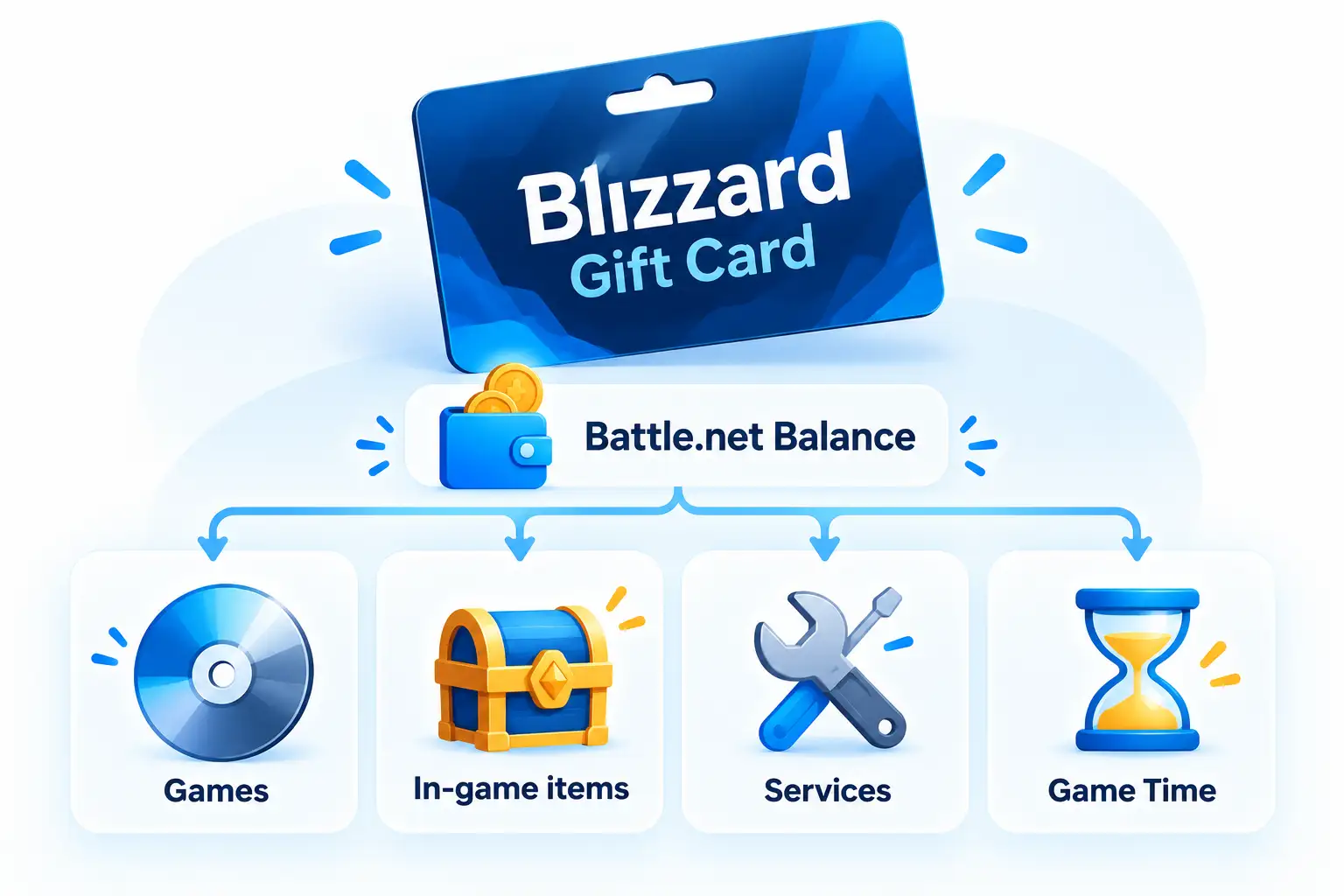
A Blizzard Gift Card is a code that adds money to your Battle.net account. This money is called Battle.net Balance.
Battle.net is the PC game app and store from Blizzard. You use your balance to buy games and items in the Battle.net Shop. For example, you can use it for:
- Overwatch 2 coins and items
- Diablo IV and its add-ons
- World of Warcraft game time
- Hearthstone packs
- Call of Duty games and items sold on Battle.net
Each game has its own items and prices. Check the Battle.net Shop to see what you can buy.
Blizzard Gift Card Price in Bangladesh
AroraShop sells the USA Blizzard Gift Card. Here are the current prices:
| Card Value | Price in BDT | Region | Delivery |
|---|---|---|---|
| $5 USD | ৳624 | USA | 1 to 5 minutes |
| $10 USD | ৳1,235 | USA | 1 to 5 minutes |
| $20 USD | ৳2,470 | USA | 1 to 5 minutes |
Need more than $20? You can buy more than one card. Balance from each card adds up in your account.
Prices can change. Always check the live price on the Blizzard Gift Card page on AroraShop before you buy.
Check This First: Your Battle.net Region and Currency
This is the most important step. Battle.net cards are locked to a region. A code only works if its currency matches the currency in your Battle.net Shop.
The card on AroraShop is a USA card in US dollars (USD). So your Battle.net Shop must show prices in USD.
How to check your shop currency
- Open the Battle.net app or go to the Battle.net Shop.
- Log in to your account.
- Look at any game price. Do you see a $ sign and USD?
If your shop shows USD, the USA card should work. If it shows another currency, do not buy yet. Ask AroraShop live chat first.
Your shop currency comes from the country set on your account. Blizzard says a wrong currency causes an error, and codes for the wrong region can't be used or refunded. You can read more on Blizzard Support.
How to Buy a Blizzard Gift Card in Bangladesh with bKash
Buying is quick. Just follow these steps:
- Open the product page. Go to the Blizzard Gift Card page.
- Add your contact number. Type a phone number you use.
- Pick a card value. Choose $5, $10, or $20.
- Click Buy. You will go to checkout.
- Pay in Taka. Use bKash, Nagad, Rocket, or Upay.
- Copy your code. Open your Dashboard and go to Orders. Your code will be there.
Most codes come in 1 to 5 minutes. If your order takes longer than 30 minutes, contact support with your order number. The product page asks you to do this.
How to Redeem a Blizzard Gift Card
Now add the money to your Battle.net account. It takes less than a minute.
- Go to the Battle.net account page.
- Log in with your Battle.net email and password.
- Find the Redeem a Code box.
- Paste your gift card code.
- Confirm. The money will go to your Battle.net Balance.
Now open the Battle.net Shop. Pick what you want, and choose Battle.net Balance when you pay.
What You Cannot Do With Battle.net Balance
Battle.net Balance is great, but it has some limits. Know these before you buy:
- You cannot cash it out or turn it back into money.
- You cannot send it to another Battle.net account.
- It does not work in the PlayStation, Xbox, or Nintendo stores.
- It does not work in the Blizzard Gear Store.
- It can buy World of Warcraft game time, but not a WoW monthly subscription.
Common Problems and Quick Fixes
| Problem | Likely Cause | What to Do |
|---|---|---|
| "Currency not supported" error | Shop is not in USD | Do not try again and again. Contact AroraShop or Blizzard Support. |
| Code not working | Typo or extra space | Copy and paste the code again from your order. |
| Code not in my order | Payment still checking | Wait a few minutes. If it takes over 30 minutes, contact support. |
| Balance not showing in game | Paid in the wrong place | Buy from the Battle.net Shop and pick Battle.net Balance at checkout. |
Blizzard Gift Card vs Other Gaming Cards
Not sure which card to buy? It depends on where you play.
- Battle.net games on PC: Blizzard Gift Card.
- Steam games: a Steam card. See our Steam US vs Hong Kong card guide.
- Console games: PlayStation, Xbox, or Nintendo cards. Read our console gift card comparison.
- Games that take Razer Gold: see our Razer Gold Pin guide.
You can find all of these in our gift cards section.
Frequently Asked Questions
How much is a Blizzard Gift Card in Bangladesh?
On AroraShop, the USA Blizzard Gift Card costs ৳624 for $5, ৳1,235 for $10, and ৳2,470 for $20. Prices may change, so check the product page.
Can I buy a Blizzard Gift Card with bKash?
Yes. AroraShop accepts bKash, Nagad, Rocket, and Upay. You pay in Taka and do not need a credit card.
Will a USA Blizzard card work on my account?
It works if your Battle.net Shop shows prices in US dollars. Check your shop currency before you buy.
Where do I redeem my Blizzard Gift Card?
Log in at account.battle.net, find the Redeem a Code box, and paste your code. The money goes to your Battle.net Balance.
Can I use Battle.net Balance for Call of Duty?
Yes, for Call of Duty games and items sold in the Battle.net Shop on PC. It does not work for console stores. For Call of Duty Mobile, buy COD Mobile CP instead.
Can I get a refund for a Blizzard Gift Card?
No. AroraShop does not refund digital codes after they are sent, and Blizzard does not refund codes from the wrong region.
How long does delivery take?
Most codes arrive in 1 to 5 minutes. If it takes more than 30 minutes, contact support with your order number.
Conclusion
A Blizzard Gift Card is the easiest way to play and shop on Battle.net from Bangladesh. Check that your shop shows USD, pick your card, and pay with bKash. Your code arrives in minutes.
Ready to level up? Buy your Blizzard Gift Card on AroraShop now. Our live chat team can help in Bangla or English.
Sponsored
Categories
Sponsored
Recent Posts

Sponsored

