Leave a Review


A CapCut Pro subscription is a paid plan that removes the paywall from CapCut's premium tools, including AI captions, background removal, motion tracking, premium templates, effects, fonts and music. You pay monthly or yearly, and the plan works across the phone app, the desktop editor and the web version. Listed prices run from about $9.99 to $19.99 a month depending on the tier, your country and the store, and the yearly plan saves roughly 25% compared with paying monthly.
This guide explains what Pro adds over the Free and Standard tiers, how the monthly and yearly plans are priced, and why the numbers you see online do not always match. You also get a simple way to decide whether Pro pays off for your editing, plus the practical steps for buying, managing and cancelling it.
If you live in Bangladesh, payment is often the real obstacle. CapCut bills in dollars, and not everyone has an international card. AroraShop sells digital subscriptions and accepts bKash, Nagad and Rocket, so this article is written from a local buyer's point of view.
A CapCut Pro subscription matters because it decides how much of CapCut you can actually use. The free app is generous for simple cuts, but many of the tools that save time and make a video look finished sit behind a crown icon. Knowing what Pro adds keeps you from paying for features you will never touch, or from fighting limits that a few dollars a month would remove.
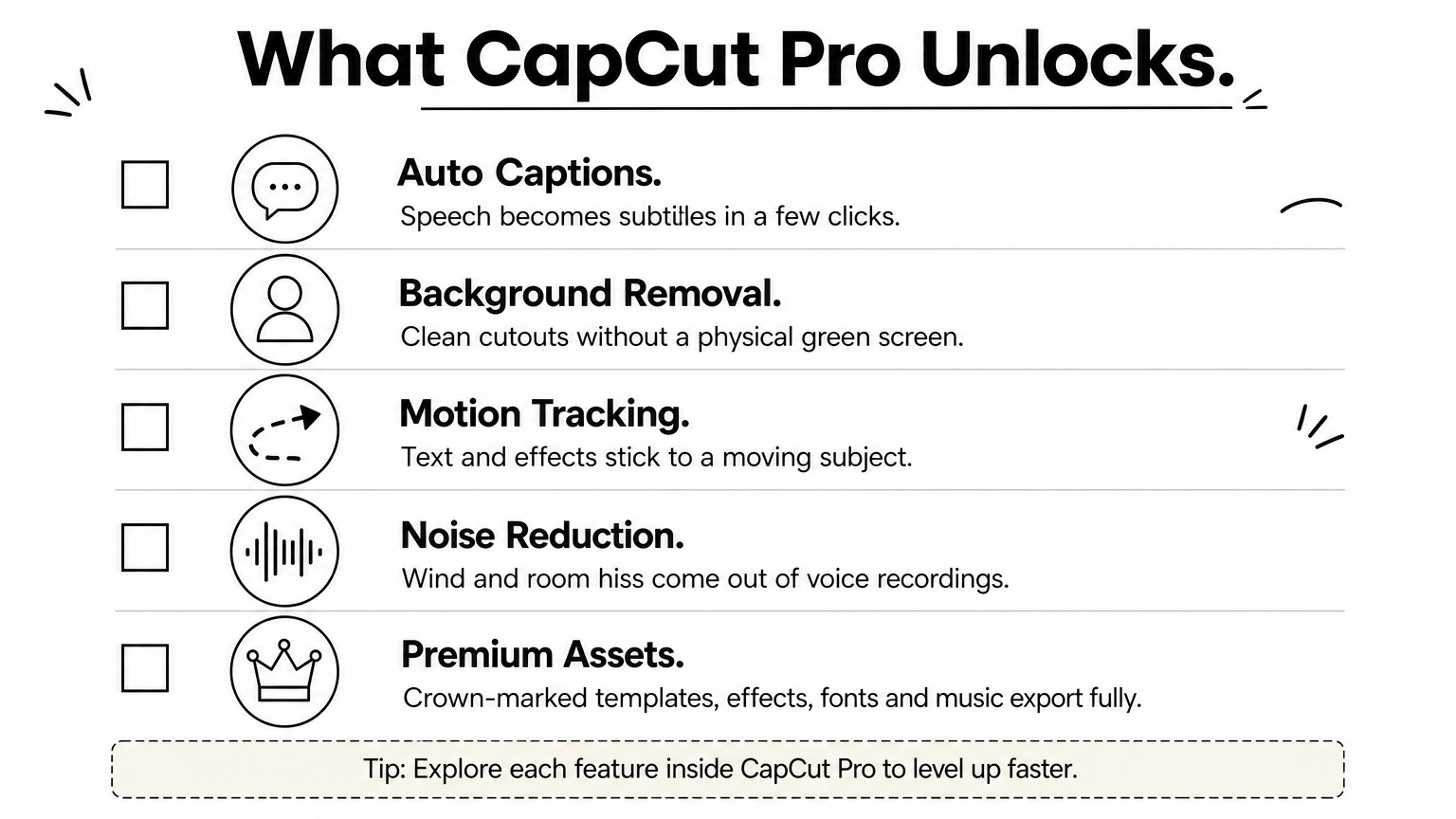
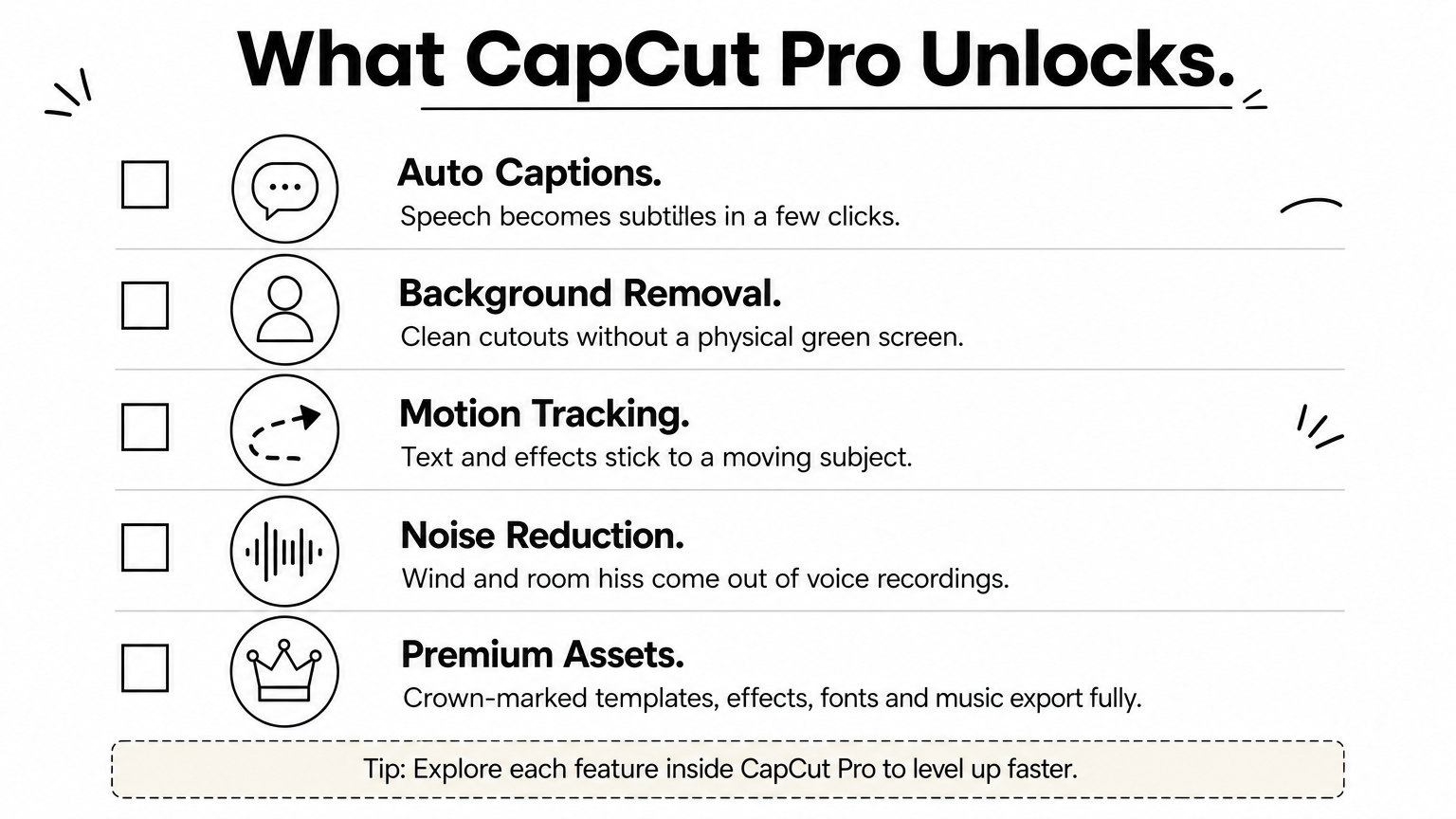
Pro adds advanced AI tools, a full premium asset library and stronger collaboration features. These are the ones creators notice first:
Export caps and storage amounts have changed between CapCut versions. Open the plan comparison screen in your own app and check the current limits before you pay, because that screen is the only up-to-date source for your account.
CapCut has reshuffled its tiers, and the names cause confusion. Some guides call the free version "Standard", while others treat Standard as a separate lower-priced step between Free and Pro. The table below compares the two ends of the range, which is where most buying decisions are made.
Area Free Pro Trim, split, speed, basic text Included Included Basic filters and transitions Included Included Premium templates and effects Preview only, export blocked or limited Full use AI captions, background removal, motion tracking Limited or locked Full set Premium fonts, stickers and music Small selection Full library Cloud storage Minimal Much larger Team and collaboration tools Not included IncludedStandard, where it is offered, sits in the middle. It opens some premium assets for a lower price but holds back the heaviest AI tools and the larger storage. If you are choosing between Standard and Pro, list the three features you use most and see which tier actually unlocks them.
The most common reason people subscribe is not a feature list. It is a half-finished edit. You pick a trending template, build the whole video around it, and then the export screen asks you to upgrade because one effect carries a crown.
You have two choices at that point. You can rebuild the video with free assets, or you can subscribe. If this happens to you more than once a month, you have already answered the question of whether Pro suits your editing.
A CapCut Pro subscription pays off when premium tools are part of how you edit, not when you subscribe just to remove a nag screen.
CapCut Pro is sold as a monthly subscription or a yearly subscription, and the yearly one costs about 25% less per month. The exact dollar figure depends on the tier, your country, the store you buy through and the date, so treat any single number as a guide rather than a promise.
Two sets of figures circulate. One is CapCut's own comparison of Standard and Pro, which lists the individual Pro plan at $19.99 a month or $179.99 a year. The other is a widely quoted earlier price point of $9.99 a month or $89.99 a year, which you will still find in older guides and some stores. Here they are side by side with the per-month cost worked out.
Plan Monthly Yearly Yearly cost per month Saving vs monthly Pro (CapCut's comparison page) $19.99 $179.99 $15.00 About $59.89 a year Earlier quoted Pro price $9.99 $89.99 $7.50 About $29.89 a year Team plan From $24.99 Not listed Not applicable Not applicableYour checkout screen is the only price that counts. If it shows something between these figures, you are probably looking at a different tier, a regional price or a store that adds a fee.
Four things move the price. Region matters because CapCut adjusts prices to local markets, so the same plan can cost noticeably less or more in different countries. Store commission matters because Apple and Google take a cut of subscriptions sold through their stores, typically 15% to 30%, and that often makes the in-app price higher than the website price.
Taxes can be added on top, and currency conversion shifts the cost slightly when your bank or wallet converts dollars to taka. A yearly plan locks the price for twelve months, so it also protects you from exchange rate swings and price changes during that period.
The yearly plan pays for itself after about nine months. At $19.99 a month, nine months costs $179.91, almost exactly the $179.99 yearly price. The older $9.99 and $89.99 pair works out the same way, with nine months costing $89.91.
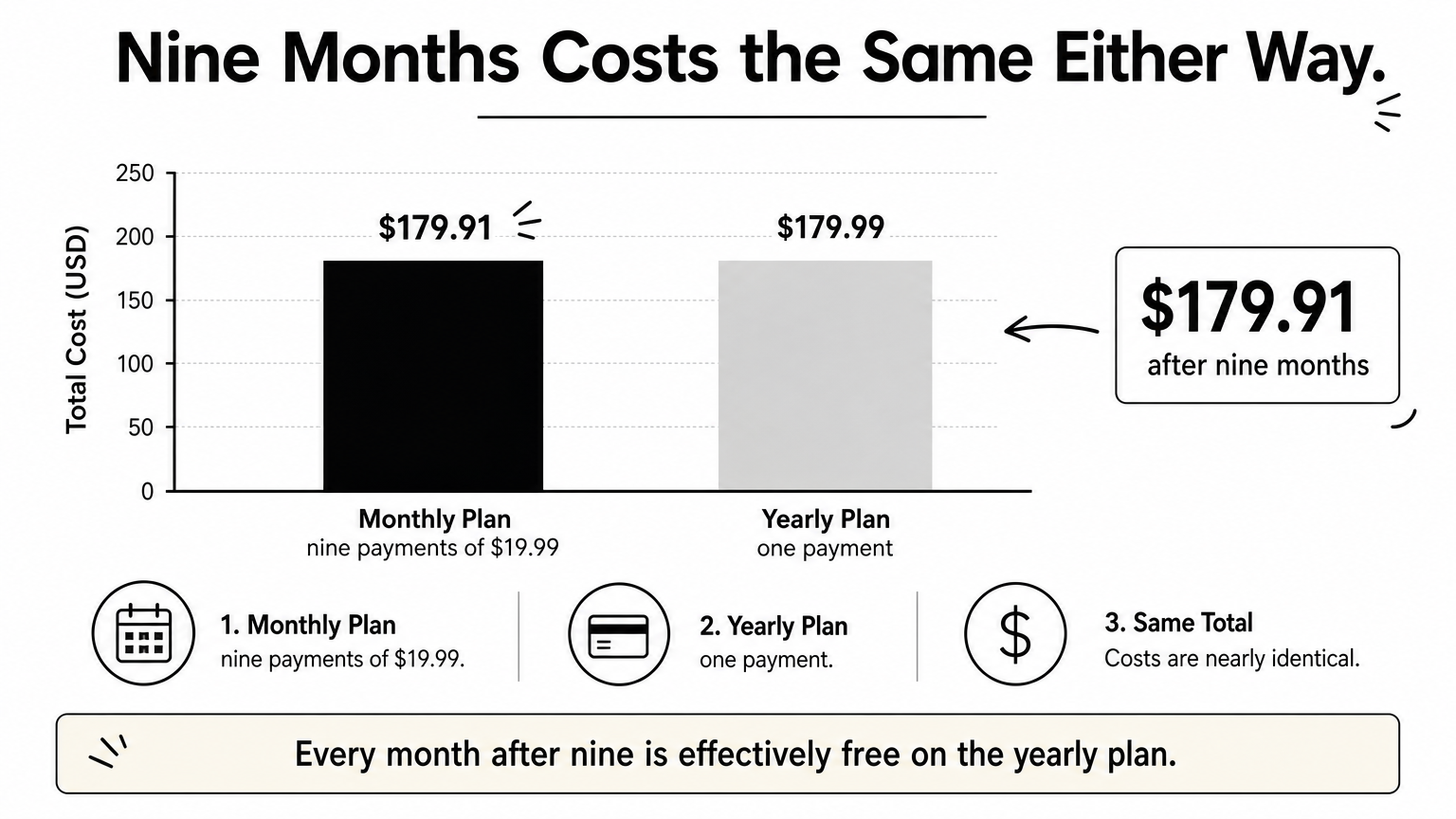
So the rule is simple. Subscribe monthly if you need Pro for a single project, a campaign or a trial run. Choose yearly if you will edit regularly for more than nine months, since every month after that is effectively free.
If you expect to use Pro for more than nine months, the yearly plan is the cheaper way to buy it.
CapCut Pro is worth paying for if you edit at least weekly, take on client work, or lose real time to manual captions and cutouts. If you edit a few casual clips a month, the free tier is enough and a subscription is wasted money.
Creators who post often get the most. Auto captions alone can save 30 to 60 minutes on a talking-head video. At four videos a month, that is two to four hours back, and background removal saves you buying and setting up a physical green screen.
Freelancers and social media managers benefit because clients expect clean exports and fresh trending templates. Anyone doing paid work should also read the license terms for premium assets and music before delivering, since commercial use rules can differ by asset.
The plan price is not always the full cost. If CapCut's music library does not fit your brand, you may still pay for a separate music licence. Heavy editors working with long 4K footage can also run into storage limits and pay for extra cloud space.
Hardware counts too. The desktop editor is more comfortable on a capable PC, and phone editing of long projects drains battery and storage fast. None of these are reasons to avoid Pro, but they belong in your real monthly budget.
Answer these honestly:
Three or more yes answers point to Pro. One or two suggest a monthly plan for a trial period. Zero means stay on Free. If a free trial is offered for your account and region, use it, export a real project, and judge the result.
Count the hours Pro saves you each month. If they are worth more than the subscription, buy it.
You can buy a CapCut Pro subscription in Bangladesh through CapCut's own website, through an app store, or through a local marketplace that accepts bKash, Nagad or Rocket. The right route depends on whether you have a card that works for international payments.
If you hold a working international card, the official website is the simplest route and usually the cheapest. If you do not, a local marketplace is the practical option, and it removes the need to convert dollars or fix card declines.
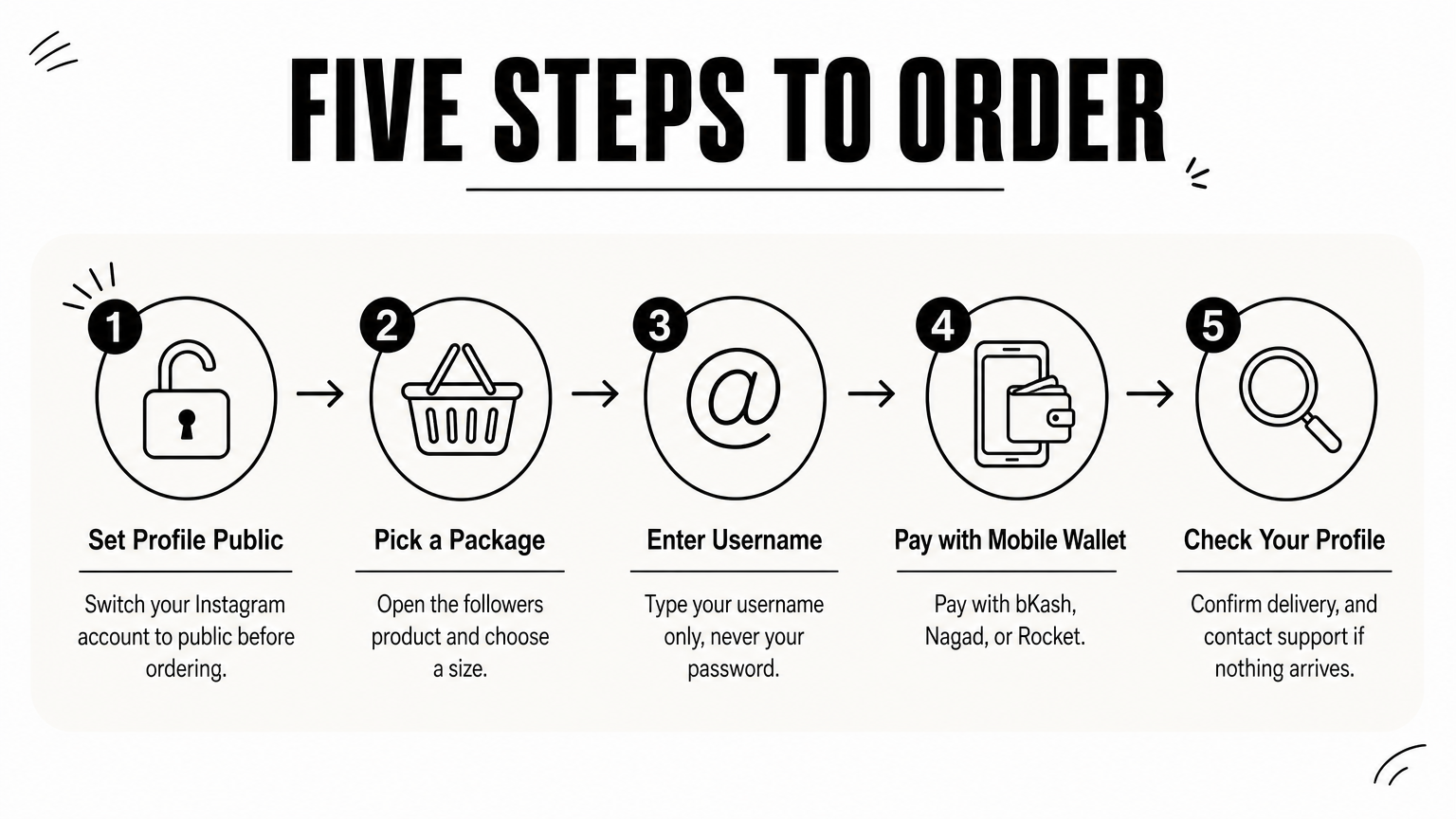
AroraShop lists CapCut Pro alongside its other digital subscriptions, with instant digital delivery and local payment support. The flow is short:
Always read the product page for exact durations and prices, since these are set by the seller and can change.
A cheap price means little if the plan does not behave like Pro. Before paying, confirm these points:
Never share the password of your main Google or email account to receive a subscription. A legitimate seller does not need it.
Before paying a reseller, find out exactly what you receive, for how long, and who fixes it if it breaks.
Manage your CapCut Pro plan in the place where you bought it. A subscription bought through an app store is managed in that store's subscription settings, and one bought on the CapCut website is managed in your CapCut account.
Once Pro is active, sign in to the same CapCut account on each device and the premium tools should appear without another payment. Open a project with a crown template to confirm the paywall is gone, and export a short test clip before you start a big edit.
If you edit on both phone and PC, let projects finish syncing before you switch devices. Large media files take time to upload, and an interrupted sync is a common reason a project looks incomplete on the second device. Keep a local backup of important projects as well.
Cancel before the renewal date, because most stores bill at the start of the next period. After cancelling, Pro generally stays active until the end of the period you already paid for. Your exported videos stay as they are, and your projects remain, although premium features become locked again.
For fixed-term plans from a reseller, there is usually no automatic renewal, so check the product page and set a reminder a few days before the plan ends. That way you can renew on your own schedule and avoid losing access in the middle of a project.
Cancel in the store you paid through, and set a reminder before every renewal date.
The CapCut Pro subscription is worth it when premium AI tools, templates and clean exports are part of your regular work. Choose the monthly plan for short projects and trials, choose the yearly plan if you will edit for more than nine months, and stay on Free if you only make occasional casual clips. Always trust the price on your checkout screen over any figure in a guide.
If you want to pay with bKash, Nagad or Rocket instead of an international card, you can check current CapCut Pro options and durations at AroraShop.