Leave a Review


The fastest way to buy Telegram Premium in Bangladesh depends on how you pay. If you hold a card that works for international payments, subscribe inside the Telegram app through Google Play or the App Store. If you don't, buy a Premium activation from a local seller that accepts bKash, Nagad, or Rocket. Both routes give you the same Premium account with the same features.
The problem is that most guides assume a US-style checkout. Official routes expect an international card or a crypto balance, and many people here have neither. Third-party listings fill that gap, but some of them ask for your login code, which hands your account to a stranger. Prices also differ by route, so it is hard to know what a fair deal looks like.
This guide covers the official routes first, then the local route, then how to activate and verify your subscription. AroraShop sells Telegram Premium to customers in Bangladesh, so we also explain what to check before you pay any seller, including us.
Before you buy Telegram Premium, decide what you want from it and which payment route you can actually use. Premium is a paid upgrade to your normal Telegram account, not a separate app, and the route you choose changes only how you pay, not what you get.
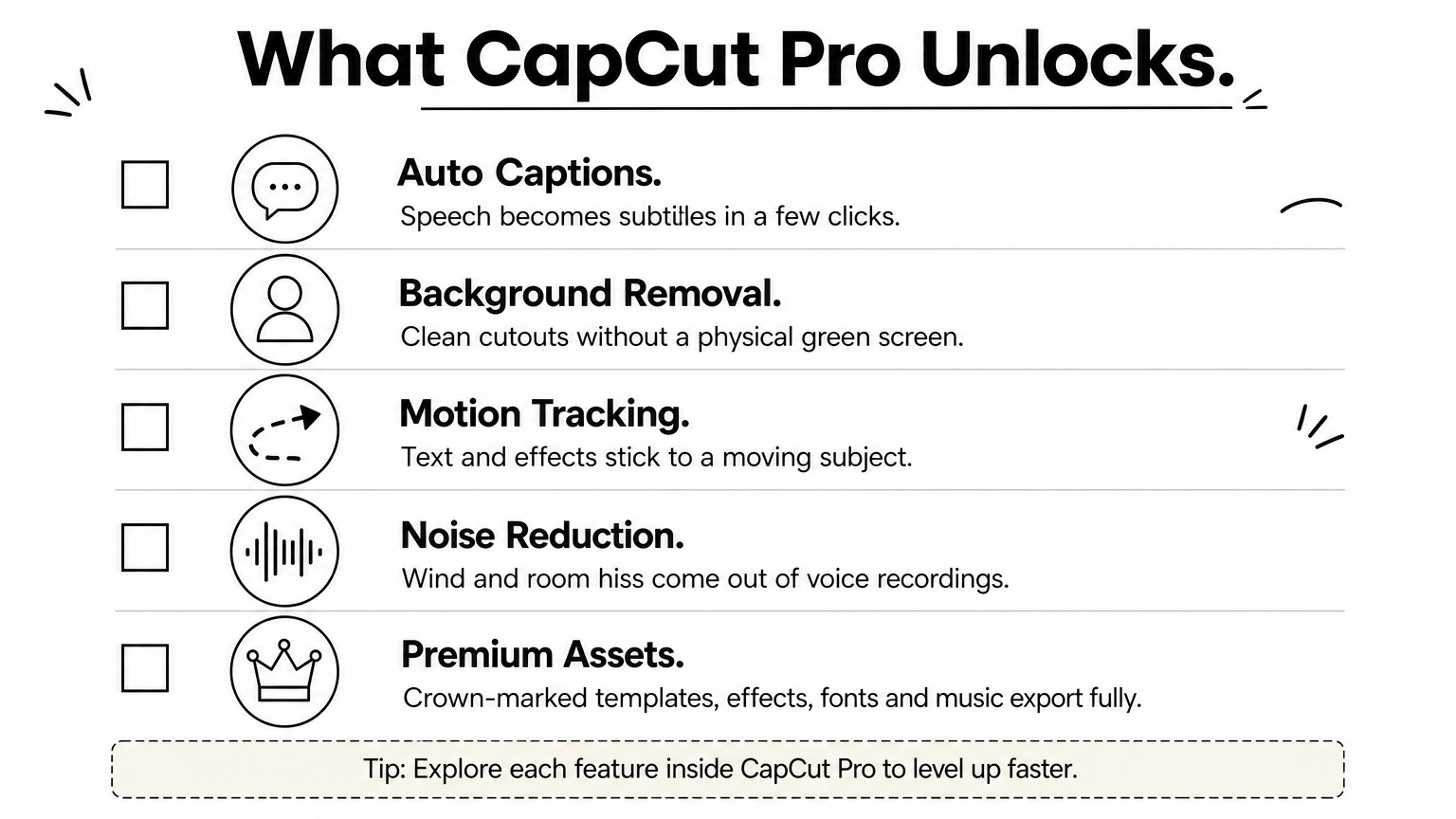
Premium suits you if you hit the free limits often. The upgrade adds:
The plan length is the only difference between subscriptions. A longer plan does not unlock extra features.
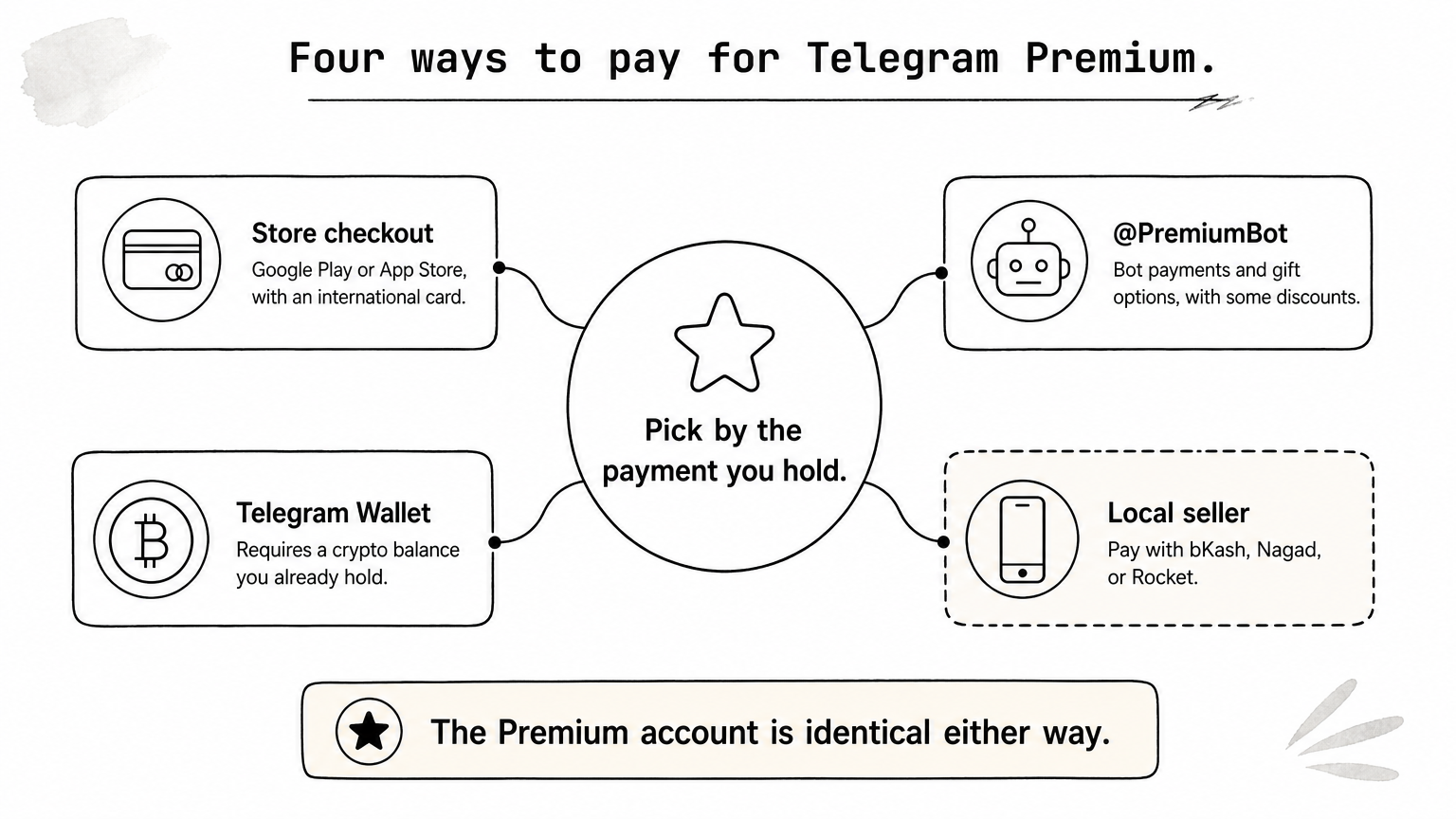
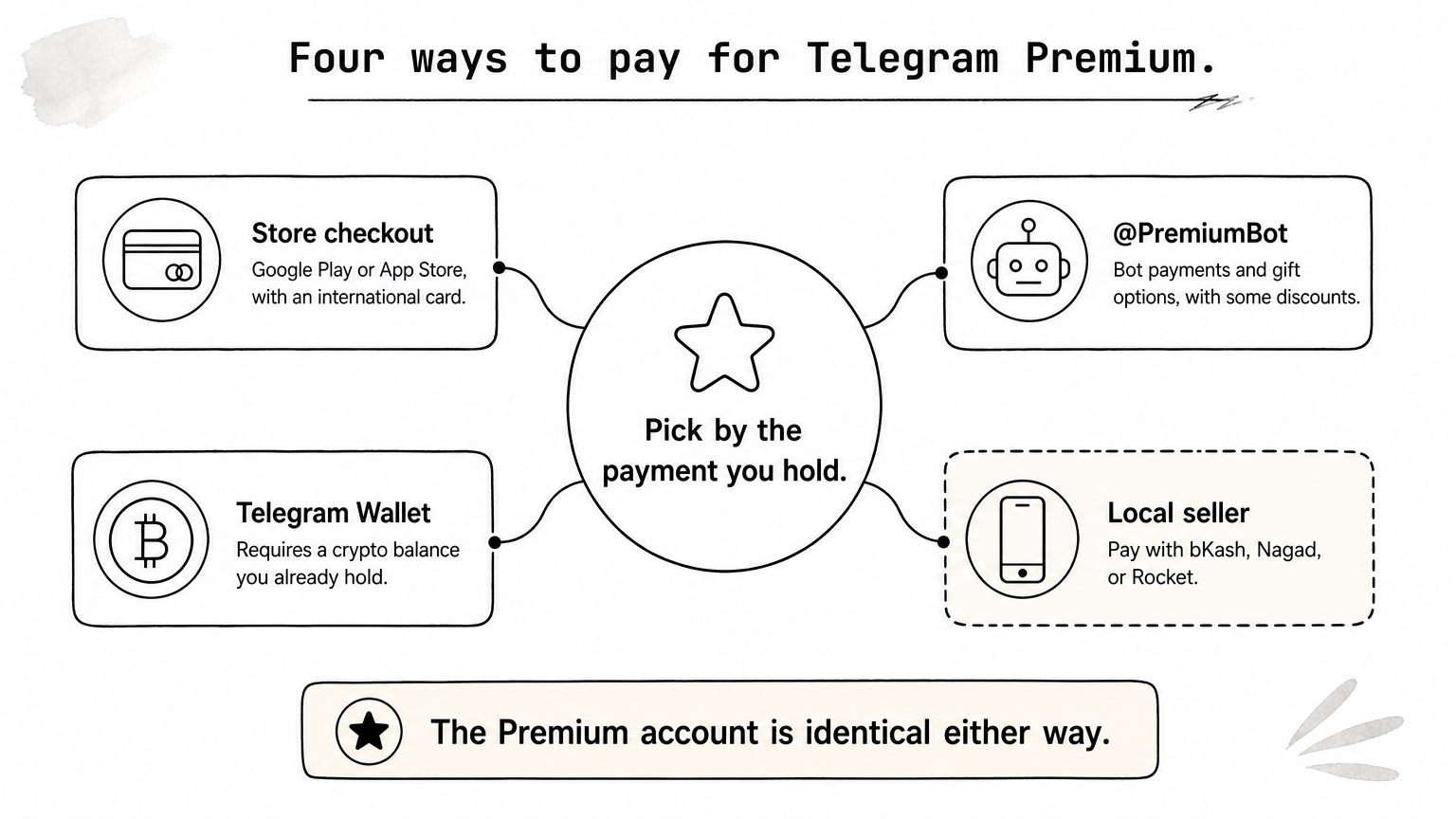
Each route solves a different payment problem.
Route You pay with Works without an international card? Best for Google Play or App Store Card or store balance No Users with a working international card @PremiumBot Methods the bot offers, plus gift options Depends on the method Gifting and bot-only discounts Telegram Wallet Crypto balance Only if you already hold crypto Users who already hold crypto Local seller bKash, Nagad, Rocket Yes Most users in BangladeshChoose your route by the payment method you already have, because the Premium account is identical either way.
Telegram sets prices by country and store, so any figure in a blog post can be out of date. Open Settings > Telegram Premium in your app to see the current price in your own currency. Telegram's Premium FAQ confirms the official routes: the App Store, Google Play, and @PremiumBot. Use that screen as your benchmark when you compare any seller.
The simplest way to buy Telegram Premium is directly in the app, if your payment method is accepted. This route renews automatically, so it suits long-term users.
Follow these steps:
Google Play must have a payment method attached, and a Google Play gift card balance counts as one. A local debit or credit card often needs international online payments switched on, so check that with your bank before you try. A declined payment at this point is almost always a card setting, not a Telegram problem.
The steps are the same, but the charge goes through your Apple ID. Apple bills the card or balance saved on that account, so confirm it is current before you subscribe. If the purchase fails, fix the payment method in your Apple ID settings and try again.
Store subscriptions renew automatically until you cancel them. Cancel from your Google Play or App Store subscription settings, not from inside Telegram, and do it a day before renewal if you only want one period.
If the in-app purchase works for you, it is the cleanest route, but a declined card is the most common reason people look elsewhere.
When the store checkout is not an option, Telegram's own bot and wallet are the next official routes. You still deal only with Telegram, but the payment rules differ.
Open @PremiumBot, tap Start, and choose to subscribe yourself or buy a gift for someone else. The bot advertises discounts of up to 40% on some plans, so compare its price against the one in your Settings screen. Gift subscriptions come in fixed lengths such as 3, 6, and 12 months, which makes the bot handy if a friend or relative abroad wants to pay for your Premium.
Use only the bot linked from Telegram's official pages. Fake bots with near-identical names exist, so check the username letter by letter and look for the verified mark.
Wallet pays from a balance you fund yourself, typically in crypto such as TON or USDT. To buy Telegram Premium this way you must first get crypto into the wallet, and that step is the hard part in Bangladesh. Bangladesh Bank has warned the public against cryptocurrency dealing, so check the current rules and your own comfort level before you use this route.
Wallet is only convenient if you already hold a balance; if you would have to buy crypto just for this, a local seller is simpler.
For most people in Bangladesh, a local seller is the practical way to buy Telegram Premium, because you pay in taka with a mobile wallet and no international card. The trade-off is that you must pick a seller you can trust.
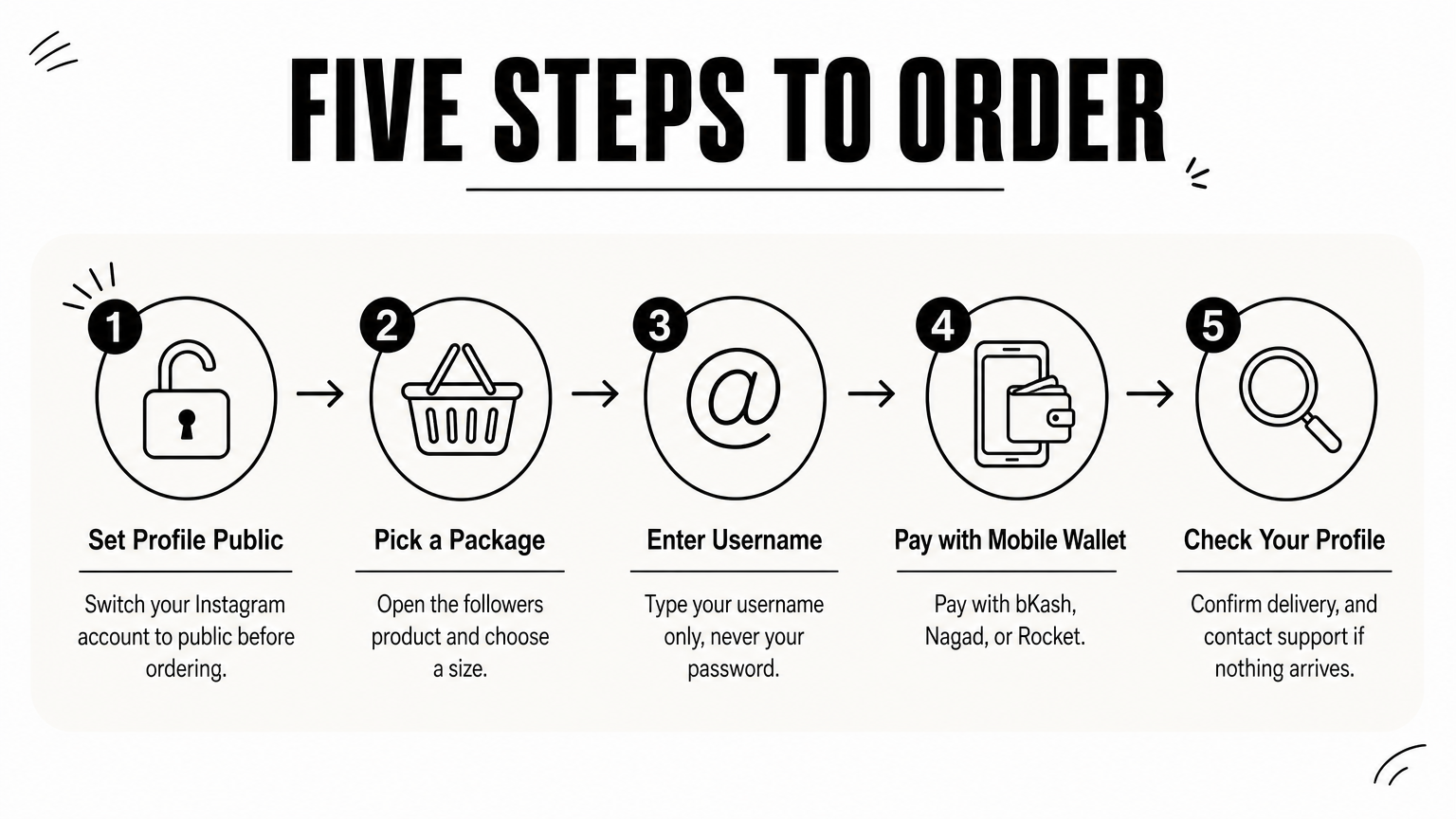
On AroraShop the flow looks like this:
Local prices are shown in taka, so you can compare them directly against your Settings screen. The Android app also carries app-only discounts, which can lower the cost further.
Use this list before you pay anyone, including us:
A seller who asks for your login code is not selling you Premium, they are asking for your account.
Sending a code to a stranger lets them sign in as you. Close the deal and walk away at that point.
After you pay, check that Premium is active on the correct account before you close the order. This takes two minutes and saves you a dispute later.
If your seller sent a gift link, tap it inside Telegram while you are signed in to the account that should get Premium. Accept the gift when Telegram asks. Then open Settings and look for the Premium badge beside your name, or the Premium section in the menu. Telegram applies Premium to the account, not the device, so it also appears when you sign in on your laptop or tablet.
Work through these checks in order:
A reliable seller resolves delivery problems quickly, so keep your payment confirmation until Premium shows. If you chose an in-app subscription, also note the renewal date and set a reminder, so a Telegram Premium charge never surprises you.
Confirm the badge appears on the right account before you consider the purchase finished.
To buy Telegram Premium without trouble, start with the in-app subscription if your card works. Use @PremiumBot for gifts and its discounts, and treat Wallet as an option only if you already hold crypto. For most people in Bangladesh, a local seller paid by bKash, Nagad, or Rocket is the straightforward choice, as long as it only asks for your username and never your login code.
Check the live price in your Settings screen, pick a plan length you will actually use, and confirm the badge after activation. If you want to pay in taka and get instant delivery, you can buy Telegram Premium at AroraShop and activate it in minutes.