Leave a Review


A double diamond top up is a first top-up bonus. You pay for a diamond pack once and the game adds the same number of bonus diamonds. To claim it, open the in-game recharge page and note which packs still carry the bonus. Buy exactly one of those packs from a store that delivers official stock. Enter only your game ID, pay with a local method like bKash, and check your balance in the game.
The hard part is not the offer itself. It is knowing who to buy from. Search for "double diamond top up" and you get shop pages, YouTube videos promising a "new website," and sellers with prices that look too good to be true. Some of those sellers use gray-market stock, which can leave an account with a negative diamond balance. The rules are also easy to misread: the bonus works once per pack, and a purchase on another platform can use it up.
This guide walks you through the offer and four steps in order: check your eligibility, pick a trustworthy store, place the order, and confirm the bonus arrived. AroraShop sells Free Fire and Mobile Legends diamonds in Bangladesh with bKash, Nagad and Rocket payments, so the payment examples here reflect how most players in Bangladesh actually pay.
The offer gives you a 100% bonus on your base diamonds the first time you buy a qualifying pack. You pay for 100 diamonds and receive 200. The bonus is a one-time reward for the account, not a discount on the shop price.
Mobile Legends labels these packs as "base + bonus". The four tiers that stores list for the first top-up event are below.

Free Fire runs the same idea with its own pack sizes. Check the pack list in the game's shop or on the store's Free Fire page for the double tag rather than trusting a number from a video.
A double diamond top up halves what you pay per diamond, but only on the packs that still carry the bonus.
The bonus can be claimed once per eligible pack on each account, and it does not matter where you bought the earlier pack. If you already bought the 50 pack on another site, that tier is gone. Stores also describe the event as being for accounts that have never received it on any platform.
Here is a worked example. You want about 300 diamonds. Buying the 150 pack with the bonus gives you 300 for the price of 150. Buying 300 at normal price costs roughly double. Event tiers can change, so always trust the screen inside the game over any website, post or video.
Open the diamond shop inside the game before you spend anything. The in-game recharge screen is the only reliable source for which packs still carry the bonus. Look for a double, 2x or bonus tag on each pack, then write down the tiers that show it.
Stores deliver diamonds to your IDs, so copy them exactly. In Mobile Legends:
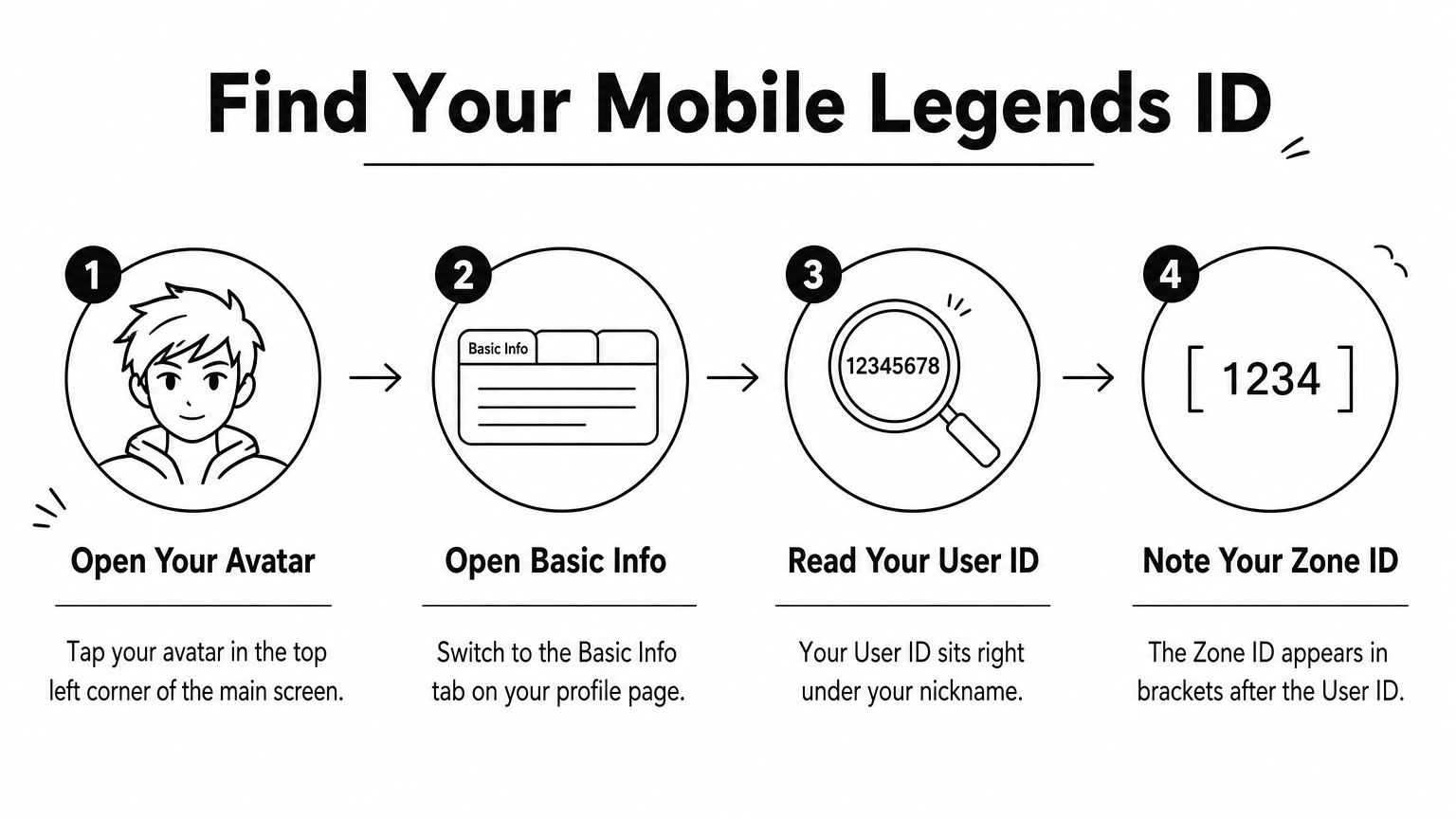
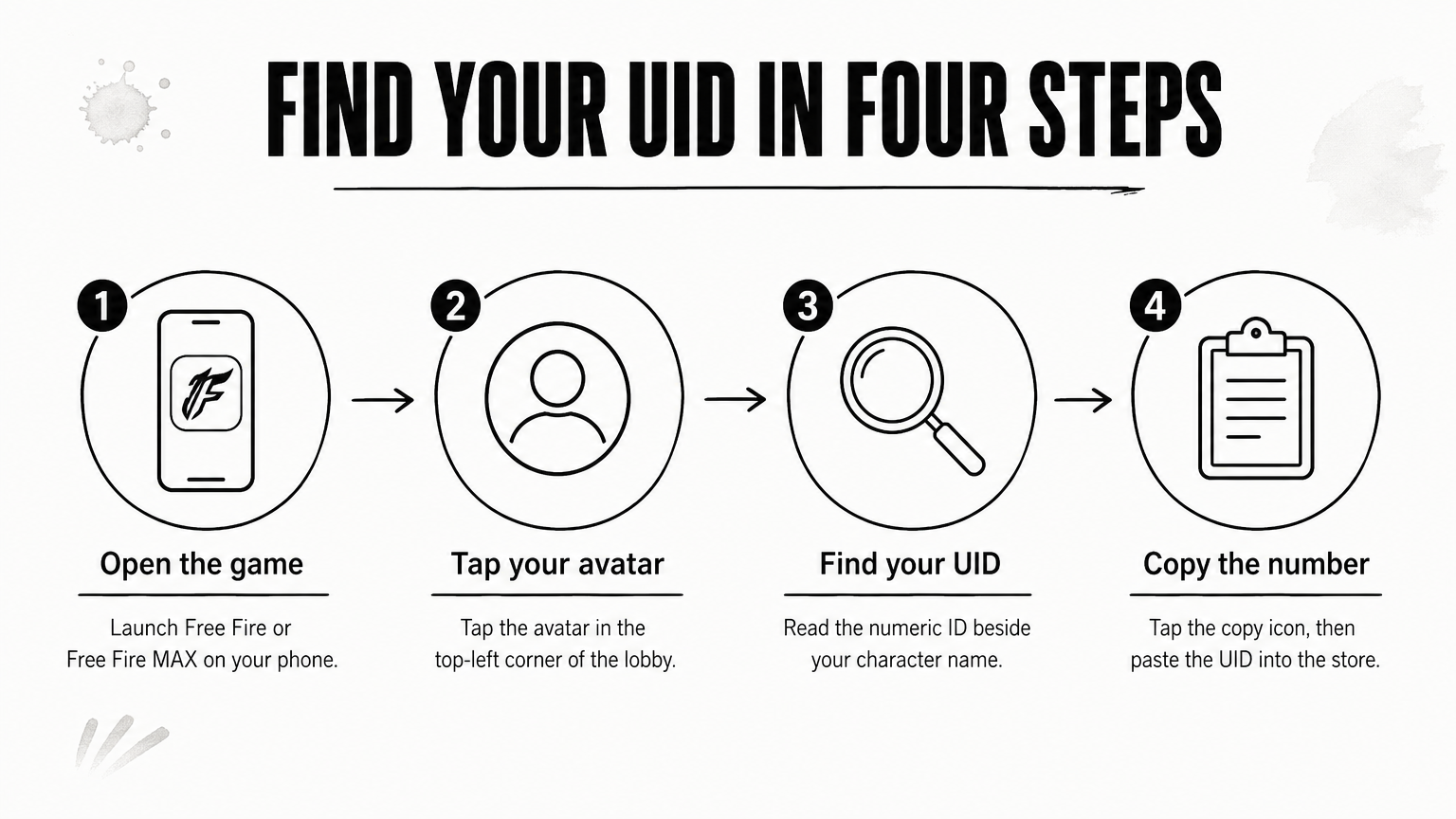
In Free Fire, you only need the Player ID (UID) shown on your profile. Take a screenshot of your ID so you can compare it with what you type at checkout.
Know your tagged packs and your exact ID before you open any store page.
A trustworthy store delivers official stock and asks for nothing except your game ID. Never share your password, Facebook login or email login with a top-up seller. A real recharge does not need them.
Run through these before you pay:
Prices far below everyone else's are the biggest warning. Gray-market diamonds can be reversed later, which can push your balance negative and lock you out of ranked play. Videos announcing a "new double diamond website" are often promotions, so check the store yourself.
AroraShop is a Bangladesh-based digital marketplace that sells Free Fire and Mobile Legends diamonds with instant delivery and local payments. Even there, follow the same habit: open the product page for your game and read the pack list before paying.
If a seller wants more than your game ID, the price is not the problem. The seller is.
Ordering takes about two minutes if your IDs and tagged packs are ready. Pick the pack that matches a tagged tier exactly, enter your IDs, pay, and keep the proof.
If the store offers an optional email field, fill it in. It gets you a receipt.
A wrong ID sends diamonds to someone else's account, and that is very hard to undo, so check it twice. Do not buy the same tier twice. The second purchase will not get a bonus.
If you need more diamonds, buy a different tier. For example, the 50, 150, 250 and 500 packs total 950 base diamonds, which becomes 1,900 with every bonus, provided none of those tiers has been used on your account.
One tier, one purchase, one checked ID: that is the whole discipline of claiming the bonus.
After a successful payment, delivery from an automated store usually takes seconds. Open the game and check your diamond balance first. Then open the recharge page again. The double tag should be gone from the tier you just bought, which tells you the bonus was applied.
Wait 5 to 15 minutes before assuming a problem, because publisher servers sometimes delay a credit. If nothing arrives, go through these checks:
If every check passes, contact the store's support with your game ID and your payment proof. Having the transaction ID ready is what makes the difference between a quick fix and a long thread.
Verify the balance and the missing tag, not just the payment confirmation.
The offer is simple once you see it clearly. Each qualifying pack gives a 100% bonus once, the in-game shop shows which tiers remain, and a safe store needs only your game ID. Check eligibility, choose the store carefully, buy one tier at a time, and confirm the balance.
When you are ready to buy, browse Free Fire and Mobile Legends diamond top-ups at AroraShop and check the pack list against your in-game tags before you pay.