



Google Gift Card BD Price: How to Check, Compare, and Buy
AroraShop Editorial & Fulfillment Team
Digital Gaming & FinTech Specialists (Dhaka, BD) • UpdatedGoogle Gift Card BD Price: How to Check, Compare, and Buy
To buy a google gift card bd shoppers can actually use, follow four steps in order. Confirm your Google Play account country, buy a card issued for that same region, compare the price per dollar, then pay in taka with bKash, Nagad or Rocket and redeem the code in the Play Store. Skip the first step and you can pay for a code that never works.
The problem is that most Bangladeshi buyers have no international card, so topping up the Play Store feels blocked. Sellers quote dollar values, prices differ a lot between shops, and a $1 or $5 card leaves no room for a bad deal. Many stores also refuse refunds once a digital code is sent, and social media groups are full of sellers you cannot verify.
This guide walks through each step with the exact menus to tap, a simple formula for comparing prices, and checks that keep you away from scams. You will also see what a $1 and a $5 card should roughly cost in taka, and why the region of the card matters more than the price.
What to know before you buy a Google gift card
A Google Play gift card is a prepaid code that turns into Play balance when you redeem it. Before you buy, you need two things: a clear idea of what the balance can do, and the region rule that decides whether it works at all.
What the card does
The code adds money to your Google account for apps, games, in-app items, movies and books. People also search for it as a Play Store gift card or a Play gift card, but it is the same product. Sellers deliver it as a digital voucher, so nothing is shipped.
Have these ready before you start:
- A Google account signed in on your Android phone
- A bKash, Nagad or Rocket wallet with enough balance for the price plus any charge
- An email address or phone number where the code can reach you
- The country that your Play Store account is set to
The region catch
Google Play balance is tied to the country of the card and the country of your account. A card issued for the United States redeems only on a US-region Google Play account. AroraShop states this plainly on its own Google Play gift card page: US cards cannot be used from Bangladesh.
A Google Play gift card only works on an account set to the same country the card was issued for.
Do not try to get around this with a VPN or a made-up address. It can get your account restricted, and the balance may stay stuck. Google explains where cards are sold and redeemed on its gift card help page, so read it before you pay anyone.
Step 1. Check your Play country and card region
Open your Play Store account settings and read the country name. That one word tells you which cards you can buy.
Find your account country
Follow these taps in the Play Store app. Menu names can shift slightly between app versions.
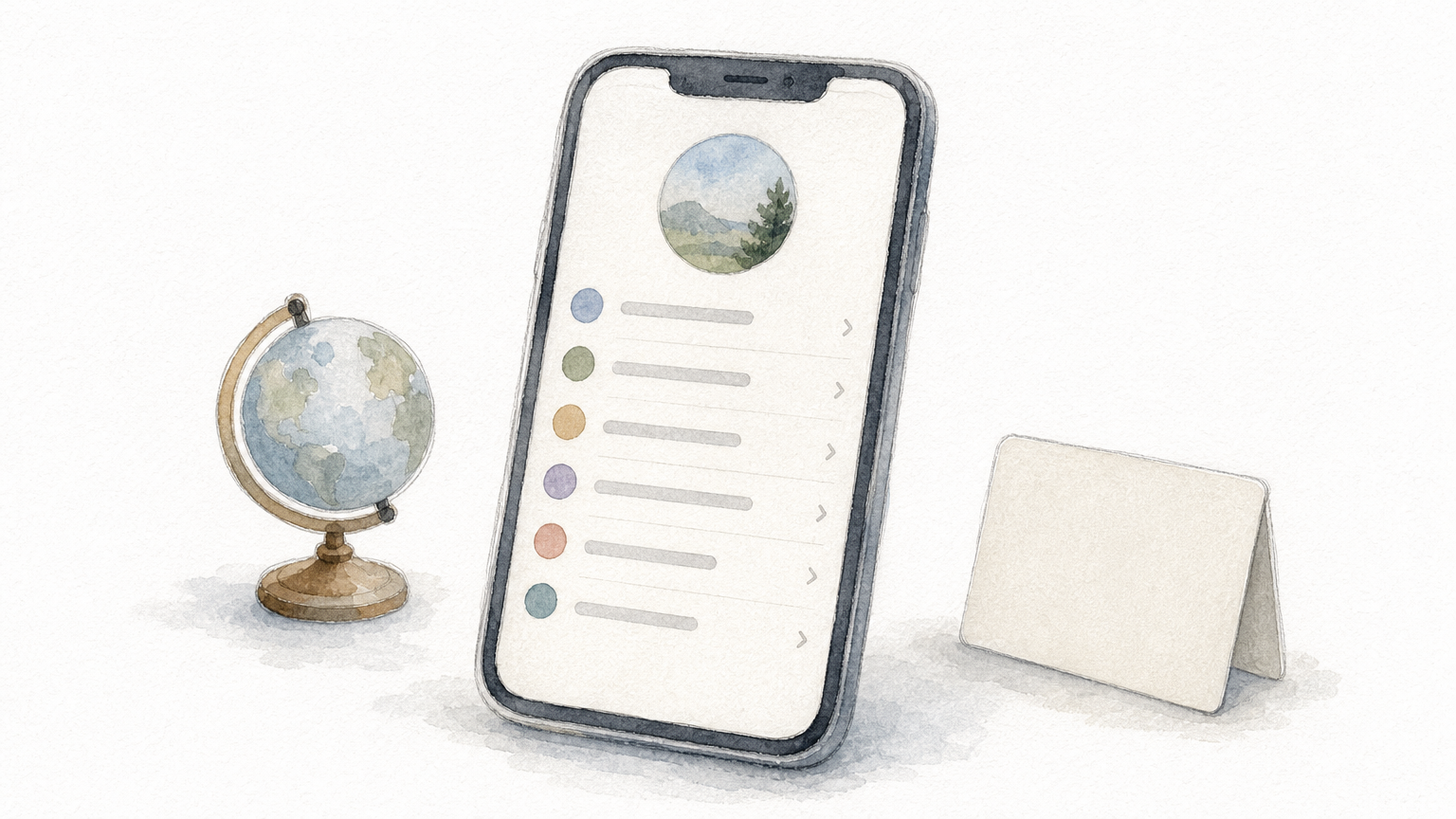
- Open the Play Store and tap your profile picture.
- Tap Settings, then General.
- Open Account and device preferences.
- Tap Country and profiles and note the country shown.
If you see a country you do not recognize, stop. Do not buy anything until you understand why it is set that way.
Match it to the card
The card region must equal the country you just read. The table shows what that means in practice.
| Your Play account country | Card region you need | Result |
|---|---|---|
| United States | US card | Redeems normally |
| Bangladesh | US card | Will not redeem |
| Another country Google supports | A card for that country | Redeems normally |
Changing your account country is possible, but Google limits it to once a year and has its own conditions. Treat it as a serious decision, not a trick to use a cheaper card. If no card is sold for your country, a Google gift card is simply the wrong tool for you.
Step 2. Compare the price per dollar
The fair way to compare sellers is the price per dollar. Divide the taka price by the card's face value, and the number you get is comparable across any shop and any denomination.
The formula
Use this: taka price ÷ dollar value = taka per dollar. A card listed at 2,350 ৳ for $25 costs 94 ৳ per dollar. A card listed at 15,400 ৳ for $100 costs 154 ৳ per dollar. The table below uses two real listings for US-region Google Play cards.
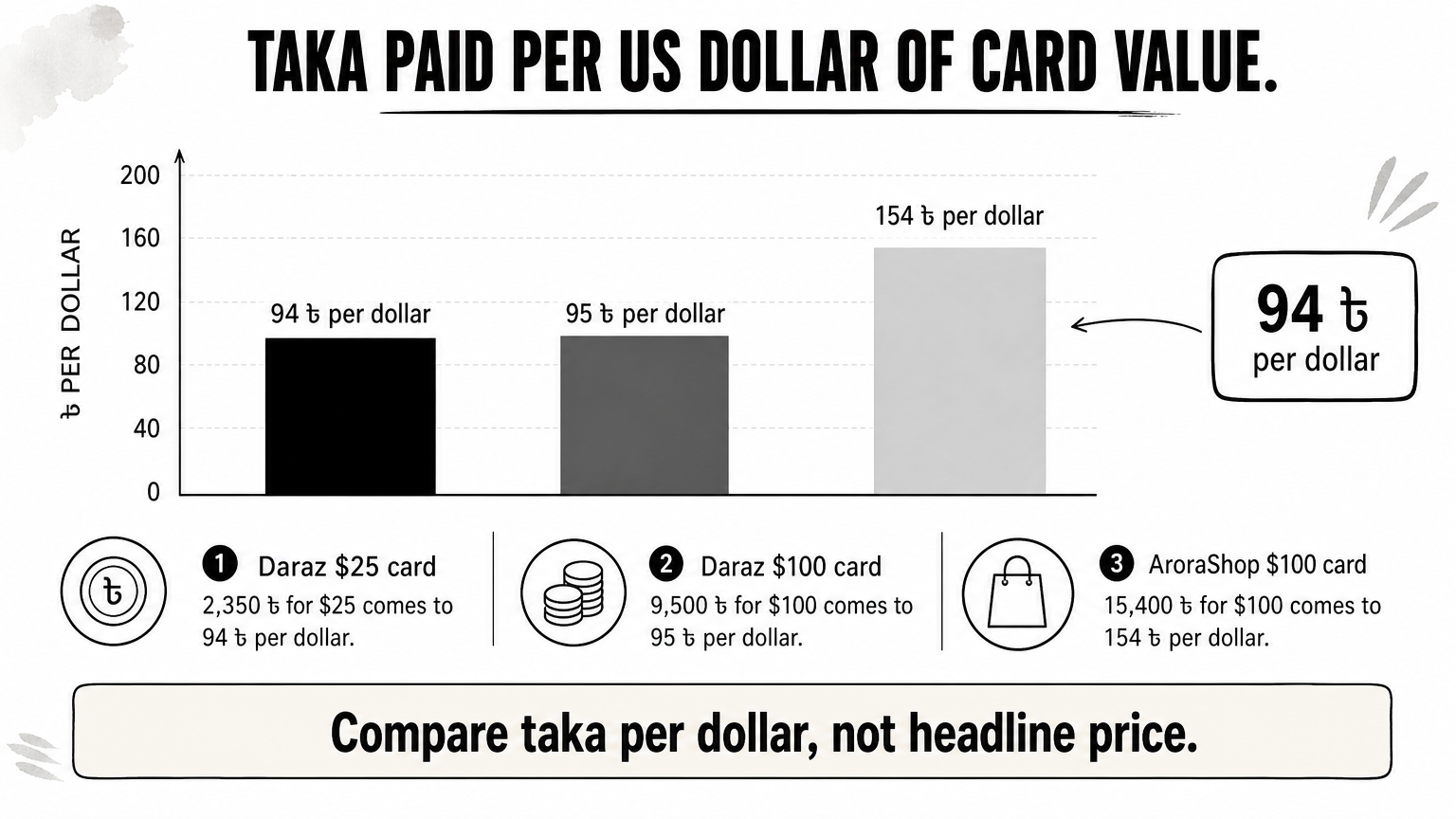
| Listing | Face value | Price | Taka per dollar |
|---|---|---|---|
| Daraz listing in the results | $25 | 2,350 ৳ | 94 |
| Daraz listing in the results | $100 | 9,500 ৳ | 95 |
| AroraShop Google Play card page | $100 | 15,400 ৳ | 154 |
Marketplace sale prices change often, so use these as a yardstick, not a quote. A gap this wide is a reason to read the fine print of each listing, such as the region, delivery time and support, before you choose on price alone.
Never compare the headline taka price of two cards. Compare taka per dollar.
Prices for $1 and $5 cards
Apply the rate to small cards. At 94 ৳ per dollar, a $5 card would cost about 470 ৳ and a $1 card about 94 ৳. At 154 ৳ per dollar, the same cards would cost about 770 ৳ and 154 ৳. That is an estimate range from the formula, not a price list.
Small denominations are not always sold, and some shops add a minimum or a higher rate per dollar on tiny cards. Check that the seller lists the exact amount you want, whether $1, $5 or more. Prices can also change without notice, so trust the price shown at checkout over any screenshot or social media post.
Step 3. Pay with bKash, Nagad or Rocket
Once the region and price are settled, pick a seller and pay through a local wallet. The main goal here is to pay only through a channel that you can verify.
Choose a seller you can trust
A good seller answers these questions before you pay. Check each one on the product page.
- The card region is stated, for example "United State".
- The delivery time is stated, with a way to contact someone if it runs late.
- The refund terms are written down, so you know what happens after dispatch.
- Reviews are visible and link to an outside platform, not only screenshots.
- Payment goes through the gateway on the site, not to a personal number sent in a chat.
AroraShop, for example, shows a 4.9/5 rating with Trustpilot and Google review links, and takes bKash, Nagad and Rocket payments through its own gateway.
Place the order
The steps are short, but follow them in order.
- Create an account on the store, since full service needs one.
- Open the Google Play gift card page and select the denomination.
- Confirm the region matches your Play account from Step 1.
- Pay with bKash, Nagad or Rocket through the gateway the site lists.
- Wait for the voucher code by email or in your order page.
AroraShop's Google Play card page lists delivery as instant, usually 1 to 5 minutes, and the store's general policy allows 20 to 60 minutes after payment verification. If it runs longer, message support on WhatsApp. The store reports an average response under 15 minutes.
Check one more thing before you tap pay: AroraShop lists no refund after dispatch for its cards. Re-read the region and amount first.
Once a digital code is sent, you cannot take it back, so verify the region and amount before you pay.
Step 4. Redeem the code and stay safe
Redeeming takes under a minute, and a few habits keep your balance and your account safe.
Redeem in the Play Store
Open the Play Store on the account you checked in Step 1, then:
- Tap your profile picture and choose Payments and subscriptions.
- Tap Redeem gift code.
- Type or paste the code exactly as delivered.
- Tap Redeem and check that your balance shows the new amount.
If the code is rejected, do not keep retrying. A region mismatch is the most common cause, so compare the card region with your account country, then contact the seller with your order details.
Scam checks
Keep the code private until you redeem it. Anyone who asks for your code, including a "support agent" in a chat, is trying to take the balance. Treat unsolicited offers in social media groups the same way, because a cheap price from an unknown seller usually means a code that is already used or never arrives.
Buy from a shop with a named support channel, a visible policy page and reviews you can open. Save the order confirmation and the code email until the balance appears. If something goes wrong, those records are what support needs to help you.
Buy the right card the first time
Buying a Google gift card in Bangladesh comes down to order. Check your Play country, match it to the card region, compare taka per dollar instead of the headline price, pay through a verified gateway, and redeem the code in the Play Store only on the right account. Most failed purchases skip the first two steps.
When you are ready, you can browse the AroraShop gift card catalog, check the live price and region on each product page, and pay with bKash, Nagad or Rocket.
Sponsored
Categories
Sponsored
Recent Posts
Sponsored

