21 Oct 2026
•
4 min read
•
15 views
•
Best Bangla Keyboard For Windows And Linux
Introduction
“Kotha Keyboard” is designed to take Bengali typing on Windows PC to the next level and make things easier for common users. It's a keyboard that combines all the key benefits of Avro, Vijay or Varna keyboards along with premium features that no other Bengali keyboard has! Based on your overwhelming response and feedback, we have brought a “mega update” to the keyboard!
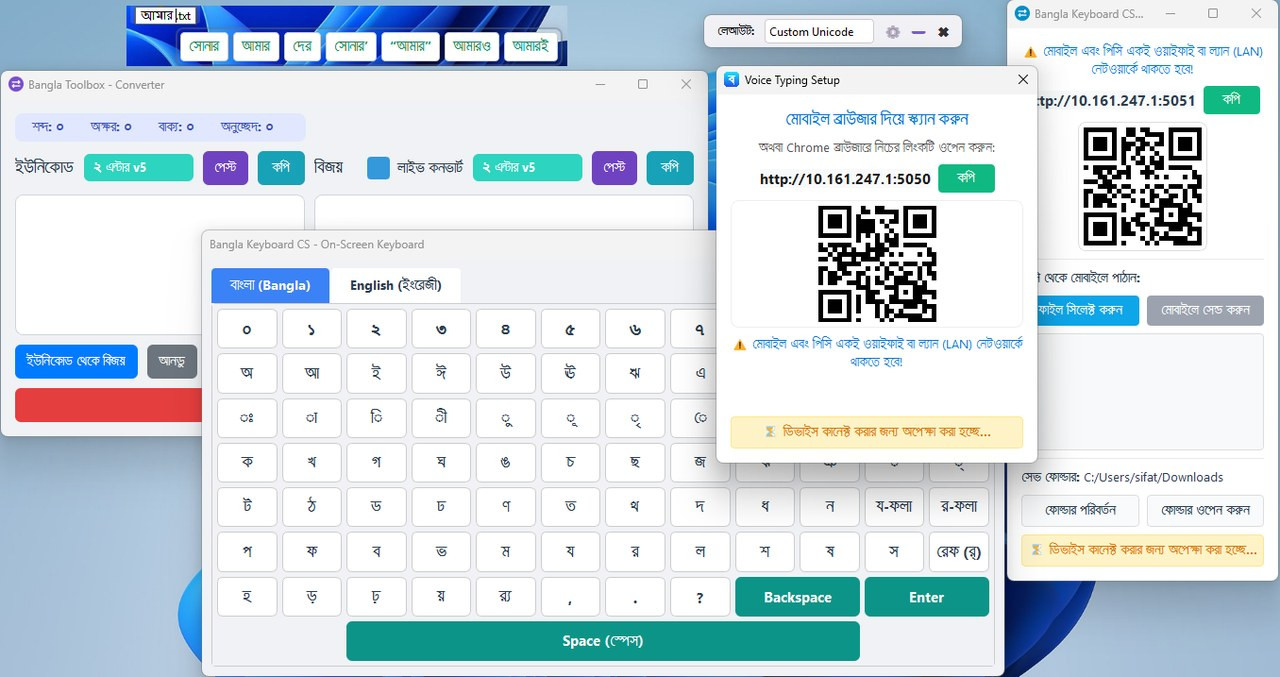
interface
- MS Word Font Breaking Solution: Typing 'Cosmetics' or 'Udghatan' (non-joining words) in Vijay Ansi on other Bengali keyboards causes font breaking in MS Word (from SutonnyMJ to Times New Roman in a hurry). This bug is 100% fixed in Kotha Keyboard! Other keyboards still have this problem.
- Smart Clipboard: No other keyboard has a built-in clipboard to save copied text, images and formatting together. Our keyboard has a pro-clipboard like Windows 11.
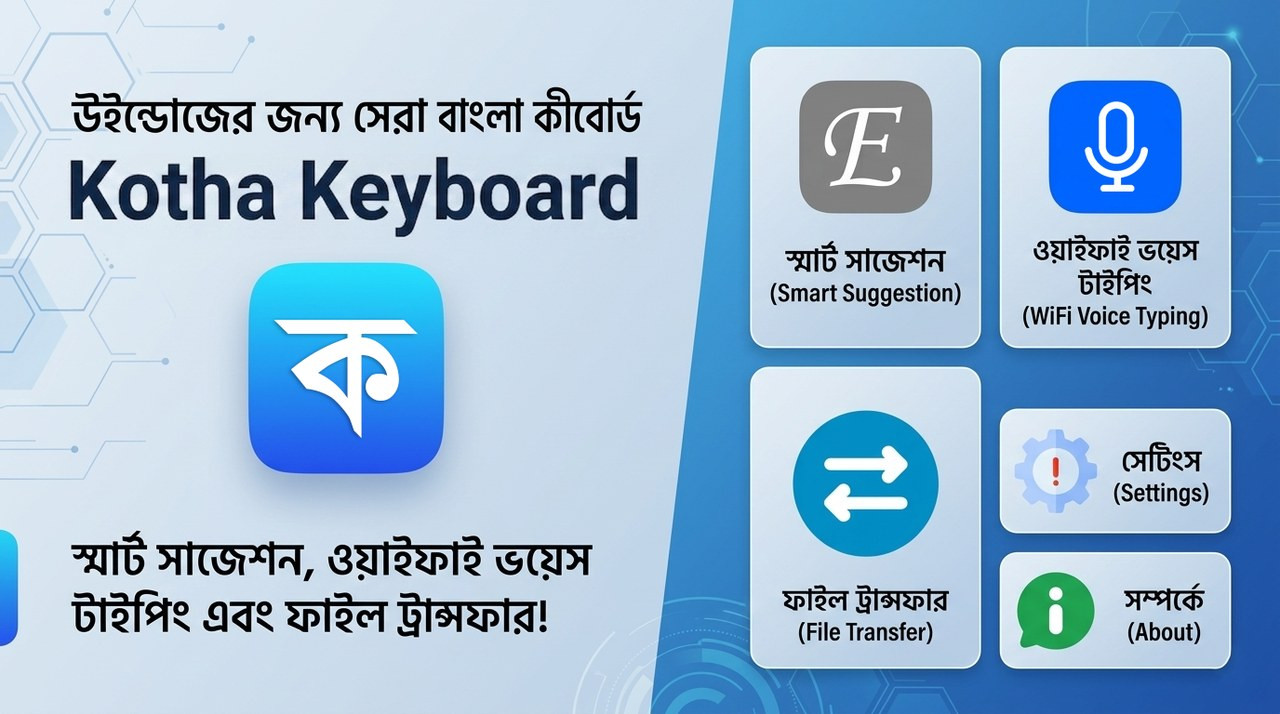
- Voice typing in any language: If there is a microphone on the PC, directly from the PC or if there is no microphone, by scanning the QR code with the mobile phone, you can type voice directly on the PC in any language of the world including Bengali, English, Arabic.
- File Transfer & Live Converter: File transfer from PC to mobile without data cable and Unicode ↔ Vijay converter provided right inside the keyboard!
- ✅ File Transfer (Local WiFi)
- ✅ Voice Typing in any Language
- ✅ Live Converter and MS Word File (.docx) Converter Added
- ✅ Arabic Layout Added
- ✅ Custom Layout Creator
- ✅ Onscreen Keyboard for Bangla, English, Bijoy, Phonetic and Arabic
- ✅ Suggestion Window Added (9 Lakh+ Words)
- ✅ Live Voice Typing and Mobile Voice Typing Added
- ✅ Customizable any Shortcuts & Text Expander
- ✅ Much More…
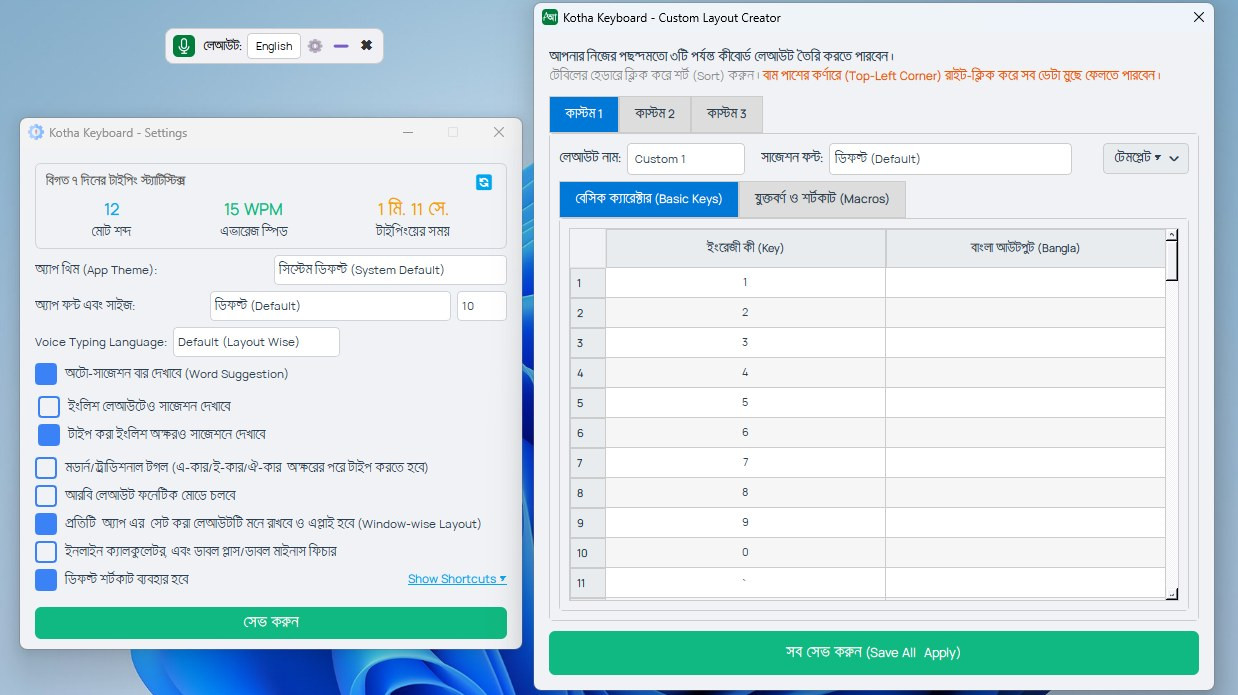
Interface
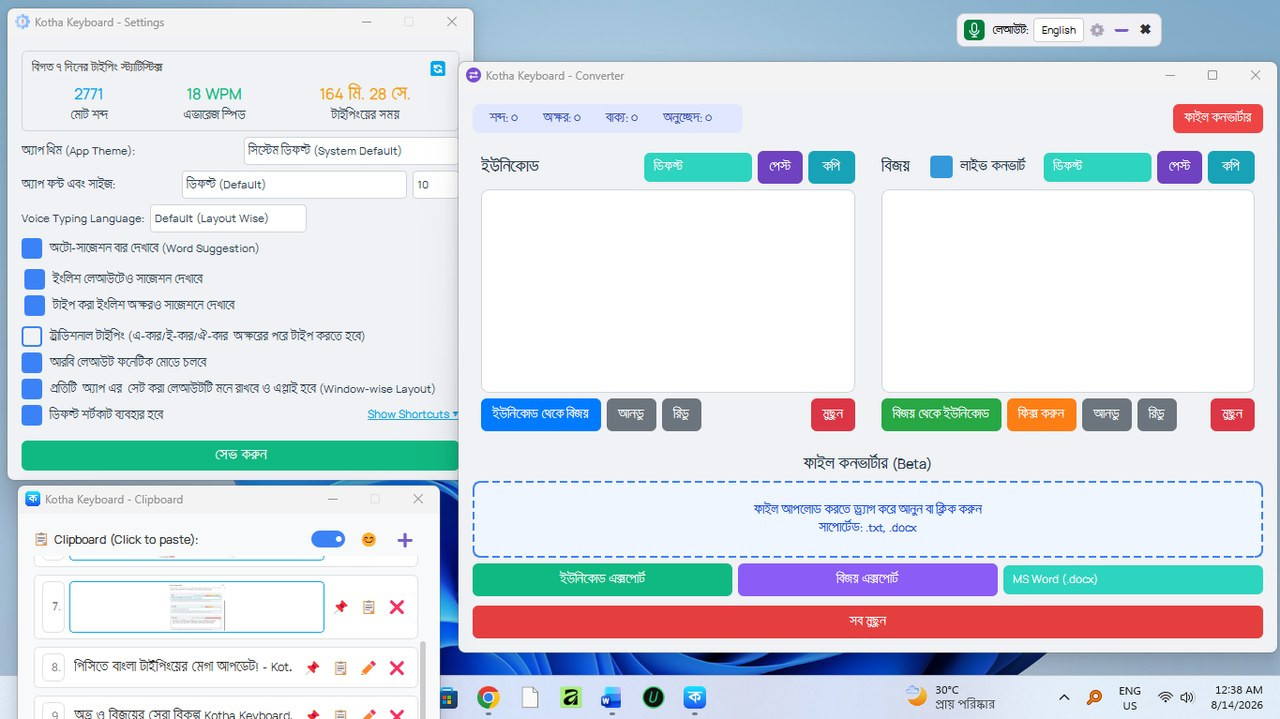
Kotha Keyboard Interface
What are the surprises in the new update?
- Advanced Clipboard: Added new Pro-Clipboard for saving copy history (shortcut: Alt+V). Now the copied image (Image/Screenshot) will be saved here as well as the text! (Limit: 5 images, 20 texts, but unlimited if pinned).
- Fixed copy protection and cut (Cut) fix: Even if you paste items from the clipboard repeatedly, the main text you have (copied) will not be lost, it will be protected in the background! Also fixed the bug of Cut (Ctrl+X) not working in Adobe Illustrator.
- Clipboard formatting and emoji: Windows clipboard can now be pasted with MS Word's bold or colored text format. Added on/off toggle switch and button to open Windows Emoji (😊) panel to protect privacy. Text can be manually added or edited by clicking the ➕ button.
- Custom Suggestions and Text Expander: Added 'Auto-Apply' feature to custom shortcuts and emoji picker. If the toggle is on, the emoji will appear in the suggestion bar as soon as the shortcut (like :: ) is written, and if a short word is set and a sentence or a lot of text is set, it will also appear in the suggestion bar, and if Auto Apply is ticked, it will also appear in the suggestion and it will turn into an emoji or the desired text and be applied directly.
- Smart Window-wise Layout: This feature is now more fast and accurate. It is now so smart that it remembers which window you were toggling between English and Bengali layout (Unicode or ANSI)! Opening the minimized app from the taskbar or the Save As dialog will automatically set the layout in a blink of an eye.
- Splash Screen and Startup Fix: The issue of splash screen freezing due to strict antivirus or security blocks on office or corporate PCs has been completely fixed. Startup is faster and more stable than ever!
- Suggestions under the cursor: The suggestion bar in Chrome, Edge, VS Code or Messenger will now show right under your cursor!
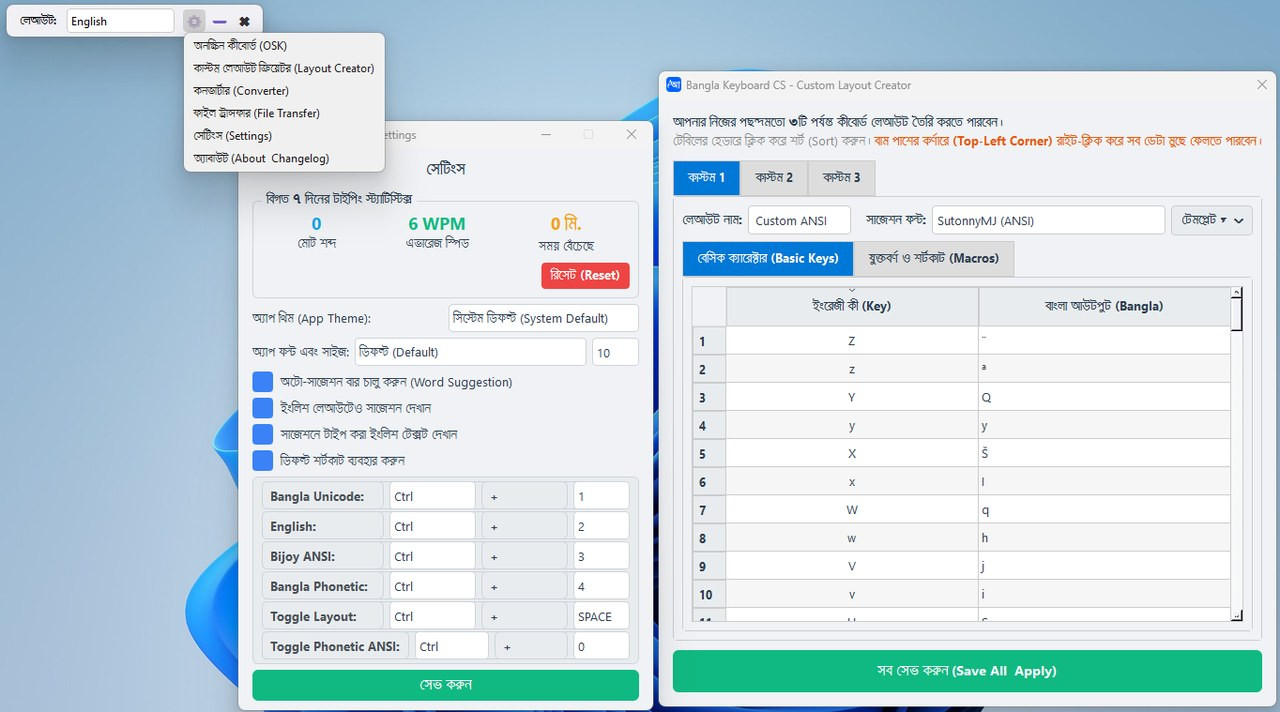
interface
This is my small attempt to make your daily typing and PC work easier. Those who are already using it should download and replace (or reinstall) the new version. You can comment your opinion or suggestion using the keyboard.
Note: The keyboard will work best after downloading and installing and restarting the PC once.
So everyone be well and healthy, thank the creator Allah Ta'ala. Allah is Hafez.