



Roblox Gift Card BD: How to Buy with bKash and Redeem
AroraShop Editorial & Fulfillment Team
Digital Gaming & FinTech Specialists (Dhaka, BD) • UpdatedRoblox Gift Card BD: How to Buy with bKash and Redeem
To buy a Roblox gift card BD players can actually use, pick a store that accepts bKash, Nagad, or Rocket, choose a dollar amount, pay in taka, and wait for the digital code. Then redeem the code at roblox.com/redeem and spend the balance on Robux. At AroraShop the code usually arrives within 1 to 5 minutes, and you never need an international card.
The hard part is not the steps. It is trusting the seller. Most players in Bangladesh have no international debit or credit card, so global checkouts are out of reach. Search results are full of stores that all promise "instant" and "100% genuine", and fake "free Robux" offers that ask for your password can cost you your whole account.
This guide covers four steps: choosing the right amount from real listed prices, paying with a local wallet, redeeming the code, and turning the balance into Robux. You will also see how to check a seller before paying and what to do when a code is late. The price examples come from the Roblox Gift Card page on AroraShop, which sells these cards in taka.
Why a Roblox gift card works without a credit card
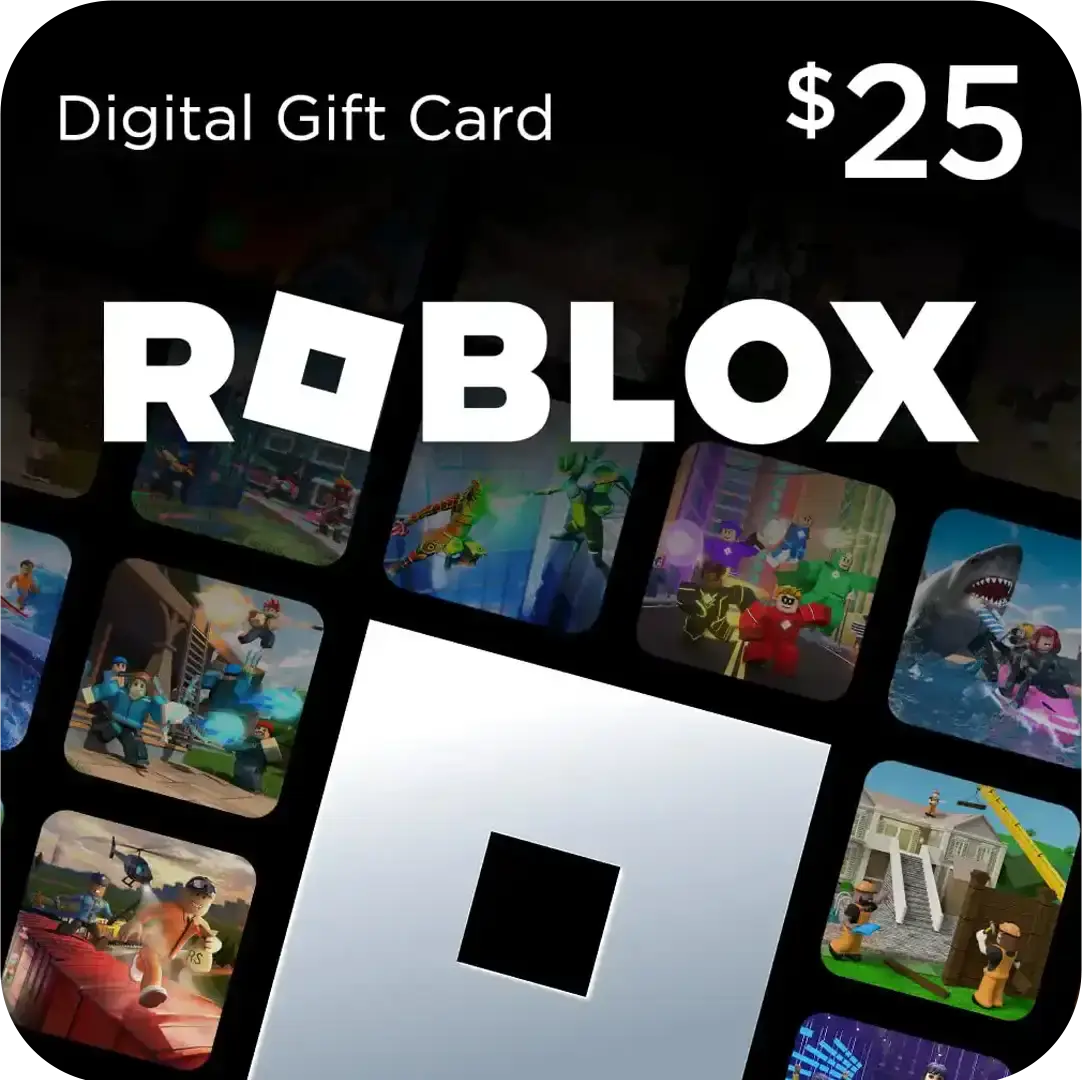
A Roblox gift card is a prepaid code in US dollars. It works in Bangladesh because you pay a local seller in taka, and the seller gives you the code. You never touch a foreign payment system.
What the card actually gives you
The card is not a pile of Robux. Redeeming it adds dollar value to your Roblox account, and you then spend that value on Robux or a Premium subscription. People who search for a Robux gift card in BD are looking for exactly this product. No separate Robux card exists.
The AroraShop card is sold for the US region and delivered as a digital voucher. Nothing is shipped, so courier delays do not apply.
What to have ready
Gather four things before you start:
- Your Roblox username and password, because you redeem the code yourself.
- An AroraShop account, which the site requires for full service.
- A bKash, Nagad, or Rocket wallet with enough balance for the card plus any fees.
- A browser, since redemption happens on the Roblox website.
A gift card needs your payment, never your Roblox password.
Step 1. Choose the right amount
Pick the denomination first, because it decides what you pay and how many codes you redeem. AroraShop lists the Roblox Gift Card at three dollar amounts, and the price per dollar is almost flat.
Compare the listed prices
| Card value | Price | Price per $1 |
|---|---|---|
| $10 | 1,300 ৳ | 130 ৳ |
| $25 | 3,250 ৳ | 130 ৳ |
| $50 | 6,550 ৳ | 131 ৳ |
The page also lists small packages labeled 100 Robux (750 ৳), 200 Robux (950 ৳), and 400 Robux (1,050 ৳). Open the product page to see exactly what each one delivers before you choose. Prices can change, so check the live price on the page before you pay.
Work out what you need
Here is a worked example. Say you plan to spend about $50 over the next few weeks. One $50 card costs 6,550 ৳. Two $25 cards cost 6,500 ৳, which saves you 50 ৳, but you redeem two codes. Five $10 cards also come to 6,500 ৳.
If this is your first order, start with the $10 card at 1,300 ৳. You learn the process cheaply, then move up. Remember that the shop does not refund a code after dispatch, so confirm the amount before you pay.
Buy the amount you will spend soon, because a sent code cannot be refunded.
Step 2. Order and pay with bKash or Nagad
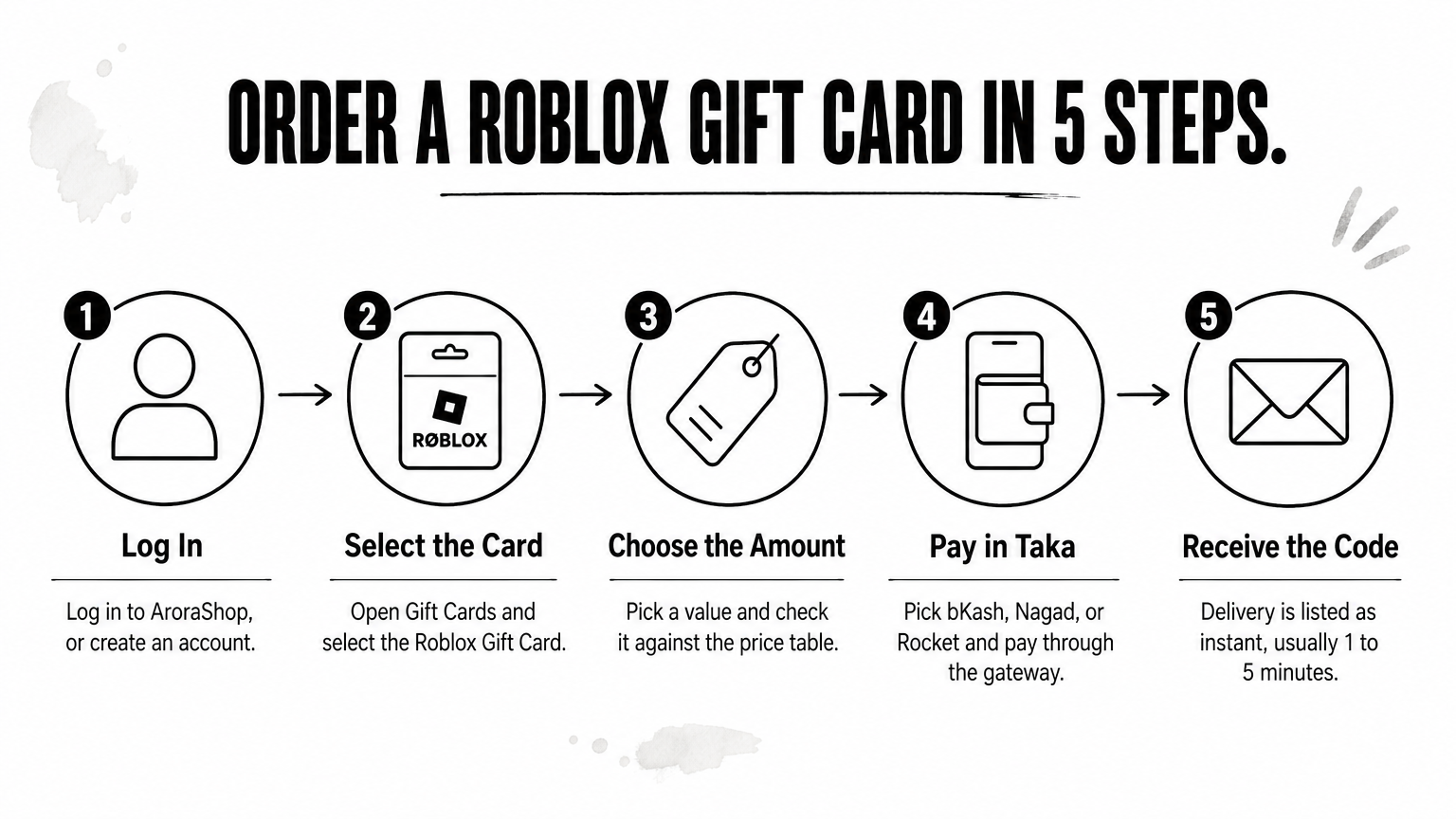
Ordering takes five actions and a few minutes. You pay in taka through bKash, Nagad, or Rocket, and the store processes it through its secured payment gateway.
Place the order
- Log in to your AroraShop account, or create one.
- Open the Gift Cards section and select the Roblox Gift Card.
- Choose the amount and check it against the table above.
- Pick bKash, Nagad, or Rocket and pay through the gateway listed on the website.
- Wait for the code. Delivery is listed as instant, usually 1 to 5 minutes.
If the code is late, contact support through WhatsApp chat on the site. AroraShop states that its support team answers in under 15 minutes on average.
Check the seller before you pay
Ten stores can look identical in search results, so run the same quick checks on any of them:
- It takes local wallet payments through an official gateway, not a personal number someone sends you in a chat.
- It shows visible reviews you can verify. AroraShop shows a 4.9/5 rating with Trustpilot and Google review links.
- It publishes a support contact and a refund policy.
- It never asks for your Roblox password. You only need to receive a code.
A trustworthy seller sells you a code and asks for nothing else.
Step 3. Redeem the code on Roblox
Redeem the code in a browser at roblox.com/redeem. The balance lands on your account within seconds, and you can see it right away.
Redeem in a browser
- Log in to the Roblox account that should receive the balance. Double-check the username, because the credit stays on that account.
- Go to roblox.com/redeem.
- Paste the code exactly as delivered, without extra spaces.
- Confirm the redemption and check that the new balance appears.
Use a browser for this step rather than a phone app. It is the route Roblox points to for gift cards.
If the code does not work
Start with the simple causes: a typo, a copied space, or the wrong account. Paste the code again instead of retyping it by hand. If Roblox still rejects it, send the AroraShop support team your order details and a screenshot of the error before you order another card. They can check the order faster when they see exactly what you entered.
Do not buy a second card until support has checked the first code.
Step 4. Turn your balance into Robux
With the balance on your account, open the Robux page on the Roblox website while logged in and choose a package. The Robux you receive per dollar is set by Roblox, so compare the package sizes on that page before you confirm.
Buy Robux or Premium
Spend the balance on the thing you actually need. Robux covers avatar items and game passes. A Premium subscription suits you if you want its monthly Robux allowance and benefits. Either way, keep a small balance for later instead of draining it, because you can top up anytime. If you shop in the AroraShop Android app, check it for app-only discounts on your next card.
Keep your account safe
Never share your password or verification codes with anyone who offers Robux. Robux generators and "free Robux" sites are scams, and no legitimate seller needs your login to deliver a gift card code. Turn on 2-step verification in your Roblox settings, and keep unused codes private, just like cash.
Your code is worth real money, so treat it like cash until you redeem it.
Ready for your first card
The process comes down to four moves: pick an amount, pay with bKash, Nagad, or Rocket, redeem at roblox.com/redeem, and spend the balance on Robux. A trusted seller, a quick look at the live price, and a private code protect you at every step.
If you are ready, start with the $10 card and learn the flow. You can find the Roblox Gift Card on AroraShop, pay in taka, and get your code in minutes.
Sponsored
Categories
- Beginners Gamers 1
- Top Up 0
- Gift Card 3
- Announcement 0
- Technology 31
- Artificial intelligence 11
- Updates & Guides 267
- Games 3
- Business & Tech 1
- Freelancing & Career 2
- Tech Tips & Tutorials 1
- Make Money Online 1
- Tech & AI Tools 2
- Crypto & Airdrops 3
- Career & Business 1
- Money Making 2
- Guides 0
- Game Top-Up Guides 0
- Subscription Guides 1
Sponsored
Recent Posts
Sponsored

