Leave a Review


A Steam gift card BD buyers can use is a prepaid code that adds US dollar balance to a Steam Wallet. You then spend that balance on games, DLC, software and in-game items. In Bangladesh you buy the code from a local seller, pay in taka through bKash, Nagad or Rocket, and redeem it on Steam within minutes. At AroraShop a US-region card costs ৳145 per dollar, so a $10 code is ৳1,450.
AroraShop is a Bangladesh-focused store for digital goods, and Steam codes are a core item for PC gamers who have no international card. This guide covers the details that save money and avoid failed redemptions: which region to buy, how the price is built, and what to check before you pay.
Below you will find why gift cards matter for Bangladeshi players, a step-by-step buying and redeeming guide, a full price table with worked examples, the region and currency rules, and what Steam Wallet funds can and cannot do.
A Steam gift card matters because it removes the biggest barrier for local players: paying a dollar-priced store without an international card. You pay a local seller in taka, receive a code, and Steam treats it like any other wallet top-up.

Most Steam accounts in Bangladesh are billed in US dollars, and most players here have no dollar card. A Steam wallet code bought from a local store closes that gap. Your bKash, Nagad or Rocket payment turns into dollar balance on Steam.
You also keep your bank details out of the process. You pay the seller in taka, type a code into Steam, and the balance appears. Nothing else is needed.
A Steam gift card turns your bKash or Nagad balance into dollars that Steam accepts.
A gift card gives you a hard spending limit. Load $10 and that is all the account can spend, which suits students, younger players and parents who want a fixed budget. It also makes a simple gift, because the code can be emailed to a friend.
Typical uses include:
Buying a Steam gift card in Bangladesh takes six steps and a few minutes: pick the amount, pay with a local wallet, receive the code by email, and redeem it on Steam. The whole process needs no card.
Follow this order when you buy a Steam gift card in BD from AroraShop:
Copy the code exactly as delivered. A single wrong character is the most common reason a valid code appears to fail.
To redeem, open the Steam client, go to the Games menu and choose Redeem a Steam Wallet Code. You can also use the redeem page at store.steampowered.com/account/redeemwalletcode while logged in. Enter the code, click Continue, and confirm. The balance shows next to your account name straight away.
Check your spam folder first, then confirm the payment went through in bKash, Nagad or Rocket. If the code is still missing after the delivery window on the product page, contact support. AroraShop support is on WhatsApp, and you can also write to support@arorashop.com. The store reports an average response time under 15 minutes.
Redeem the code the moment it arrives, so any problem is caught while support can still help.
At AroraShop the Steam gift card price in Bangladesh is a flat ৳145 per US dollar of face value, listed in BDT. Prices can change, so check the live price on the product page before you pay.
| Steam balance | Price in BDT |
|---|---|
| $5 | ৳725 |
| $10 | ৳1,450 |
| $15 | ৳2,175 |
| $20 | ৳2,900 |
| $25 | ৳3,625 |
| $50 | ৳7,250 |
| $100 | ৳14,500 |
The rate is the same on every denomination, so a $100 card has no volume discount over ten $10 cards. Buy the size that matches your next purchase. The Android app has app-only discounts, which can lower the total further.
Say a game costs $29.99 on Steam. There is no $30 card, so you buy $25 plus $5, which is ৳3,625 + ৳725 = ৳4,350. After the purchase you have one cent left.
Now say three games in a sale total $42.47. You can buy $25 + $15 + $5 for ৳3,625 + ৳2,175 + ৳725 = ৳6,525, which covers $45. A single $50 card costs ৳7,250 and leaves $7.53 in your wallet for the next sale. Choose the single card only if you will spend the extra balance soon.
A Steam wallet BD cheap price is only cheap if the code works on your account. Divide any seller's price by the card's face value to get the rate per dollar. For example, ৳1,450 divided by $10 is ৳145. Compare that number, not the headline price.
Two traps distort the comparison. Global key marketplaces can list a $10 card above $10 once fees are added, and they usually need an international card. A very low rate on a card from the wrong region saves nothing if it fails to redeem.
Compare sellers by taka per dollar, then confirm the region before you pay.
The rule that matters most is that the code's currency must match your Steam account currency. The card AroraShop sells is the United States region and works on accounts that use US dollars.
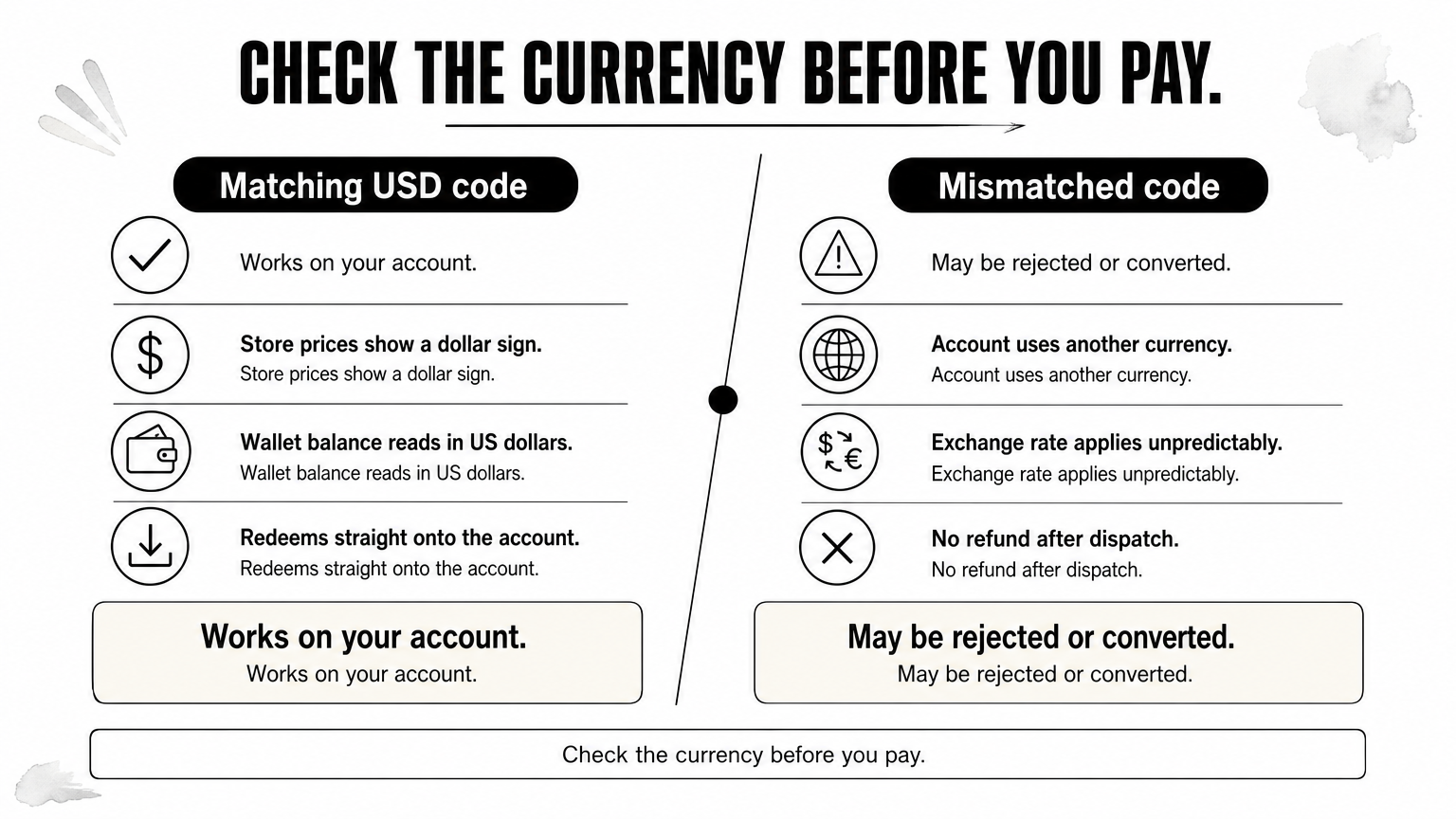
Steam ties a wallet to one currency. If your store prices show a dollar sign, a USD code is right. If your account uses another currency, a USD code may be rejected or converted at an exchange rate, and the result can be unpredictable.
Check before you buy. Look at the currency symbol next to prices in the Steam store, or at your wallet balance in your account details. Never guess.
Digital codes cannot be taken back once delivered. The AroraShop Steam Gift Card page states no refund after dispatch, and that is normal for digital vouchers. The code never expires, so there is no rush to redeem it, but you should verify the amount and currency before paying.
A good Steam wallet store in BD shows these things clearly:
Check the currency first and the price second, because a wrong-region code cannot be refunded.
Steam Wallet funds pay for almost anything sold in the Steam store, but they stay inside Steam. You cannot withdraw them as cash.
You can spend the balance on games, DLC, in-game items, software and Steam hardware. You can redeem several codes on one account and the amounts add up, so you can top up $5 now and $15 later. Balance does not expire, which makes it safe to hold for a future sale.
The balance cannot be cashed out or sent to another bank account. It also stays on the account that redeemed it, so choose the right account before you enter the code. If you want to give a gift, send the unredeemed code or buy a game as a gift from the store.
Treat a redeemed code as spendable only on that Steam account, for Steam purchases.
A Steam gift card is a prepaid dollar balance, and in Bangladesh the simplest way to get one is through a local seller that takes bKash, Nagad or Rocket. At ৳145 per dollar, the amounts are easy to plan: pick the denomination that matches your next purchase, check that your account uses US dollars, and redeem the code as soon as it arrives.
When you are ready, buy a Steam gift card at AroraShop and pay in taka. Keep the live product page price in mind, and contact support if anything looks wrong before you pay.