21 Oct 2026
•
7 min read
•
7 views
•
Today I will share with you a premium script of a Telegram Mini Earning Bot for free. So if you want to earn from the Monetag network by monetizing Telegram Mini Apps, then this post is for you.
The Best Script for TMA
Currently, there are many advertising networks to earn income by monetizing Telegram. Among them, Adsgram is the most popular, followed by Monetag. I created this script about a year ago with the help of ChatGPT. Till now, I have sold it for around 5k+ taka. Today, I will share this script completely free for TrickBD users. Before that, let me state: no one should do business with this script ♦️. Because it took me 23+ days to completely design this script. And I shared it with you now because I am creating new designs. This is for those who have been looking for a good Mini App script for a long time.
In the script created by me, you will find some extraordinary features. By using them, you can increase your Monetag earnings two to four times. And it is directly secured and controlled through Firebase. Connection is provided between the admin panel and the user panel. Moreover, you can host it completely free on Blogger.
Let's get to know the features of this Mini App in detail.
Mini App Features (User Interface)
- Loading Page: An extremely fast and attractive loading page that gives users a great initial experience.
- Facebook Meta Verification Badge: There is a premium blue-tick or Meta verification badge beside the user's name on the profile, just like Facebook, which multiplies the trust and elegance of the app.
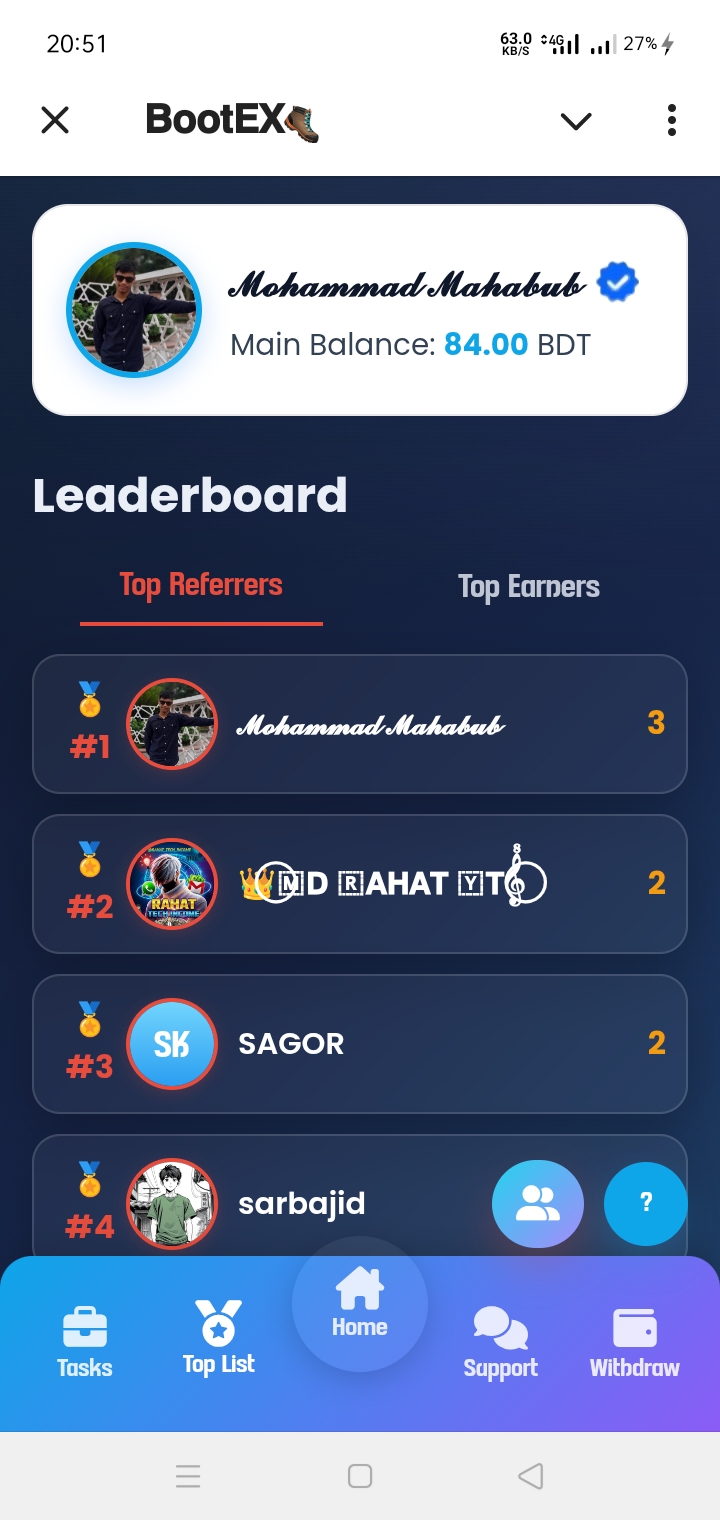
- Dashboard: A user-friendly and well-organized dashboard. Here, users can view their main balance, ads watched today, total referrals, and a detailed income summary at a glance.
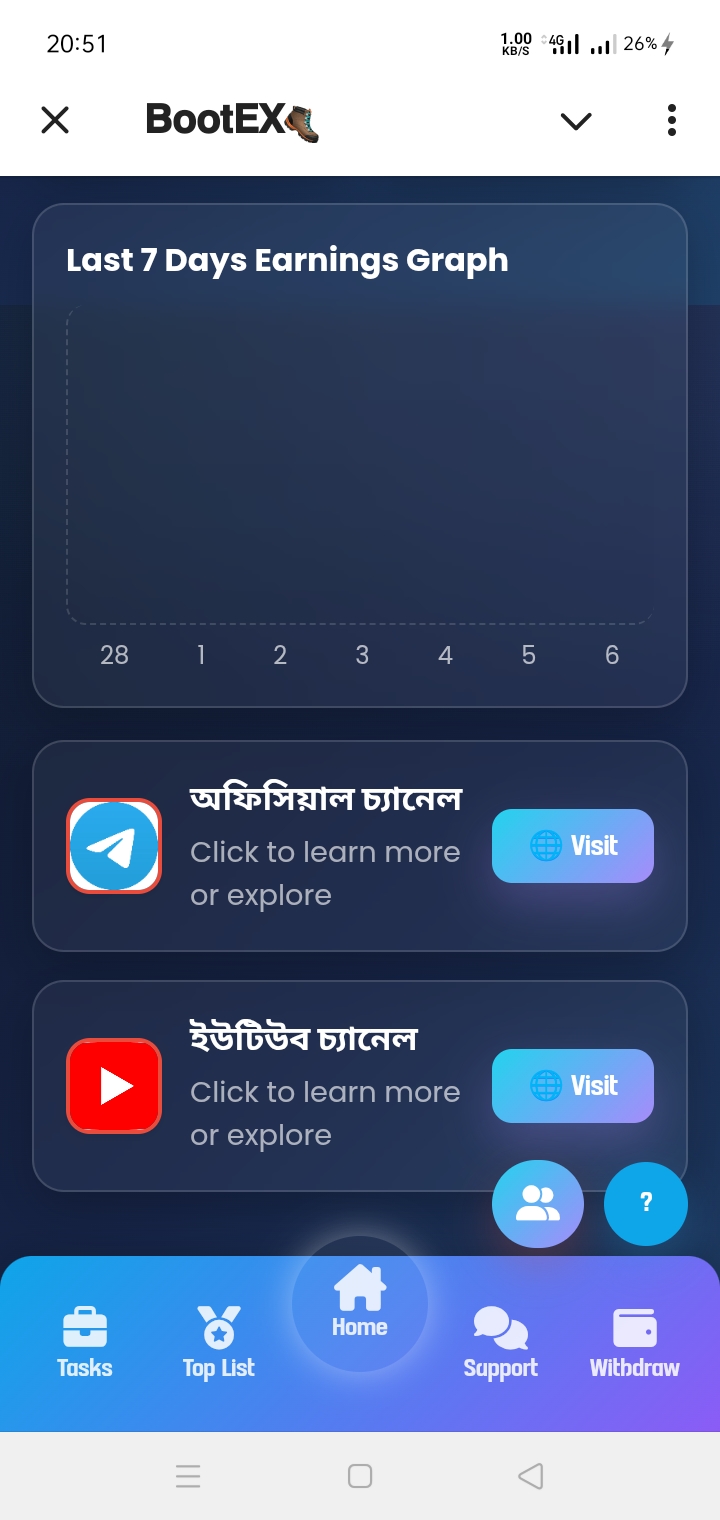
- Earnings Graph: Right on the dashboard is the ‘Last 7 Days Earnings Graph’, allowing users to easily track their daily earnings statistics for the past 7 days.
- Official Community Links: Directly linked on the home page are your official Telegram channel and YouTube channel links, so users can easily join your community.
- Leaderboard: An excellent leaderboard to increase competition among users. Separate ranking lists for ‘Top Referrers’ and ‘Top Earners’ can be viewed here.
- Ad Watching Task: Users can earn by watching ads (Watch Reward Ad) daily. How much money is given per ad (e.g., 1 Taka) and how many ads can be watched daily can be controlled.
- Social Tasks: Social tasks like subscribing to YouTube or joining Telegram channels are included as bonus tasks. Completing these tasks allows users to claim an instant bonus (e.g., 5 Taka).
- Balance Transfer System: Users can easily transfer their earned balance to another user's account if they wish.
- Support Link: A dedicated support page is available to resolve any user issues. Users can contact the admin or support team directly via Telegram or email.
- Withdrawal System: Users can easily withdraw their earned money. Conditions can be configured here, such as how many minimum referrals or what minimum balance is required to withdraw.
- Withdrawal History: Users can easily check the current status of their withdrawal requests and all past transaction history.
- Referral System: The easiest and most attractive referral system on Telegram! Users can invite friends by sharing their personal referral link and receive a specific bonus amount (e.g., 20 Taka) per referral.
Admin Panel Features
- Beautiful Design: The admin panel interface is crafted in a modern and attractive dark theme, comfortable on the eyes for extended work periods and presenting a professional look.
- Login Page: A secured and super-fast login page through which the admin can access the panel with full security.
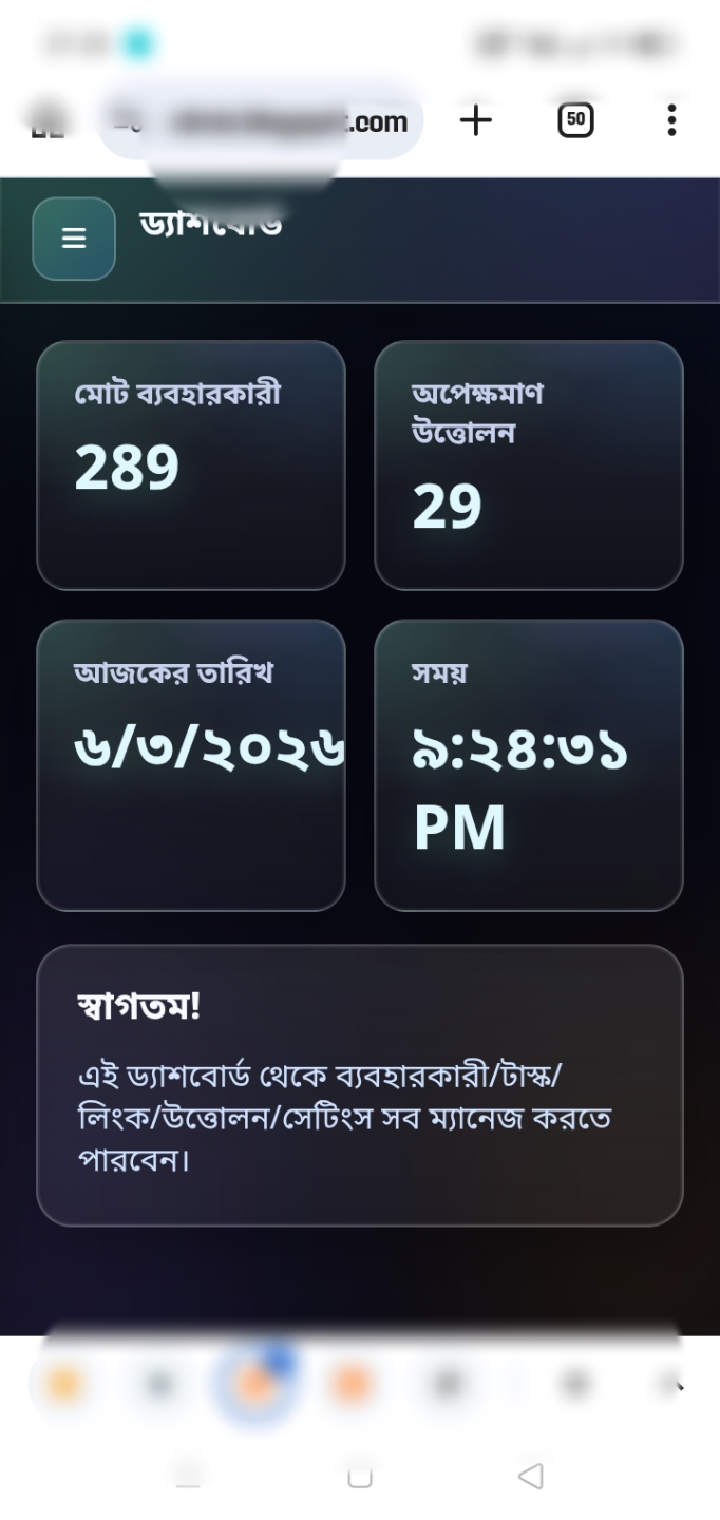
- Admin Dashboard: The dashboard is very organized! Logging in gives a clear summary of the entire app at a glance, including ‘Total Users’, ‘Pending Withdrawals’, today's date, and live time.
- Users: A list of all app users is displayed here. Beside seeing the user's name, current balance, and number of referrals, the admin can modify (Add/Deduct) any user's balance with a single click.
- User IP Address Display: A great tracking system is in place to prevent fake activity or hackers. Each user's IP address is shown directly in the user list, making it easy to catch multiple accounts or fake referrals.
- Pending Withdrawals: Withdrawal requests submitted by users appear in the ‘Pending Withdrawals’ section. Checking which method, amount, and number the user requested withdrawal to, the admin can easily ‘Approve’ or ‘Reject’ the request with one click.
- Withdrawal History: Complete records of all past transactions remain saved here. Detailed history of completed and rejected requests (user, amount, date, and status) can be checked at any time.
- Add Tasks & Community Links: New tasks or social links (e.g., YouTube, Telegram, or Facebook group links) can be added easily from this section. The admin can define task name, icon, and reward amount, or delete previous tasks if desired.
- App Settings: A powerful settings page to control the whole app according to your preference. Support links, bot username, API/bot token, ad network (Zone ID), welcome message, and interval times between ad watches can be easily managed from here.
- Add Withdrawal Methods: Fully dynamic withdrawal system! From the admin panel itself, you can add new withdrawal methods (such as bKash, Nagad, Recharge) at any time and set separate minimum withdrawal limits for each method.
Demo Bot Link: 🚀 Live Demo
Let's see how to set it up!
Setting Up Mini App Using Firebase
Looking at the code of the Mini App, you will easily understand how to set it up using Firebase. However, those unfamiliar with Google Firebase may not be able to. They can message me on Telegram, and I will bring a setup video. Let's look at the shortcut on what to do and how.
Create Two Blogger Sites
Create two Blogger blog sites for the admin panel and user interface.
In the new theme upload section, upload the .txt files for the user interface and the admin panel.
The link to the .txt file is provided below. Download the file and unzip it using any zip extractor. However, unzipping the file requires a password. The password consists of 7 characters in total. The first 5 characters are TRICK. And the last two characters can be obtained from the download link below.
📥 Download App
Create a Firebase Project
Create a Firebase project.
First, enable the Authentication option there and create a user. Be sure to copy the user ID. This is the Admin ID.
Next, create a Real-time database.
Then create a Cloud Firestore database.
Finally, create a Web App, copy the Firebase Config codes, and paste them into your admin panel code and user interface code.
Create Bot
Now create a bot using BotFather.
Create a direct link to make the referral system work on the bot.
And connect your user interface blog address to the Mini App.
That's it, your Mini App is ready.
Then your task is to configure settings from the admin panel including setting up Monetag Zone IDs.
To do that, you can watch the video below.
And if you need a video for the complete setup, definitely contact via Telegram and join our Telegram channel.
✈️ Join Telegram
💡 Besides, if you want, you can get an advanced-level Mini App created by us at a low cost. To know more details: Contact Us.