Leave a Review


To do a diamond top up for Free Fire in Bangladesh, copy your player UID from the game, choose a trusted store's website or app, pick a diamond pack, paste the UID, and pay with bKash, Nagad or Rocket. The diamonds then appear in your lobby, usually within minutes. You never need to share your password.
The hard part is not the payment. Search for a top-up shop and you get dozens of stores that all promise the cheapest price, instant delivery and 100% safety. One wrong digit in your UID sends diamonds to a stranger. A fake shop keeps your bKash money. Pack names like Weekly Lite and Level Up Pass add more confusion.
AroraShop sells game top-ups, gift cards and subscriptions in Bangladesh through a website and an official Android app, with local wallet payments. This guide walks through the process in four steps, from finding your UID to checking delivery. It also covers the checks that separate a reliable store from a risky one.
A diamond top up is a purchase of Free Fire's in-game currency through an outside store instead of the in-game shop. For most players in Bangladesh, the UID top-up is the right method, because the store only needs your player ID and never asks for your password.
Stores deliver diamonds in a few different ways, and the risk differs a lot. This table shows what each method asks from you.
Method What you give the store Risk level UID top-up Your UID and server only Lowest, no password shared Login top-up Your account login details High, avoid it Gift card or in-game purchase A card code or app billing Safe, but needs a card or balanceChoose the UID method whenever a store offers it. A shop that demands your Facebook or Google login for a normal diamond top up is a shop to skip.
You only ever need your UID to top up diamonds, never your password.
Gather these four things before you open any store:
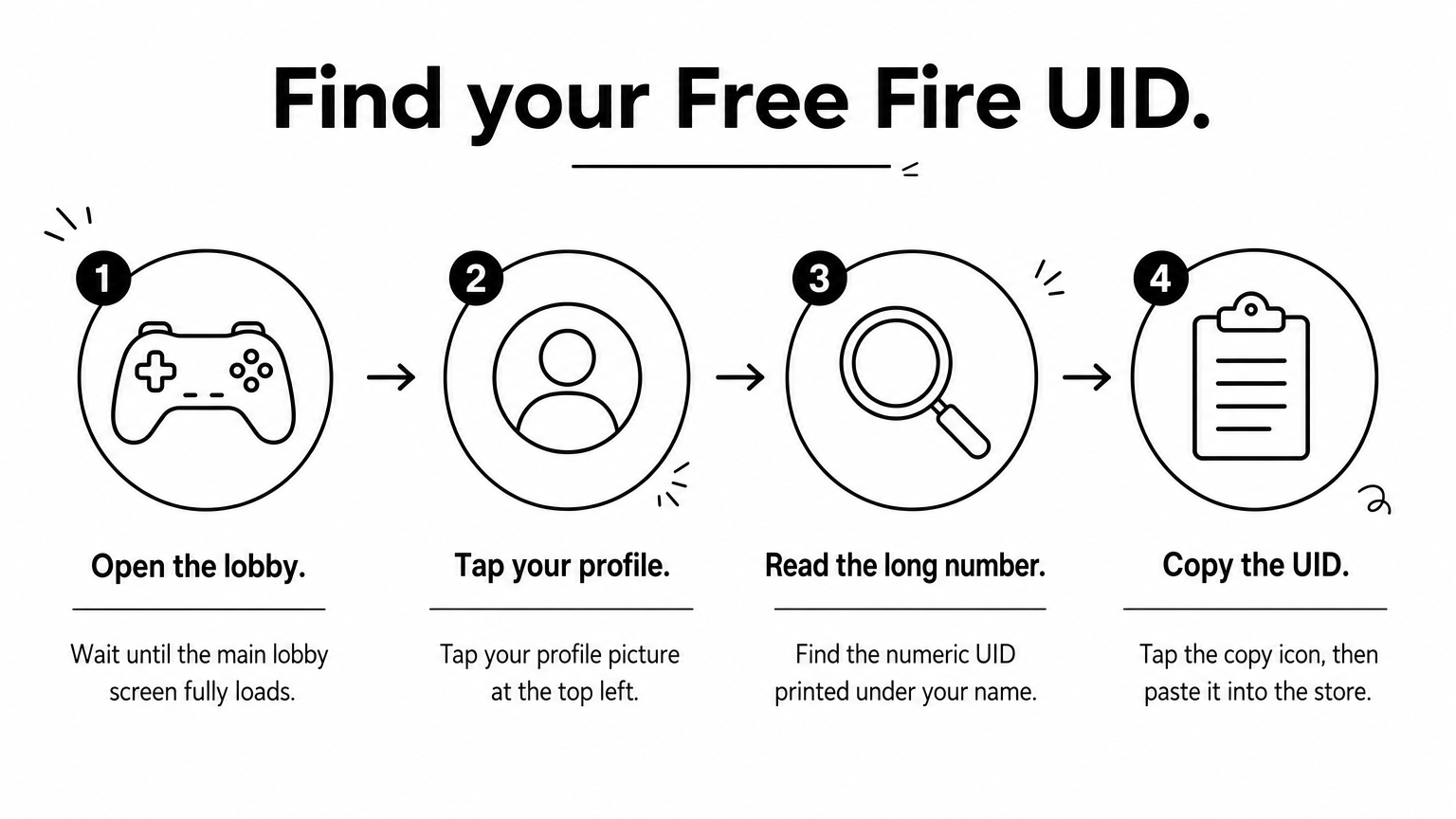
Your UID is the numeric player ID on your Free Fire profile, and every UID top-up depends on it. Finding it takes under a minute.
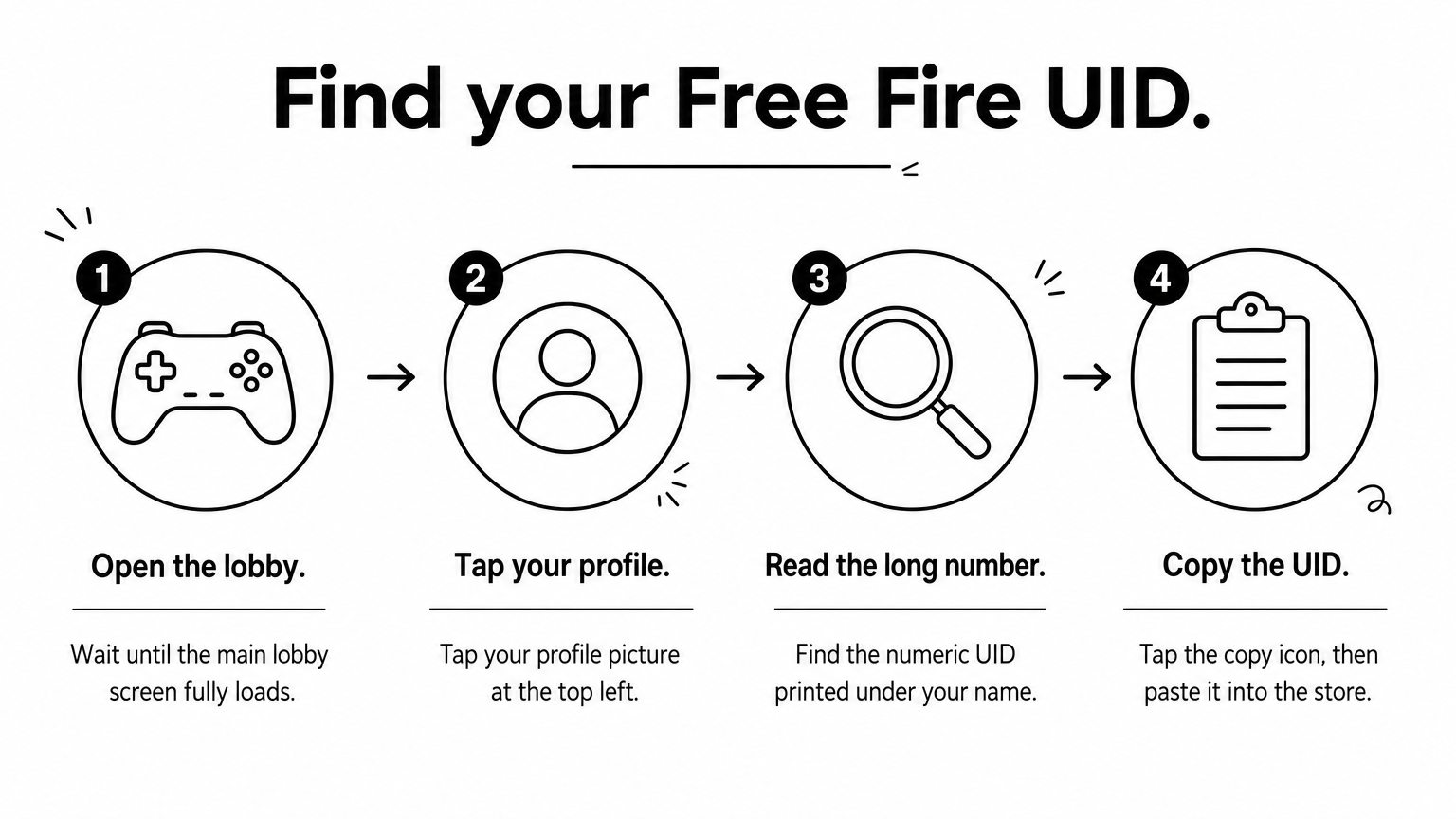
Free Fire accounts belong to a region. Stores list separate products for each, such as a BD server option and an Indonesia option. Match the server to your account, or the order will fail or go somewhere you did not intend.
Next, protect the digits. A diamond top up sent to the wrong UID usually cannot be pulled back, because the store delivered exactly what you entered. Paste instead of typing, then compare the first and last four digits with your profile before you pay.
A single wrong digit in your UID sends your diamonds to someone else.
Choose a store that shows clear prices, supports your wallet and gives you a real way to reach support. Whether you use a diamond top up website or a diamond top up app matters less than whether the store passes the checks below.
Compare the price per diamond at two BD game top up sites, but treat a price far below every other shop as a warning, not a bargain.
Both routes place the same kind of order. The difference is convenience.
AroraShop runs both, so you can start on the AroraShop website and move to the app later. Install an app only from the link on the store's own site, never from a file sent to you in a chat.
A good top-up store is one that shows its prices and answers its messages.
Pick the pack first, then enter your UID and pay from your wallet. A Free Fire diamond top up in Bangladesh usually takes three screens: pack, UID, payment.
Stores sell one-time packs and recurring passes. Match the choice to how you play:

Garena changes pack names and sizes from time to time, so trust the store's current list over any older guide.
Pay the exact amount shown at checkout. A different amount is a common reason an order stalls, and it forces you into a support chat for no good reason.
Pay the exact amount, and keep your TrxID until the diamonds arrive.
Open Free Fire and check your diamond balance in the lobby. A UID top-up from a reliable store usually lands within a few minutes.
If your balance has not changed, close the game fully and reopen it, because the lobby sometimes does not refresh by itself. Then check the order status in the store. A paid order marked as completed means the diamonds were sent to the UID you entered, so compare that UID with your profile.
Wait a few minutes, then contact the store's support with everything in one message. Complete details let support trace the order fast. Copy this template and fill in the brackets:
Subject: Free Fire top-up not received Order number: [your order number] Product: [pack name and server] UID: [your UID] Wallet and amount: [bKash / Nagad / Rocket, amount in BDT] TrxID: [transaction ID] Time of payment: [date and time] Payment SMS screenshot attached.Send it only through the store's official support channel. Ignore anyone who messages you first offering to "fix" your top-up, since that is how scammers collect wallet PINs and one-time codes.
Support can only help fast when you give it the UID, order number and TrxID.
A diamond top up comes down to four moves: copy your UID, pick a store that passes the checks, pay the exact amount from your wallet, and confirm the diamonds in your lobby. Keep your password to yourself and compare your UID digits twice. Those two habits prevent most top-up problems.
When you are ready to buy, you can order Free Fire diamonds, other mobile game credits and gift cards on AroraShop, using bKash, Nagad or Rocket on the website or in the Android app.