Leave a Review


To finish an MLBB diamond recharge BD order in a few minutes, copy your User ID and Zone ID from the game, choose a diamond pack, pay with bKash, Nagad, or Rocket, and check your balance in the game. You do not need an international card or your game password. The whole process takes less time than one match.
Small mistakes cost real money here. One wrong digit in your Zone ID can send diamonds to a stranger. Prices for the same pack differ from seller to seller, and bonus rules are easy to misread. Many players also hesitate because they have no Visa or Mastercard, or because a slow seller has burned them before.
At AroraShop we sell game top-ups, including Mobile Legends diamonds, with bKash, Nagad, and Rocket support for players in Bangladesh. This guide walks you through four steps. You will learn where to find your IDs, how to compare pack prices per diamond, how to pay safely, and what to do if the diamonds do not arrive.
Before you start an MLBB diamond top up in BD, you need four things: your User ID and Zone ID, a funded mobile wallet, a seller that covers your server region, and a few minutes with the game open. Gather them first and the actual purchase is quick.
Mobile Legends diamonds are the game's premium currency. You spend them on hero skins, the Starlight Membership, the Twilight Pass, and other cosmetic items. Recharge, top up, and buy diamonds all mean the same thing here. You pay a seller outside the game, and the seller credits diamonds to the account that matches your IDs. No password is involved at any point.
A legitimate top-up needs two numbers from you, never a password.
Tap your avatar in the top-left corner of the main game screen, and your User ID and Zone ID appear on the profile. These two numbers tell the seller exactly which account receives the diamonds, so they are the most important input in the whole order.
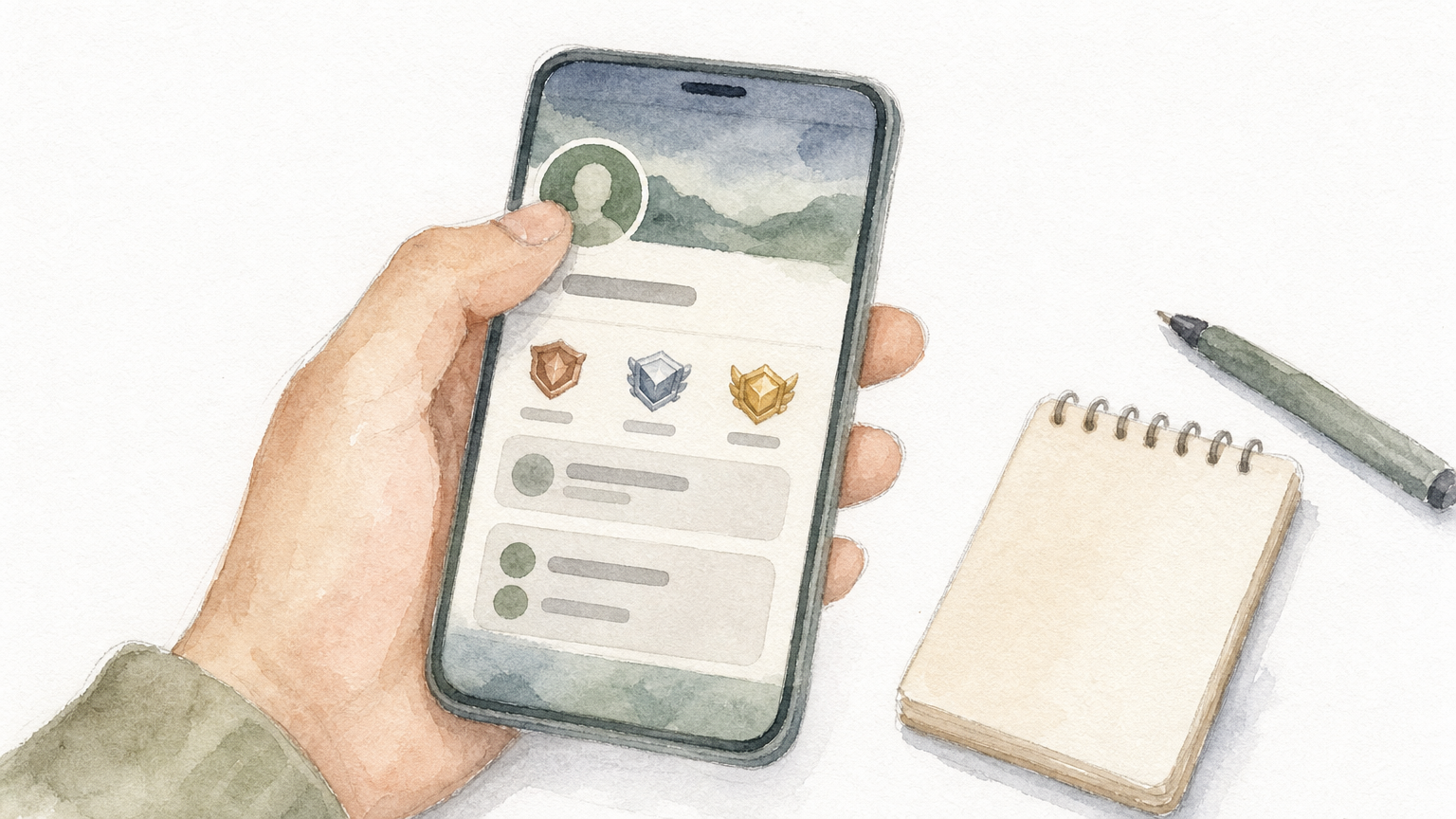
A display like 12345678(1234) means the User ID is 12345678 and the Zone ID is 1234. Enter them in two separate fields, without brackets.
Copy and paste the numbers or take a screenshot instead of retyping them from memory. If the store shows your nickname after you enter the IDs, compare it with your in-game name before you pay. Ask one more question if you are buying for a friend: is this their main account? Diamonds credited to the wrong account are very hard to recover.
Check the Zone ID twice, because one wrong digit sends your diamonds to someone else.
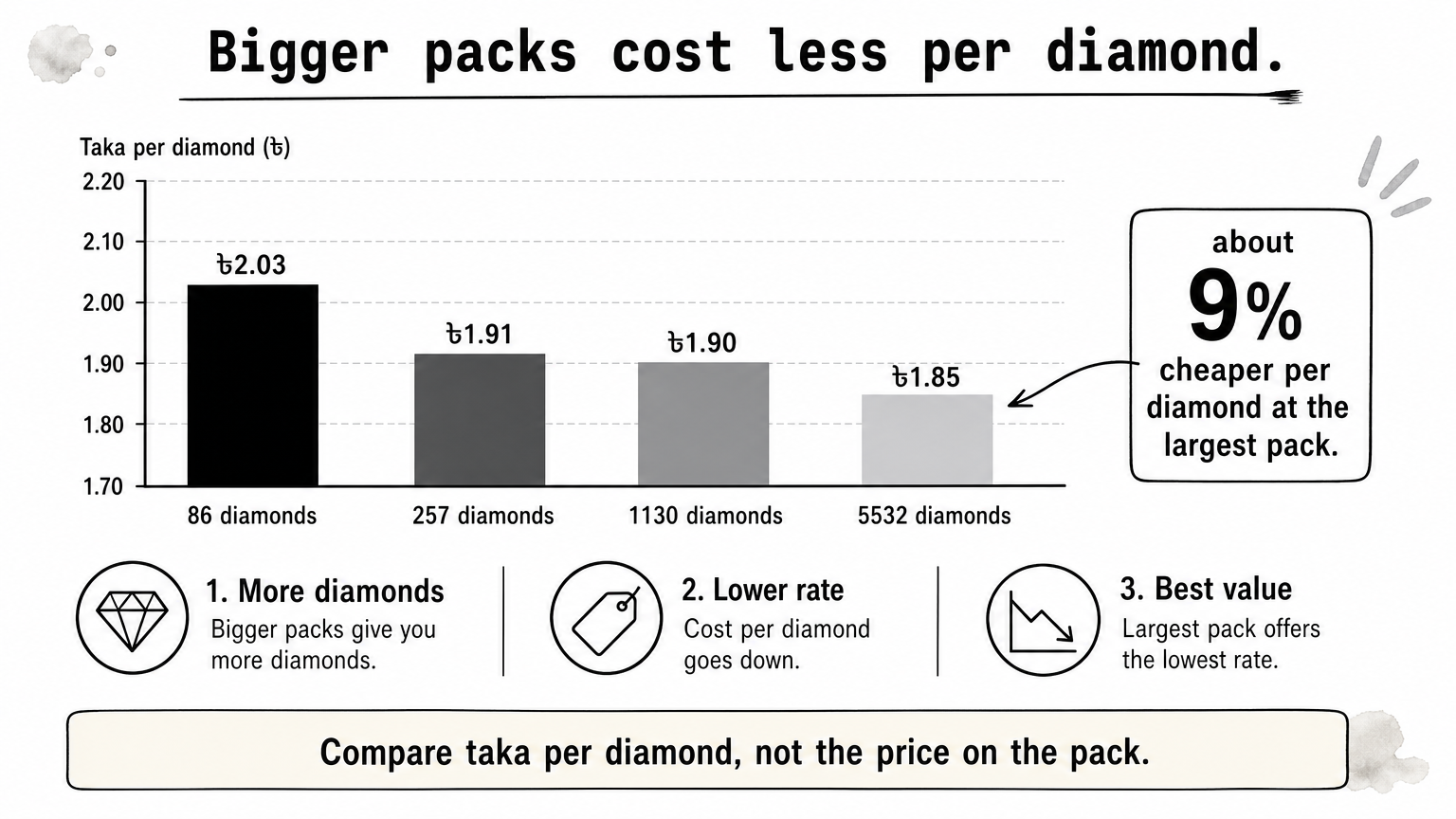
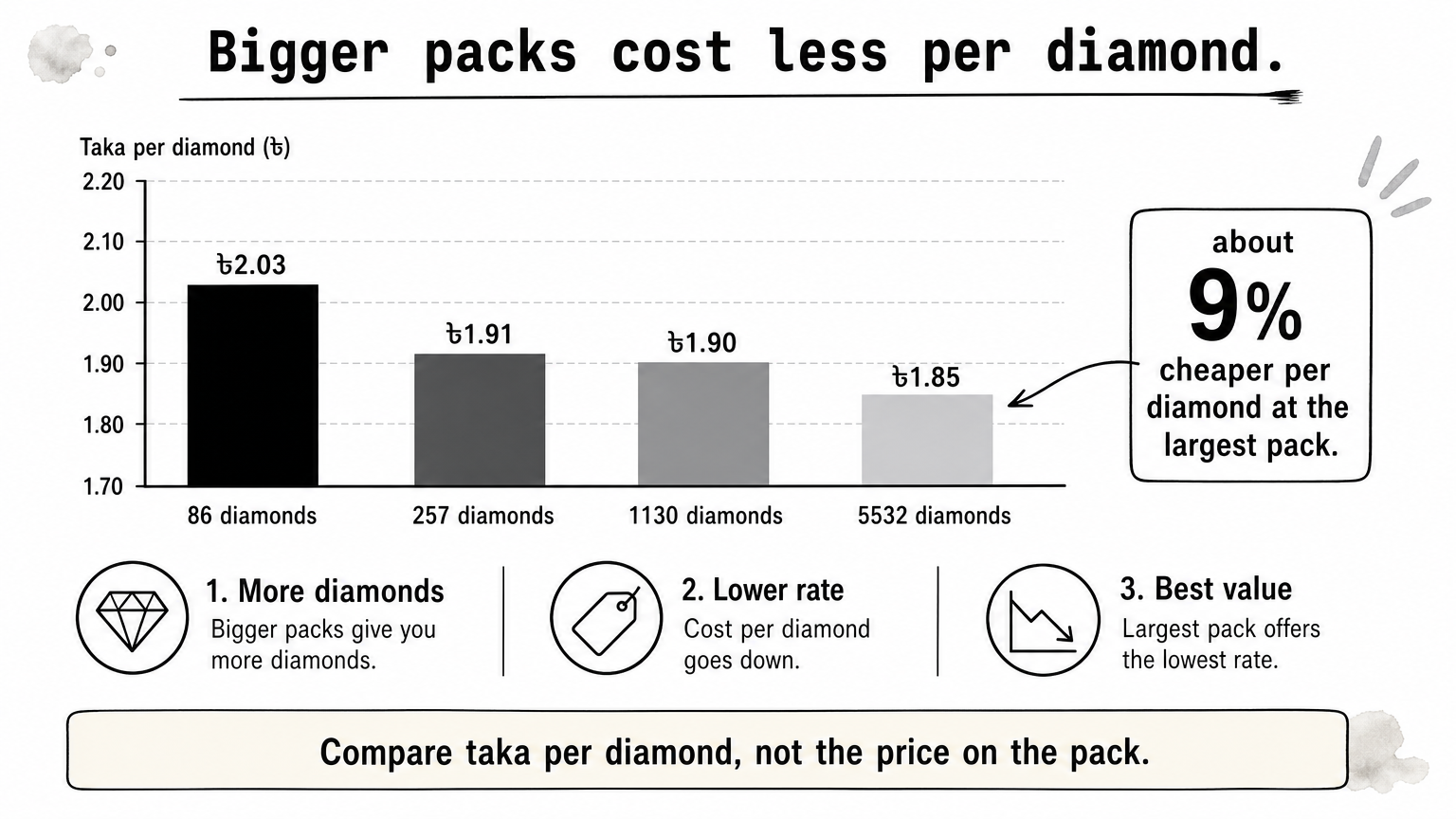
Pick the pack with the lowest price per diamond that still fits what you want to buy, because larger packs cost less per diamond. This matters for Mobile Legends diamonds price comparisons, since the headline price hides the real rate.
The table below uses example listing prices from Bangladesh sellers. Prices move, so treat them as a yardstick and check the live price before you pay.
Pack Base + bonus Example price Taka per diamond 86 diamonds 78 + 8 ৳175 2.03 172 diamonds 156 + 16 ৳345 2.01 257 diamonds 234 + 23 ৳490 1.91 514 diamonds 468 + 46 ৳980 1.91 1130 diamonds 1000 + 130 ৳2150 1.90 2195 diamonds 1860 + 335 ৳4055 1.85 5532 diamonds 4649 + 883 ৳10210 1.85From the smallest pack to the largest, the cost per diamond falls by about 9 percent. If you plan to buy skins over several weeks, one larger pack beats three small ones. Also read the bonus split, because some sellers advertise the total diamond count without showing the base amount.
The game has offered a double diamond bonus on your first purchase of the 50, 150, 250, and 500 diamond levels. That turns those packs into 100, 300, 500, and 1000 diamonds. Bangladesh listings have shown prices from about ৳110 for the 100 diamond pack, which works out to roughly ৳1.05 to ৳1.10 per diamond. That is far below the regular rate.
The bonus applies once per level on your account. Check the in-game top-up screen to see which levels you can still claim, and confirm the offer is still running.
Compare taka per diamond, not the price on the pack.
Select your wallet at checkout, check the order summary, approve the payment, and save the transaction ID. A good MLBB diamond shop in BD accepts all three wallets, so you can pay from whichever one holds your balance.
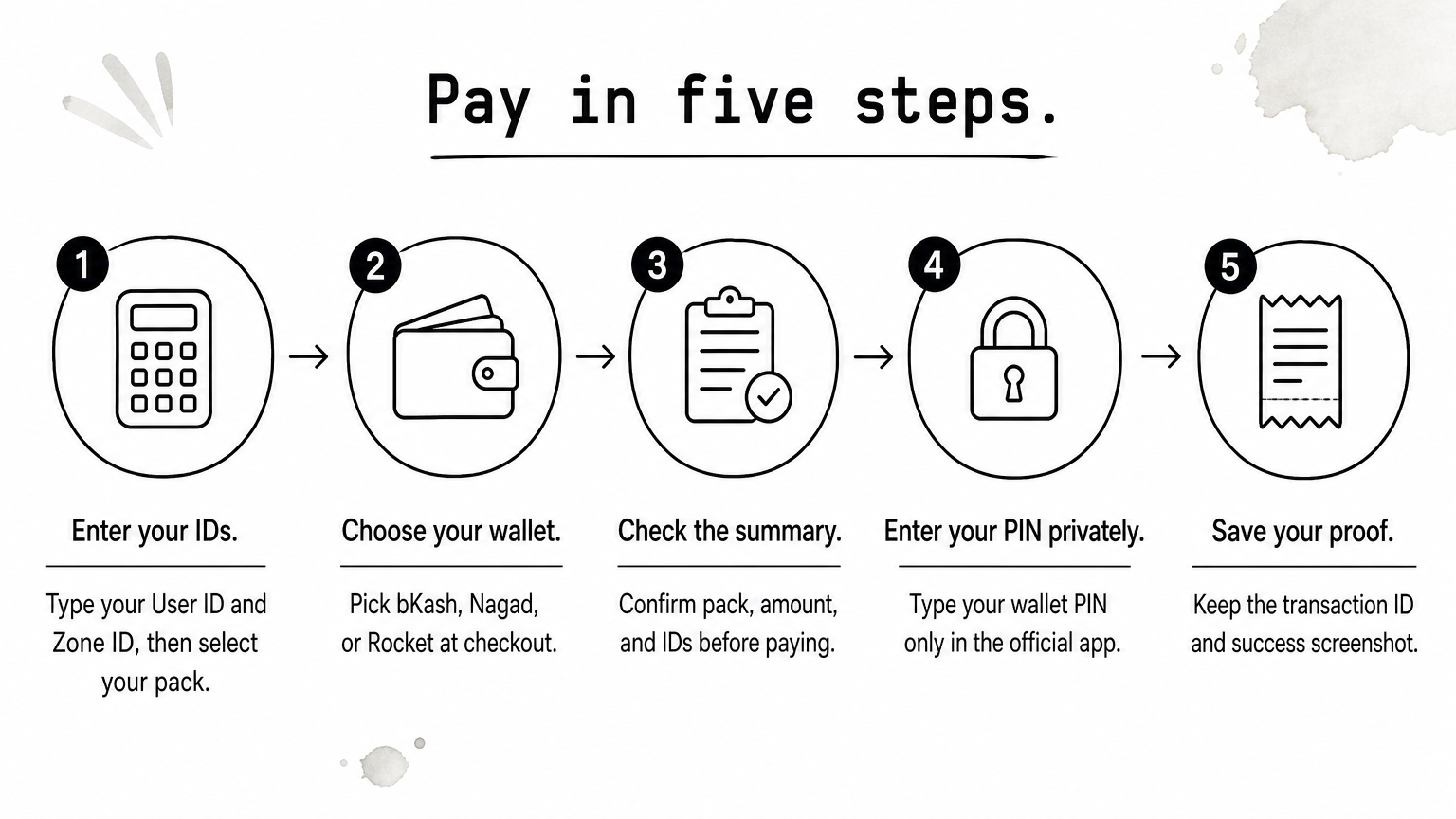
That screenshot is your proof if you ever need support.
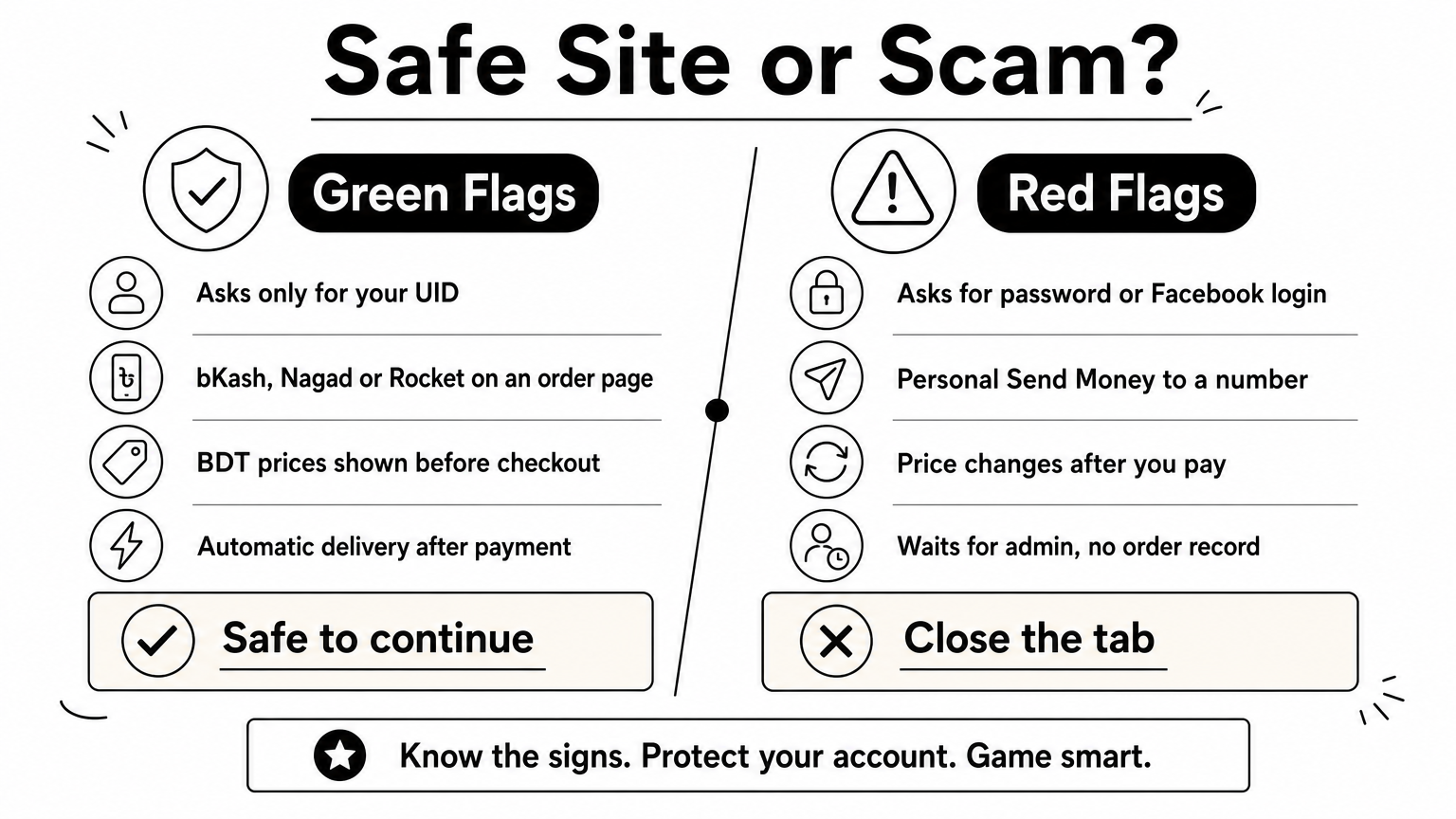
At AroraShop you can buy Mobile Legends diamonds with all three wallets, with instant delivery as the standard. You also get app-only discounts if you use our Android app. Whichever seller you choose, look for visible payment instructions, a clear delivery time, and a support contact. Avoid any seller that asks for your login details, because a top-up never needs them.
Approve a payment only after you have read the pack, the amount, and the IDs.
Open the game and look at your diamond balance on the main screen or the top-up page. Most recharges arrive within minutes, and some sellers state up to 10 minutes during busy hours. If the diamonds have not arrived after 10 minutes, start troubleshooting. Do not pay a second time.
Close the game fully and reopen it if the balance looks unchanged. Check that your wallet shows the payment as completed, not pending. If both look right, the order is probably still in the seller's queue.
Keep your messages short and include the User ID, Zone ID, pack name, time, and transaction ID. Support teams solve MLBB diamond recharge BD problems faster when they get everything in one message.
If diamonds are late, send proof to support, and do not pay twice.
The process is simple once you know it. Copy your User ID and Zone ID, pick the pack with the best price per diamond, pay with your bKash, Nagad, or Rocket wallet, and confirm the balance in the game. Keep the transaction ID until the diamonds appear.
Most failed orders come from the same few slips: a wrong digit, a rushed payment, or a seller who asks for too much information. Avoid those and a recharge takes minutes. If you want a Bangladesh-focused shop with local wallet support and instant delivery, top up your Mobile Legends diamonds at AroraShop.