Leave a Review


To get CapCut Pro 2026 safely, install the official CapCut app from Google Play, the App Store, or capcut.com. Keep your edits free of Pro-tagged assets to export 1080p without a watermark. Pay for Pro only when you need 4K export, the full AI tools, or premium templates. Official Pro costs $19.99 a month or $179.99 a year. If you have no international card, AroraShop sells a 30-day Pro pass for 250 ৳. Skip every "Pro unlocked" APK.
The problem is that search results for this topic are a mess. APK sites quote different "latest" versions of the same app, and pricing pages disagree because CapCut restructured its plans. You can lose an account, hand over personal data, or pay for a plan that no longer exists. Many people also assume the watermark comes from the free plan itself, which is not how it works.
This guide walks you through the whole process in order. First you learn what Pro costs and includes. Then you install the app safely, remove the watermark for free where possible, choose a way to pay for Pro, and activate it. Every figure comes from CapCut's published plans or from AroraShop's product page.
A CapCut Pro subscription is the paid tier of the CapCut editor. In 2026 it costs $19.99 per month or $179.99 per year when you subscribe on capcut.com. It is one of four tiers, and mixing them up causes most of the pricing confusion online.
Twelve monthly Pro payments add up to $239.88, so paying $179.99 per year saves $59.89, or about 25 percent. Prices vary by country. A subscription bought inside the iPhone or Android app typically runs $1 to $3 a month higher than one bought on the website, because the app stores take a cut.
Plan Price on capcut.com What it adds Free $0 Full timeline editor, 1080p export, free music and effects library Standard $9.99 per month Watermark-free mobile exports, larger library of templates and effects, no 4K Pro $19.99 per month or $179.99 per year 4K export, full AI toolkit, 1,200 AI credits a month, 1 TB cloud storage Ultra $79 per month 8,645 AI credits a month, a few extra AI featuresTreat these numbers as a snapshot. CapCut changes plans and regional prices often, so confirm the figure at checkout before you pay.
Before the restructure, Pro was a single paid tier at $9.99 a month or $89.99 a year. CapCut then renamed that tier Standard and launched a new, more capable Pro at $19.99. A page that lists "Pro at $9.99 with 4K and full AI" describes a plan that no longer exists.
The AI features also deserve a second look before you pay for them. Generative tools such as text-to-video draw from a monthly credit allowance instead of running unlimited. Reports say the credits work in CapCut on desktop and the web but not in the mobile app, so check where you will use them.
The $9.99 price now belongs to Standard, and today's Pro starts at $19.99.
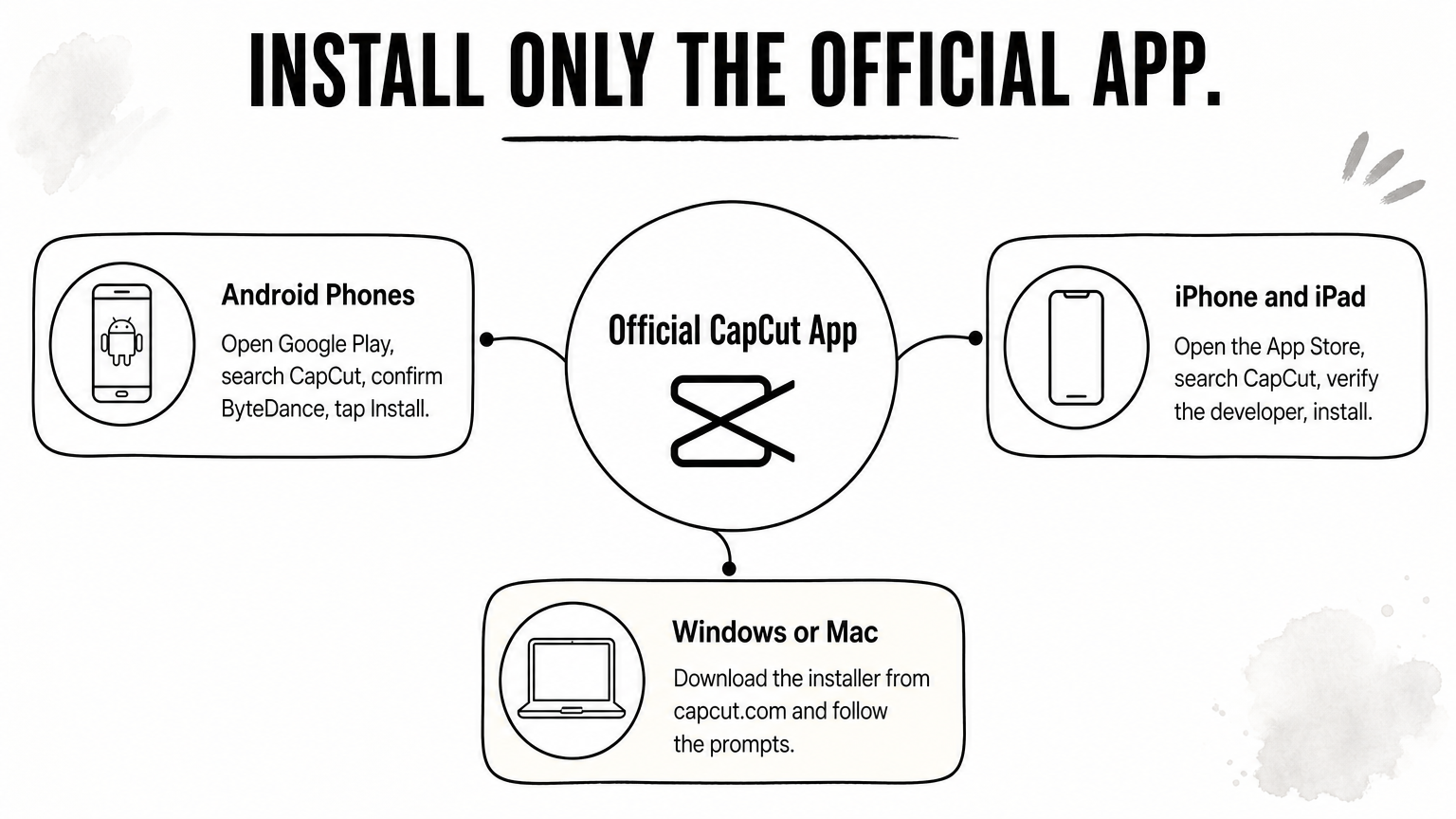
Download CapCut only from Google Play, the App Store, or the official CapCut website. Every CapCut Pro 2026 route in this guide starts from the same official app, and no legitimate Pro plan needs a modified file.
Follow the path for your device. Always check the developer name before you tap Install.
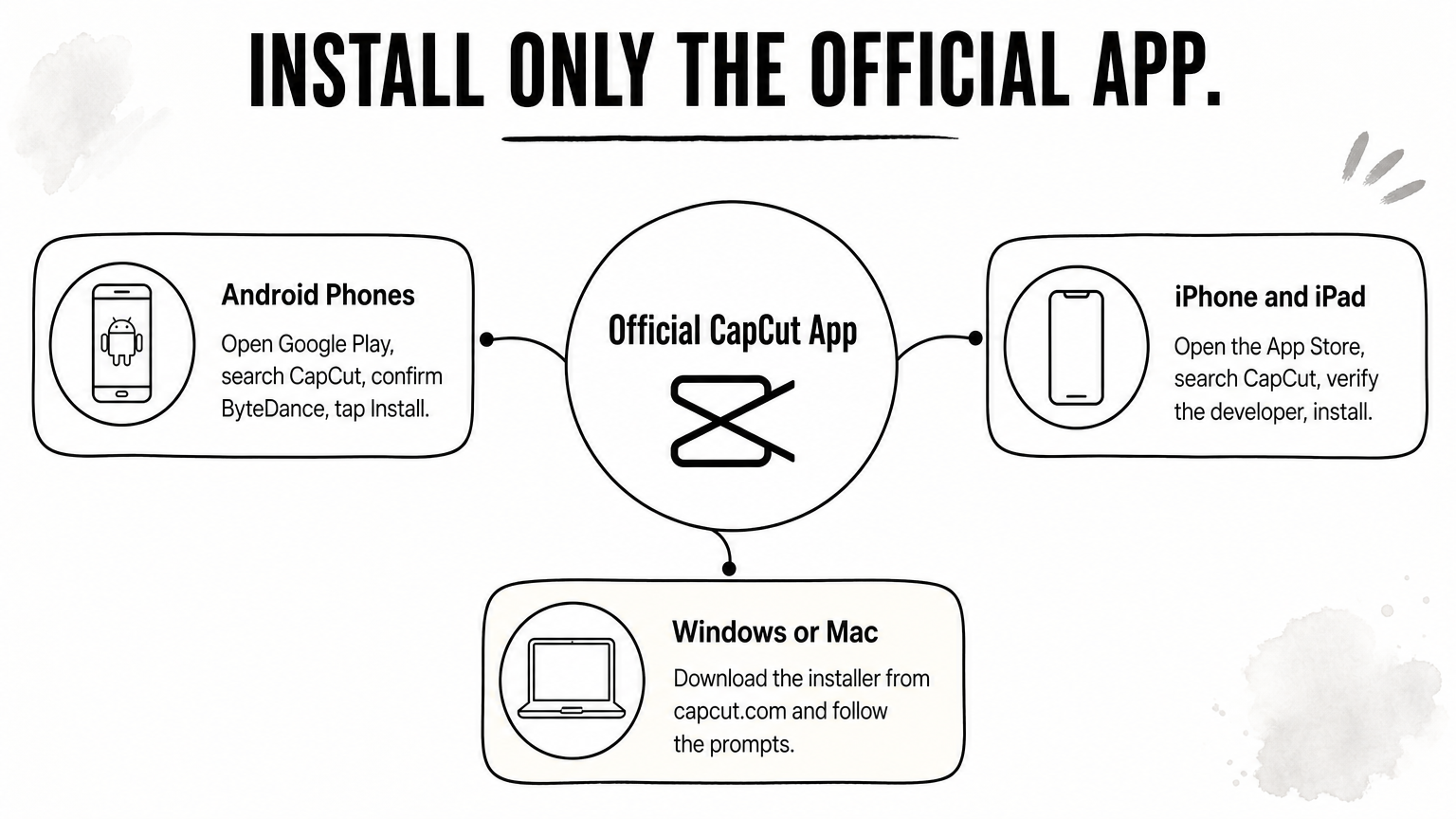
Keep your operating system updated and leave a few gigabytes of free storage. Large projects crash on full phones far more often than on old ones.
APK pages promise free premium access, no watermark, and no ads. Modified APKs break CapCut's terms, receive no security updates, and are a common way malware reaches phones. They also ask for permissions the real app never needs.
You can spot the weakness yourself. APK sites quote different "latest" versions of the same app, such as 16.7.1, 19.3.3, and 20.5.0. A file that claims to be an official release but carries a version number from nowhere is not official. Some guides also tell you to run a VPN to make the file work, which adds a second terms-of-service problem. If you lose your account in the middle of a project, the work goes with it.
A modified CapCut Pro file costs you nothing today and risks your phone, your account, and your projects.
You can export 1080p video with no watermark on the free plan, as long as every asset in the project is free. The watermark comes from the assets you use, not from the export resolution. That is why this step comes before you spend anything.
Put one Pro-tagged template, effect, sticker, sound, or AI clip into a project, and every export carries the watermark until you pay. That includes 1080p exports. Two people on the same free plan can have opposite experiences. One builds from free elements and never sees a watermark. The other builds from trending templates, which are almost always Pro, and sees it every time.
So before you pay $19.99 a month, count the Pro-tagged items in your last project. Often it is a single sticker or sound that you can replace in under a minute.
Run this check on any project that exports with a watermark.
The watermark follows your assets, so remove the Pro-tagged item and the watermark goes with it.
For TikTok, Reels, and Shorts, 1080p is usually enough. These platforms compress uploads hard, and a well-exported 1080p file looks the same as 4K once they finish. Pay for 4K when you deliver to clients, shoot long-form YouTube where you want room to crop, or keep footage you may recut later.
Keep one limit in mind. You cannot export real 4K from 1080p source clips, whatever plan you pay for.
If the free route is not enough, you have two realistic ways to get CapCut Pro 2026. You can subscribe on capcut.com, or buy a fixed 30-day pass with a local wallet. Choose based on how you pay and how long you need Pro.
Subscribing on the website is the standard route and usually the cheapest official one. Pro is $19.99 a month or $179.99 a year, and new subscribers in supported regions can get a 7-day free trial with full Pro access. Subscribe on the web and sign in on your phone, instead of buying inside the app.
Two cautions apply. All CapCut subscriptions renew automatically, so cancel at least 24 hours before the renewal date. And the checkout expects an international card, which many Bangladeshi buyers do not have.
AroraShop sells a CapCut Pro Subscription for 30 days at 250 ৳, paid with bKash, Nagad, or Rocket. According to the product page, it gives full Pro access for 30 days, no watermark on your videos, and works on Android phones and iPhones. It arrives as a digital voucher with instant delivery of 1 to 5 minutes, and the 30 days start after activation, not at purchase.
Know the terms before you buy. The product page states there is no refund after dispatch. You also need an account on the website for full service, and support is reachable on WhatsApp if a delivery runs late. The page does not list details such as AI credits or cloud storage, so check it first if you depend on those.
A worked example shows the difference. Say you edit for three months during a project or an exam break. Three AroraShop passes cost 3 × 250 = 750 ৳. Three official months cost 3 × $19.99 = $59.97, and you need a card that works internationally. The $179.99 annual plan only pays off if you edit all year.

If you edit for a few months and pay in taka, a 30-day pass beats a yearly plan you never use.
Activate Pro when you are ready to edit, then test it with a real export before you start a big project. Your 30-day clock starts at activation, so do not waste days by activating early.
If you bought the AroraShop voucher, activate it when you are ready to edit. Because the term starts after activation, set aside an hour to edit right after you activate. If delivery stalls, message AroraShop support on WhatsApp. Its support team reports an average response time under 15 minutes.
Then run a quick test. Create a short project, add one Pro-tagged template or effect, and export it. Play the file to the end. If the watermark is gone, Pro is active and you can start the real work.
Pick the export resolution that matches your source clips. Choose 4K only when your footage is 4K. Match the frame rate to what you shot: setting 60 fps on 30 fps footage will not make it smoother, it only makes the file bigger.
Mobile 4K export also depends on your device and app version. If a 4K export fails, update the app, free up storage, and close other apps before you try again.
Official subscriptions renew on their own. To stop one, cancel where you subscribed.
Cancelling takes effect at the end of the billing period. Your project files survive, but a later re-export can come back watermarked once the Pro assets lock again. Finish and export client projects while Pro is active.
Export every important project before your Pro time ends, because locked assets can bring the watermark back.
The safe path to CapCut Pro 2026 has four parts. Install the official app, export clean on the free plan by removing Pro-tagged assets, pay for Pro only when you need 4K or the AI tools, and activate it with a real test export. Official Pro costs $19.99 a month or $179.99 a year. A modified APK saves you that money and risks everything on your phone.
If you pay with bKash, Nagad, or Rocket and want a short, fixed term, you can buy the 30-day CapCut Pro pass at AroraShop. Check the product page for the current price and terms, activate it when you are ready to edit, and export your first project before you commit to more.