Leave a Review


To buy Free Fire diamond packs at the lowest price, top up with your Player ID through a local store that accepts bKash, Nagad or Rocket, and choose the largest pack you will actually spend. Larger packs cost less per diamond. You never need to share your password, and delivery usually takes only minutes.
Most players in Bangladesh have no international card, so paying Garena's store directly is hard. A quick search shows random sellers, "free diamond" apps and prices that change from pack to pack. One wrong digit in your Player ID, or one fake offer, can cost you money or your account.
This guide walks you through four steps: find your Player ID, pick the cheapest pack for your needs, pay with a local wallet, and confirm delivery. The prices come from AroraShop's Free Fire Diamond top-up, which we sell to Bangladeshi players, so you can check each number against a real product.
You buy diamonds by topping up your existing account with your Player ID. You do not hand over a login. Know what diamonds do and what you need on hand, and the rest of the process takes a few minutes.
Diamonds are the paid currency in Free Fire. You spend them on weapons, pets and outfits, and on spins such as Luck Royale and Diamond Spin. The Free Fire diamond price depends on the pack size, the seller and how you pay.
At AroraShop, packs run from 60 to 1,800+ diamonds. A 100-diamond pack costs about ৳90, and a 1,060-diamond pack costs about ৳850. These are approximate figures, and prices can change without notice, so check the product page before you pay.
The lowest price comes from the right pack size and a trusted seller, not from a lucky hunt for a deal.
Gather these items first, so the order takes minutes:
Your Player ID is the number that tells the store which account gets the diamonds, so copy it exactly. A wrong digit sends the diamonds to the wrong account.
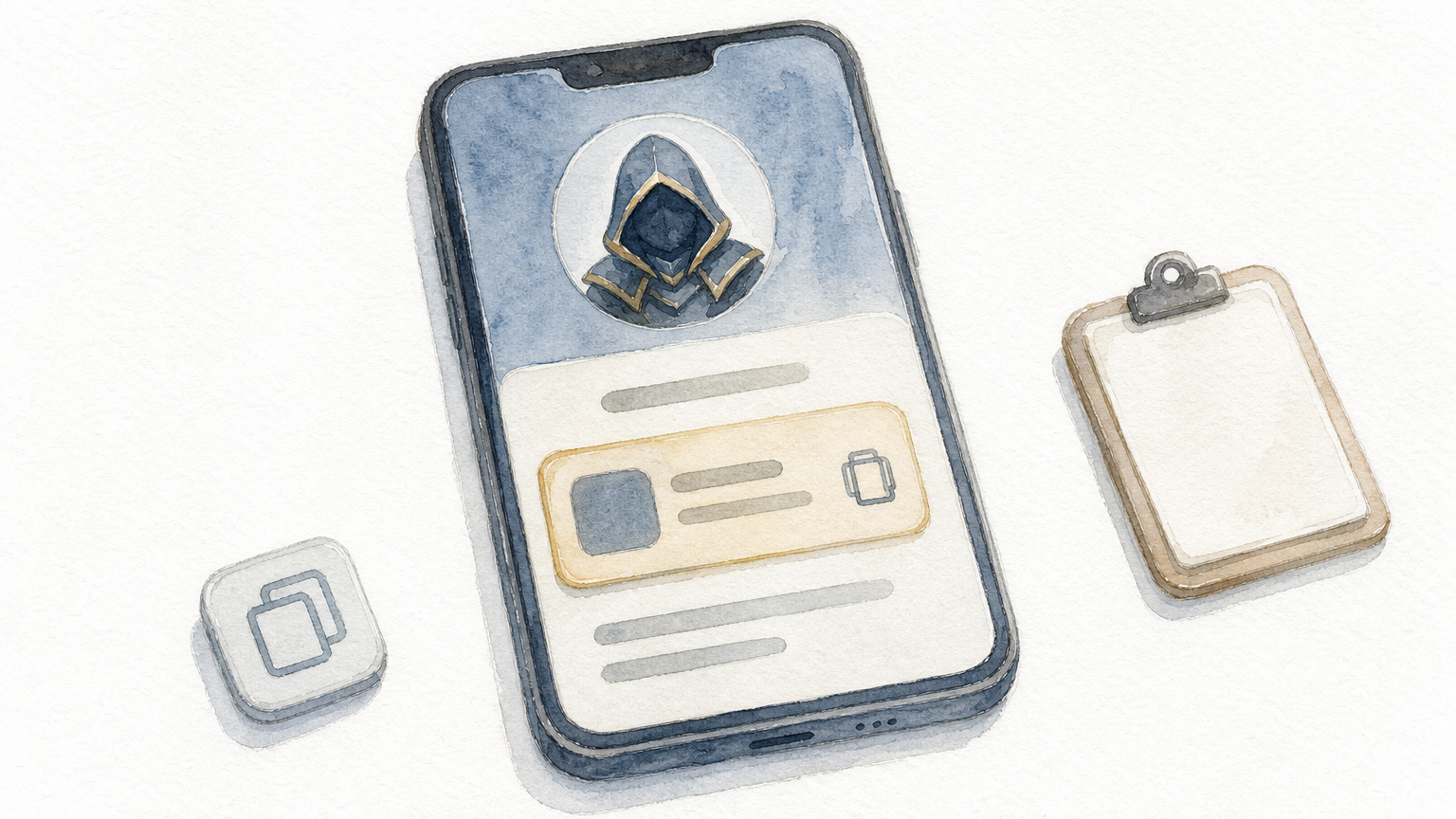
Open Free Fire and tap your avatar or profile in the top-left corner. Your nickname appears with a numeric ID beside or below it. Tap the copy icon if the game offers one, then paste the ID into the order form. Typing it by hand is where most mistakes happen.
If you play Free Fire MAX, diamonds are the same currency. The same Player ID works as long as your MAX and standard accounts are linked.
Confirm that your account is not on an Indonesian server, since that is the one region AroraShop does not support. If you are buying for a friend, ask them to send a screenshot of their profile, not a typed number. Compare the ID with the screenshot before you pay.
Copy your Player ID, never retype it, and check every digit before you pay.
The cheapest option is the largest pack that fits what you plan to buy. Price per diamond drops as the pack grows, but only buy a size you will spend.
This table uses AroraShop's approximate prices and divides each by the number of diamonds:
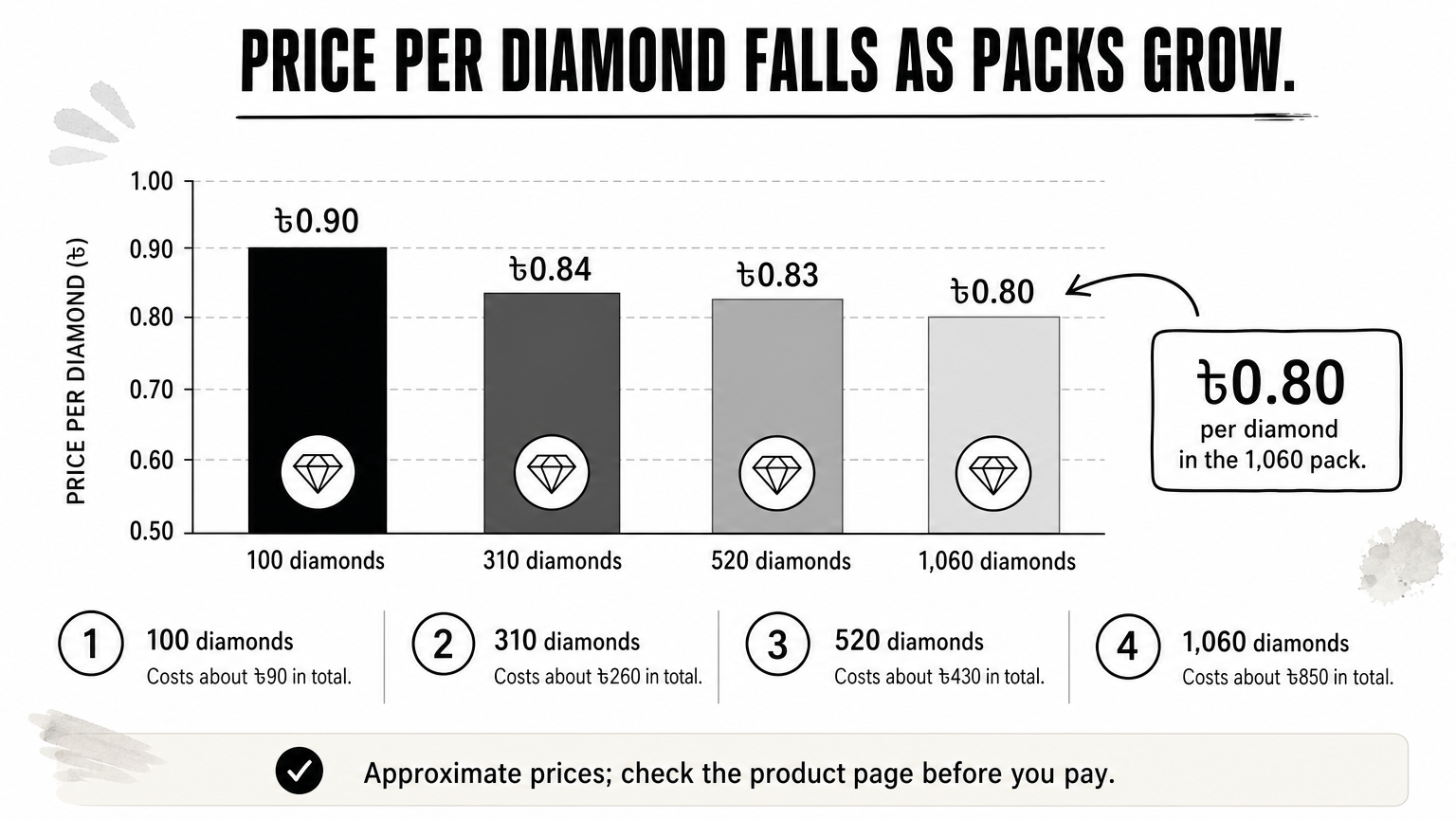
| Pack | Approx. price | Price per diamond |
|---|---|---|
| 100 diamonds | ৳90 | ৳0.90 |
| 310 diamonds | ৳260 | ৳0.84 |
| 520 diamonds | ৳430 | ৳0.83 |
| 1,060 diamonds | ৳850 | ৳0.80 |
Say you want about 1,000 diamonds. Ten 100-packs cost ৳900. Two 520-packs give 1,040 diamonds for ৳860. One 1,060-pack costs ৳850. The single large pack saves ৳50 and gives you 60 extra diamonds.
Memberships and level-up packs are separate products. The Weekly Membership costs ৳157 and the Monthly Membership costs ৳780. The Level 10 level-up pack costs ৳66. Do not compare memberships on price alone, because Garena changes the rewards. Read the in-game offer first.
To pay less on top of that, install the official AroraShop Android app, which has app-only discounts. Avoid sellers who quote a price far below these figures. A price that low usually means a stolen payment or a scam.
Buy the largest pack you will really spend, because the price per diamond falls with pack size.
You can buy Free Fire diamonds with a local wallet in about five steps. AroraShop accepts bKash, Nagad and Rocket, so you do not need an international card.
Follow these steps on the site or in the app:
Pay only through the payment gateway shown on the website. AroraShop requires this, and it can suspend accounts that try to get around it. Follow the wallet prompts, confirm the amount, and keep the transaction ID in your payment message. You will need it if a question comes up later.
Do not pay a seller's personal wallet number sent to you in a chat, even if the price looks better. Gateway payments are tied to your order. A personal number is not.
Pay only through the gateway on the site, and keep your transaction ID until the diamonds arrive.
Open the game and check your diamond balance once the order shows as complete. Delivery is almost instant, usually within minutes. If the diamonds are missing, work through a short checklist before you worry.
Open the top-up screen in Free Fire and look at the diamond counter. If nothing has changed after a few minutes, check these in order:
If all three look right, contact support on WhatsApp. AroraShop's support team reports an average response time under 15 minutes. Send your order details and transaction ID. You can also email support@arorashop.com.
No app, website or YouTube video can add real diamonds to your account for free. These tools usually ask for your login or a one-time code. Handing those over can get your account stolen or banned. A legitimate top-up needs only your Player ID and nickname, nothing else. If a site asks for a password or OTP, close it.
A real top-up asks only for your Player ID and nickname, never your password or an OTP.
To buy diamonds in Free Fire at a fair price, copy your Player ID, choose the largest pack you will really spend, pay through the gateway with bKash, Nagad or Rocket, and check your balance. Skip any seller that asks for your password.
When you are ready, open the Free Fire Diamond top-up at AroraShop, enter your Player ID and pick your pack. Check the current price on the product page first, since figures can change.

Please login to live chat or contact via WhatsApp